

Does Cloud Phone Support SIM Card Binding: Virtual Carrier Configuration Explained
The Short Answer: Cloud Phones Cannot Take a Physical SIM Card
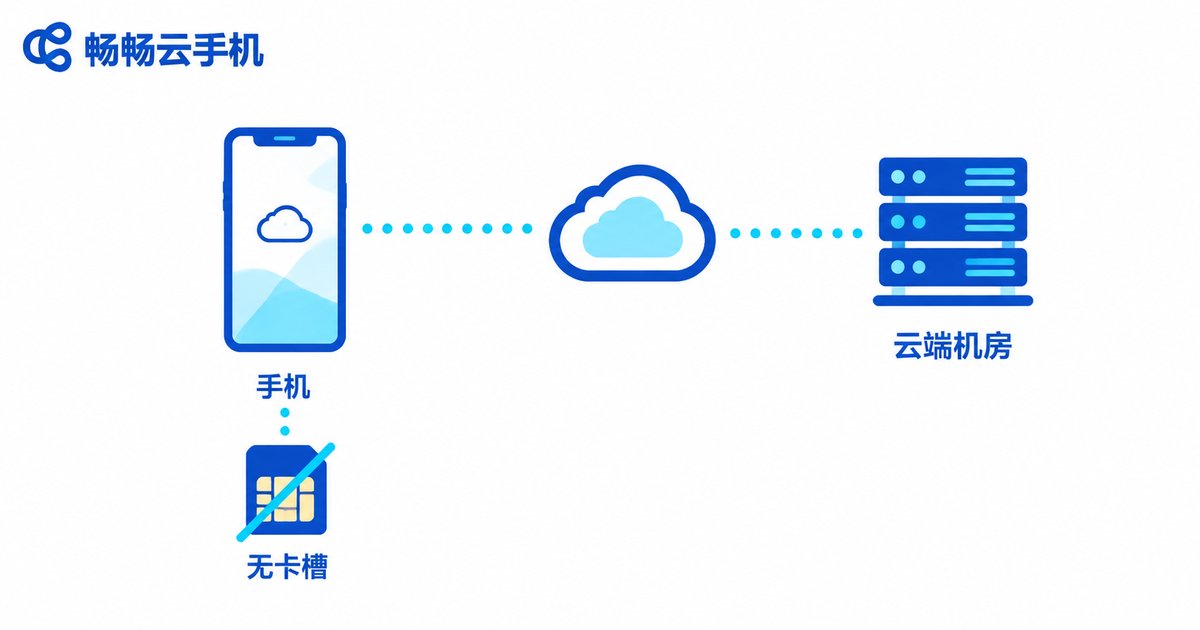
One of the first questions new users ask is: does a cloud phone support SIM card binding? The answer is straightforward — you cannot insert a physical SIM card. A cloud phone is not a handset you hold in your hand; it is a virtual Android device running on servers in a remote data center. It has no card slot and no baseband hardware, so there is simply nowhere to plug a SIM in.
That said, this does not mean SIM-related needs go unmet. Through virtual carrier configuration, a cloud phone can simulate a carrier environment at the system level, covering the requirements of most app scenarios. Let's break it down layer by layer.
Why Cloud Phones Have No SIM Slot
To understand this, you first need to know how a cloud phone works. The screen you see is actually a live stream rendered on a remote server, while your taps and swipes are sent back to the cloud for processing. In other words, your phone is just a display and a controller — the real device lives in a data center.
Because the device itself is virtualized, there is no slot to insert a card and no baseband chip searching for signal. Cloud phones connect through the data center's high-speed wired network, which is typically faster and more stable than mobile data.
How Virtual Carrier Configuration Works
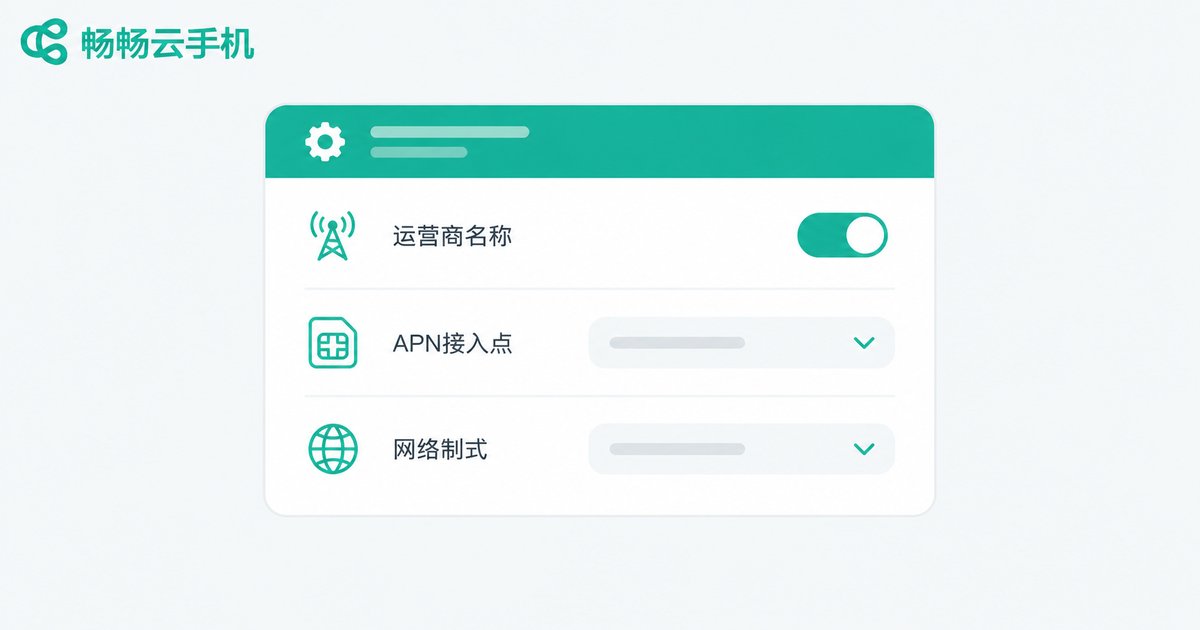
No physical SIM does not mean blank carrier information. Virtual carrier configuration refers to setting carrier-related parameters at the system level, mainly in three areas:
1. Carrier information display: configure the carrier name, network type (such as 4G/5G), and similar fields so that apps read an environment close to a normally registered phone.
2. APN settings: the APN determines how the device connects to the data network. Apps sensitive to network conditions can run with better-matched parameters once the APN is configured.
3. Virtual number capability: for scenarios that involve verification codes, virtual number solutions provided by the cloud phone vendor can handle it online without a physical card. Actual support varies by provider — check the official documentation.
Physical SIM vs. Virtual Carrier Configuration
| Dimension | Physical SIM Card | Cloud Virtual Carrier Config |
|---|---|---|
| Hardware dependency | Requires real devices and slots | Pure software setup, no hardware |
| Multi-account cost | One card per person, high real-name cost | Create in bulk in the cloud, scale on demand |
| Environment isolation | Swapping cards keeps the same device, easy to link | Each cloud phone has an independent environment |
| Management efficiency | Inserting and removing cards is tedious | One-click switching and batch operations online |
Choose ChangChang Cloud Phone for a Stable Android Cloud Environment
If you are looking for a cloud phone with solid carrier environment configuration and stable performance, consider ChangChang Cloud Phone (ccloudphone). It delivers a smooth Android environment in the cloud with multi-instance management, app hosting, and other common capabilities — ideal for multi-opening games, app testing, and batch operations. Visit the official website at ccloudphone for feature details and plan information.
FAQ
Q: Can I insert my own physical SIM card into a cloud phone?
No. A cloud phone is a virtual device running on cloud servers. It has no physical slot, cannot accept a SIM card, and cannot read physical card data.
Q: Without a SIM card, how does a cloud phone connect to the internet?
Cloud phones connect through the data center's high-speed network and do not rely on cellular signal. Browsing and app performance are usually better than ordinary mobile data.
Q: What is virtual carrier configuration actually for?
It makes the carrier information that apps read more complete and realistic. Apps that check the carrier environment run more smoothly, and it simplifies multi-account environment management.
Q: Can a cloud phone receive SMS verification codes?
Verification scenarios can be handled through virtual number solutions offered by the provider. Support varies between providers, so refer to the official feature documentation of ChangChang Cloud Phone.


