

How to Use Cloud Phones for Short Video Matrix Operations? Multi-Account Content Distribution and Trending Recommendation Mechanics
The short video boom is far from over, but the ceiling for a single account is becoming obvious. More and more teams are turning to matrix operations to multiply the value of their content, and cloud phones are the core tool that makes this strategy work. This guide explains how to use cloud phones for short video matrix operations, and how to combine multi-account content distribution with trending recommendation mechanics to earn more traffic.
What Is Short Video Matrix Operations?
Short video matrix operations means running multiple short video accounts with different positioning at the same time, so your content reaches more audiences and gains more exposure. A food team, for example, might run several accounts at once — home-cooking tutorials, restaurant reviews, baking lessons — each targeting a different niche.
The core value of a matrix approach comes down to three things: risk diversification, where one throttled account never sinks the whole business; traffic amplification, where multiple accounts work together and funnel traffic to each other; and faster testing, where the same material tried across accounts finds winning content sooner.
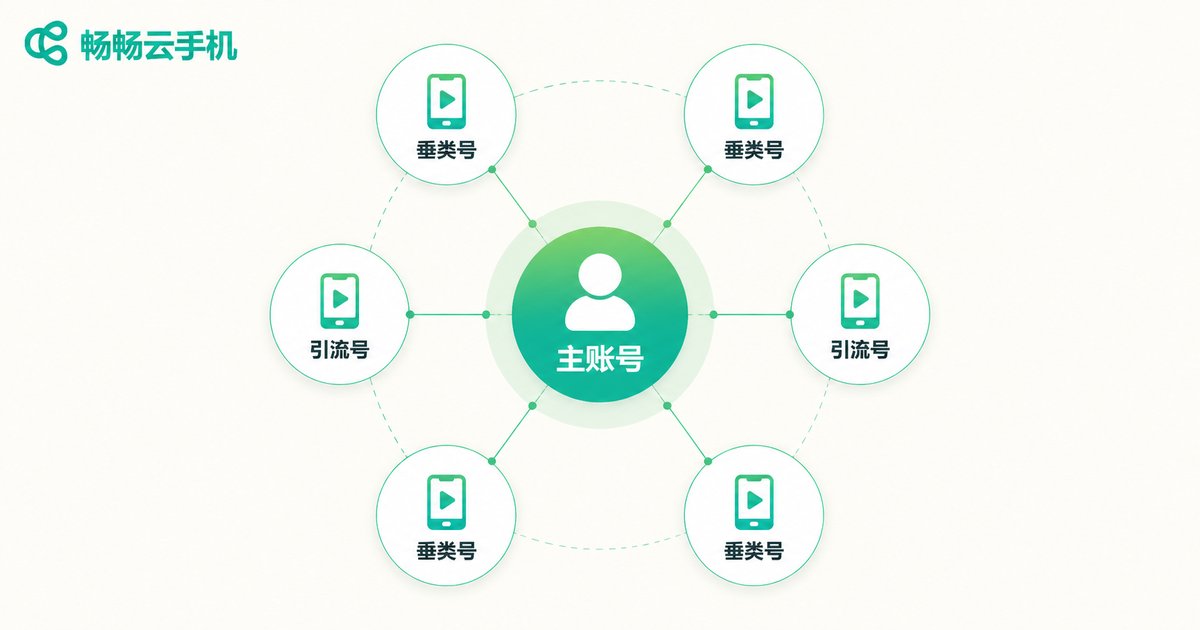
How Cloud Phones Support a Multi-Account Matrix
The traditional way to run multiple accounts is to buy multiple physical phones — expensive, scattered, and space-hungry. A cloud phone moves the device to the cloud, so one computer or one local phone can manage multiple cloud phone instances.
What cloud phones bring to matrix operations:
1. Independent environments: each cloud phone has its own device profile and runtime, reducing the risk of accounts being flagged as marketing accounts. 2. 24/7 online: instances keep running in the cloud without draining local battery or storage. 3. Centralized management: batch operations, no swapping phones or SIM cards to switch accounts. 4. Access anywhere: reach your cloud phones through an app or web console.
For tooling, we recommend ccloudphone, which offers a stable cloud Android environment and multi-instance management for both individual creators and teams.
Multi-Account Content Distribution Strategy
A matrix is not about copying the same video to every account — it is about layered positioning and differentiated distribution.
Account layering: the main account carries brand image and high-quality originals; vertical accounts go deep into niches such as tutorials, reviews, or storylines; traffic accounts publish at high frequency and test content directions.
Distribution rhythm: stagger the release of the same material so accounts do not collide in the same time slot; customize each version with a new cover, a new title, and new background music; once a video takes off, redistribute the winning format across the matrix.
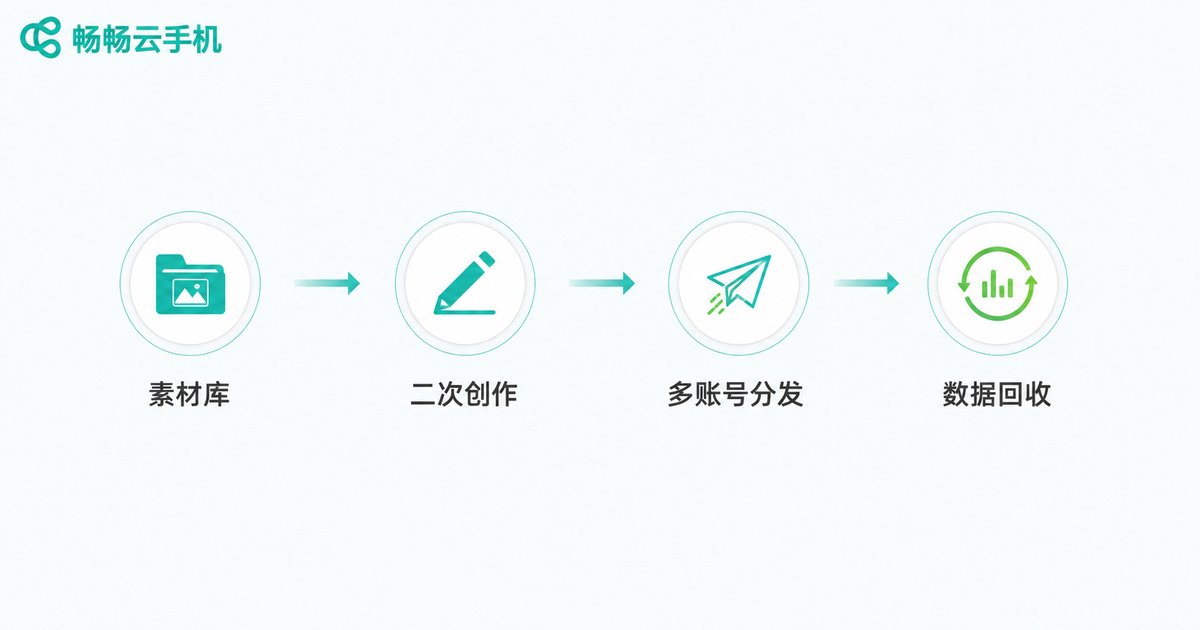
A reusable distribution loop: asset library → re-creation → multi-account distribution → data review → replicate winners. The asset library stores raw material, re-creation keeps each account distinct, and data review tells you which content deserves to be scaled.
Understanding the Trending Recommendation Mechanism
Recommendation logic on major short video platforms can be simplified into a traffic-pool model. Understanding it gives your matrix a clear direction.
Step one: cold start — a new video enters a small traffic pool and gets a few hundred impressions. Step two: data evaluation — the system weighs completion rate, like rate, comment rate, share rate, and follower conversion. Step three: boosted distribution — if the numbers pass, the video is pushed into a larger pool. Step four: decay and long tail — after the peak, the video settles into long-tail traffic from search and recommendations.
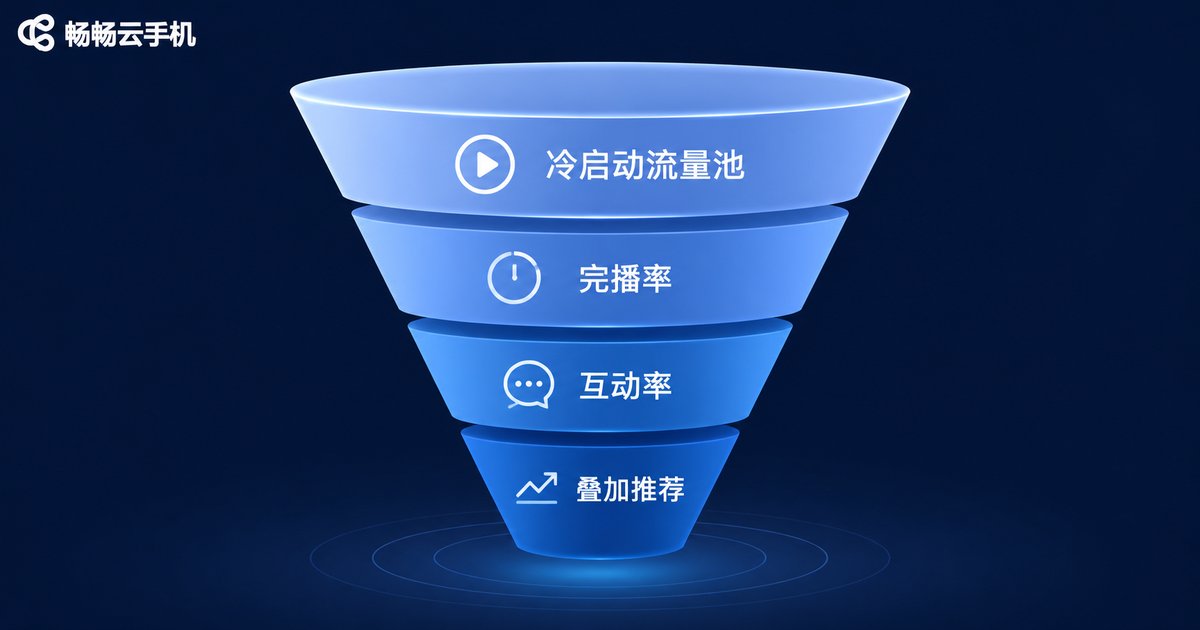
Three takeaways for matrix operations: the first 3 seconds decide completion rate, so open strong; guide engagement with question-style endings and active comment sections; and publish when your target audience is active, because timing shapes initial traffic.
A Practical Cloud Phone Matrix Workflow
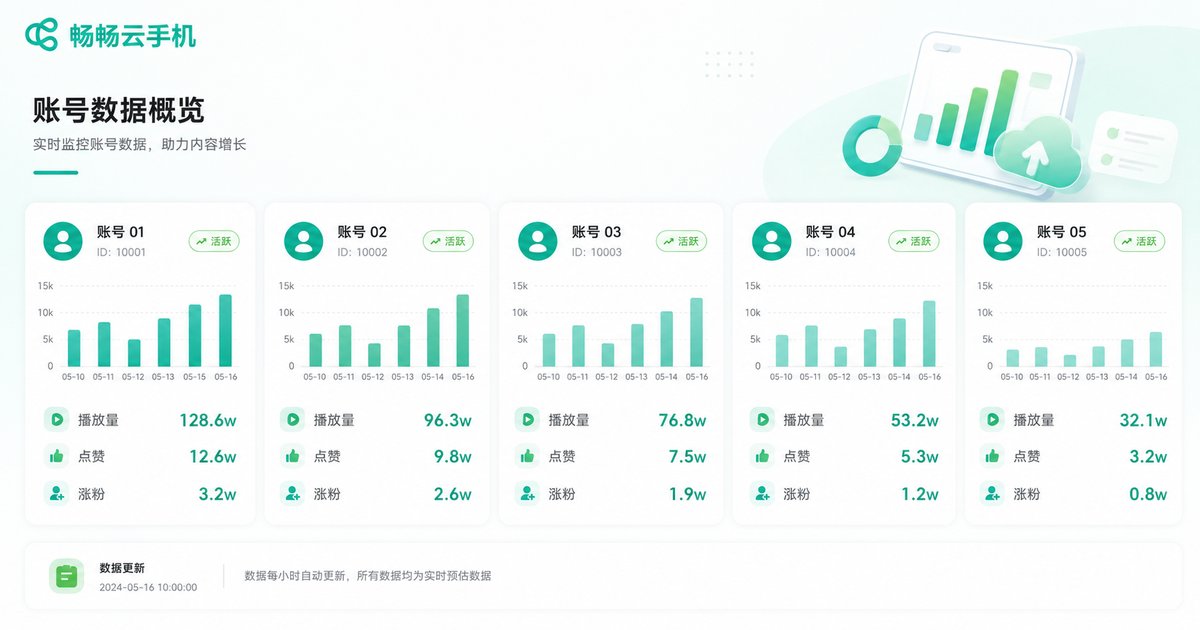
Step 1, plan the matrix: decide how many main and vertical accounts you need and define each persona. Step 2, set up cloud phones: create matching instances on ccloudphone, one instance per account. Step 3, warm up accounts: for 3-7 days, behave like a real user — browse, like, and comment on similar content. Step 4, produce content: build an asset library and batch-create differentiated versions. Step 5, distribute: publish at staggered times with unique covers and titles. Step 6, review data: run a weekly review, cut underperforming accounts, and double down on winners.
Physical Multi-Phone Setup vs. Cloud Phone Matrix
| Factor | Physical Phones | Cloud Phone Matrix |
|---|---|---|
| Device cost | Buy many phones, high upfront spend | Open instances on demand, controllable cost |
| Management | Operate one by one, time-consuming | Centralized, batch operations |
| Space | Storage, charging, maintenance | Runs in the cloud, zero footprint |
| Uptime | Depends on local devices | Online 24/7 in the cloud |
| Scalability | More accounts mean more phones | Add or remove instances anytime |
FAQ
Q: Will cloud phones be detected by platforms?
A: Cloud phones run a real Android environment. Under normal usage and compliant publishing, the experience matches an ordinary phone. The key is to follow platform rules — no prohibited content and no abnormal high-frequency actions.
Q: How many accounts can one cloud phone hold?
A: Keep one cloud phone instance per account. A stable device-to-account mapping looks more like a normal user to the platform.
Q: How many accounts can one person run?
A: With centralized cloud phone management, one person can maintain 5-10 accounts. Teams can split work into content, publishing, and data roles.
Q: How long should a new account be warmed up before posting?
A: Usually 3-7 days. Browse, like, and comment on similar content like a regular user so the system tags the account interests, then move into a normal publishing rhythm.


