
Is Cloud Phone Safe? A Guide to Privacy Protection and Data Isolation
The Short Answer: Cloud Phones Are Built for Isolation — the Provider Makes the Difference
When people first hear about cloud phones, the instinctive question is: “If my data sits on someone else’s server, is it really safe?” That concern is understandable, but the answer is often the opposite of what people expect — the core design principle of a cloud phone is precisely isolation and separation. It moves the app running environment from your physical device into the cloud, structurally reducing the risk of local privacy leaks. That said, the actual security experience depends on the provider’s technology and privacy policy. This article explains, in plain language, how cloud phone privacy protection and data isolation actually work.
How Cloud Phones Work: Where Does Your Data Actually Live?
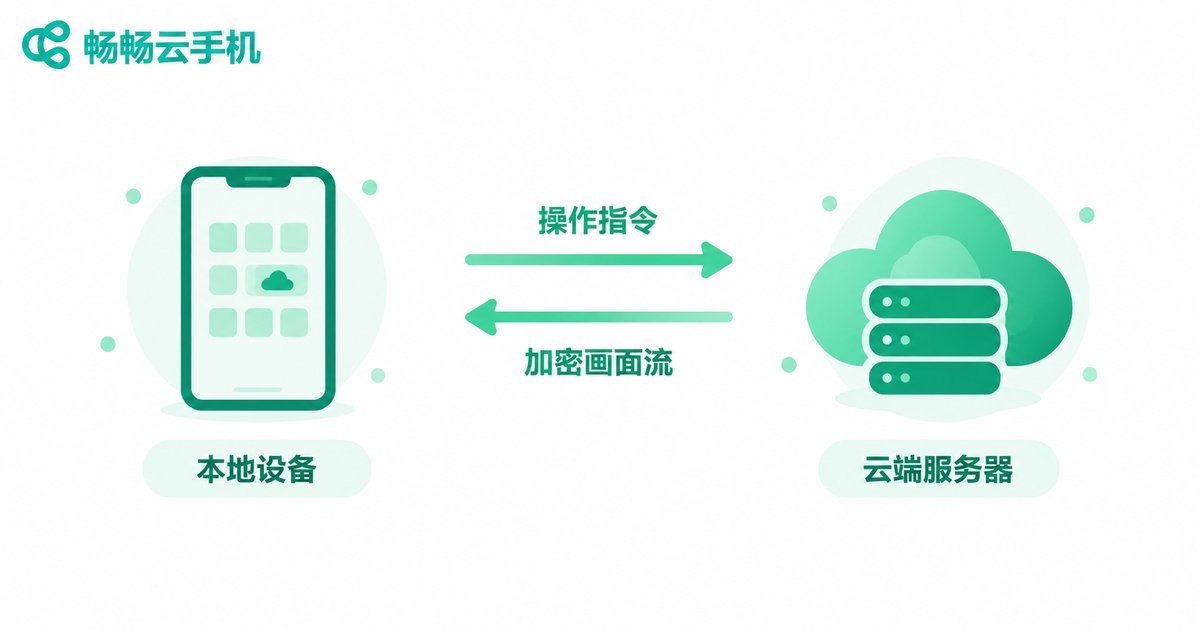
A cloud phone is not a physical handset — it is an independent virtual Android instance running on servers in a data center. When you connect from your local phone or computer, your device does only two things: it sends your taps and swipes upstream, and it streams the cloud phone’s screen back down. All app installation, execution, and data storage happen in the cloud.
This architecture delivers three built-in security properties. First, nothing is left on your local device — caches and account data generated inside the cloud phone never get written to your physical handset. Second, losing your device doesn’t mean losing your data — even if your phone is stolen or infected, the accounts and files in your cloud environment remain intact. Third, instances don’t interfere with each other — each cloud phone is an independent instance, so a problem with one doesn’t affect the others.
Data Isolation Explained: How Your Data Is Kept in Separate Rooms
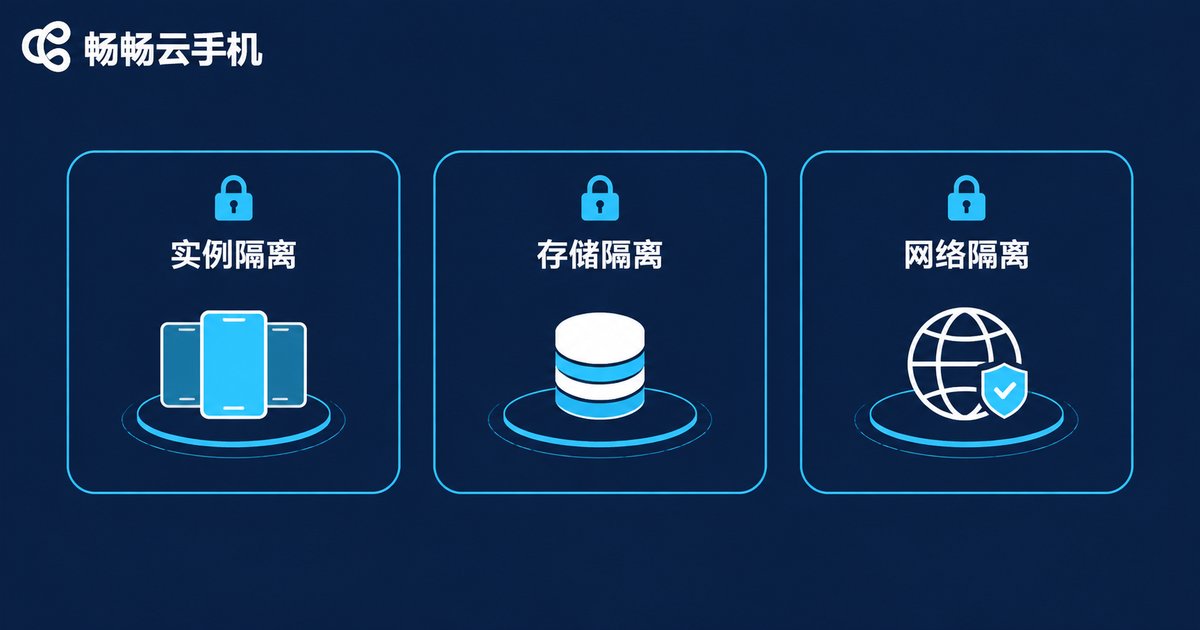
Data isolation on a reputable cloud phone works on three levels:
1. Instance-level isolation. Every cloud phone is a complete, independent Android system with its own system partition, storage space, and device identifiers. The account you log into on cloud phone A is completely invisible to cloud phone B — as if they were two unrelated physical devices.
2. Storage isolation. Cloud phone data is kept in dedicated storage on cloud servers, logically separated from your local device’s storage. Your local device only transmits an encrypted video stream and stores no business data at all.
3. Network environment isolation. Each instance gets its own network environment, preventing accounts from being linked together — especially important for users who operate multiple accounts.
Here’s a quick comparison between installing apps directly on your local phone and running them on a cloud phone:
| Aspect | Apps on Local Phone | Apps on Cloud Phone |
|---|---|---|
| Data storage location | Local device | Isolated cloud space |
| Local privacy exposure | Apps can request contacts, photos, and other local permissions | Cannot touch local data |
| Impact of a lost device | Local data may be read by others | Cloud data unaffected |
| Multi-account isolation | Relies on cloning apps; limited isolation | Instance-level independent environments |
Privacy in Practice: What Local-Cloud Separation Buys You
Once you understand the isolation model, its everyday value becomes obvious:
Separate work from life. Put all your work and client-communication apps inside a cloud phone and keep only personal apps on your local device. Disconnect after hours, and work messages stop following you into your private life.
A sandbox for apps you don’t fully trust. Some apps request far more permissions than they need. Run them inside a cloud phone instead — even if an app misbehaves, all it can reach is that isolated cloud environment, not your local contacts, photos, or messages.
Switch or repair phones without missing a beat. Because your data lives in the cloud, logging in on a new device restores your entire environment — no risky export-import migrations. And when you send your phone in for repair, your cloud business data stays safely out of the technician’s hands.
How to Tell Whether a Cloud Phone Provider Is Trustworthy
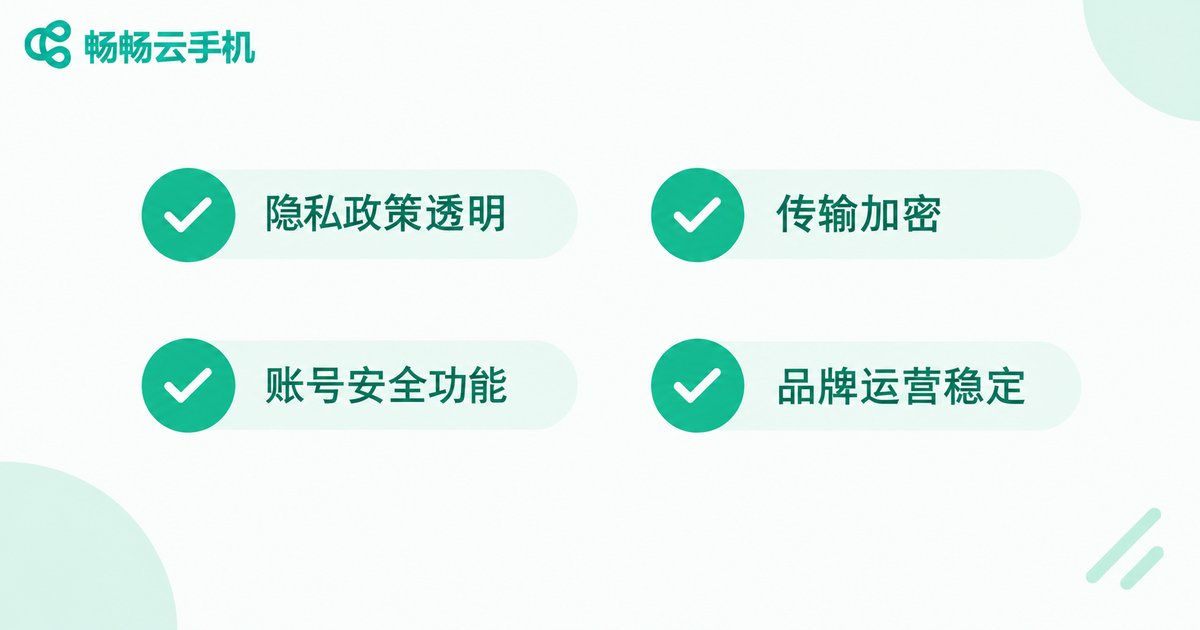
Cloud phone security is half architecture, half operations. When choosing a provider, check four things:
1. Read the privacy policy. A reputable provider clearly explains how user data is stored and whether it is collected or used for other purposes. Vague terms — or no privacy policy at all — are red flags.
2. Check transport encryption. Video streams and control commands should travel through encrypted channels so they can’t be intercepted or tampered with in transit.
3. Look at account security features. Real-name verification, device management, and unusual-login alerts are baseline capabilities.
4. Consider brand maturity. Prefer established providers with a long operating history and a large user base — for example, ChangChang Cloud Phone (ccloudphone), which offers a well-developed system for data isolation, stable performance, and responsive support, making it a solid choice for users who keep important accounts and long-term operations in the cloud. For current plans and features, visit the official website at ccloudphone.
Frequently Asked Questions
Q: Can a cloud phone peek at the data on my local phone?
No. A cloud phone runs on remote servers and is isolated from your local device. It can only access data inside its own instance and cannot read your local photos, contacts, or messages.
Q: Are the accounts and passwords stored in a cloud phone safe?
Account data lives in isolated cloud storage, and reputable providers encrypt it both at rest and in transit. Enable two-factor authentication on important accounts and avoid reusing the same password across platforms.
Q: What happens to my data if the provider shuts down?
Make backups a habit: link games to third-party accounts and sync important files to your own storage regularly. Choosing a stable, established brand also significantly reduces this risk.
Q: Will running multiple accounts on a cloud phone get me banned?
A cloud phone is a legitimate tool, and each instance has its own device environment. Bans depend on how you actually behave — follow each platform’s rules and operate normally, and you should be fine.


