
Cloud Phone Script Precautions: Account Security, Compliance Boundaries, and Exception Handling
Why Cloud Phone Scripting Needs Rules First
Most people come to cloud phone scripts with one simple wish: daily game tasks are tedious, there are too many accounts to manage, and repetitive actions waste time. So they write a script, attach an automation tool, and let a cloud phone do the 'work' while they get on with other things.
There is nothing wrong with that idea — cloud phones are built for exactly these scenarios. They move a complete Android system into the cloud, so scripts run around the clock without occupying your own phone or draining its battery. But a script is a double-edged sword: used properly, it is an efficiency tool; used carelessly, it means constant errors at best, and account restrictions or bans at worst. This article covers the three most important aspects of using cloud phone scripts: account security, compliance boundaries, and exception handling.
Account Security: Don't Let Scripts Leak Your Passwords
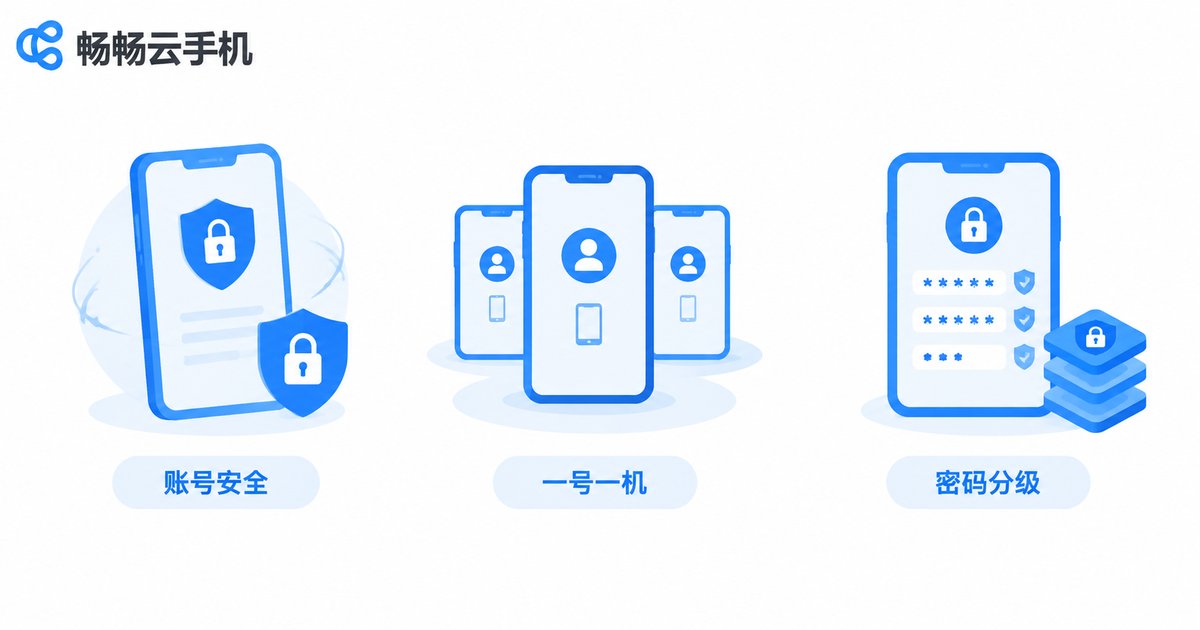
Scripts log in automatically, so password management is unavoidable. Many people write passwords in plain text inside their scripts, or reuse one password across a dozen accounts — one leak and the damage cascades. Keep these three rules in mind:
First, one environment, one identity. The strength of a cloud phone is that every instance is an independent environment. When managing multiple accounts, follow a 'one account, one instance' principle instead of squeezing all accounts into a single instance. This lowers linkage risk between accounts and makes problems easier to trace.
Second, tier your passwords. Keep important accounts (especially anything involving money) separate from ordinary secondary accounts. Never reuse passwords, and never store them in plain text inside your script. Where possible, enable two-factor authentication on key accounts.
Third, control your login rhythm. Avoid logging many accounts in and out rapidly within the same environment — that heavily 'machine-flavored' pattern is a common trigger for risk control systems. Add random intervals between login actions so the rhythm looks like normal human usage.
Compliance Boundaries: What Scripts Can and Cannot Do
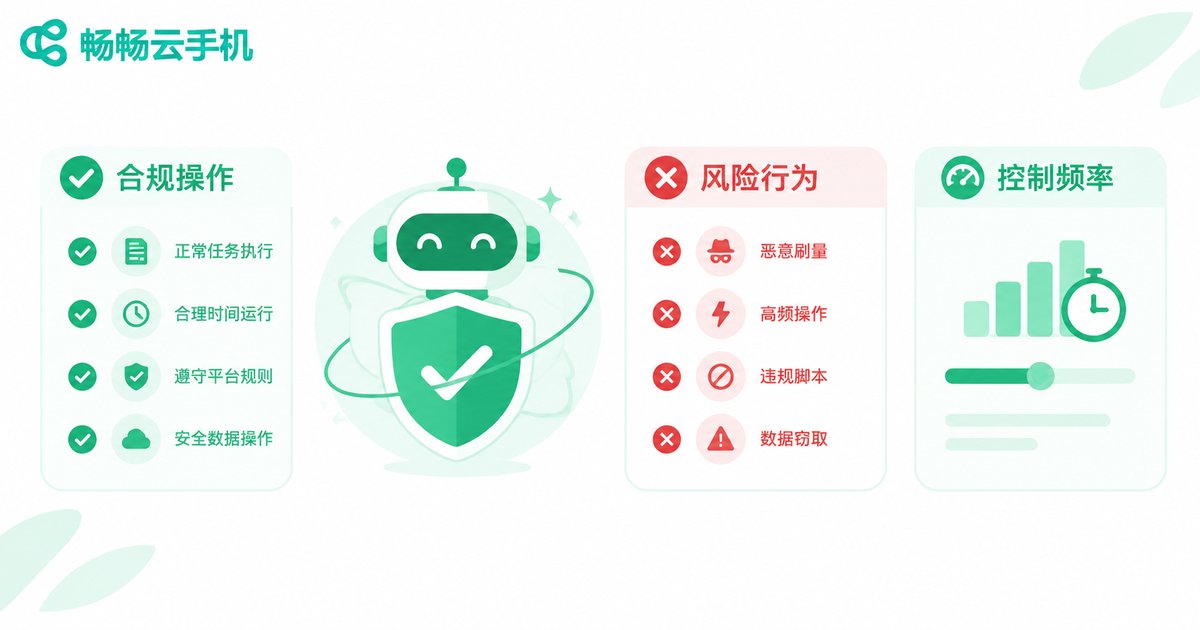
A script itself is neutral; the problem is what you use it for and how far you push it. Before automating anything, read the target platform's or game's terms of service and confirm whether automation is allowed, and within what scope — this is the most commonly skipped, and most critical, step.
Generally speaking, these uses are relatively safe: managing your own accounts for daily check-ins, idle rewards, and other repetitive tasks; scheduling and managing content you publish yourself; automated testing of apps you develop or own. In all of these, the assets belong to you and the risk is controllable.
The following behaviors cross the red line — best to avoid them entirely:
| Behavior | Typical Example | Main Risk |
|---|---|---|
| Mass registration | Batch-creating large numbers of new accounts | Batch bans |
| Data scraping | Harvesting other users' private or non-public platform data | Legal exposure |
| Game cheating | Auto-aim or score boosting in competitive games | Bans, harming others |
| High-frequency spam | Auto-sending ads, malicious like and screen flooding | Account restrictions |
One more practical principle: control frequency and mimic a real person. Even permitted operations can trigger risk control if they run nonstop at superhuman speed. Schedule reasonable running windows and operation intervals with some randomness built in — that is the foundation of long-term stability.
Exception Handling: Scripts That Get Back Up on Their Own
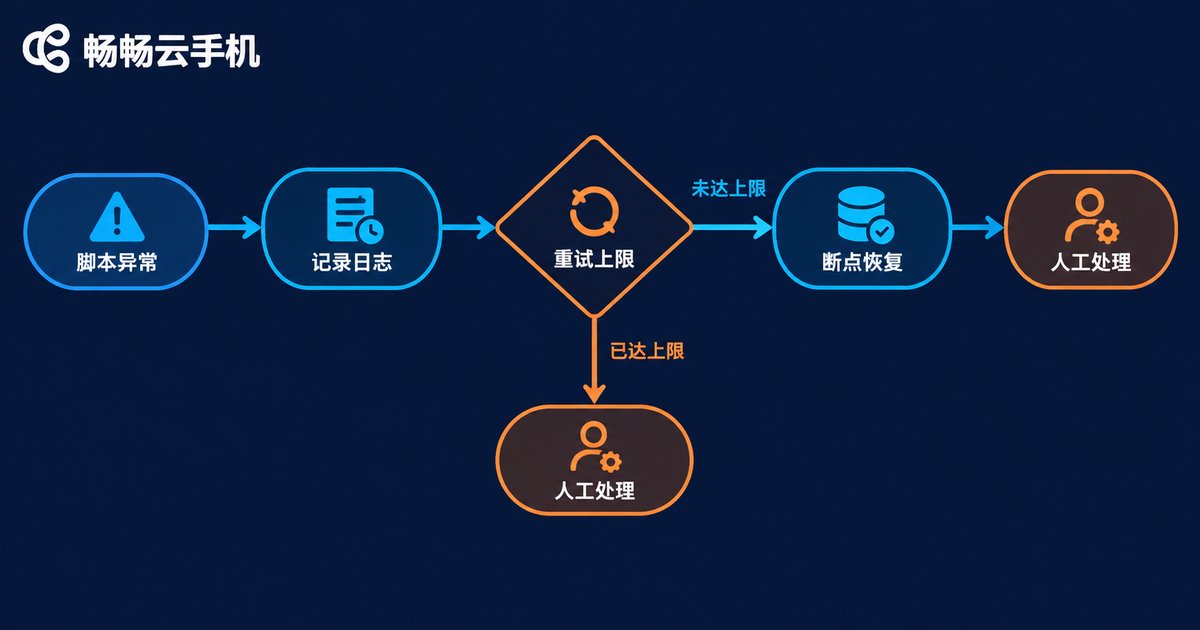
Even the most stable script will eventually hit surprises: an app update changes the interface, a network hiccup times out a request, a captcha pops up waiting for a human... Without exception handling, a script either freezes in place or spins in circles in a broken state — possibly messing up your account along the way.
A solid exception handling mechanism should cover at least four points:
1. Logging. Record what the script did at every step and where it failed. When something goes wrong, logs are your only clue.
2. Retry limits. Retrying a failed step is fine, but set a maximum retry count with increasing wait times to avoid an endless fail-retry loop.
3. Checkpoints. Let the script remember where it left off, so it resumes from the checkpoint instead of starting over.
4. Stop at captchas. A captcha means the platform is checking whether you are human. The right move is to pause and handle it manually — not to reach for a cracking tool, which turns a small issue into a ban.
| Common Exception | Typical Symptom | Recommended Response |
|---|---|---|
| App update | Element locating fails, buttons not found | Pause, update the adaptation, then resume |
| Network fluctuation | Loading timeouts, unresponsive actions | Retry mechanism with increasing backoff |
| Verification triggered | Slider or SMS captcha appears | Pause and handle manually, then lower frequency |
| Instance issue | Cloud phone lags or becomes unresponsive | Restart the instance, resume from checkpoint |
Why We Recommend ChangChang Cloud Phone for Scripting

For a script to run reliably, the environment underneath it must be reliable first. That is why we recommend ChangChang Cloud Phone (ccloudphone) — it moves a complete Android system into the cloud, giving your scripts an always-on runtime:
Online 24/7 in the cloud. Scripts keep running on the cloud phone while your own phone stays free — shut it down, take calls, do whatever; no battery drain, no overheating, no accidental interruptions.
Isolated instances. Every cloud phone is an independent environment, so multiple accounts and tasks run in parallel without interfering with each other — exactly the 'one account, one instance' principle described above.
Remote management anytime. Script acting up while you are out? Open ChangChang Cloud Phone, check and control your cloud phones remotely, fix the issue, and let it keep running.
For plan details and specifications, visit the official ChangChang Cloud Phone website and choose a configuration that matches the number of scripts you run.
FAQ
Q: Will using scripts on a cloud phone always get my account banned?
Not necessarily. Bans depend mainly on whether your actions follow the platform's rules: managing your own accounts, keeping frequency reasonable, and mimicking natural usage carries low risk. High-frequency bulk operations and rule violations raise the odds dramatically.
Q: My script suddenly stopped — what should I check first?
Check the logs to see where it stalled. Common causes are app updates breaking element locating, network timeouts, or a captcha popup. Handle any verification manually first, then fix the script's adaptation, and resume from the checkpoint.
Q: How is running scripts on a cloud phone different from running them on my own phone?
The biggest differences are stability and continuity. A cloud phone runs in the cloud, unaffected by your phone's battery, heat, or incoming calls, and stays online around the clock. Isolated instances also make it far better suited to multi-account, multi-task parallelism.
Q: Which automation tools does ChangChang Cloud Phone support?
ChangChang Cloud Phone provides a full Android environment, so mainstream Android automation tools can be installed and used normally. For specific compatibility, check the official website or run a small-scale test before scaling up.
Q: Can scripts really run 24 hours nonstop?
Technically yes — ChangChang Cloud Phone stays online around the clock. From a compliance standpoint, though, schedule reasonable running windows and rest intervals based on the target platform's risk control. A human-like rhythm is always the safest.


