

Cloud Phone RPA vs ADB Automation: Who Should Use Which — The Boundary Between No-Code Templates and Script Control
First, Tell Them Apart: RPA Runs Workflows, ADB Sends Commands
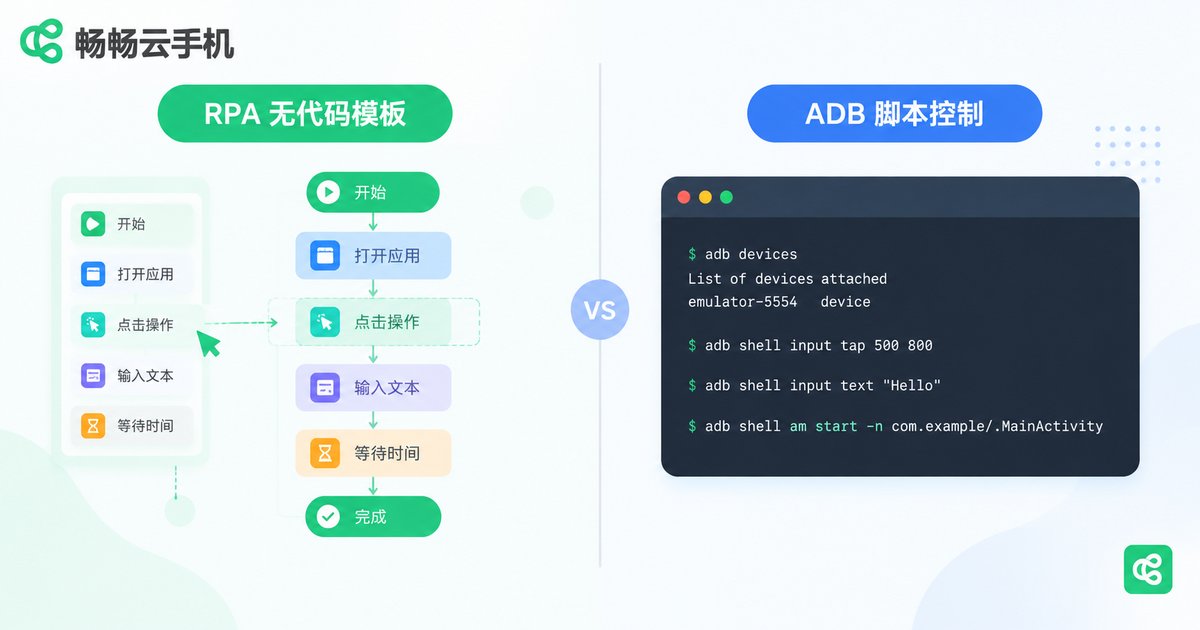
People often lump cloud phone RPA and ADB automation together, but they are two entirely different technical paths. RPA (Robotic Process Automation) works by imitating humans: taps, swipes, and text input are organized into templates that the machine replays for you. ADB (Android Debug Bridge) works by issuing commands: it is Android's official debugging channel, sending instructions straight to the system beneath the interface.
Here is an analogy: RPA is like hiring an employee who follows the manual step by step; ADB is like holding the backend key to the device — you can orchestrate anything, but writing the script is on you.
Who Cloud Phone RPA Is For: The Vast Majority Who Never Want to Touch Code
If any of the following sounds like you, RPA is practically tailor-made:
1. Individuals running daily routines. Sign-ins, browsing, daily check-ins — configure a ready-made template once and let the cloud phone handle the repetition while you simply check the results.
2. Studio newcomers getting started at scale. Not everyone on a team writes scripts. Visual flow building lets operations staff create their own automations without leaning on developers.
3. Highly standardized processes. When steps are fixed and the interface is stable, a template runs steadily and often more reliably than a hastily written script.
The weakness is just as clear: templates are rigid. When an app gets redesigned, or a task needs logic like 'if A then B, otherwise C', pure templates run out of road.
Who ADB Automation Is For: Advanced Users Who Need Precise Control
The ADB path suits users with technical backgrounds and more complex demands:
1. Developers and QA engineers. Batch installing or removing apps, changing system settings, running automated tests — system-level jobs that only ADB handles cleanly.
2. Teams integrating with their own systems. If you want cloud phones wired into your own scheduling platform or task framework, the ADB interface is the most direct entry point.
3. Complex batch operations. Conditional logic, loops, reading data — with scripts, you write whatever the job demands.
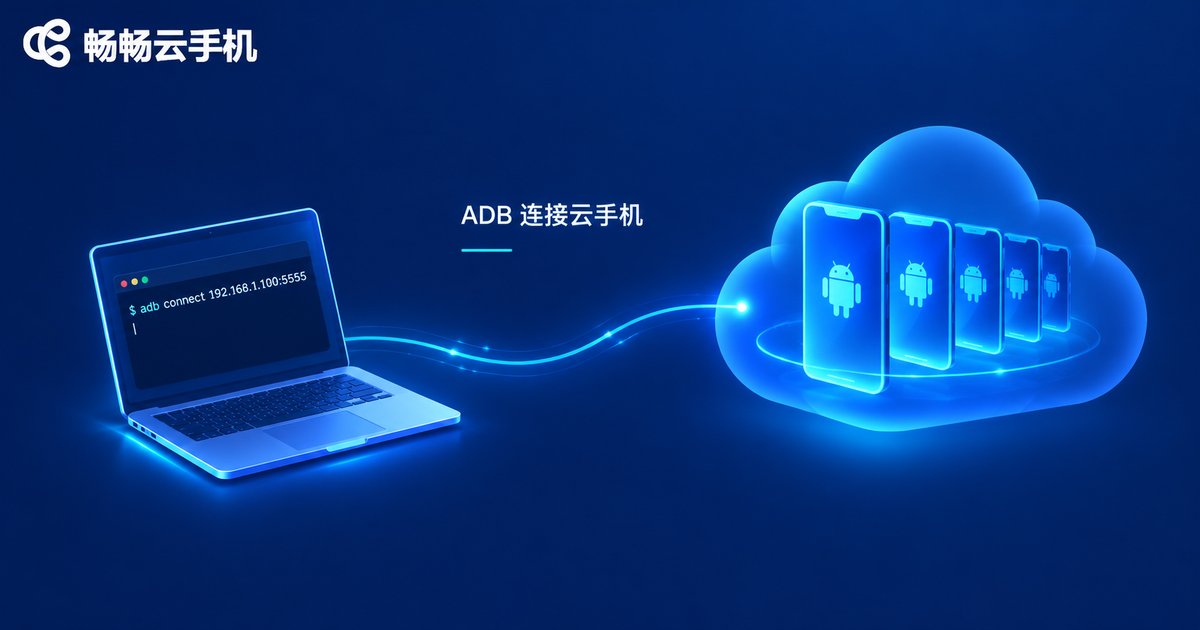
Connecting a local computer to a cloud phone and running ADB commands looks roughly like this:
# Connect to a cloud device
adb connect your-device-address
# Simulate a tap at screen coordinates
adb shell input tap 540 1200
# Simulate a swipe
adb shell input swipe 300 800 300 300 500
# List installed packages
adb shell pm list packages
The cost is the barrier: you write the script, debug it, and maintain it. There is no visual editor, failures are yours to diagnose, and an app update can mean rewriting code.
One Table to Decide: Which Path Should You Take?
| Dimension | Cloud Phone RPA | ADB Automation |
|---|---|---|
| Learning curve | No code, template-based setup | Command line and scripting skills required |
| Flexibility | Fixed flows; changes need reconfiguration | Any logic, freely orchestrated |
| Typical use | Daily check-ins, routine tasks, repetitive taps | Batch provisioning, automated testing, system integration |
| Best for | Individuals, operations staff, studio newcomers | Developers, QA, technical teams |
| Maintenance | Low — update the template and go | High — you own every line of script |
The Boundary: Ask Yourself Three Questions Before You Start
Question 1: Is the workflow fixed? The same steps every day on a stable interface — choose RPA. Changing flows with many branches — choose ADB.
Question 2: Does it need to connect to external systems? If the cloud phone works on its own, RPA is enough. If devices must plug into your own management system or scheduler, ADB is the way in.
Question 3: Will someone on the team own the scripts? If nobody writes code, do not force ADB — an unmaintained script is more trouble than no script at all.
There is also a commonly overlooked middle path: combine the two. Let ADB handle one-time heavy lifting such as environment setup and batch configuration, then let RPA run the everyday repetitive routine — each doing what it does best.
Both Paths Work on ChangChang Cloud Phone
Whichever route you choose, it starts with a cloud phone that stays reliably online. ChangChang Cloud Phone (ccloudphone) provides a cloud-based Android environment where devices keep running without your local PC staying on. It supports ADB debugging connections, so scripts written locally can directly control devices in the cloud, and multiple devices are managed in one place so batch operations never mean tapping phones one by one. See the official website for the full feature list.
In one sentence: if you prefer templates, RPA saves you time; if you write scripts, ADB gives you deeper control. ChangChang Cloud Phone prepares the environment underneath — you simply pick the tool that fits.
Frequently Asked Questions
Q: Can I automate a cloud phone with zero coding experience?
Yes. Take the RPA route: build flows with visual templates, no programming required. Configure once and run repeatedly.
Q: Does connecting to a cloud phone via ADB require root?
No. ADB is Android's official debugging channel. Once connected, you can perform common actions such as tapping, swiping, and installing apps; the environment on the cloud device is already set up.
Q: Can RPA and ADB be used together?
Absolutely — and it is recommended. A common combo: ADB handles one-time heavy work like batch deployment and environment setup, while RPA runs the everyday repetitive tasks.
Q: Does my local computer need to stay on while the cloud phone automates?
No. Cloud phones run in the cloud and execute tasks on the device itself; sign in locally only when you need to configure or check on something.
Q: How do I quickly decide which method my task needs?
Remember the boundary: fixed flows without decision logic, use RPA; conditional logic, system-level operations, or integration with external programs, use ADB. When unsure, prototype with RPA first and escalate the parts that fail to scripts.


