

Cloud Phone Native API Control vs Traditional ADB Debugging: How to Choose for Large-Scale Cluster Deployment
Two Tools Built for Two Different Jobs
A question comes up constantly among teams new to cloud phones: ADB already lets me connect to an Android device and run commands, so why does every cloud phone platform also offer a native API? The answer is that the two were designed for completely different jobs. ADB (Android Debug Bridge) is the official Android debugging tool for developers, built around a one-to-one model: one computer connected to one or a handful of physical devices, used for installing builds, reading logs, and running tests. A cloud phone native API, by contrast, is a programmatic interface provided by the platform itself, designed from day one for batch, concurrent, around-the-clock control of large fleets.
Think of it this way: ADB is a precision screwdriver for servicing a single device, while a native API is an automated assembly line that drives the entire factory with a single command.
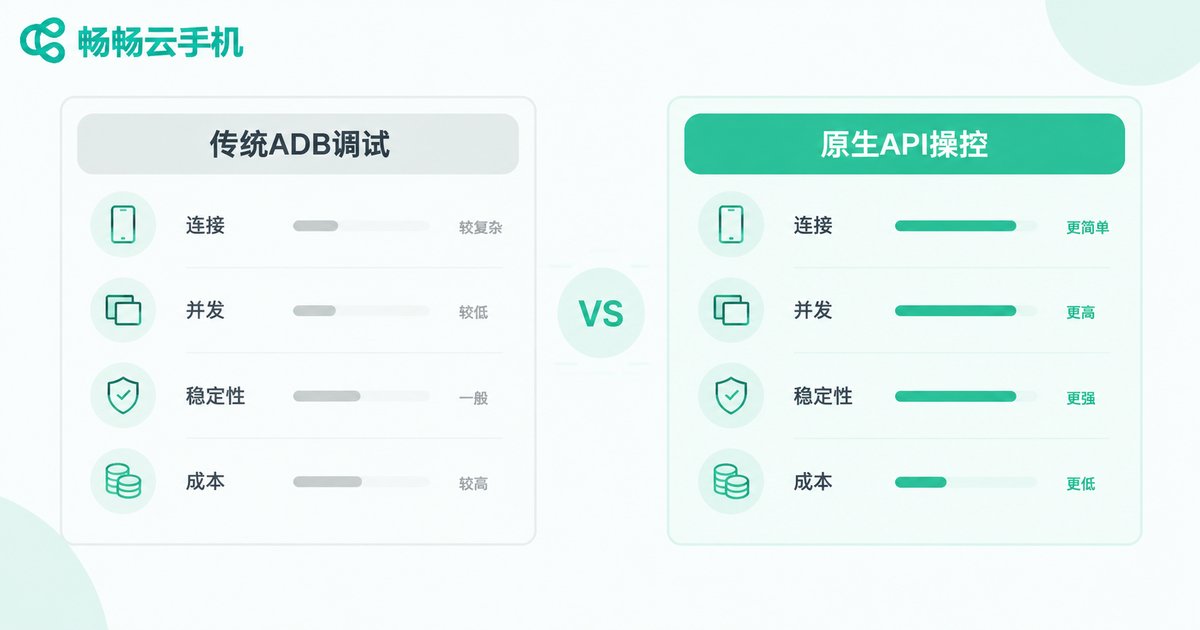
Five Dimensions: ADB Debugging vs Native API Control
| Dimension | Traditional ADB Debugging | Cloud Phone Native API |
|---|---|---|
| Connection model | Point-to-point; you must maintain IP and port mappings for every device | Unified platform access by device ID; no network details to manage |
| Concurrency | Dozens of devices is already near the practical limit; connections drop easily | Designed for fleets; batch command dispatch and parallel task execution |
| Stability | Network hiccups break sessions; reconnection is manual | Platform-side task queues and retry logic; failed jobs rerun automatically |
| Feature coverage | Debug-oriented: shell commands, logs, install and uninstall | Full operations loop: group control, device grouping, screenshots, app distribution, status callbacks |
| Maintenance cost | Requires self-built relay servers and connection pool scripts | Ready out of the box; integrate with existing systems via official documentation |
Three Pain Points of ADB in Large-Scale Fleet Deployment
Pain point 1: connection management scales badly. Every ADB device occupies a port and holds a long-lived connection. When your fleet grows from 10 to 500 instances, the complexity of port mapping, keep-alive handling, and reconnection grows exponentially, and a single failure can stall an entire batch of tasks.
Pain point 2: no batch DNA. ADB commands execute one device at a time. Installing one app or changing one setting across 200 cloud phones means writing your own loop script and running it device by device, which is slow and error-prone.
Pain point 3: lagging state awareness. ADB will not proactively tell you which device went offline or which task failed, so you have to build monitoring yourself. Native APIs typically ship with task callbacks and device status queries, so anomalies surface immediately.
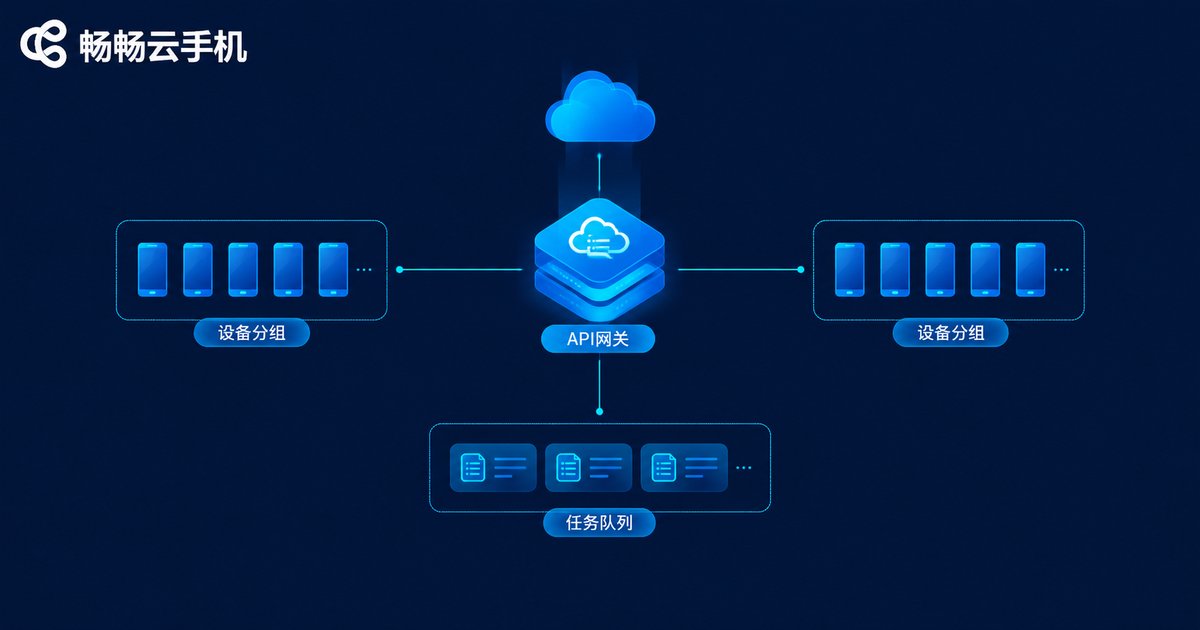
How to Choose: A Decision Framework by Fleet Size
With the differences laid out, the selection criteria boil down to two things: scale and continuity.
| Your scenario | Recommended approach | Why |
|---|---|---|
| Personal debugging, temporary testing under 10 devices | ADB is enough | Lightweight, familiar, zero integration cost |
| Tens of devices with recurring batch operations | Native API first, ADB as fallback | Batch jobs via API; deep debugging on single devices via ADB |
| Hundreds of devices, 24/7 unattended fleet | Native API is a must | Stability, concurrency and monitoring that ADB cannot match |
If you are running multi-account gaming, app matrix operations, automated testing, or bulk content distribution, adopt an API-first architecture from day one. Retrofitting later costs far more than most teams expect.
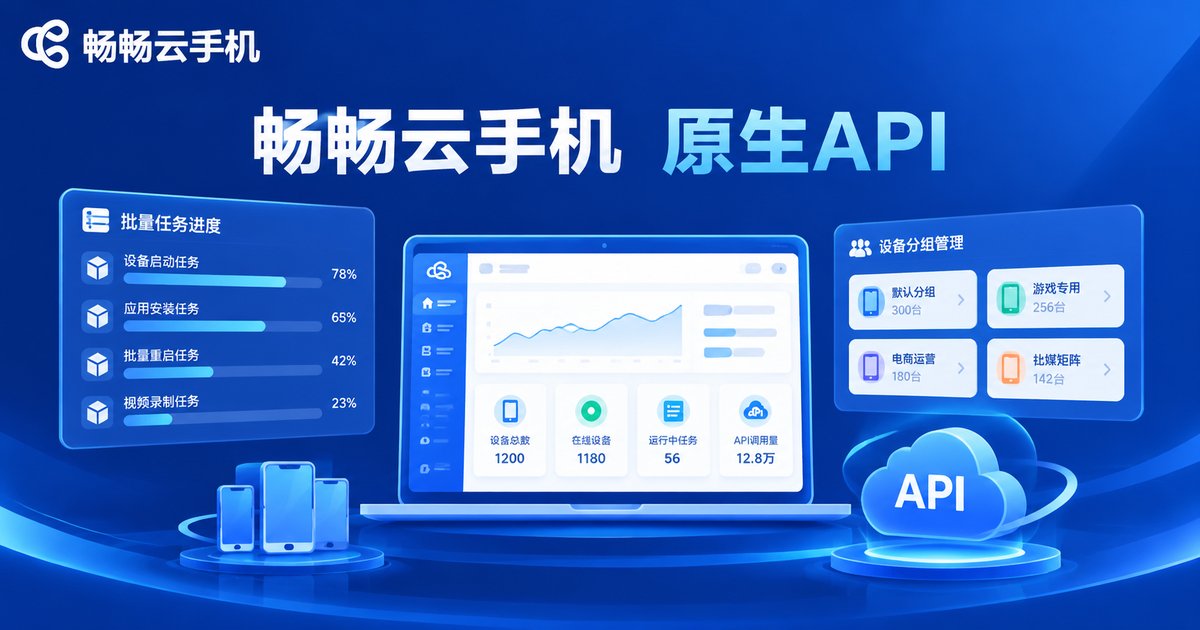
Putting It into Practice with ChangChang Cloud Phone
Take ChangChang Cloud Phone (ccloudphone) as an example: the platform provides native API control, so your business system can push batch tasks to device groups directly without maintaining your own ADB connection pool. A proven integration path looks like this:
1. Define device groups in the console to structure your fleet
2. Read the official API docs and validate the full loop on a few devices: send command, query status, collect result
3. Add task queuing and failure retry logic
4. Roll out gradually, migrating legacy ADB scripts to API calls
5. Monitor fleet load on the dashboard and keep tuning your scheduling strategy
For the exact interface list, rate limits and plan capabilities, always refer to the latest documentation on the ChangChang Cloud Phone official website (ccloudphone).
FAQ
Q: Can native API and ADB coexist in the same system?
Yes. A common transition setup runs batch operations through the API while keeping ADB for occasional deep debugging on individual devices. The key is to funnel all batch workloads into the API so connection management never spirals out of control.
Q: Do I need programming skills to use a native API?
Native APIs target teams or individuals with some development experience. If you do not code at all, start with the built-in group control features in the cloud phone console and consider API integration once your business scales.
Q: How heavy is the migration from ADB to a native API?
It depends on how tightly coupled your old scripts are. If they were simple loops, migration mostly means switching from one-by-one execution to batch dispatch. If you built your own connection pools and monitoring, you can drop those entirely, which actually reduces the burden.
Q: At the system level, how does cloud phone API control differ from ADB on a real device?
A cloud phone runs a full Android environment, so API commands ultimately act on the Android system layer just like on a physical device. The difference lies in the transport channel and scheduling: API traffic flows through the platform cloud link, which is inherently suited to remote, concurrent fleet scenarios.
Q: Beyond the control method, what else matters for a large-scale deployment?
Plan three things early: the granularity of device grouping, the retry policy for failed tasks, and usage monitoring. The bigger the fleet, the more these surrounding engineering decisions affect overall stability.


