
Cloud Phone Reconnect: Auto-Recovery, Retry Limits and Task Protection
Disconnects Are Normal, Not Failures
A cloud phone runs on a server in a data center; the device in your hand is really just a remote control. Between your device and the cloud instance, the signal passes through four segments: your local network, the carrier, the public internet, and the data center gateway. If any one of them stutters, the picture freezes and the connection eventually drops. In the vast majority of cases the cloud phone is not broken — the link is.
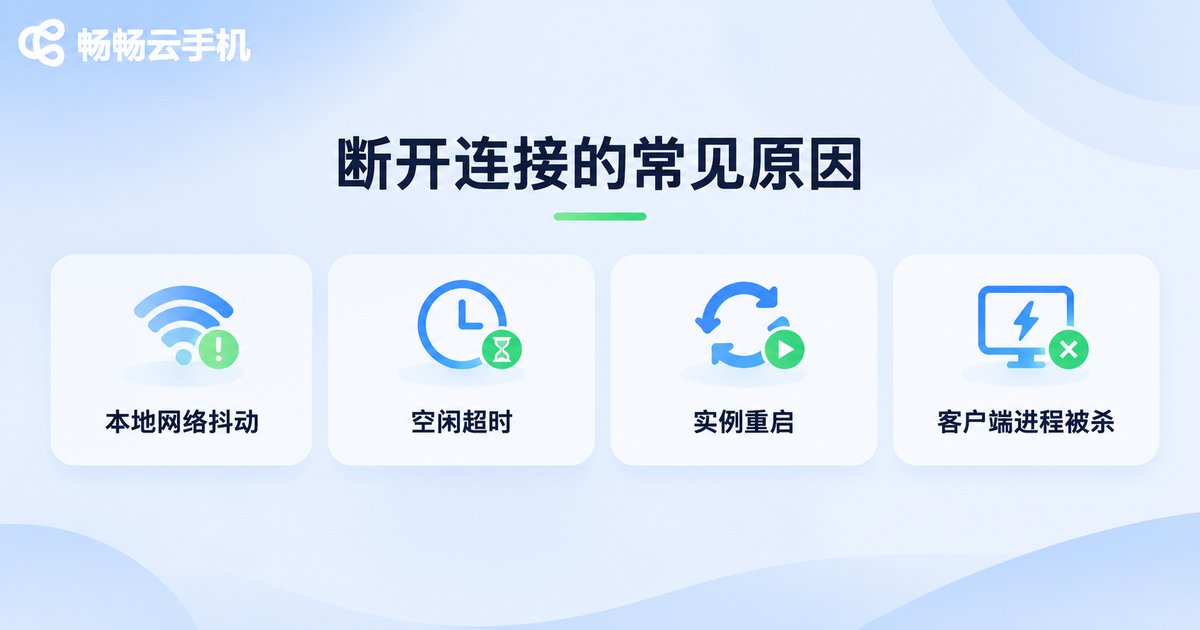
The common causes fall into four groups:
- Local network jitter: switching back and forth between Wi-Fi and mobile data, losing signal in a lift or a subway, or a battery-saving policy cutting off background networking.
- Idle timeout: after a long period of no activity, a router or gateway decides the connection is idle and reclaims it.
- Instance restart or migration: data center maintenance, instance drifting to another host, system upgrades.
- Client process killed: Android or iOS clears background apps and terminates the client outright.
That matters because disconnects can never be eliminated entirely. So the real difference between products is not whether they disconnect — it is how fast they come back and whether the work in progress survives.
What Automatic Recovery Actually Has To Do
A complete auto-recovery mechanism does exactly three things: detect the disconnect, rebuild the session, and restore the frame.
Step one: detect. This relies on heartbeats. The client and the cloud instance exchange small packets at a fixed interval; if no response arrives several times in a row, the link is considered unhealthy. Too short an interval wastes bandwidth and battery; too long and detection lags. A few seconds up to ten or so is usually the comfortable range.
Step two: rebuild the session. Reconnecting should not mean launching a brand-new cloud phone. It means returning to the same instance with the original session identity. That requires the cloud side to remember who the session belongs to and how far the last operation got. Done well, reconnecting is just a handshake and an authentication round — far faster than a cold start.
Step three: restore the frame. The instant a reconnect succeeds, the picture on screen is stale. Well-built solutions have the cloud side push a fresh full frame immediately rather than letting the client slowly repaint old data, so users do not stare at a screen that is thirty seconds behind.
Step two is where most products stumble. Many implementations turn reconnect into restart: the user comes back to find the app closed and the interface reset to the home screen, effectively starting from zero.
Retry Limits: Too Few Fails, Too Many Backfires
Retry strategy is a balancing act. Too few attempts and a single blip shows the user an error; too many attempts at too short an interval and thousands of clients knock on the door at once, adding load to the access layer exactly when it is already struggling.
Here is how three common strategies compare:
| Strategy | Interval | Strength | Risk |
|---|---|---|---|
| Fixed interval | Same every time, e.g. 3s | Simplest to build, predictable | Keeps spinning while the network stays down |
| Linear increase | 3s, 6s, 9s... | Gradually eases pressure, easy to reason about | Grows slowly, so retry counts stay high |
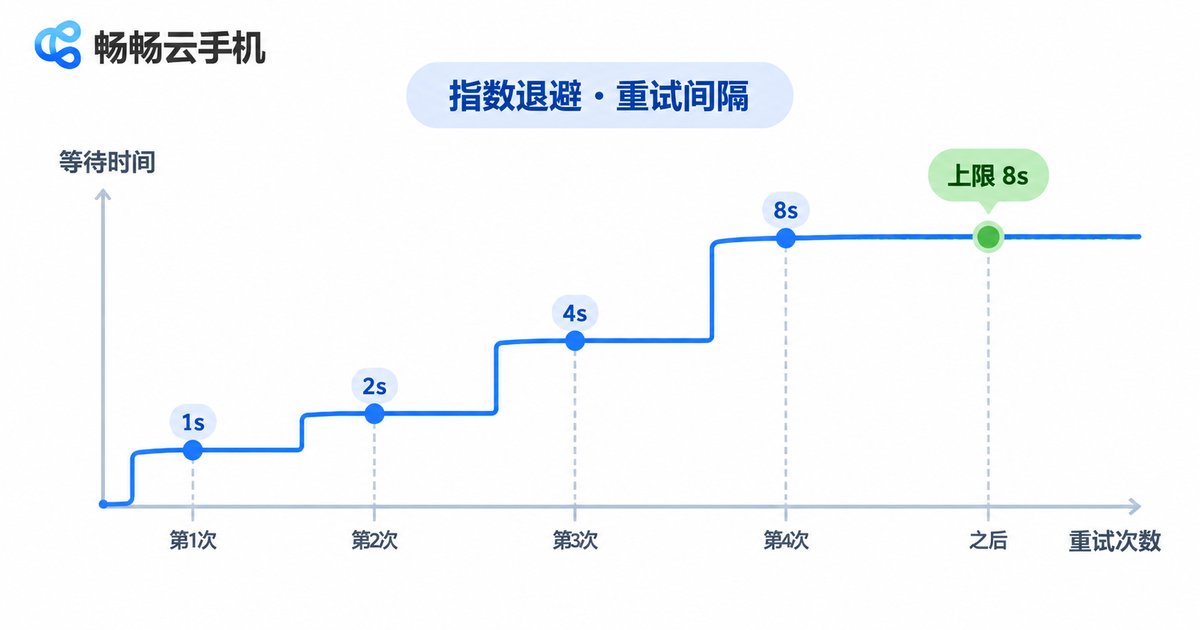
| Exponential backoff | 1s, 2s, 4s, 8s... with a cap | Fast recovery early, protects the service later | Poorly tuned parameters cause long unresponsive gaps |
In practice the easiest combination to live with is exponential backoff with a cap and random jitter. The cap prevents the interval from growing indefinitely; the jitter keeps thousands of clients from reconnecting in the same millisecond. A typical client configuration looks like this:
{
  'maxRetries': 5,
  'baseDelayMs': 1000,
  'maxDelayMs': 15000,
  'jitter': true,
  'giveUpAction': 'prompt-user-with-resume'
}
On the number of attempts, it helps to split by scenario. Interactive use — live control, debugging, watching the screen — needs fast feedback, so three to five attempts within roughly half a minute works well, after which the user should be told clearly. Background workloads — running scripts, batch operations, long sessions — can afford more attempts, but only if task protection is in place, otherwise reconnecting gets you back to a task that died long ago.
Task Protection: Don't Let a Drop Reset Your Progress
Reconnecting restores the connection. Task protection is what preserves the results. The scenario worth guarding against is the script that reaches step 800, drops, and starts again from step 1 — losing everything and possibly duplicating side effects along the way.
Four techniques that work:
- Persist progress: every time a small chunk of the task completes, write the current step, timestamp and key results to storage the cloud side can read. After reconnecting, read the progress first and decide where to resume.
- State snapshots: periodically capture the running state of the cloud phone instance and restore to the latest snapshot on reconnect instead of cold starting. This is the dividing line between recovery and restart.
- Idempotent design: performing the same action multiple times yields the same result as doing it once. For something like creating an order, check by unique identifier first and skip creation if it already exists.
- Task queue with acknowledgement: do not mark a task complete the moment it is dispatched — wait for the cloud side to confirm. Tasks unconfirmed during a disconnect go into a resend queue, so you never believe something happened when it did not.
One easily overlooked detail: record how long the disconnect lasted. Some tasks are time sensitive, such as scheduled purchases or limited-time events. If the window was missed while offline, tell the user instead of quietly re-running the task.
How ccloudphone Approaches Reconnection
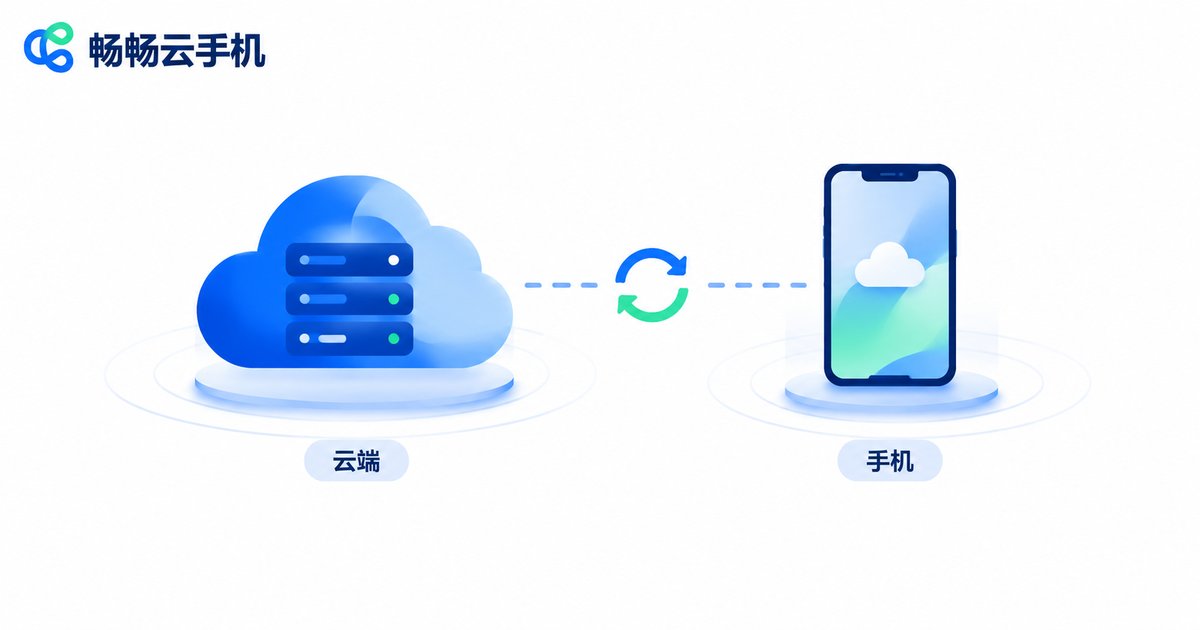
ccloudphone treats the connection and the instance as separate things. The cloud phone instance keeps running in the data center; a disconnect only affects the display channel, so your instance does not shut down just because your client went offline. When you reconnect, you return to the same machine — the apps already open and the accounts already signed in are still exactly where you left them.
On the client side, node selection and line switching let users move to a different route when the picture starts to stutter. In the console, users can see the instance status at a glance and restart an instance when a clean connection is needed. For long-running unattended workloads, saving critical progress inside the cloud phone's own files or data is advisable, so that a brief network wobble never means starting over.
It is worth being direct: no cloud phone product can guarantee an unbroken link. Good design does not promise there will be no disconnects — it makes disconnects tolerable.
A Pre-Launch Checklist
If you are building automation scripts, batch operations or long unattended sessions, run through this list:
- Are the heartbeat interval and timeout threshold consistent, or do mismatched settings cause false alarms?
- Does a reconnect restore the original session, or restart the instance?
- Do retries have a count cap, an interval cap and random jitter?
- After reconnecting, is the latest frame actively pulled rather than waited for?
- Is task progress persisted, and can you locate the breakpoint after a drop?
- Are critical actions idempotent, so repeated execution causes no dirty data?
- Is disconnect duration recorded, with a fallback notice for time-sensitive tasks?
FAQ
Q: My cloud phone disconnects often — is the device not powerful enough?
Performance is rarely the cause. Most of the time it is the local network or an intermediate device. Test the same account on another device and another network; if drops only happen on one specific network, it is almost certainly the link.
Q: Is unlimited retrying more stable?
Not recommended. Unlimited retries spin idly while the service is unavailable, drain battery and data, and can produce a burst of requests the moment the service recovers. A finite count with exponential backoff and a clear timeout message is safer.
Q: Will apps inside the cloud phone be closed after a disconnect?
If the instance keeps running in the cloud, a disconnect only affects the display channel and apps usually stay as they were. After reconnecting to the same instance the interface is generally where you left it. Whether that holds depends on the product's session-keeping design.
Q: How do I tell whether the client was killed or the network dropped?
Look at how recovery works. After a network drop, reconnecting returns you to the same screen. If the client process was killed, you usually have to relaunch the app and re-enter the cloud phone — slower recovery and less state preserved.
Q: What is the single most important protection for batch tasks?
Persisting progress. As long as each step's result is recorded, reconnecting after any number of drops lets you resume from the breakpoint — the lowest-cost, highest-return measure available.


