

How to Top Up a Cloud Phone Most Cost-Effectively? Choosing a Plan by Usage Period Saves You a Lot
Same Cloud Phone, So Why Does Someone Pay Half of What You Pay?
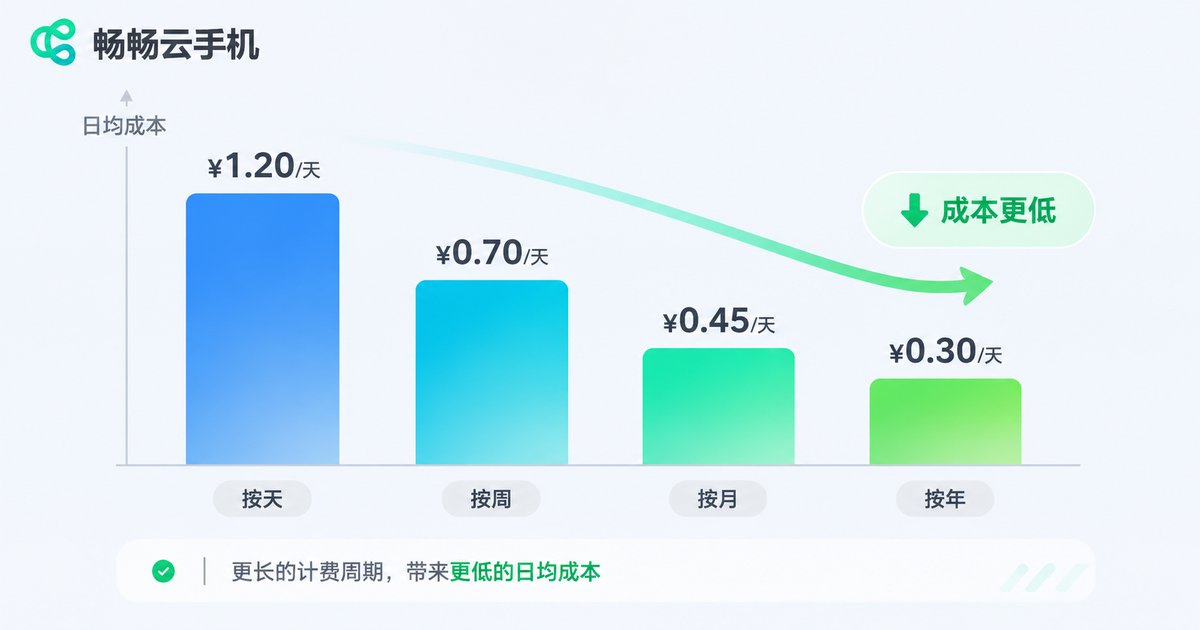
Most people top up a cloud phone for the first time with the same instinct: buy one month, use it up, renew, and repeat. Nothing looks wrong with that. But if you lay the bills out side by side, you will notice that for the exact same 24-hour online cloud phone, the cost per day across different billing cycles can differ by nearly double.
The reason is simple: a cloud phone is billed by how long it occupies cloud computing power. The longer the block of time you buy in one go, the lower the provider's scheduling cost, and the more room there is to pass savings on. So the question of how to top up most cost-effectively is not really about hunting for coupons. It is about matching your billing period to your real usage period.
Step 1: Work Out How Long You Actually Need It
Before you pick a plan, ask yourself three questions:
1. Is this device for a few days of temporary work, or for long-term always-on use?
2. Will there be days in between when I do not touch it at all?
3. If the result is not ideal, can I accept switching specs and starting over?
Once you answer those three, your usage period is basically clear. The table below maps it out:
| Scenario | Typical period | Top-up advice |
|---|---|---|
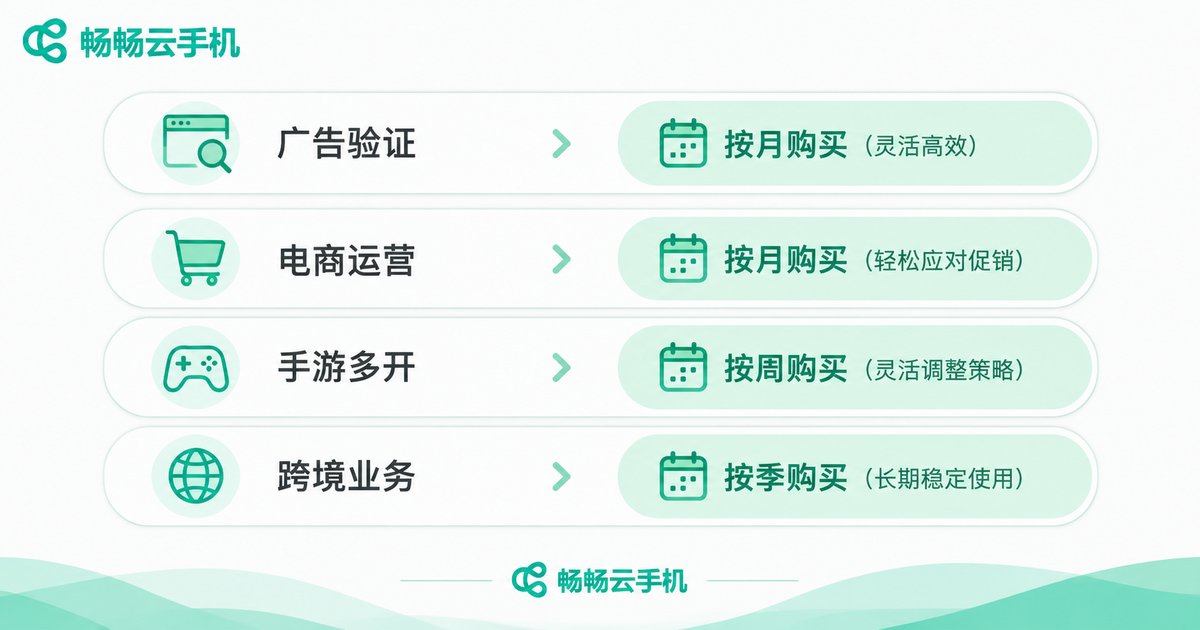
| Temporary tests, short campaigns, one-off tasks | 1-7 days | Pay by day or week, stop when done, do not stockpile hours |
| Small project validation, script debugging | 2-4 weeks | Start with one week, add a monthly plan once stable |
| Daily automation, multi-instance management, always-on | 1-3 months | Go monthly, switch to quarterly after stability is confirmed |
| Long-term team use, steady business | 6 months or more | Choose a long-cycle plan for the lowest cost per day |
Step 2: Pick the Cycle That Puts Every Yuan to Work
Cloud phone billing usually comes in a few tiers, and each tier has its own best-fit user:
Daily or hourly: the highest unit price, but the most flexible. Ideal for people who just want two days to see how it performs. The downside: if you have already been paying by the day for 20 days, you are almost certainly overpaying.
Weekly: the middle ground. A good fit for campaigns of about a week, short projects, or anyone who wants a complete trial before committing long term.
Monthly: the most popular tier and the sweet spot for most individuals and small teams. The cost per day is usually far lower than daily billing, while you keep the flexibility to switch next month if it does not work out.
Quarterly or yearly: the lowest cost per day, best for workflows that are already proven and clearly long term. One caveat: a long-cycle plan is only good value if you genuinely use it all. Buy a year and use three months, and even the lowest unit price is wasted money.
Step 3: Three Hidden Costs Most People Forget
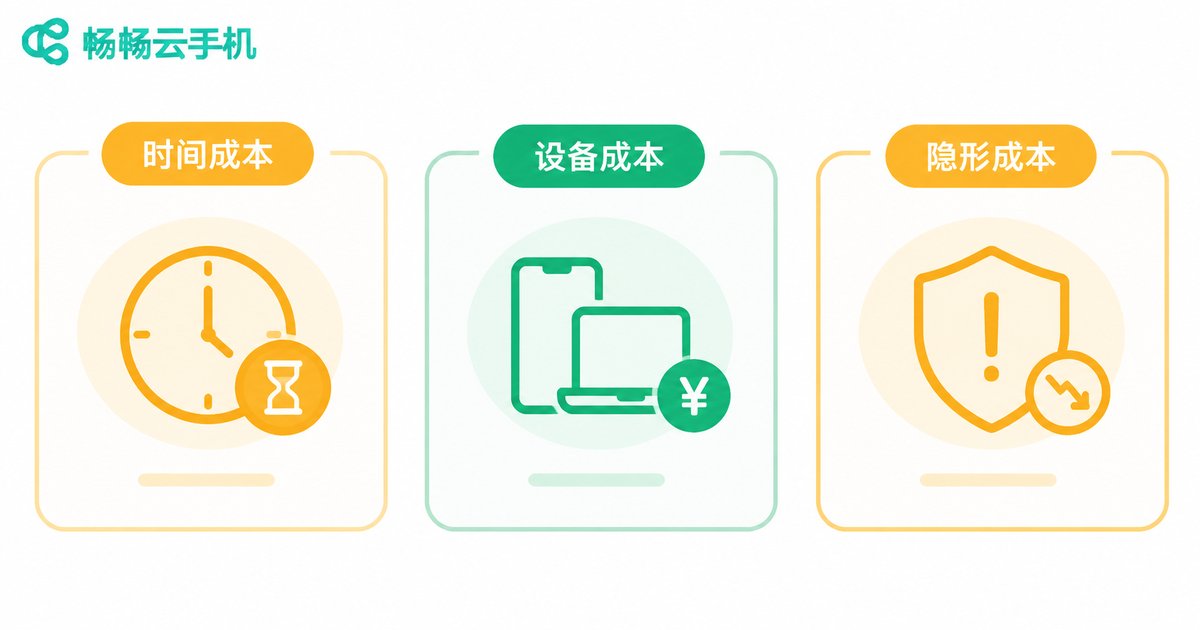
Unit price alone is not the whole picture. These three costs rarely make it into the calculation:
1. The cost of switching devices. Pick a spec that is too low, hit a wall, and switch, and you have to redo the remaining hours, the installed environment and every logged-in account. Leave a little headroom when you choose a spec.
2. The cost of idle hours. Pay for a long cycle but only switch it on two days a week, and you are paying for idle time every single day. In that case a short cycle that you renew on demand is actually cheaper.
3. The cost of trial and error. Going straight to a long-cycle plan on a platform you have never used means high sunk cost if the experience does not suit you. The safer rule is: start short, then go long; test first, stockpile later.
A Sensible Top-Up Rhythm for ccloudphone
ccloudphone offers cloud Android devices in a range of specifications. You can manage them from the web console or the client, and the devices run in the cloud 24/7, so shutting down your local machine or losing your connection does not interrupt your tasks. At checkout, the official site lists plan options for different usage periods; specific specs and pricing are those shown on the official website.
Combining that with the cost logic above, a steady top-up rhythm looks like this:
1. Start with a small, short-cycle trial to confirm the device spec, network latency and multi-instance stability all meet expectations;
2. Move to monthly billing once you are satisfied and settle into daily use;
3. Only after confirming long-term need, consider a longer cycle to bring the cost per day down.
That way you are never locked in by a large upfront commitment, and you never overspend by paying by the day forever.

Summary Table: How Long Should You Top Up For?
| Your situation | Recommended cycle | Why |
|---|---|---|
| First time using a cloud phone | Daily or weekly | Validate the experience cheaply, stop any time |
| A clear task within one week | Weekly | Covers the full period with no waste |
| Daily automation, steady use | Monthly | Cost per day drops sharply, flexibility remains |
| Team or business always online | Quarterly or longer | Lowest cost per day and lower admin overhead |
| On and off usage | Short cycle plus on-demand renewal | Avoids paying for idle hours |
FAQ
Q: Is a longer top-up cycle always more cost-effective?
Not always. The advantage of a long cycle is a lower cost per day, but only if you actually use it all. If your usage is intermittent, short on-demand top-ups usually cost less overall.
Q: Can I start with a short cycle and switch to a long-term plan later?
Usually yes, subject to the platform's rules. We recommend using a short cycle first to confirm specs and stability before extending.
Q: What if I find the spec is not enough halfway through?
Try to lock in the spec during the trial stage. Leaving a little headroom up front is far less hassle than switching devices and rebuilding your environment later.
Q: If I run many instances, should I just go straight to an annual plan?
Going annual immediately is not recommended. Run monthly for a while, confirm the real load and online rate of each device, then decide which ones deserve a long cycle.
Q: How do I know whether my current plan is the best fit?
A simple check: divide the days you actually used last month by the days you paid for. If the result is below 60%, your cycle is too long and you should shorten it next time.


