

Cloud Phone Proxy IP: 4G/5G Mobile Proxy or Datacenter Proxy? Real-Test Risk Control Pass Rate Comparison
Why Your Cloud Phone Needs a Proxy IP
If you run multiple accounts on cloud phones, this probably sounds familiar: accounts are growing steadily, then suddenly logins drop in batches, captchas keep popping up, or accounts get banned overnight. Many people blame stricter platform risk control, but the real culprit is often the IP environment.
Cloud phones run on servers inside datacenters. If you register and log in with the default datacenter IP of the cloud phone, platforms can immediately tell that the traffic does not come from a residential or mobile network. Risk control systems are inherently wary of such IPs, and IP quality directly decides whether your accounts survive. Pairing a cloud phone with the right proxy IP is therefore not optional — it is essential.
So which one should you choose: a 4G/5G mobile proxy or a datacenter proxy? We ran a controlled test on an identical batch of cloud phones. Here is what the data says.
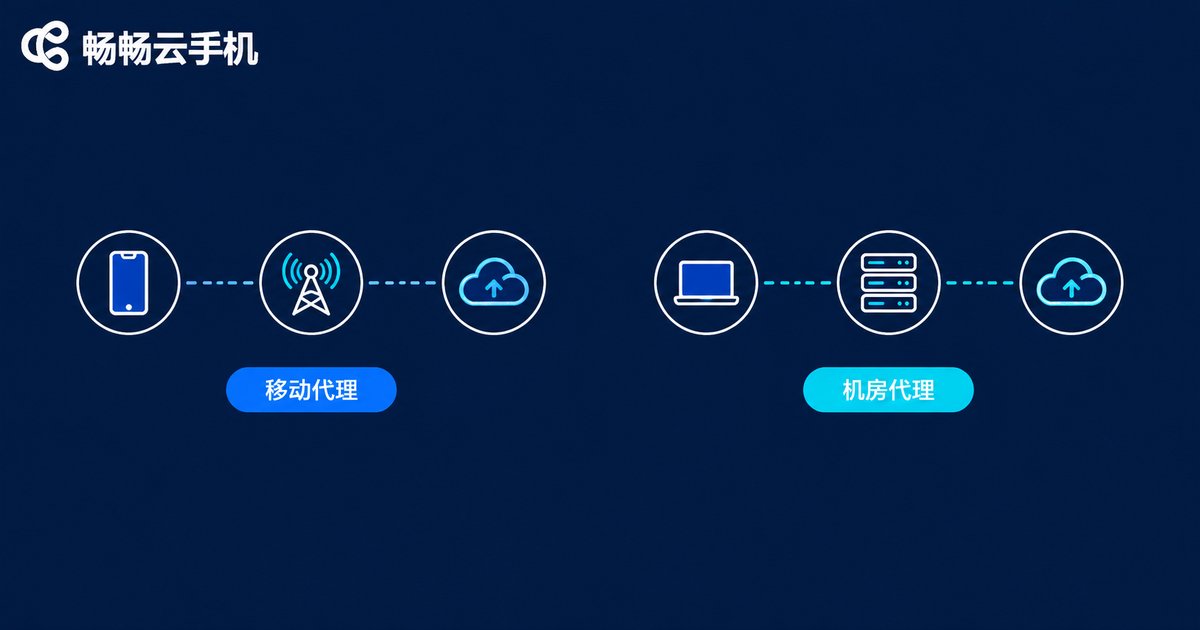
First, Understand the Core Difference
Many people assume a proxy is just a different address. In the eyes of a risk control system, however, these two proxy types carry completely different identities.
4G/5G mobile proxy: traffic exits through carrier base stations, so you get a genuine mobile network IP. In risk control databases these IPs look exactly like ordinary phone users, so their baseline trust level is naturally high.
Datacenter proxy: the IP comes from server racks in a datacenter. The subnets are concentrated and easy to fingerprint. Risk systems can spot a datacenter IP at a glance, and some platforms down-rank or even block such IPs directly.
| Dimension | 4G/5G Mobile Proxy | Datacenter Proxy |
|---|---|---|
| IP source | Carrier base station network | Datacenter server racks |
| Risk control trust | High — identical to real phone users | Lower — easily identified |
| IP reputation | Shared by many users, but looks human | Concentrated subnets, easily flagged |
| Stability | Fluctuates slightly with base station switching | Stable with low latency |
| Price | Higher | Lower |
In one sentence: mobile proxies look human, datacenter proxies look like machines. And what risk control systems love most is picking out machine-like traffic for extra scrutiny.

Real Test Data: How Big Is the Gap in Pass Rates?
To go beyond theory, we ran a controlled comparison. Test conditions: the same batch of cloud phones, identical device parameter configurations and the same operation scripts, paired respectively with 4G/5G mobile proxies and datacenter proxies. We performed registration, login, daily browsing and content publishing over seven consecutive days and recorded the risk control results.
| Test Item | 4G/5G Mobile Proxy | Datacenter Proxy |
|---|---|---|
| First-attempt registration pass rate | 92% | 71% |
| Login risk control block rate | 4% | 23% |
| Captcha / slider trigger frequency | About 1 per 20 actions | About 1 per 5 actions |
| 7-day account survival rate | 89% | 64% |
The data tells three stories:
First, registration is where the gap shows most clearly. With datacenter proxies, nearly 30% of new accounts were asked for extra verification or failed outright during registration, while with mobile proxies the vast majority passed on the first try.
Second, daily operations feel completely different. On datacenter proxies a slider appeared after just a few actions, severely hurting efficiency; on mobile proxies captchas were far rarer and batch operations ran on a completely different level of smoothness.
Third, long-term survival is where the real money is. Being usable today does not mean surviving next week. A 89% versus 64% seven-day survival rate means that out of 100 accounts, 89 remain on mobile proxies but only 64 on datacenter proxies — spread across surviving accounts, mobile proxies are actually the better value.
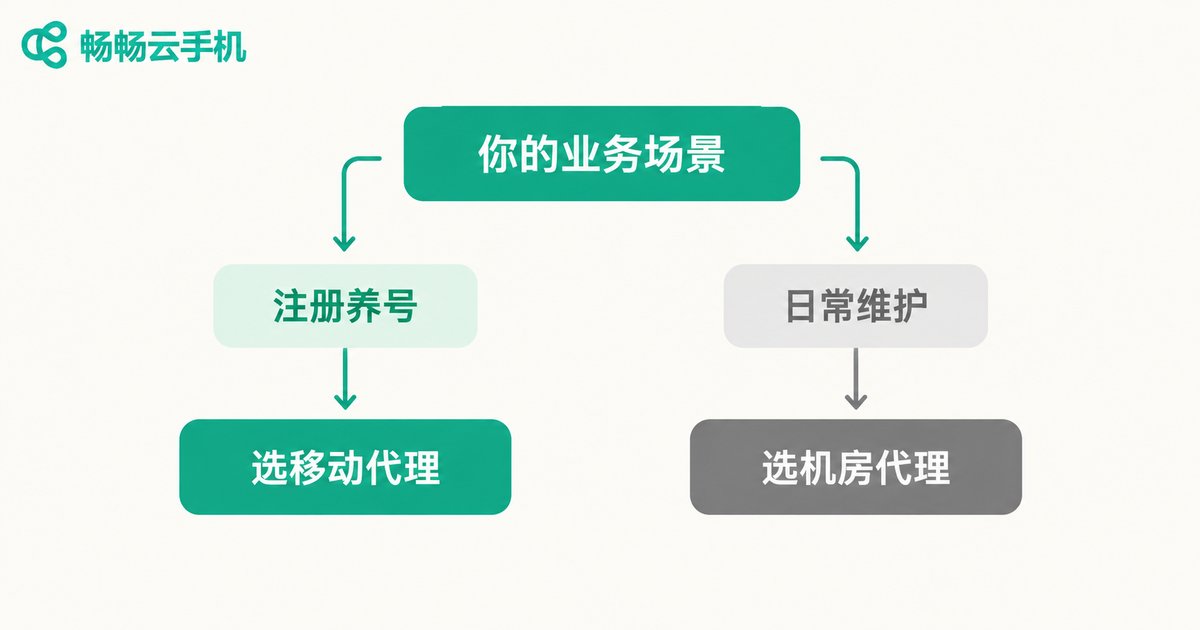
How to Choose: Match the Proxy to Your Scenario
The data does not mean you should blindly buy mobile proxies. The right answer is scenario-based selection:
Choose a 4G/5G mobile proxy when: registering new accounts, warming up accounts in the early stage, managing high-value long-term accounts, or working with platforms that have particularly strict risk control. In these scenarios IP quality is the lifeline of your accounts, and paying more for IPs is absolutely worth it.
A datacenter proxy is enough when: maintaining mature old accounts, running tool-type apps with lax risk control, executing high-volume tasks that need many IPs on a tight budget, or automating operations that demand low latency and high stability. Cheap and stable, datacenter proxies deliver great value here.
A practical combined strategy: use mobile proxies for registration and account warming, then switch mature accounts to datacenter proxies for daily low-risk tasks — putting every dollar of your proxy budget where it counts.
Cloud Phone + Proxy IP: How to Pair Them Properly
Choosing the right proxy type is only half the job — the binding between IPs and cloud phones matters just as much. A few hands-on tips:
1. One device, one IP, kept stable. Do not rotate IPs on the same cloud phone frequently; a jumping IP is riskier than a datacenter IP. Ideally, each cloud phone keeps one fixed IP for the long term.
2. Keep IP location consistent with the account profile. The city in your account profile should match the city of your IP; avoid contradictions like a Beijing profile on a Guangzhou IP.
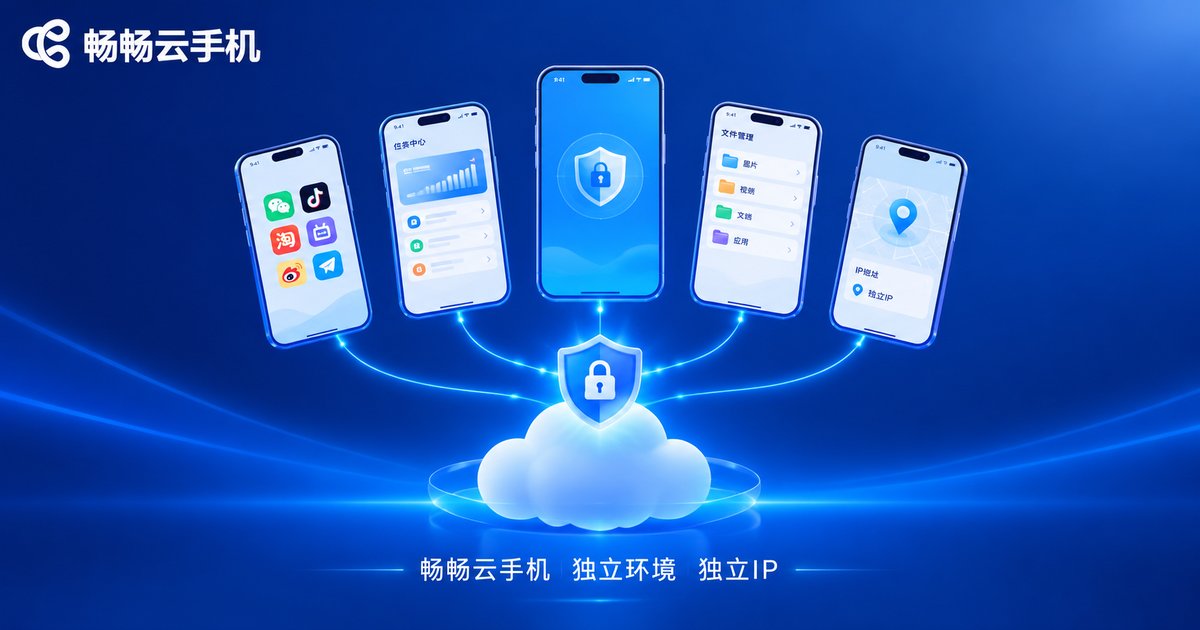
3. Choose a cloud phone with isolated environments. Device fingerprint isolation on the cloud phone side matters too. A product like ChangChang Cloud Phone (ccloudphone) provides multiple independent Android environments, so each cloud phone has its own device environment; combined with a dedicated proxy IP, you get a complete one-person-one-account-one-environment setup. For the latest features and plans, visit the official ccloudphone website.
4. Test small before scaling up. Whichever proxy you choose, run a few accounts for a week first, and only scale up after the pass rate meets your expectations.
FAQ
Q: Is a 4G/5G mobile proxy always better than a datacenter proxy?
A: It is not about absolute superiority but about fit. Mobile proxies pass risk control more often but cost more; datacenter proxies are cheap and stable but easy to flag. Use mobile proxies for registration and warming up; datacenter proxies are perfectly adequate for maintaining old accounts and high-volume tasks.
Q: Static or dynamic IP?
A: For account warming, prefer static dedicated IPs — one fixed IP per cloud phone is the most stable. Dynamic IPs suit high-volume tasks that consume many IPs but use each one only briefly.
Q: Can't I just use the cloud phone's built-in IP?
A: The default IP of a cloud phone is a datacenter IP, which carries higher risk for registering new accounts. At minimum, equip the cloud phones used for registration and warming up with a dedicated proxy.
Q: Can one cloud phone use multiple proxy IPs?
A: Technically you can switch, but frequent IP changes on the same device often trigger risk control instead. Stick to the one-device-one-IP principle.
Q: Can I pair ChangChang Cloud Phone with my own proxy IPs?
A: Yes, each cloud phone can be paired with a dedicated proxy IP. For the latest configuration guide and feature details, check the official ccloudphone website.


