
How Cloud Phone Pricing Works: Free Trials, Plans and Renewal Rules
1. First, Understand What You Are Actually Paying For
A cloud phone is essentially an Android device running in a data center that you operate remotely through video streaming. So what you pay for comes down to three things: compute (CPU, memory, GPU), storage, and service time. Once you grasp this, every price difference you see becomes easy to explain.
| Billing dimension | What it covers | Impact on price |
|---|---|---|
| Hardware tier | CPU cores, memory size, dedicated GPU or not | Higher tier, higher daily price |
| Service duration | Daily, monthly, yearly | Longer period, lower cost per day |
| Add-on resources | Dedicated public IP, extra storage, number of instances | Charged separately as needed |
Beginners often assume a cloud phone has one flat price. In reality, the same device running 8 hours versus 24 hours, or billed monthly versus daily, can cost several times more. So before comparing prices, decide whether you need short-term testing or long-term always-on service.
2. Free Trials: Validate First, Pay Later
Reputable cloud phone platforms generally offer a trial channel so you can check whether the device can actually run your app before you pay. Keep in mind that trials usually come with clear limits — perhaps only one hardware tier is available, there may be a daily usage cap, or a dedicated IP may not be included.
The point of a trial is not to confirm the device boots. It is to verify three things:
- Startup and latency: install your app, check cold-start time, see whether the video delay is acceptable and controls feel responsive.
- Stable long-running sessions: run it continuously for 2 to 3 hours and watch for disconnections or background process kills.
- Enough storage: game packages, assets and tools take more space than people expect. Fill it up close to capacity during the trial.
For the exact trial length and terms, always refer to the rules currently published on the official ccloudphone website rather than third-party screenshots or hearsay.
3. Plan Billing: Daily, Monthly or Yearly?
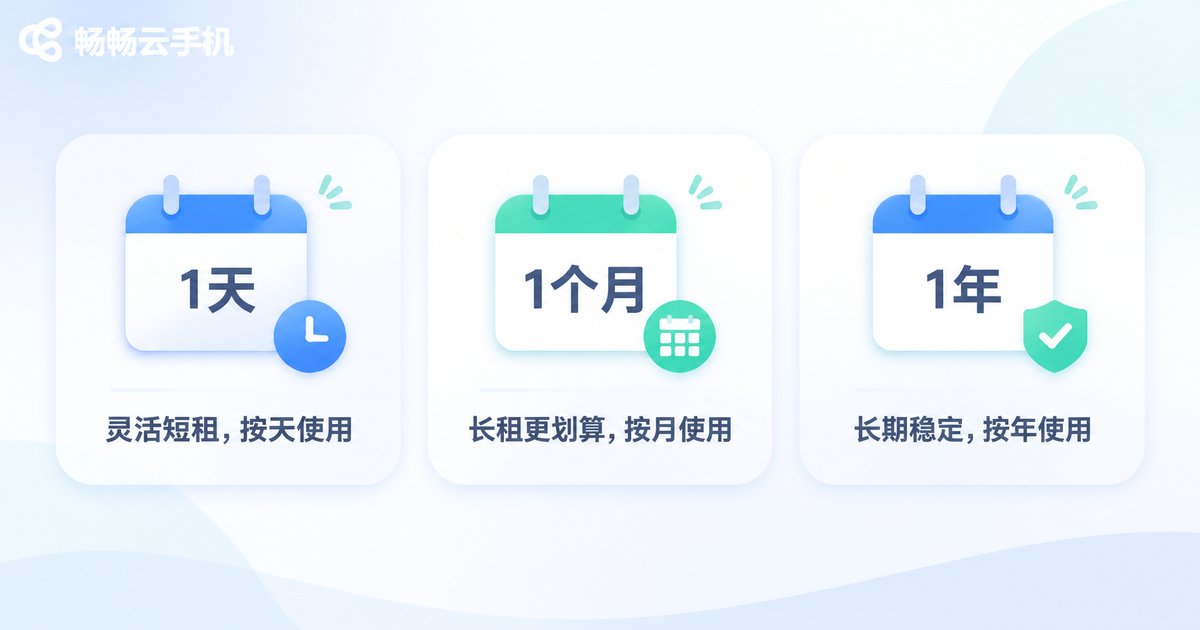
The real difference between the three cycles is a trade-off between flexibility and unit price. There is no universally best option, only the one that matches your usage rhythm.
| Billing cycle | Best for | Advantages | Watch out for |
|---|---|---|---|
| Daily | Temporary tests, short campaigns, just a few days | Flexible, stop anytime | Highest cost per day |
| Monthly | Daily automation, long-running online workloads | Balanced value, easy to adjust | Remaining days are generally not refunded if you stop |
| Yearly | Stable long-term use, batch deployment | Lowest average daily cost | Upfront payment, long lock-in |
A simple rule of thumb: if you expect to use it for more than 3 months, take a look at yearly; if you need it for under 10 days, daily is the least hassle. Anything in between, monthly is the safest choice.
Do not forget instance count either. If you need several devices running at once, multiple low-tier instances are often cheaper than one high-tier one, because a large share of cloud phone cost comes from how many devices are online simultaneously rather than raw single-device performance.
4. Renewal Rules: What Happens at Expiry
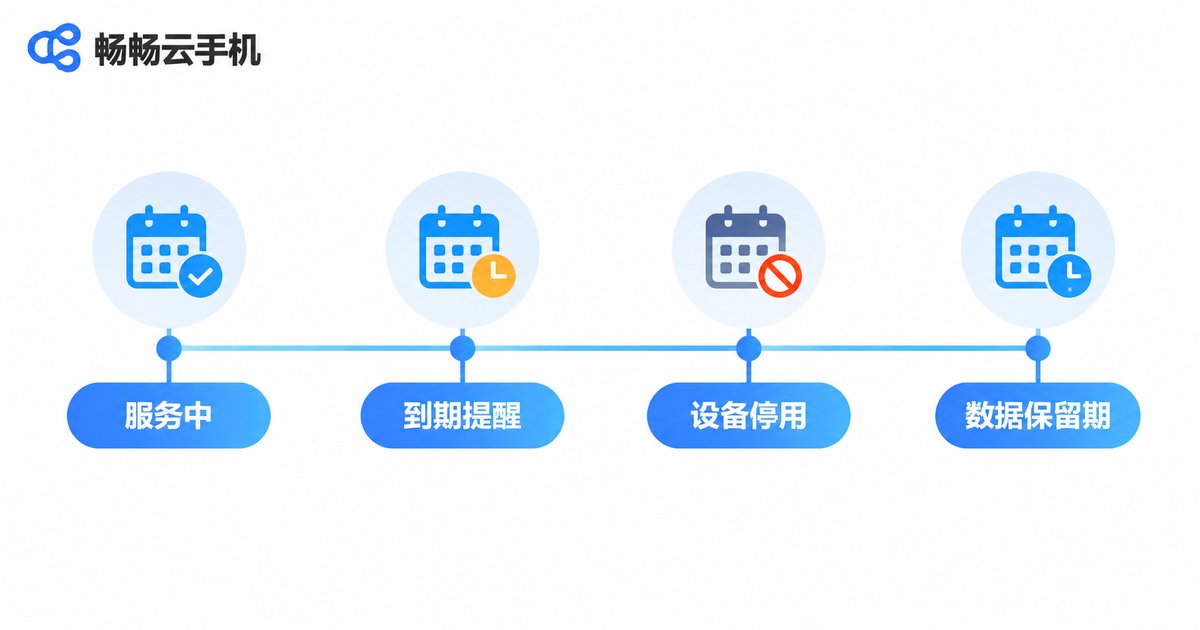
This is where beginners get caught out. Expiry does not mean instant deletion, but it definitely does not mean your data stays forever. Understand these three moments and you will be fine.
Before expiry: reminders and auto-renewal
Most platforms send reminders a few days ahead via in-app messages, SMS or email. If auto-renewal is on, the system charges the current plan price at expiry and service continues uninterrupted. If it is off, the device goes into a stopped state.
A good habit: turn auto-renewal off right after your trial, and switch it back on once you have decided to stay long term. That way you never end up paying for a device you forgot about.
After expiry: grace period and data retention
Once stopped, platforms typically retain the device image for a period so you can restore everything when you renew. But remember this: once the retention window passes, the data may be wiped and cannot be recovered. Always keep your own backup of important accounts, game progress and configuration scripts. Never treat the cloud device as your only storage.
At renewal: upgrades, downgrades and plan changes
Renewal is also a natural moment to adjust your configuration. Note that upgrades usually take effect immediately, while downgrades often wait for the next cycle, since current resources must be released first. Check the platform's renewal documentation for exact effective dates and how the price difference is calculated.
5. How to Choose Without Wasting Money
Translating the rules above into action gives three practical tips:
- Start small, scale later: if you are unsure whether your app will run well, test on a low tier with daily billing first. Do not open with a yearly plan.
- Calculate total cost of ownership: do not look at the price of a single device. Multiply instances, configuration and duration to see the real bill before you decide.
- Clean up idle devices regularly: stop or cancel machines you no longer use so they do not quietly keep charging you. That saves more than any discount.
6. Why Many Teams End Up on ccloudphone
ccloudphone offers multiple hardware tiers and several billing cycles, with prices and rules published transparently on the official website — no guesswork required. New users can go through the official trial channel to verify performance and confirm their app runs stably before committing to a billing cycle.
What makes it friendlier for teams is that renewal reminders arrive before expiry, and at renewal you can adjust configuration on the existing instance without redeploying the environment or reinstalling applications. For always-on workloads, the time saved is often worth more than the price difference.
Frequently Asked Questions
Q1: Is there a truly free, permanently usable cloud phone?
Realistically, no. A cloud phone continuously consumes data center compute and bandwidth, so there is always a cost. What the market calls "free" usually means a time-limited trial or a restricted tier. Treat it as a validation step before paying, not a long-term solution.
Q2: What is the difference between the free trial and a paid plan?
Usually differences in hardware tier, daily usage limits, whether a dedicated IP is included, and how many instances you can run. Core experience — video latency and stability — is generally consistent, so if it runs well in the trial it will likely run well after you pay. Refer to the official website for the exact terms.
Q3: If I stop using it midway, is the remaining money refunded?
On most platforms, monthly and yearly plans do not refund the unused portion if you stop early, while daily billing naturally avoids the issue. So when you are unsure how long you will need it, start with a short cycle and upgrade once usage stabilizes.
Q4: If I forget to renew, is my data gone immediately?
Generally not. The device stops running first and data is retained for a period — but that window is limited, and data may be wiped after it ends. The safe approach is to enable expiry reminders and keep your own backup of anything important.
Q5: If I want a higher configuration at renewal, do I need to buy a new device?
No. Most platforms let you adjust configuration on the existing instance and renew, keeping apps and data intact. Upgrades usually take effect immediately, while downgrades may wait for the current cycle to end. Check the platform's renewal notes for the exact rules.
Q6: Is it cheaper to buy several instances at once?
Bulk purchases usually follow separate policies, and the more instances online simultaneously, the lower the average cost per device tends to be. Estimate total cost based on the number of devices you actually need, then decide how many and for how long.


