

What to Do When Your Cloud Phone Fails Play Integrity: Troubleshooting from Image Certification to Hardware Attestation
Why Cloud Phones Often Fail Play Integrity
If you open a banking, gaming, or payment app inside a cloud phone and suddenly see warnings about a failed security check or an abnormal environment, chances are the Play Integrity verification did not pass. Play Integrity is Google's device integrity API that lets app developers decide whether the current device is a trustworthy, genuine Android device before allowing logins, payments, or ranked matches.
The catch: a cloud phone is essentially an Android virtual environment running on servers in a data center. The system image is custom-built, the boot state differs from a physical phone, and there is no dedicated hardware security chip per device. These differences are easily exposed by Play Integrity's layered checks, which is why works-fine-on-my-real-phone-but-fails-on-cloud-phone is such a common complaint.
First, Understand What Play Integrity Actually Checks
Play Integrity is not a single pass-or-fail exam. It returns three verdict levels, from low to high:
| Verdict | Meaning | What It Checks |
|---|---|---|
| MEETS_BASIC_INTEGRITY | Device passes basic integrity | Boot state broadly normal, no obvious tampering |
| MEETS_DEVICE_INTEGRITY | Genuine, certified Android device | CTS-certified system image, intact boot chain, fingerprint recognized by Google's device catalog |
| MEETS_STRONG_INTEGRITY | Hardware-backed integrity | Keys issued by real hardware (TEE/secure element), impossible to fake in software |
Most cloud phones get stuck at the second level, MEETS_DEVICE_INTEGRITY, while the third level — which involves real hardware — is the hardest wall for any cloud-based solution.

Step One: Identify Which Layer Is Failing
Blindly reinstalling or rebooting rarely helps. The right move is to determine exactly which verdict is missing. Developers can inspect the verdict fields in a test request; regular users can match the app's error message against the table below:
| Symptom | Likely Missing Verdict | Where to Look |
|---|---|---|
| App logs in, but some features warn the device is not secure | MEETS_DEVICE_INTEGRITY | Image certification, device fingerprint |
| Immediate abnormal-environment error, even basic check fails | MEETS_BASIC_INTEGRITY | Modified image, abnormal instance state |
| Banking app demands hardware-level security | MEETS_STRONG_INTEGRITY | Hardware attestation support |
Remember the order: identify the failing level first, then decide where to dig. It saves a lot of wasted effort.
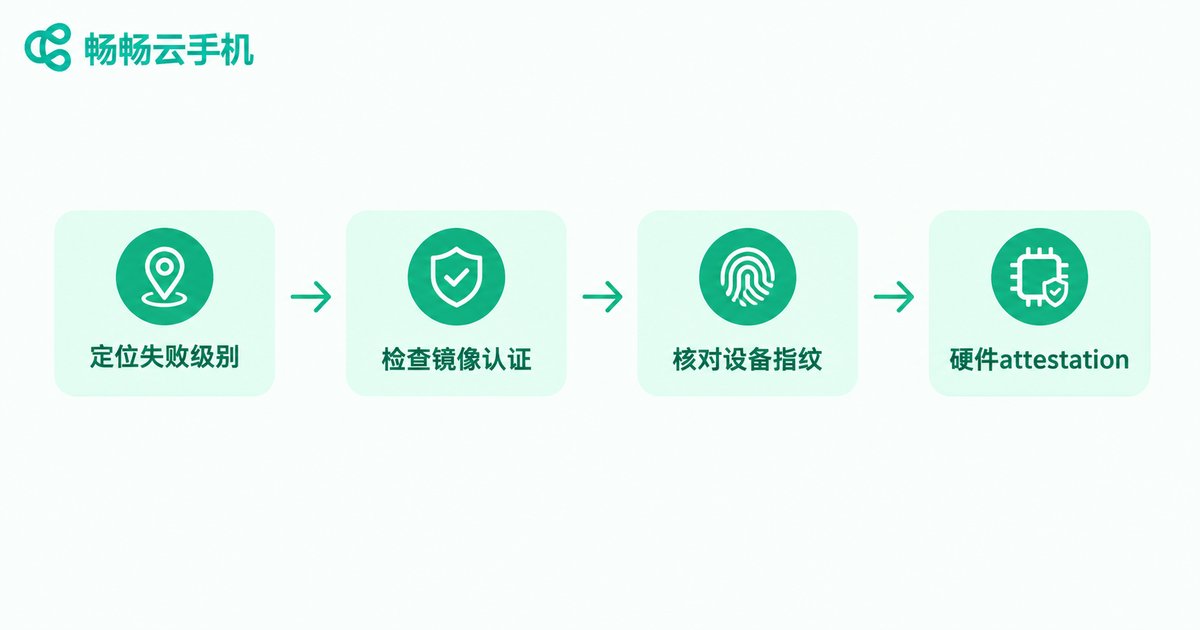
Layer 1: Image Certification — CTS and the System Fingerprint
One of the key signals Play Integrity relies on is whether the system image comes from a CTS-certified official build. To deploy at scale, cloud phone providers use deeply customized Android images. If the image's device fingerprint is not in Google's certified device catalog, or its security patch level has been stale for months, MEETS_DEVICE_INTEGRITY will fail.
Things you can check at this layer:
Does the fingerprint map to a certified model? Inconsistent fingerprints pointing to non-existent models are a common flaw of custom images.
Is the security patch level up to date? Outdated patches get flagged as high risk.
Is the image still maintained? As Google tightens its rules, pass rates on abandoned images keep sliding.
All of these are provider-side issues that users cannot fix on their own — which is why, when choosing a cloud phone, image maintenance matters more than spec-sheet numbers.
Layer 2: Device Fingerprint and Registration Status
Even with a clean image, two pitfalls remain:
Parameter consistency. Play Integrity cross-checks device model, OS version, and related signals. If an instance's parameters contradict each other — a model that does not match its OS version, for example — it can be flagged as abnormal.
Bulk-device risk control. When huge numbers of cloud instances share the same fingerprint and fire concurrent requests, Google's risk systems may react, and verdicts that used to pass can suddenly fail. In that case, switching to another instance or another data center region often restores things.
Layer 3: Hardware Attestation — the Hardest Wall
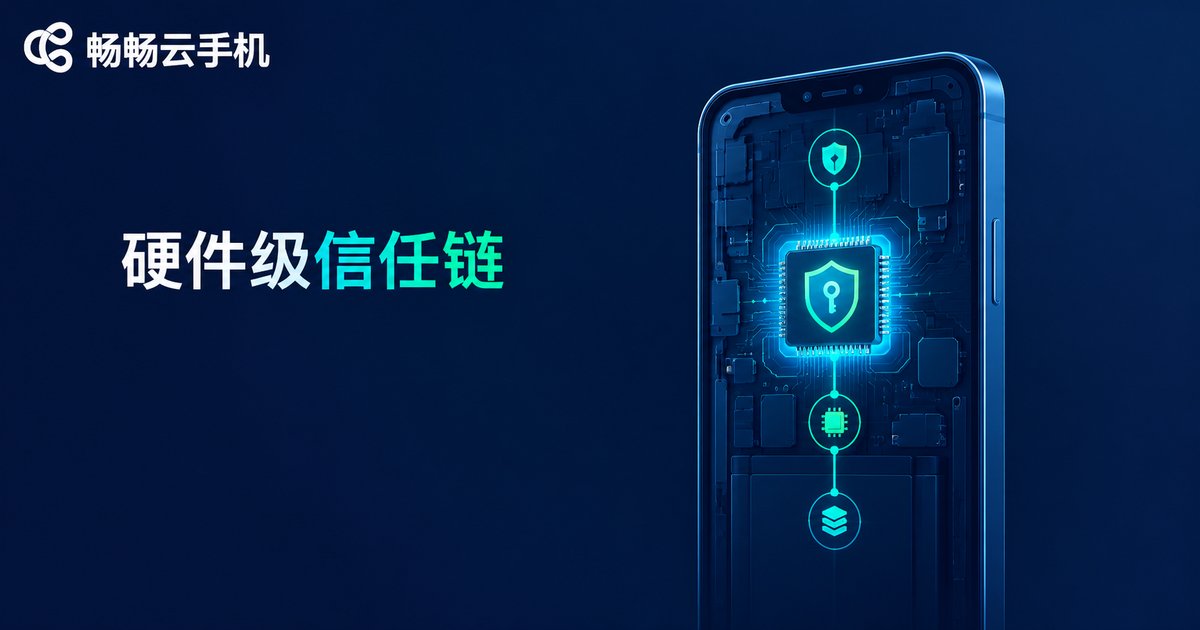
MEETS_STRONG_INTEGRITY requires keys to be issued by a real hardware trusted execution environment, with the trust chain anchored to a physical chip that software cannot forge. Cloud phones run in virtualized server environments without a per-device hardware security chip, so they can only emulate this through virtualization — and emulated trust chains naturally struggle against strictly validating apps.
In other words: this layer cannot be fixed by tweaking user-side settings; it depends on the provider's underlying architecture. If your app explicitly requires hardware-level attestation, confirm support with the provider first, and run a small-scale test before committing.
A Practical Checklist for Regular Users
Here is the whole approach as an actionable checklist:
1. Identify the failing level using the table above;
2. Reboot the cloud instance to rule out temporary state issues;
3. Update client and image to the latest versions;
4. Check Google Play services: make sure it is up to date, clear its cache if needed, then sign in again;
5. Switch instance or region if you suspect risk-control triggers;
6. Contact the provider — if none of the above works, the problem lives in the image or architecture, and only the provider can fix it.
One warning: do not flash, root, or install questionable modification tools inside a cloud instance. Such operations break the boot chain state and can turn a passing verdict into a failing one.
Choosing the Right Provider Beats Endless Tinkering
Follow the trail from image certification down to hardware attestation and you will find that whether a cloud phone passes Play Integrity is mostly decided by the provider's underlying capabilities — continuously certified and updated images, disciplined fingerprint management, and an architecture that supports higher verdict levels.
If you are looking for a cloud phone service that handles these issues well, take a look at ChangChang Cloud Phone (ccloudphone). Its system images are maintained and updated centrally by the official team, and if you run into certification problems you can reach official support for help instead of tinkering blindly. For exact features and support details, refer to the official website, and consider a small-scale test before full deployment.
FAQ
Q: Is a Play Integrity failure on a cloud phone permanent?
Not necessarily. Many failures come from outdated images, abnormal instance states, or risk-control triggers; updating the image, rebooting, or switching instances often restores them. But if the underlying architecture does not support the required level, only the provider can solve it.
Q: Why does one app pass on the same cloud phone while another fails?
Different apps request different verdict levels. Some only check basic integrity, others demand device-level or even hardware-level attestation — the higher the bar, the tougher it is for a cloud environment.
Q: MEETS_BASIC_INTEGRITY passes, but MEETS_DEVICE_INTEGRITY does not. What now?
Focus on image certification and device fingerprint: confirm the image is up to date and the fingerprint maps to a certified model, then report the issue to your provider.
Q: Can I repair hardware attestation on a cloud phone myself?
Basically no. Hardware-level verification relies on a physical trust chain — an architecture-level matter. User-side modification tools are not only ineffective but can make verdicts worse.
Q: Can ChangChang Cloud Phone guarantee every app passes Play Integrity?
No absolute guarantee is possible, since the final verdict is decided by Google and each app's own policy. Clarify which verdict level you need, confirm support with ChangChang Cloud Phone's support team, and test before full deployment.


