

Cloud Phone ADB and Root Are Open — Why Does Play Integrity Still Fail?
Straight to the Point: Root Access ≠ Passing Play Integrity
The first thing many people do after getting a cloud phone is check whether ADB and root access are enabled, as if full permissions automatically meant any check could be passed. Then they run a Play Integrity check, see that MEETS_DEVICE_INTEGRITY is still failing, and start questioning everything: the permissions are all there, so why won't it pass?
Actually, this is completely normal, because the verdict doesn't belong to your device — it belongs to Google's servers. ADB and root answer the question of what you can do to the device, while Play Integrity answers whether Google trusts this device. These are two entirely different questions, so let's break it down layer by layer.
What Does Play Integrity Actually Check?
Play Integrity API is Google's device integrity verification mechanism that helps apps decide whether the current environment is genuine and trustworthy. It consists of three levels, each stricter than the last:
| Verdict Level | Meaning | Typical Requirement |
|---|---|---|
| MEETS_BASIC_INTEGRITY | Environment is basically trustworthy | System not obviously tampered with |
| MEETS_DEVICE_INTEGRITY | Genuine certified Android device | GMS certification, passes CTS compatibility tests |
| MEETS_STRONG_INTEGRITY | Hardware-backed security proof | Hardware trust root (TEE / StrongBox) support |
The key point: the verdict is produced when the device submits attestation data and Google's servers verify it. In other words, even if you modify the system locally to perfection, as long as the submitted evidence doesn't match Google's expectations, the verdict is still a fail.
Why ADB and Root Can Actually Work Against You
Surprisingly, the root state itself generates a bunch of new detection signals:
1. Unlocked bootloader state. Root usually comes with an unlocked bootloader, and an unverified boot state is exactly one of the signals Play Integrity pays close attention to.
2. Modified system partitions. Traces such as su binaries or Magisk make it hard to prove that the system has not been tampered with.
3. App-level checks on top. Many apps run their own root and emulator detection in addition to Play Integrity, so both gates must be passed.
So the real value of open permissions is that they give you the ability to inspect and adjust device parameters — not enable permissions and auto-pass. Think of ADB and root as a toolbox rather than a pass, and much of the confusion disappears.
The Four Most Common Roadblocks on Cloud Phones
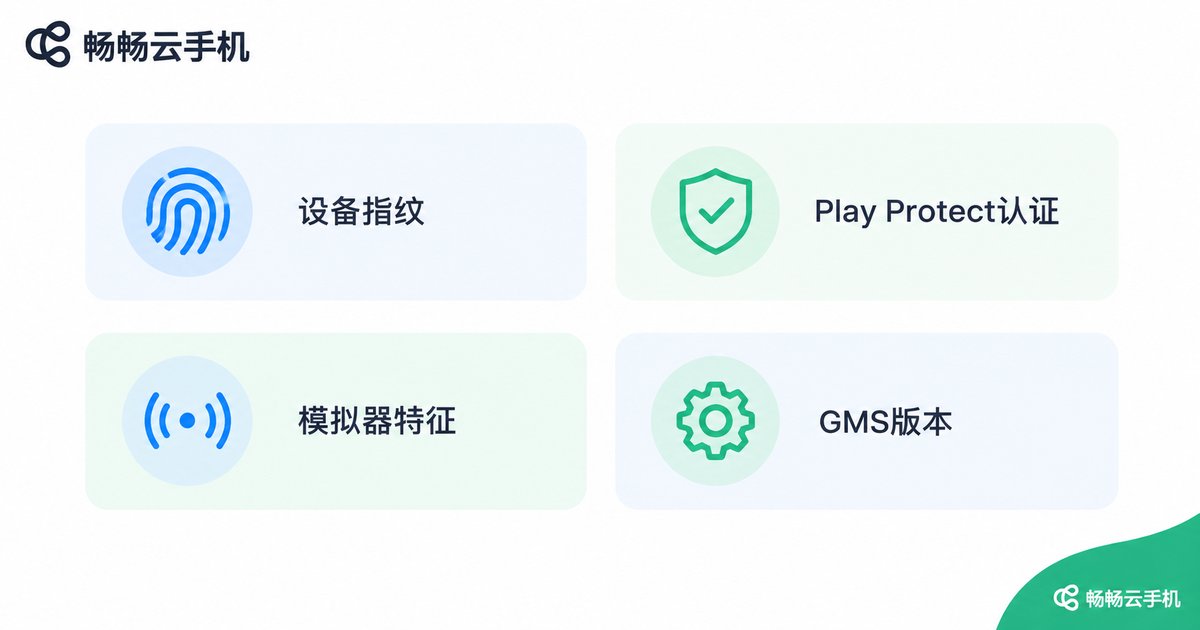
Based on extensive real-world user feedback, when a cloud phone fails Play Integrity it almost always comes down to one of these four causes:
Roadblock 1: Uncertified build fingerprint. Google verifies whether the device's build fingerprint comes from a CTS-certified model. If the cloud phone's fingerprint is custom-assembled, it gets blocked right here.
Roadblock 2: Abnormal Play Protect certification. The device must be registered and certified with Google. Check it under Play Store 'Settings → About → Play Protect certification'; if it shows 'uncertified', MEETS_DEVICE_INTEGRITY is basically out of reach.
Roadblock 3: Leftover emulator signals. Empty sensor lists, missing battery info, abnormal baseband — such details make the environment look like anything but a real phone.
Roadblock 4: Outdated or modified GMS. An old Google Mobile Services version, stripped components, or broken signatures will also cause the attestation data to fail verification.
Troubleshooting Checklist: Five Steps to Locate the Problem
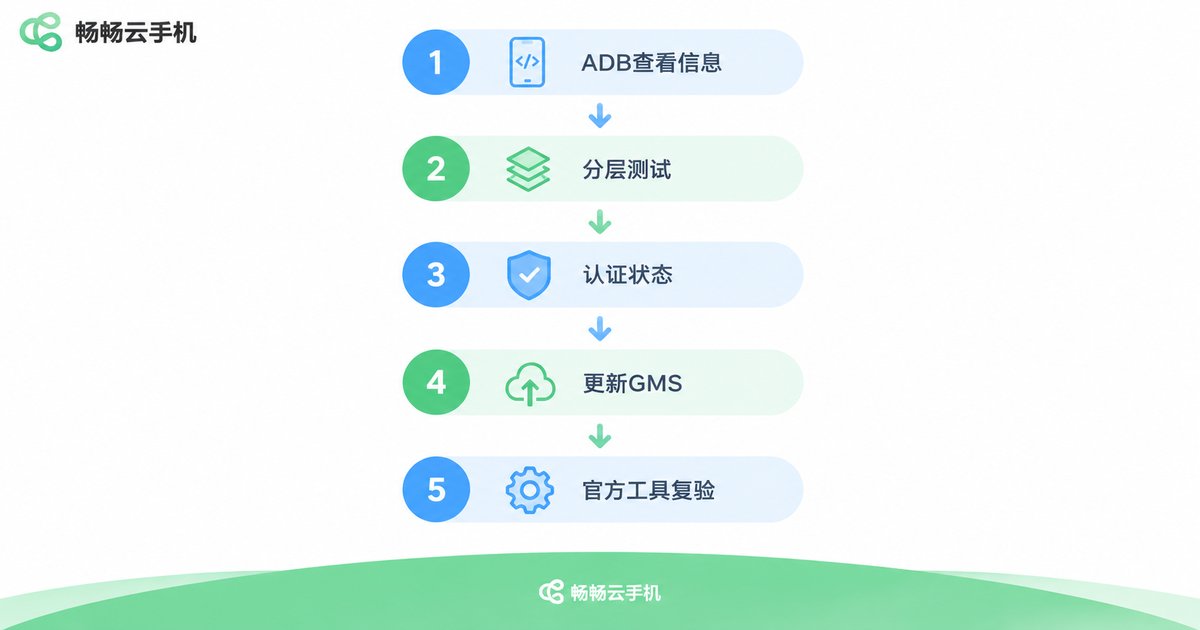
With permissions open, you can absolutely troubleshoot this yourself. Walk through the following steps in order and you can pinpoint most issues:
Step 1: Confirm basic device info via ADB.
# Check the build fingerprint
adb shell getprop ro.build.fingerprint
# Check the verified boot state (green means verified boot)
adb shell getprop ro.boot.verifiedbootstate
# Check the device model
adb shell getprop ro.product.model
Step 2: Test layer by layer. First check whether MEETS_BASIC_INTEGRITY passes, then MEETS_DEVICE_INTEGRITY, so you know exactly which layer you are stuck on instead of changing things blindly.
Step 3: Check Play Protect certification. Confirm in the Play Store settings that the device shows 'certified'.
Step 4: Update Google services. Make sure the core GMS components are up to date and have not been stripped or replaced.
Step 5: Re-test with the official tool. Google provides an official Play Integrity API test app; use it to re-verify after every change for the clearest results.
ChangChang Cloud Phone: Get the Environment Right First
At this point you may ask: which kind of cloud phone reduces the trial-and-error cost? Our suggestion is to prefer products with thoroughly open permissions and a device environment maintained by the platform, such as ChangChang Cloud Phone (ccloudphone).
The philosophy is straightforward — hand the debugging power back to you: ADB and root are open, so you can connect to the device anytime to inspect fingerprints, verify system properties, and run detection scripts; devices run in the cloud with the system environment maintained and updated by the platform, sparing you from tinkering with emulator images; multi-instance management is also supported, which makes batch environment validation far more efficient.
That said, let's be honest: no cloud phone can promise a 100% Play Integrity pass, because the final verdict belongs to Google's servers and different apps enforce different verdict levels. The right approach is to test a small number of devices with your target app first, confirm the results meet your needs, and only then scale up — keeping both risk and cost under control.
FAQ
Q: Does rooting mean Play Integrity will definitely fail?
Not necessarily, but rooting introduces detection signals such as an unlocked bootloader and modified system files, which does raise the difficulty. Passing depends on the overall environment — fingerprint, certification status — not on a single permission switch.
Q: MEETS_BASIC passes but MEETS_DEVICE fails — what does that mean?
It means the 'basically trustworthy' layer is fine but the certification layer is blocking you. Focus on whether the fingerprint comes from a certified model, whether Play Protect shows 'certified', and whether GMS is intact.
Q: Can ChangChang Cloud Phone guarantee passing Play Integrity?
No responsible provider will promise 100%, because the verdict belongs to Google. We recommend activating a small number of devices first, testing with your target app, and only then deciding whether to scale up.
Q: Self-built emulator vs cloud phone — which passes more easily?
A self-built emulator means solving images, fingerprints, and GMS all by yourself, with high maintenance costs. A cloud phone's environment is tuned and maintained by the platform, usually closer to a real device, so you can focus on your business logic during troubleshooting.
Q: What is the relationship between Play Integrity and the old SafetyNet?
Play Integrity is the successor of SafetyNet Attestation, with stricter logic and heavier reliance on server-side verification. The old trick of changing a prop to pass SafetyNet basically no longer works in the Play Integrity era.


