
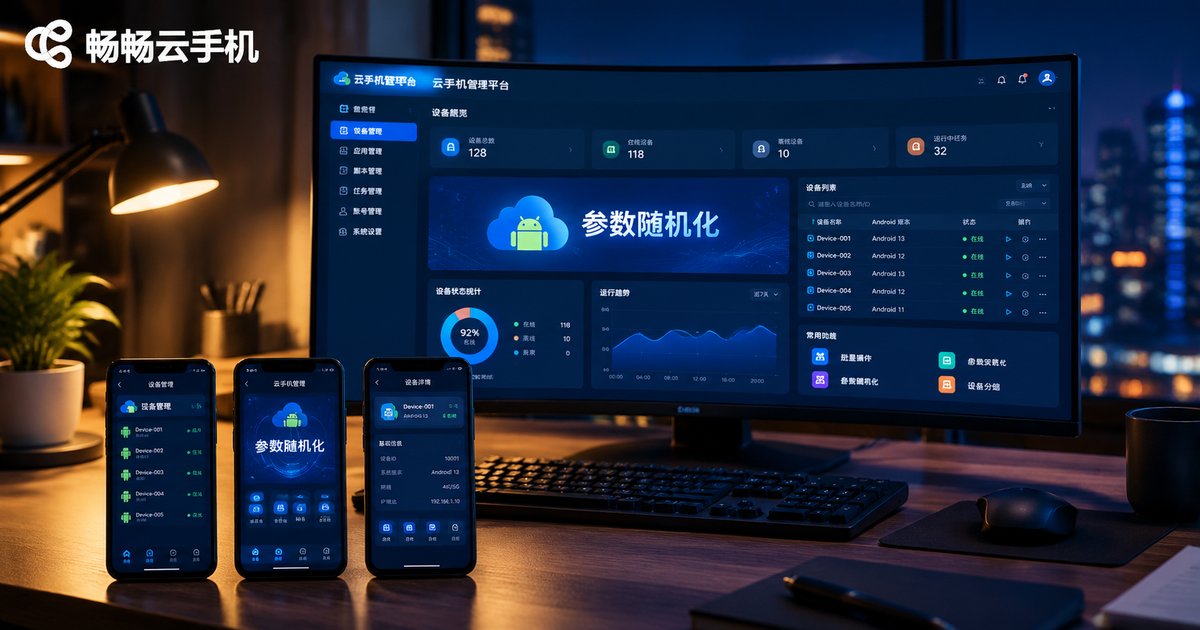
How to Fix Identical Parameters After Cloud Phone Image Restore: Randomizing Model, Serial Number and Network Identifiers
Image Restore Saves Time — Identical Parameters Invite Trouble
Anyone running batch operations on cloud phones relies on image restore: pack a tuned 'master device' environment into an image, then roll it out to dozens or hundreds of devices in one click. Apps, settings, login states — all identical, efficiency maxed out.
But there is a hidden catch: restored devices all carry exactly the same model, serial number, and network identifiers. To platform risk-control systems, dozens of 'twin devices' are a textbook signature of bulk operations — at best throttled reach, at worst mass account bans.
The fix comes down to two words: parameter randomization. Here is the complete playbook, from principles to practice.
Which Parameters Do Risk-Control Systems Actually Check?
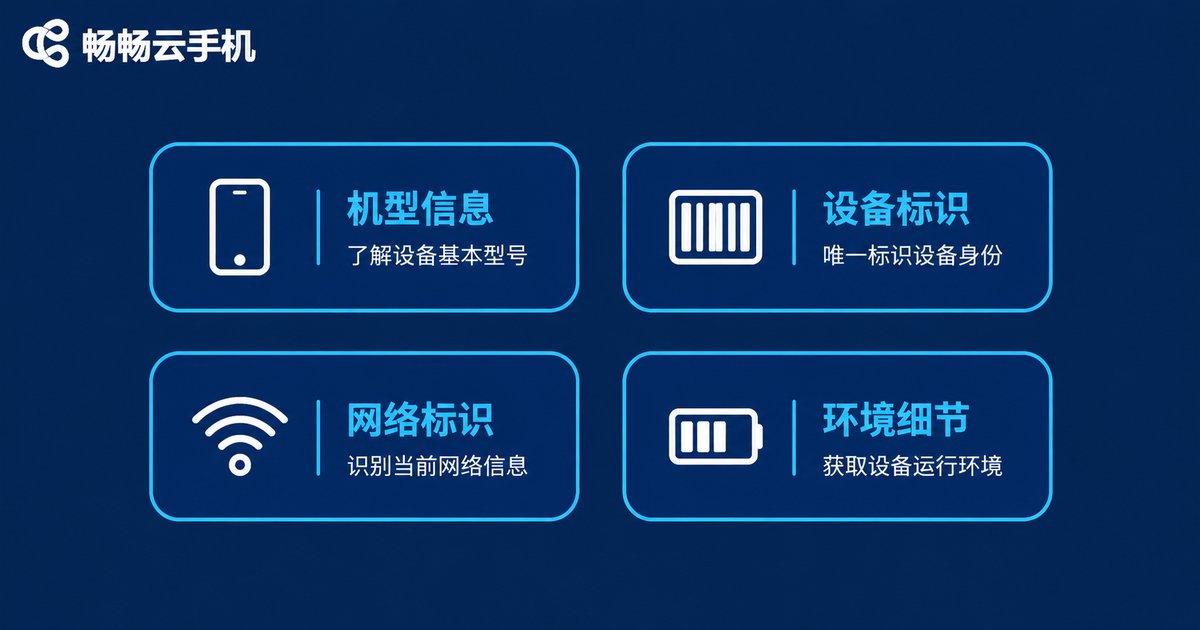
To fix the problem, first understand how platforms decide whether accounts come from 'the same device'. They mainly compare these hardware and network identifiers:
| Category | Typical Fields | Risk When Identical |
|---|---|---|
| Device model | Brand, model, screen resolution | Many accounts on one model look like device farming |
| Device IDs | Serial number (SN), IMEI, Android ID | Accounts sharing one SN are easily linked |
| Network identity | MAC address, device hostname | Multiple active accounts behind one MAC get clustered |
| Environment details | Battery, sensors, language, timezone | Perfectly identical details expose a virtual environment |
Device model, serial number, and network identifiers carry the highest weight — and they are precisely the three most likely to 'collide' after an image restore, because they are copied along with the image itself.
Three Core Principles of Parameter Randomization
Randomization does not mean typing random gibberish. Every device needs an identity that is both unique and plausible. Keep three principles in mind:
1. One profile per device, zero duplicates.Every restored device gets its own parameter set — serial number, MAC address, and Android ID all different — eliminating association at the source.
2. Random, but realistic.Randomized values must follow real-device conventions: models drawn from a genuine model library, MAC addresses keeping a valid vendor prefix, serial numbers matching real length and format. Fake-looking parameters are even more suspicious than identical ones.
3. Auto-refresh on every restore.Bake randomization into the restore workflow so each restore generates a fresh parameter set automatically — manual editing is slow and error-prone.
What Does a Well-Randomized Profile Look Like?
Here is a sample profile — note how it stays 'random yet realistic':
{
  'model': 'Xiaomi 13 Pro',
  'serial': 'b7e2f4a19c83',
  'mac': 'A4:B1:C1:7E:93:D2',
  'android_id': '9f3c2a71b4d8e605',
  'host_name': 'Xiaomi-13Pro-Office-07'
}
Three details matter: the model is a real product; the MAC prefix belongs to a valid vendor block; the serial follows the common hexadecimal format. To a risk-control system, this looks like an ordinary phone.
Step by Step: Randomizing Model, Serial Number, and Network Identifiers
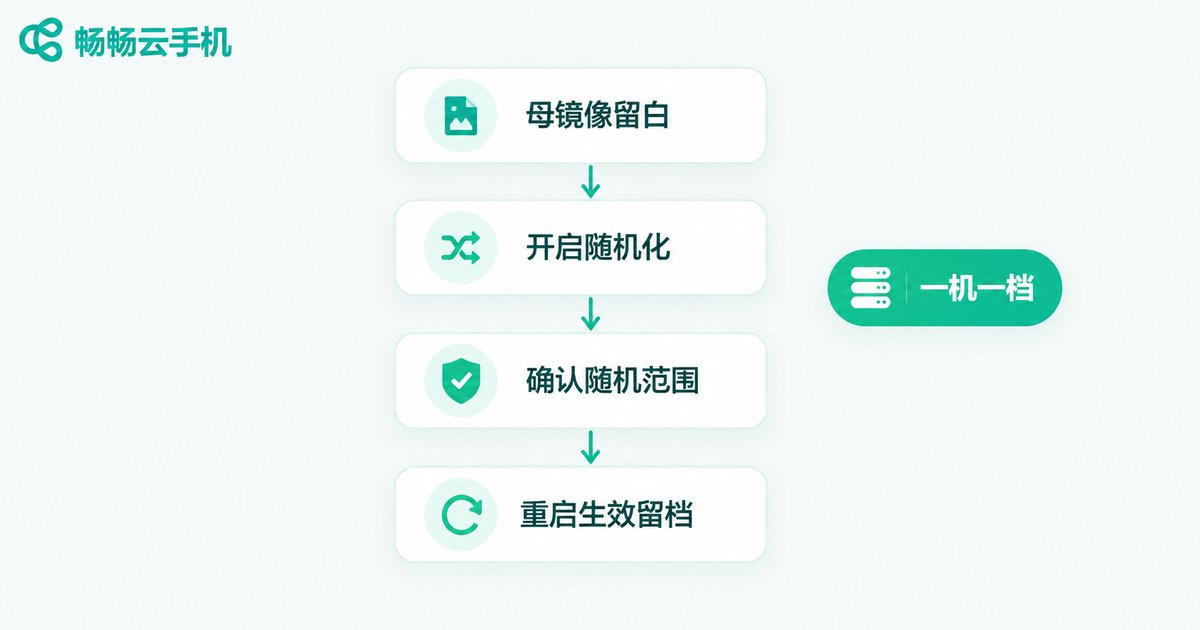
Using ChangChang Cloud Phone (ccloudphone) as an example, the whole workflow looks like this:
Step 1: Leave parameter slots empty in the master image.Keep only apps and base configuration in the master environment — no account-level bindings — so model, serial number, and other identifiers can be differentiated after each restore.
Step 2: Open device info settings after restore.In each cloud phone's settings panel, find the device info (model modification) entry and enable parameter randomization.
Step 3: Confirm the randomization scope item by item.Draw the model from a genuine model library; regenerate the serial number in a real-device format; randomize the MAC address and Android ID as well; update network identifiers such as the hostname.
Step 4: Reboot to apply, then log the profile.Restart the cloud phone so the new parameters take effect, and record each device's new profile in a ledger to prevent duplicate assignment later.
Once familiar with the flow, a single device takes a minute or two. With batch operations, even a hundred devices can be 're-identified' in one quick pass.
Parameter Management Tips for Long-Term Batch Operations
Randomization is only step one. For long-term stability, also make a habit of the following:
Keep a parameter ledger:Record each device's model, SN, MAC, and other key parameters, and check for duplicates before assigning new ones.
Manage groups with different profiles:Give different account batches different model mixes — flagship models for group A, mid-range for group B — so the device distribution looks natural.
Bind parameters to accounts long-term:One device, one parameter set, for the long run. Constantly changing parameters is just as suspicious as duplication — 'parameter drift' is itself an anomaly signal.
Run regular audits:Every week or two, spot-check device parameters to make sure restores or migrations have not rolled profiles back to defaults.
Choose the Right Cloud Phone and Randomization Becomes Effortless
Ultimately, how painless randomization feels depends on the cloud phone itself. A service like ChangChang Cloud Phone, which supports custom device information and batch management, builds the entry for modifying model, serial number, and other parameters right into device settings — after an image restore, you can differentiate profiles on the spot without third-party tools.
If you are stuck in the 'restore feels great, association hurts' cycle, visit the ChangChang Cloud Phone website (ccloudphone), make parameter randomization part of your standard restore workflow, and give every cloud phone its own independent 'ID card'.
FAQ
Q: Are parameters always identical after an image restore?
Not necessarily — it depends on the implementation. Some products restore device parameters along with the image, which causes duplication; products that auto-randomize after restore do not have this issue. Either way, check key parameters after every restore.
Q: Does randomization affect normal app usage?
As long as randomized values follow real-device conventions (genuine models, valid formats), apps will not notice. Never fill in malformed serial numbers or MAC addresses — that is far more likely to trigger anomaly detection.
Q: My accounts are already linked. Does changing parameters still help?
New parameters prevent further linking, but existing association records are hard to erase completely. The right move is fresh parameters plus a fresh environment: migrate old accounts gradually instead of operating under the same parameter batch.
Q: Should I change serial numbers and MAC addresses frequently?
Not recommended. Frequent parameter drift is as suspicious as duplication. Stick with one stable parameter set unless a device needs an identity reset due to anomalies.
Q: Where do I set up parameter randomization in ChangChang Cloud Phone?
Look for the device information options in the cloud phone's settings. The exact entry may vary by version — see the official website (ccloudphone) for details, and test the full flow on one device before scaling up.


