
Cloud Phone Node Groups vs Instance Groups: A Resource Management Comparison
What Is a Node Group in Cloud Phones?
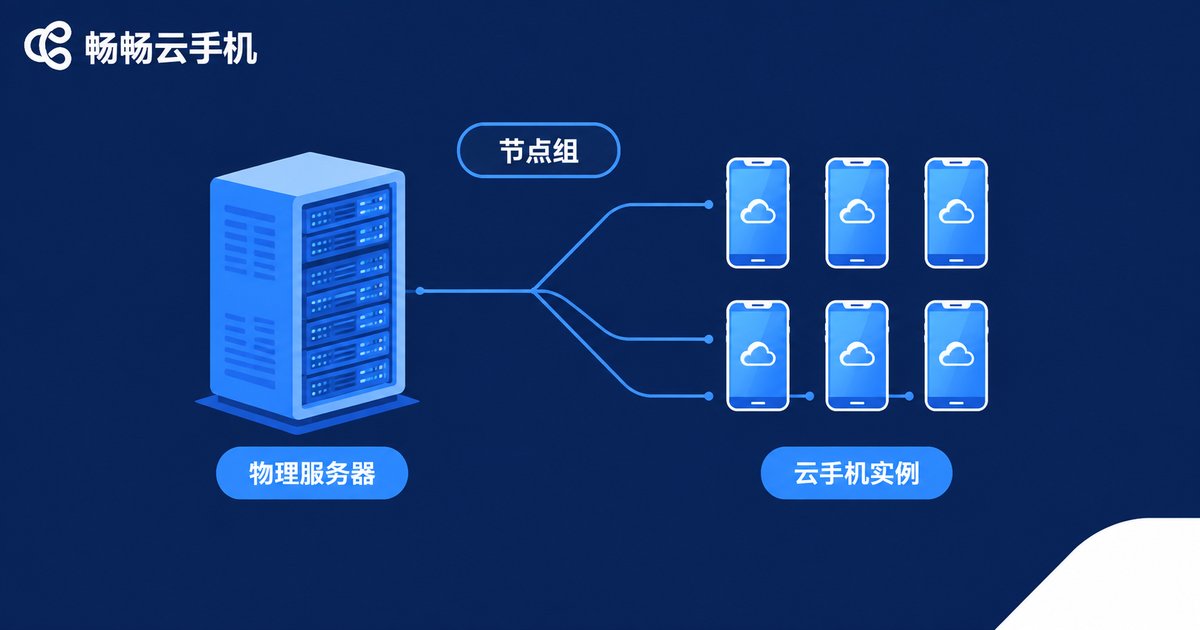
First, the basics. A node is a physical server in a data center. Every cloud phone you use actually runs on the resources of one of these servers — its CPU, memory, storage, and bandwidth all come from there.
A node group bundles multiple servers into one logical unit for unified management. Think of it as a squadron of servers: nodes in the same group usually share similar hardware specs, the same network routes, or the same data center.
Node groups exist for low-level resource management. Typical use cases:
· Resource scheduling: spreading newly created cloud phone instances across servers in the group to avoid overloading any single machine;
· Capacity planning: prompting expansion when a group runs low on resources;
· Fault isolation and migration: moving instances to healthy nodes in the same group when one node fails;
· O&M inspection: monitoring hardware usage and running batch maintenance by group.
In one sentence: a node group manages the soil — the physical resources that host your cloud phones.
What Is an Instance Group in Cloud Phones?
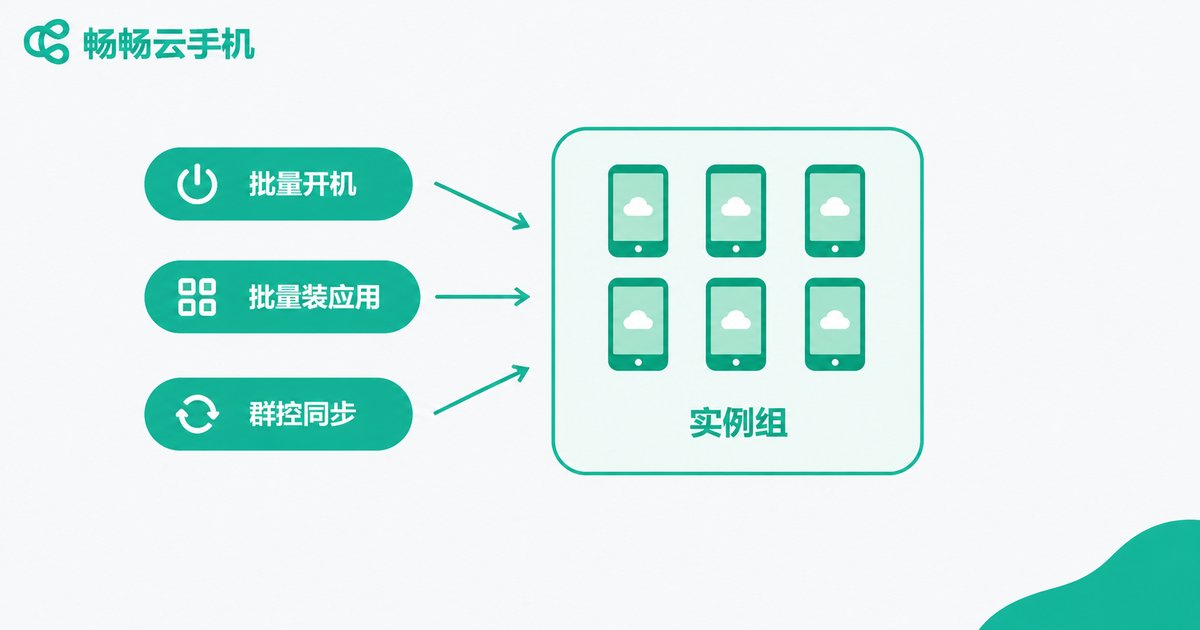
Now for the instance group. A cloud phone instance is one of those virtual phones you create on the platform, each with its own system and app data. An instance group organizes these virtual phones into fleets based on your business needs for batch management.
Instance groups serve day-to-day business operations. Typical use cases:
· Batch operations: power on, shut down, or restart dozens of phones in one click;
· Batch deployment: install, uninstall, or update apps across the whole group;
· Group control sync: mirror actions from one phone to every phone in the group in real time;
· Unified settings: change resolution or parameters in bulk.
For example, if you run 200 cloud phones for game automation, you can create a game automation group so batch actions only affect that group and never touch other businesses. In one sentence: an instance group manages the crops — the actual cloud phones you work with every day.
Node Group vs Instance Group: Key Differences at a Glance
Both contain the word group, but they manage completely different objects at different layers. This table makes it clear:
| Dimension | Node Group | Instance Group |
|---|---|---|
| Layer | Infrastructure (servers) | Business instances (cloud phones) |
| Manages | CPU, memory, storage, bandwidth | Individual virtual phones |
| Typical actions | Scheduling, expansion, inspection, failover | Batch power control, bulk apps, group control sync |
| Main users | Platform ops / IT admins | Operations / marketing teams |
| How to scale | Add server nodes | Create more cloud phone instances |
| Membership | One group contains many physical servers | Instances in a group can span multiple nodes |
Easy to remember: node groups are the data center view; instance groups are the business view.
Resource Management: How the Two Layers Work Together
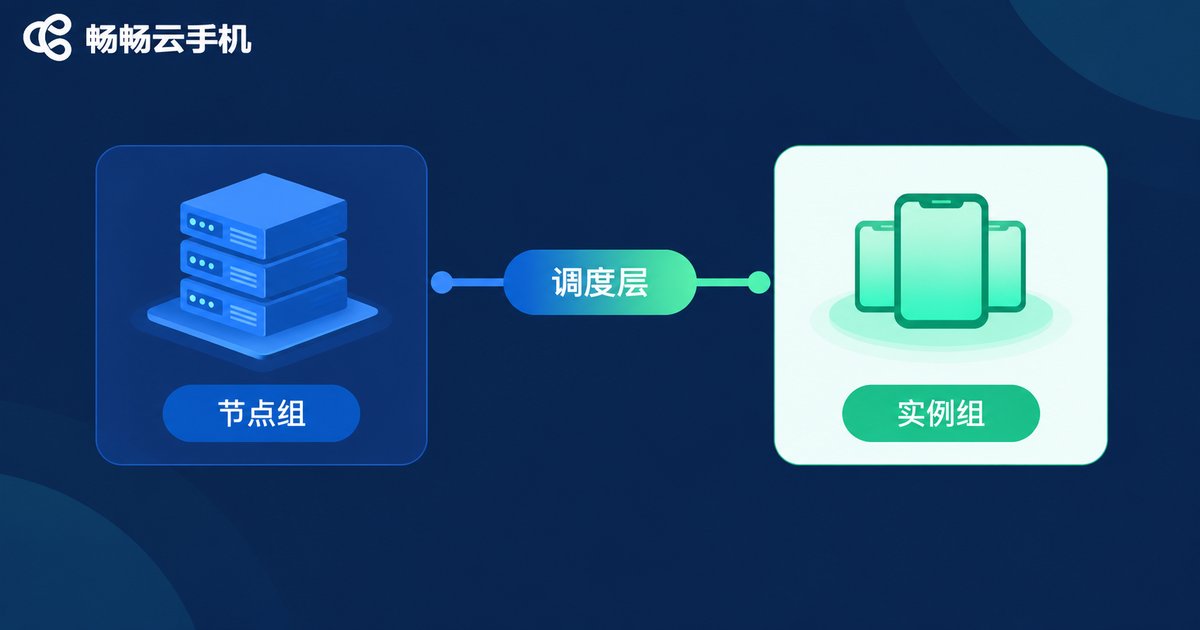
In production, node groups and instance groups form two stacked layers that collaborate:
· Node groups define the resource pool: the platform first divides data center servers into node groups, forming schedulable resource pools;
· Instance groups define business fleets: you organize cloud phones into instance groups by business;
· The scheduler bridges them: when you batch-start an instance group, the platform automatically spreads its instances across node groups for load balancing.
Example: you run three instance groups — game automation, live streaming, and app testing. Live streaming demands more bandwidth, so the scheduler places it on node groups with rich network resources, while the lightweight testing group fills in spare capacity. Businesses never fight over resources, and hardware utilization stays high.
This is exactly why mature cloud phone platforms separate the two layers: resources stay with resources, business stays with business, and scheduling connects them.
Practical Grouping Tips
Once you understand the difference, here is how to use it well:
· Create instance groups by business line: keep games, live streaming, and testing separate so batch operations never interfere;
· Keep groups a manageable size: dozens of instances per group makes management and troubleshooting easier;
· Use clear naming: a format like business-purpose-batch tells you everything at a glance;
· Watch resource levels: if the platform shows node load, schedule heavy workloads off peak.
Manage Groups Effortlessly with Changchang Cloud Phone
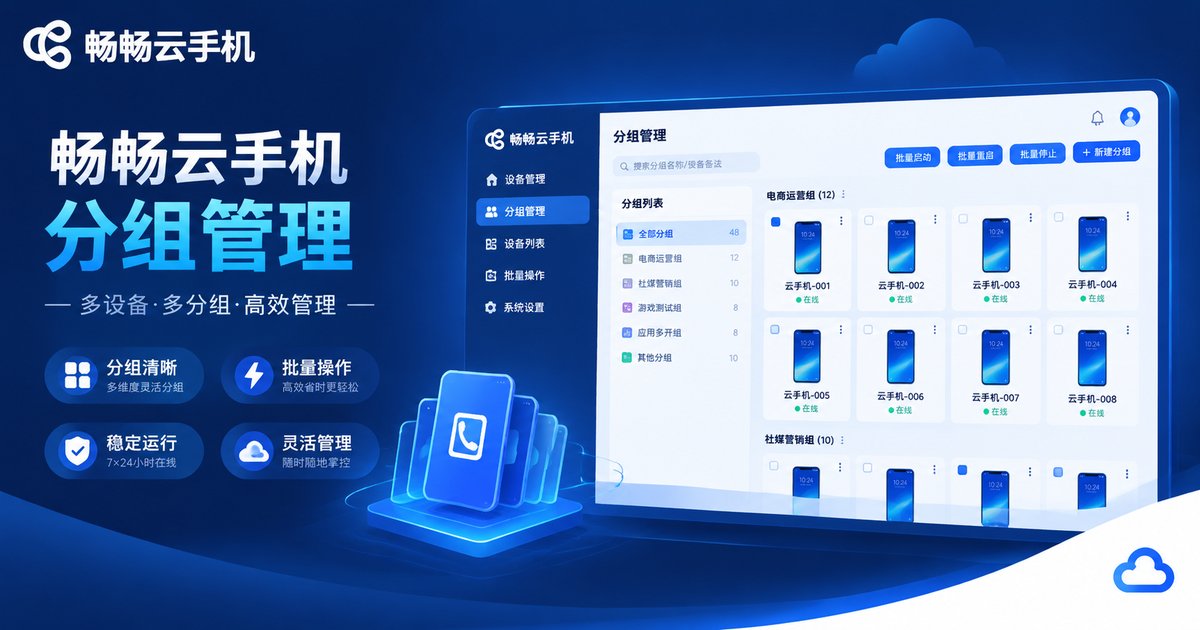
Worried that two layers of grouping sound complicated? With a platform like Changchang Cloud Phone (ccloudphone), node-level scheduling, load balancing, and failure migration are all handled automatically, so you can focus purely on business.
In the Changchang Cloud Phone console, you can flexibly group cloud phones by business and run batch power-on, bulk app installation, and group control sync for an entire group. The interface is intuitive and easy to pick up. How resources are scheduled and where instances land is all arranged by the platform — you just use it, and the complexity is handled for you.
FAQ
Q: Are node groups and instance groups the same thing?
No. A node group groups servers at the resource level, while an instance group groups cloud phones at the business level. One manages hardware, the other manages virtual phones.
Q: Can one cloud phone belong to multiple instance groups?
It is best to keep each instance in a single group to avoid conflicting batch operations. For overlapping needs, use tags or notes as a supplement.
Q: If a node group fails, will I lose my cloud phone data?
Reputable platforms have migration mechanisms. When a node fails, instances are usually rescheduled to healthy nodes in the same group, and cloud phone data remains in the storage system, safe from single-server failures.
Q: Does a small team need to care about node groups?
Not really. Node groups are part of the platform infrastructure. With a service like Changchang Cloud Phone, scheduling is fully automatic — just focus on your instance groups and business.
Q: How many cloud phones can one instance group hold?
It depends on platform rules and the number of instances you purchase. In practice, splitting by business into several smaller groups keeps batch operations fast and errors easy to locate.


