

How to Configure Cloud Phone Intranet Interconnection? A Guide to Network Isolation Across Regions
What Is Cloud Phone Intranet Interconnection?
Cloud phones run in remote data centers, and every device has its own independent network environment. Intranet interconnection simply means that multiple cloud phones within the same region can exchange data directly over the data center's internal network instead of routing through the public internet.
For workloads that require many devices to coordinate—such as multi-instance gaming, group device management, automated testing, and batch operations—the value is obvious: device-to-device traffic stays on the internal network, which means lower latency, more stable transmission, and better data security. For example, transferring files between two cloud phones in the same region is often several times faster than going across regions over the public internet, and it is far less affected by public network fluctuations.
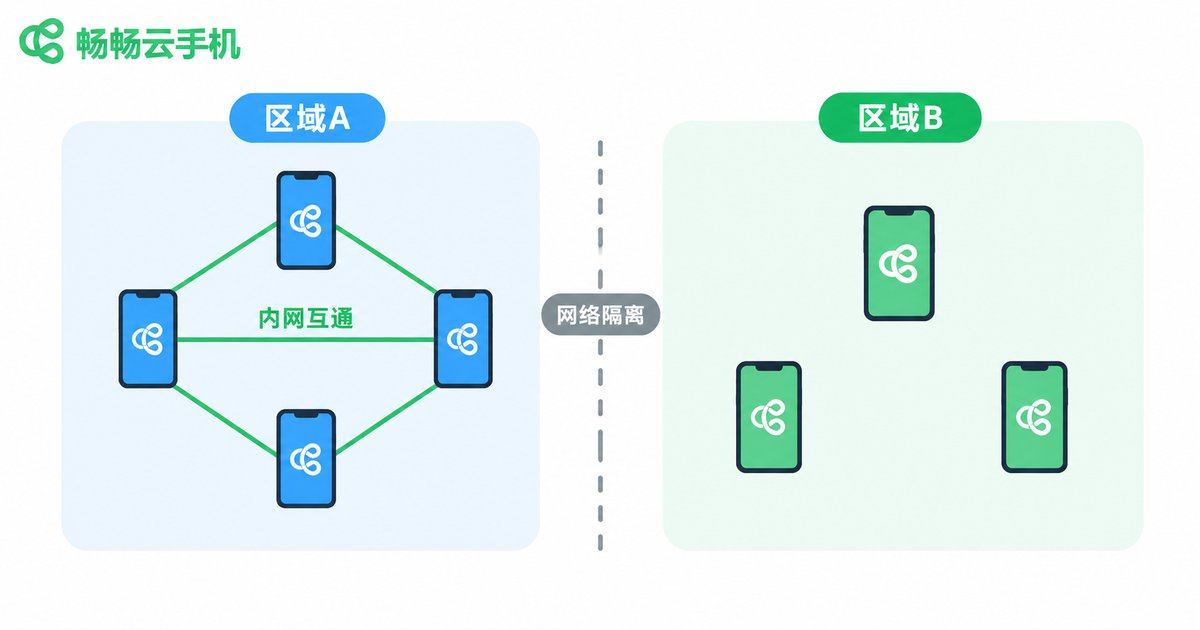
Why Are Networks Isolated Across Regions?
Many first-time users are puzzled: they buy two cloud phones at the same time, yet the devices cannot reach each other directly. This is not a fault—it is an intentional regional network isolation mechanism.
Cloud providers typically deploy server resources across multiple cities and data centers, and each region runs as an independent network system. Regions are isolated from each other by default for three main reasons:
1. Security isolation: Physical and logical separation between regions ensures that a network failure or security incident in one region does not spread to others, keeping the impact under control.
2. Stability guarantees: Intranet traffic within a region stays inside the local data center, avoiding the latency jitter of long-distance cross-facility transmission and protecting communication quality for devices in the same region.
3. Resource scheduling: Independent network systems make it easier to allocate IP resources, schedule traffic, and arrange disaster recovery per region, improving overall service reliability.
| Item | Same-Region Devices | Cross-Region Devices |
|---|---|---|
| Intranet interconnection | Supported via data center intranet | Isolated by default, no direct connection |
| Latency | Usually within a few milliseconds | Higher, affected by public routing |
| Transmission stability | Stable, unaffected by public network | Affected by public network quality |
| IP location | Identical or similar | Different regions |
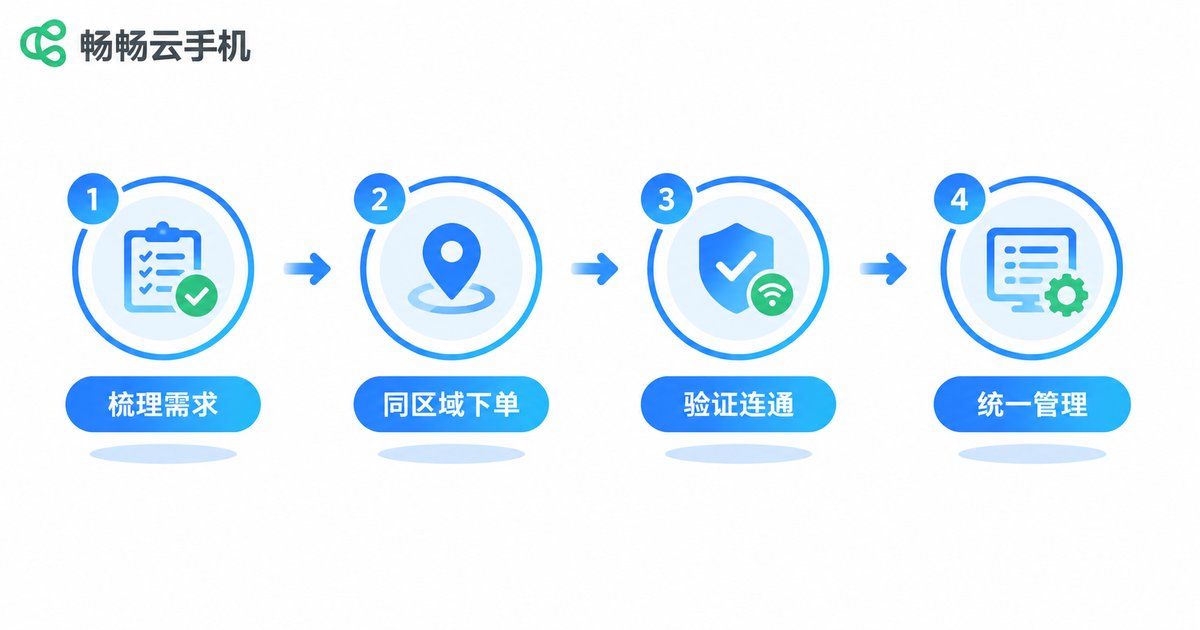
How to Configure Cloud Phone Intranet Interconnection
The core principle comes down to one sentence: deploy the devices that need to communicate in the same region. A cloud phone's region is fixed at activation, so the key is to buy right rather than fix it later. Follow these four steps:
Step 1: Map out your requirements. Decide which devices need to talk to each other. If 20 devices will form a coordinated cluster, plan to provision all 20 in the same region.
Step 2: Lock in the same region at purchase. When ordering, select the same region (or the same resource pool/cluster) for every related device. If several regions are available, keep the choice consistent.
Step 3: Verify intranet connectivity. After activation, test connectivity between devices with network tools inside the cloud phones to confirm the intranet path works before deploying your business.
Step 4: Re-plan cross-region devices. If you already own devices scattered across regions, contact customer support to see whether they can be adjusted, or repurchase devices grouped by workload in one region—avoid forcing core traffic over the public internet, which brings higher latency and instability.
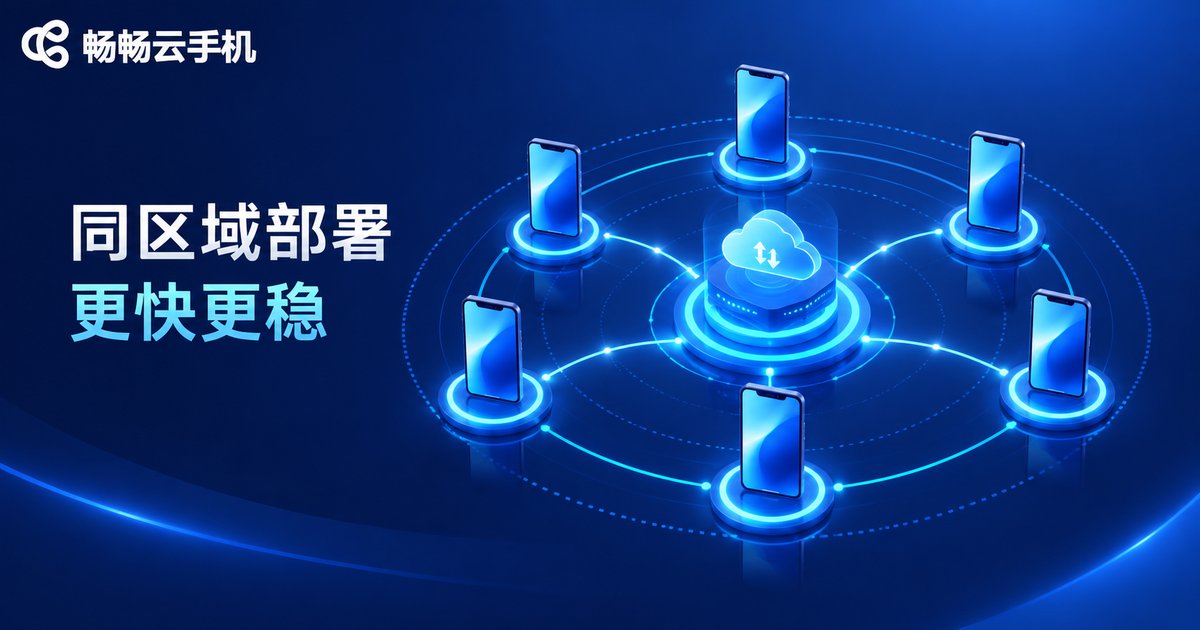
Key Considerations for Regional Network Isolation
1. Do not force cross-region links. Cloud phones in different regions cannot connect over the intranet by default. Routing core coordination traffic over the public internet leads to high latency and an unstable experience.
2. IP location changes with region. Devices in different regions have outbound IPs from different areas. If your business depends on IP location, unify the region in advance.
3. Region is hard to change later. A cloud phone's region is set at activation and migration costs are high, so upfront planning matters far more than later fixes.
4. Confirm before bulk purchase. Region layouts and interconnection policies vary between providers, so confirm the details with customer support before placing a bulk order.
Purchase and Deployment Recommendations
If you plan to provision cloud phones in bulk, finish your region planning before you buy. Taking ChangChang Cloud Phone (ccloudphone) as an example: sort out your device count, coordination needs, and region preferences first, confirm the region layout and intranet interconnection details with official support, then provision all devices that need to work together in the same region, and use group management features for batch operations afterwards.
In short, configuring intranet interconnection is essentially a purchasing decision to choose the right region. Ten extra minutes of planning upfront can save you significant migration and debugging costs later.
FAQ
Q: Can cloud phones in different regions be connected later?
Regions are isolated by default, and cross-region intranet interconnection is generally not supported. The simplest, most reliable solution is to keep the devices that need to communicate in the same region.
Q: Does intranet interconnection slow down internet access?
No. Intranet interconnection is only a device-to-device channel. Each cloud phone's internet access is independent and unaffected.
Q: I already bought devices in different regions. What now?
Contact support to ask whether regions can be adjusted. If not, group your workload and provision new devices for coordinated tasks in one region, while the existing devices handle tasks that do not need interconnection.
Q: Does intranet interconnection cost extra?
Intranet traffic between same-region devices is usually included in the service. Confirm the details with the provider before activating.
Q: How do I verify that two cloud phones are truly interconnected?
Transfer a file between the two devices or test connectivity with network tools and watch the latency; you can also ask the provider to confirm that both devices belong to the same region.


