

Do Cloud Phones Have High Network Requirements? Bandwidth, Latency, and Stable Connection Basics
Quick Answer: Not Demanding, but There Is a Baseline
Many first-time cloud phone users worry: if the phone is not in my hand, will a poor connection ruin everything? You can relax — a cloud phone's network requirements are roughly the same as streaming an HD video. Regular home broadband and mainstream 4G/5G plans are enough. What really shapes your experience is not the raw speed number, but three basics: bandwidth, latency, and stability. This article explains all three in plain language.
Bandwidth: How Much Upload and Download Do You Need?
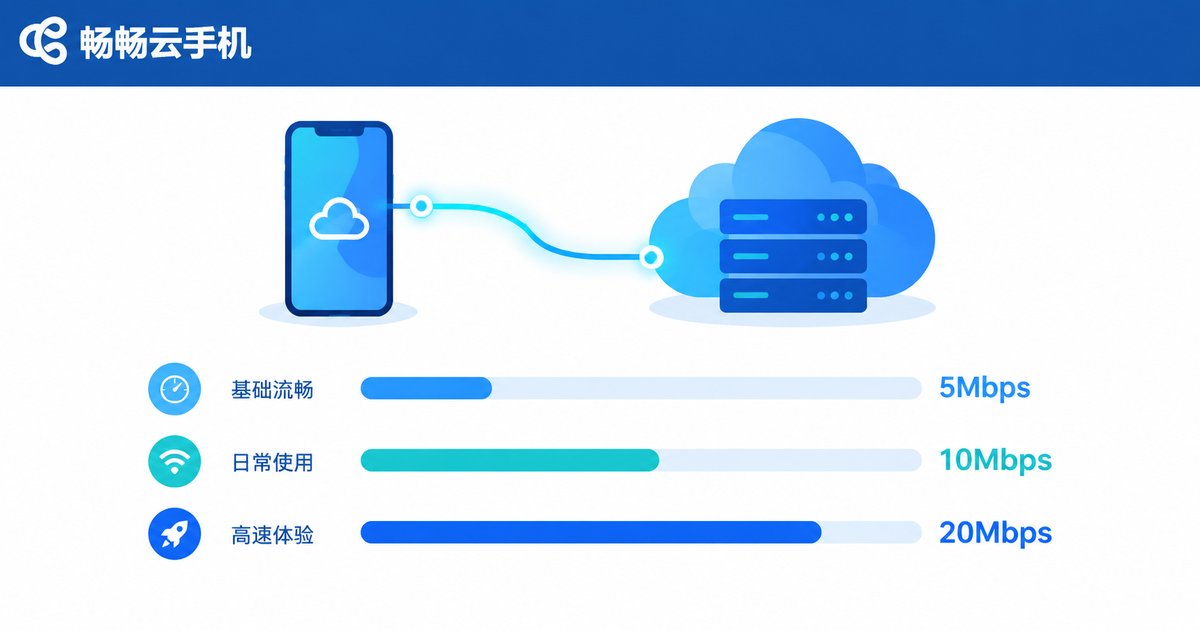
A cloud phone runs your apps on servers in a data center and streams the screen to your device like a live video. That means download bandwidth carries the workload, while your taps and swipes are tiny control commands that barely use upload bandwidth.
Check your own scenario against the table below:
| Scenario | Recommended Download | Recommended Upload |
|---|---|---|
| Social apps, web browsing | 5 Mbps+ | 1 Mbps |
| Video and short-form streaming | 10 Mbps+ | 1-2 Mbps |
| Real-time mobile gaming | 15-20 Mbps | 2 Mbps |
| Multiple instances online | Add 5-10 Mbps per extra instance | 2-3 Mbps |
Latency: What Makes Controls Feel Responsive
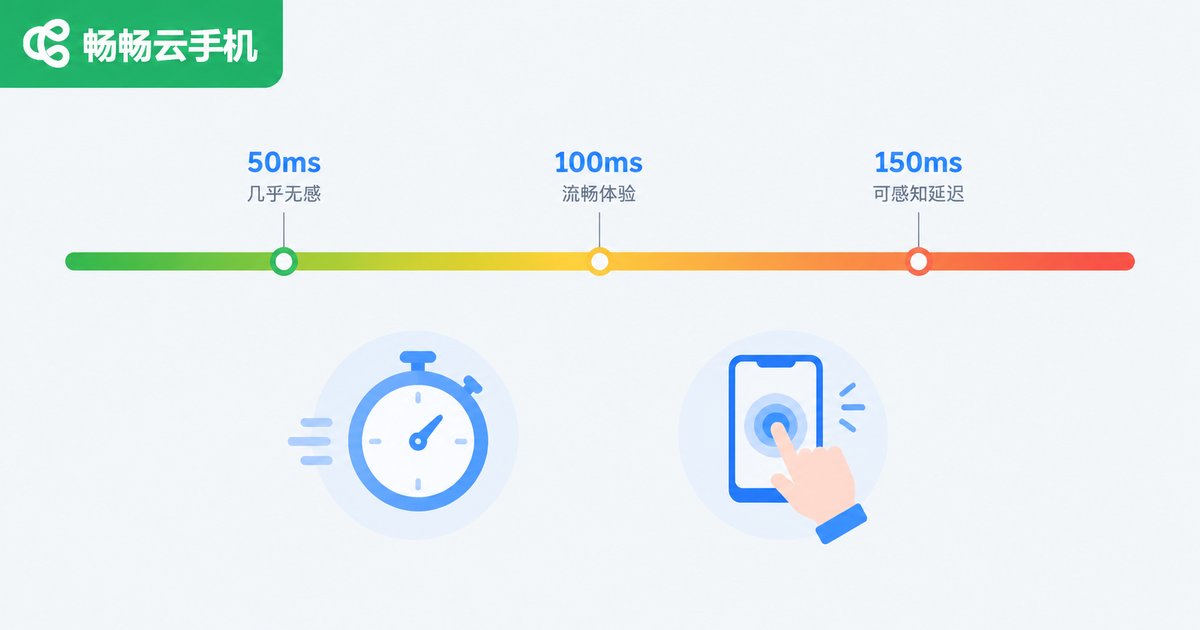
Latency is the round-trip time between your device and the cloud data center, measured in milliseconds (ms). It decides whether controls feel instant: no matter how wide your pipe is, high latency makes the screen feel a beat behind. Use these ranges as a guide: under 50ms feels like a local phone; 50-100ms is barely noticeable in daily use; 100-150ms is usable with slight lag; over 150ms makes typing and gaming feel clearly delayed. Physical distance sets a hard floor, so choosing a data center region close to you is the most effective way to cut latency.
Stability: Packet Loss and Jitter Cause the Stutters
Some people test fast but still experience stuttering — the culprit is usually stability. Watch two metrics: packet loss — lost packets must be retransmitted; above 3% the lag becomes obvious, and ideally you want it under 1%. Jitter — latency that swings up and down feels worse than a steady 100ms; keep it under 30ms. Wi-Fi through walls, Bluetooth interference, aging routers, and background downloads on the same line are the usual offenders.
Three Steps to Check Whether Your Network Is Ready
Step one: run a speed test and compare the results with the table above. Step two: run a ping command from a computer or terminal to see latency and packet loss:
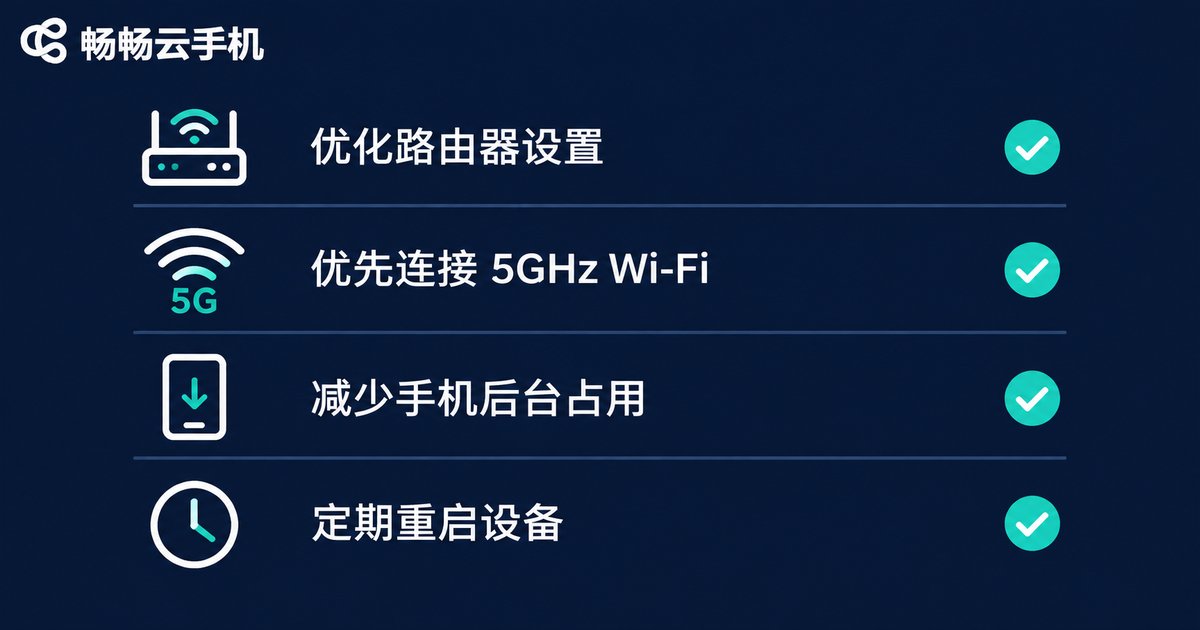
ping 114.114.114.114Step three: observe peak hours (8-11 pm). If it only lags at night, shared broadband congestion is likely; contact your ISP or upgrade your plan. Daily optimization rules of thumb: wired beats 5GHz Wi-Fi, and 5GHz beats 2.4GHz; keep the router in an open spot; schedule heavy downloads outside gaming sessions.
Can You Still Use a Cloud Phone on a Weak Network?
Yes — and that is exactly where cloud phones shine. Because apps actually run in the cloud, a brief drop in your local connection does not stop cloud-side tasks: idle running and downloads keep going in the data center, and the screen reconnects where it left off. Services like ChangChang Cloud Phone (ccloudphone) put the computing power in the cloud, so your local device only sends and receives video and input — older phones and low-spec computers work smoothly, with lower local hardware demands than installing big apps. As long as you respect the bandwidth and latency baselines, daily use feels seamless.
FAQ
Q: Does a cloud phone consume a lot of mobile data on 4G/5G?
The stream is video, so consumption is similar to watching videos — roughly 300MB to 1GB per hour depending on quality settings. For long idle sessions, connect to Wi-Fi.
Q: How much bandwidth is enough for smooth use?
10Mbps is enough for a single instance; 15-20Mbps is recommended for real-time gaming; add 5-10Mbps per extra concurrent instance.
Q: What latency is considered normal?
Same-city or nearby data centers usually deliver 20-60ms; cross-province or cross-border nodes are noticeably higher. Anything under 100ms is fine for daily use; pick a sub-50ms region if you want the sharpest controls.
Q: Why does it lag at night?
Peak-hour congestion on shared broadband, or other devices downloading and streaming on the same Wi-Fi. Off-peak use, limiting background downloads, and upgrading your plan all help.
Q: If my local network drops, do cloud tasks stop?
No. Tasks run on cloud servers; a local outage only interrupts the video feed. Once you reconnect, you pick up right where you left off, and cloud-side progress is unaffected.


