

Cloud Phone Instance Network Modes: Public Network vs Dedicated Network vs VPC Interconnection
Why Network Mode Is the Invisible Lifeline of Your Cloud Phone
First-time cloud phone users tend to focus on specs and pricing while overlooking an equally critical option: the network mode. A cloud phone lives in a remote data center, so every frame you see and every tap you make travels across the network. Pick the right mode and the experience feels as smooth as a local phone; pick the wrong one and even the most powerful instance will be dragged down by lag and disconnects.
Mainstream cloud phone platforms typically offer three network modes: public network, dedicated network, and VPC interconnection. The core difference comes down to three questions: how wide is the road between you and your cloud phone, is that road exclusively yours, and can it connect directly to your other cloud resources? Let's break them down one by one.
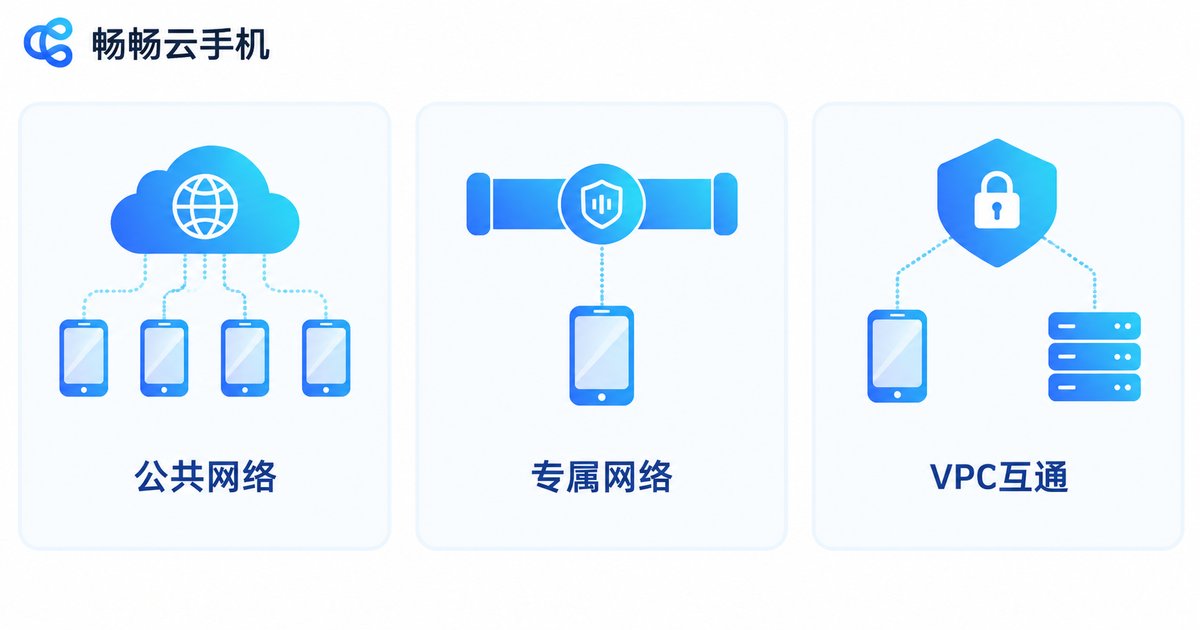
What the Three Network Modes Actually Are
In one sentence each:
Public network: many cloud phone instances share the platform's unified public egress, like sharing one broadband line with roommates — cheap and instant to activate.
Dedicated network: your instances get exclusive network resources, like having your own private line, with clearly better stability and control.
VPC interconnection: the cloud phone joins your own private cloud network (VPC) and talks to your cloud servers and databases over the internal network, without touching the public internet.
Public Network: The Budget-Friendly Default
Public network is the most common default mode. All instances on this mode share the platform's well-maintained public egress bandwidth and IP resource pool. The advantages are straightforward:
Pros: lowest cost, works out of the box, zero network configuration, and the platform handles egress maintenance and optimization. It fits everyday app hosting, light multi-instance use, and functional testing — scenarios without extreme network demands.
Limitations: because resources are shared, the bandwidth available to a single instance may fluctuate during peak hours. If you run latency- or bandwidth-sensitive workloads such as long HD streaming sessions, public network may not be the best fit.
Dedicated Network: Exclusive Resources, Predictable Stability
A dedicated network is like building a private road for your cloud phones. Your instances use exclusive bandwidth and egress resources without competing with other users, which brings three visible changes: more stable latency with less jitter at peak times; predictable performance for workloads that stay online 24/7; and stronger control, since quality no longer depends on the neighbors' usage — a big deal for scheduling batch operations.
For studio scenarios — running dozens of cloud phones for app hosting or game multi-instance workflows — dedicated network usually offers the best balance between cost and stability.
VPC Interconnection: Putting Cloud Phones Inside Your Enterprise Network
A VPC (Virtual Private Cloud) is a logically isolated private network space on a cloud platform. With VPC interconnection enabled, a cloud phone instance is no longer an island: it joins your VPC and reaches cloud servers, containers, and databases in the same region through internal network addresses.
The value shows up in three ways:
Lower internal latency: traffic between cloud phones and your business servers takes the internal network, bypassing public congestion with near-LAN link quality.
Higher security: core business data flows inside the private network instead of the public internet, and security groups and access control policies enable fine-grained permission management.
A cleaner architecture: scheduling services, data services, and cloud phone instances live on the same network, making the system easier to maintain.
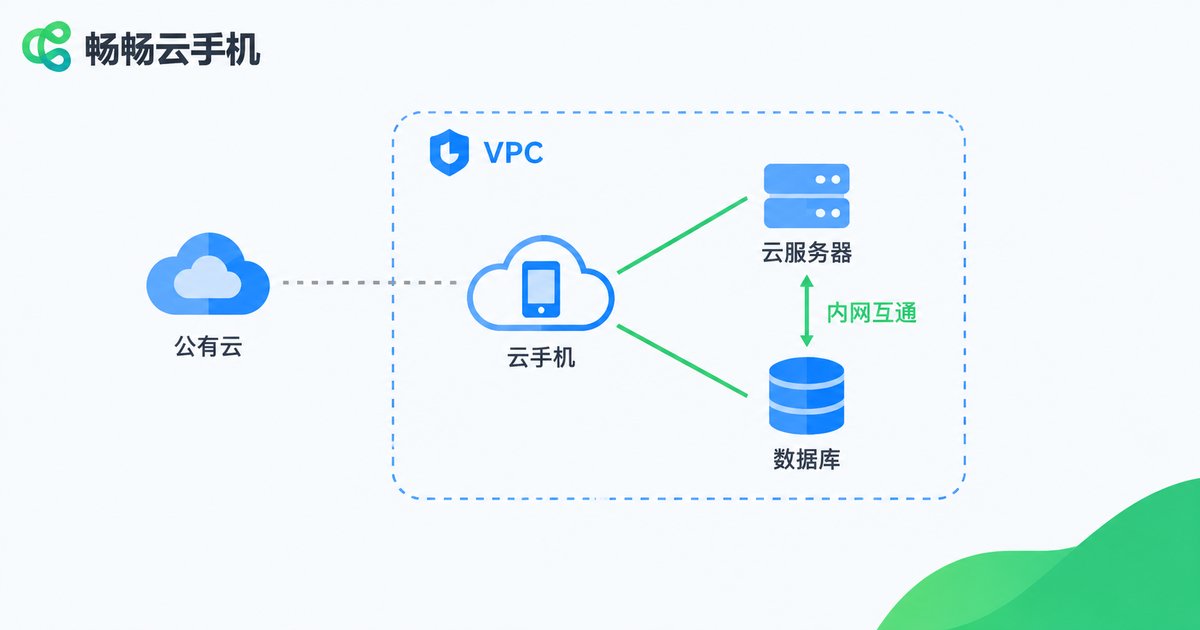
A typical setup: an enterprise deploys automation scripts and control services on cloud servers and drives a fleet of cloud phones directly over the VPC internal network — commands arrive in milliseconds and data never leaves the private network.
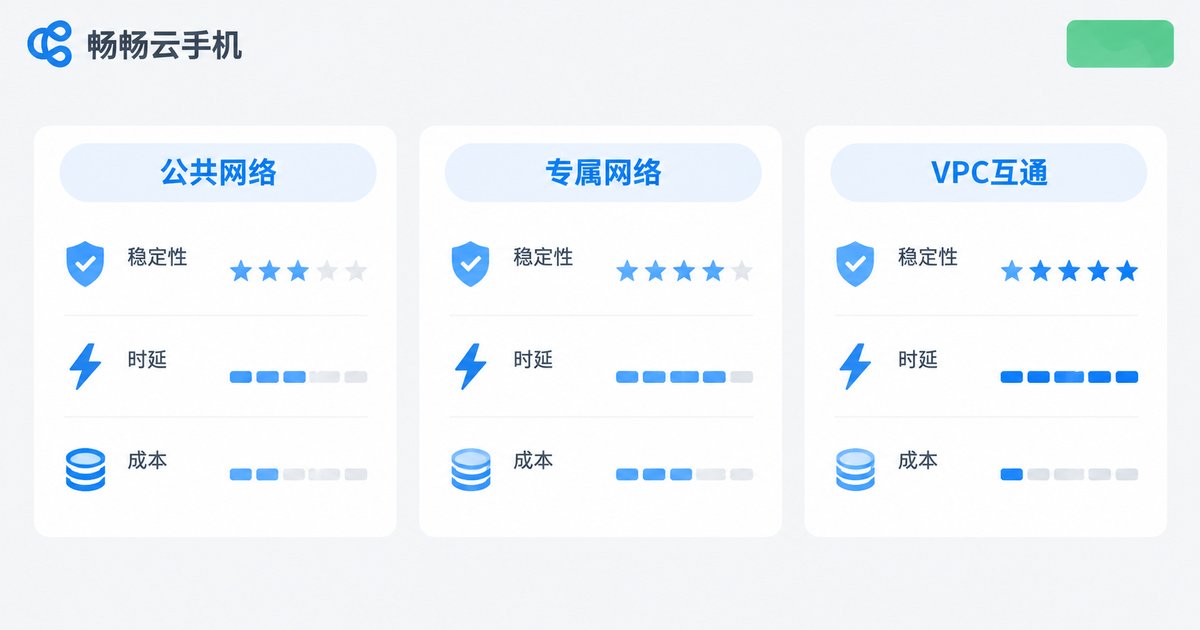
One Table to Understand the Core Differences
| Dimension | Public Network | Dedicated Network | VPC Interconnection |
|---|---|---|---|
| Resource ownership | Shared by many users | Exclusive to you | Joins your own private network |
| Stability | Average, peak-hour fluctuation | High, exclusive bandwidth | High, internal link |
| Latency | Depends on shared egress | Stable and controllable | Near-LAN low latency |
| Data security | Public transmission | Public transmission | Internal isolation, off the public internet |
| Setup effort | Zero configuration | Low | Requires cloud networking basics |
| Cost | Lowest | Medium | Depends on network scale |
| Best for | Individuals, light use | Studios, 24/7 workloads | Enterprises, data-sensitive businesses |
How to Choose for Your Scenario
Individual users, small-scale multi-instance: public network is enough. A few cloud phones for daily hosting and lightweight apps — nothing beats its value for money.
Studios, large fleets online around the clock: go straight to dedicated network. At scale, the stability of exclusive bandwidth easily justifies the modest cost difference.
Enterprises, data-sensitive workloads: VPC interconnection is almost mandatory. Bringing cloud phones into your cloud network architecture covers security, latency, and system design all at once.
A simple rule of thumb: figure out what your business fears most — afraid of cost, choose public; afraid of lag, choose dedicated; afraid of data exposure, choose VPC interconnection.
Run Your Network Plan on ChangChang Cloud Phone
Choosing a mode is only step one — a reliable platform matters just as much. We recommend ChangChang Cloud Phone (ccloudphone): simple to operate and stable to run, whether you manage a handful of devices or need batch management capabilities. Start with a small batch of instances to test real-world network performance, then scale up gradually once your requirements are confirmed — spend every budget dollar where it counts.
FAQ
Q: Can I change the network mode later?
Most platforms support on-demand changes, but some switches may require rebuilding instances or migrating data. Plan your network design before creating instances to avoid rework later.
Q: Is VPC interconnection complicated? Do I need technical skills?
It requires basic cloud networking knowledge — subnets, routes, security groups, and so on. If your team already runs a cloud environment, it usually comes together quickly; complete beginners should start with public or dedicated network.
Q: Public network lags at peak hours — is upgrading to dedicated the only fix?
Not necessarily. Try adjusting usage windows or lowering resolution and bitrate first; upgrade only if your workload is genuinely latency-sensitive, so you never pay for performance you don't use.
Q: Which network modes does ChangChang Cloud Phone support?
Network capabilities vary across platforms. Before purchasing, check the product documentation on the ChangChang Cloud Phone official website or consult customer service, and always rely on official information.


