

How to Call APIs for Batch File Distribution and Silent APK Installation on Cloud Phones
Why Batch Operations Are Essential for Cloud Phone Operations
When you manage dozens or even hundreds of cloud phone instances at the same time, any operation that has to be repeated one by one becomes an efficiency bottleneck: uploading a config file dozens of times, tapping install on every device manually. For teams running app distribution, automated testing, and multi-instance operations, this repetitive work wastes time and invites mistakes.
The solution is simple: turn one-by-one manual work into one API call for the whole group. With the cloud phone open API, you can distribute a file to an entire instance group with a single request, then use silent installation to deploy APKs automatically in the background with zero manual intervention. This article walks through both capabilities using ChangChang Cloud Phone (ccloudphone) as the example.
Preparation: API Credentials and Instance Groups
Before you start, complete three steps:
First, get your API credentials. Log in to the ccloudphone console and create an API key (Token) under the open API or developer settings. All subsequent requests carry this token in the request header for authentication.
Second, organize instance groups. Put the instances you want to operate on together into one group, such as a testing group or production group. Groups let you filter by group in batch calls instead of assembling instance ID lists manually every time.
Third, upload files to cloud storage. The recommended pattern for batch distribution is: upload the file to cloud storage first to get a download URL, then push that URL to each instance. This avoids local network fluctuations slowing down distribution.
import requests

API_BASE = 'https://api.ccloudphone.com/v1'
HEADERS = {'Authorization': 'Bearer YOUR_API_TOKEN'}

# Get all instance IDs in a group
def list_instances(group_id):
    resp = requests.get(
        f'{API_BASE}/instances',
        params={'group_id': group_id},
        headers=HEADERS
    )
    return [item['instance_id'] for item in resp.json()['data']]
Note: the code above is an example. For exact endpoints and parameters, refer to the official ccloudphone API documentation.
Batch File Distribution: One Call, Whole Group
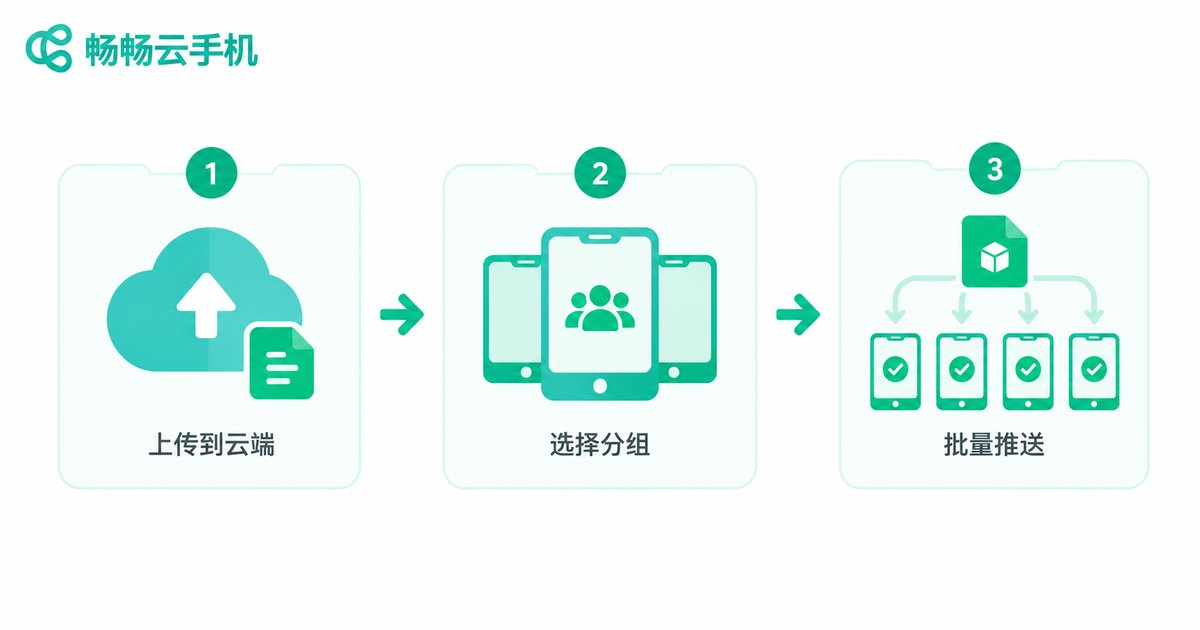
The core of batch file distribution is one URL plus a list of instance IDs. When you call the distribution endpoint with the file's cloud URL and the target instance list, the platform pushes the file to the specified directory on every instance, such as /sdcard/Download/.
# Distribute a file to multiple instances
def push_file(instance_ids, file_url, target_path):
    payload = {
        'instance_ids': instance_ids,  # multiple IDs in one call
        'file_url': file_url,          # file URL in cloud storage
        'target_path': target_path     # target directory on each instance
    }
    resp = requests.post(
        f'{API_BASE}/files/push',
        json=payload,
        headers=HEADERS
    )
    return resp.json()  # returns a task ID for progress tracking
A few practical details:
1. Asynchronous tasks. The distribution endpoint usually returns a task ID immediately instead of waiting for every instance to finish. This is especially true with many files or instances — the right pattern is to poll the task status with that ID.
2. Use consistent target paths. Put files in the download directory or an app-private directory so later installation steps or scripts can find them.
3. Bundle small files. Compress many small files into one archive, distribute it, then extract on the device. This cuts request count and transfer time significantly.
Silent APK Installation: Fully Unattended Deployment
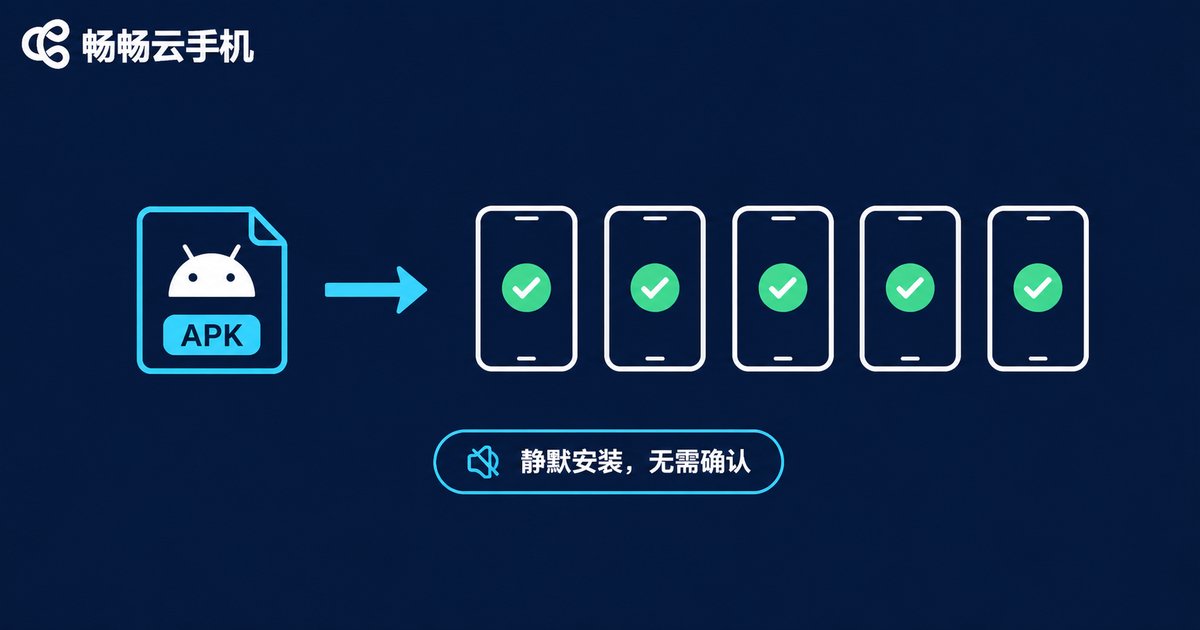
A normal installation pops up a confirmation dialog that someone has to tap; silent installation pushes the install command directly from the cloud, and the APK installs in the background with no dialogs and no confirmation — exactly what batch scenarios need.
The call is similar to file distribution: pass the APK's cloud URL, the target instance list, and set the install mode to silent.
# Silent APK installation
def silent_install(instance_ids, apk_url):
    payload = {
        'instance_ids': instance_ids,
        'apk_url': apk_url,
        'install_mode': 'silent'  # no manual confirmation needed
    }
    resp = requests.post(
        f'{API_BASE}/apps/install',
        json=payload,
        headers=HEADERS
    )
    return resp.json()
Common pitfalls with silent installation:
Signature conflicts: if an instance already has an app with the same package name but a different signature, installation fails. Call the uninstall endpoint to clean up old versions first.
Version downgrades: installing a higher version of the same package counts as an upgrade; overwriting a higher version with a lower one is usually rejected.
Storage space: check instance disk space before batch installs — insufficient space is one of the most common causes of silent install failures.
End-to-End Example: From Distribution to Installation
Chaining the pieces together gives you a typical automated deployment script: fetch instances, silent install the APK, poll results, retry failures.
import time

def deploy_to_group(group_id, apk_url):
    # 1. Fetch instance list
    ids = list_instances(group_id)

    # 2. Silent install (APK already in cloud storage)
    result = silent_install(ids, apk_url)
    task_id = result['data']['task_id']

    # 3. Poll task status
    while True:
        task = requests.get(
            f'{API_BASE}/tasks/{task_id}',
            headers=HEADERS
        ).json()['data']
        if task['status'] == 'success':
            print('All installations completed')
            break
        if task['status'] == 'failed':
            print('Failed instances:', task.get('failed_list'))
            break
        time.sleep(3)

deploy_to_group('group_1001', 'https://cdn.example.com/app-v2.3.0.apk')
Once this pipeline works, releasing a new version takes one command: upload the APK, pick the group, silent install. The whole fleet updates within minutes.
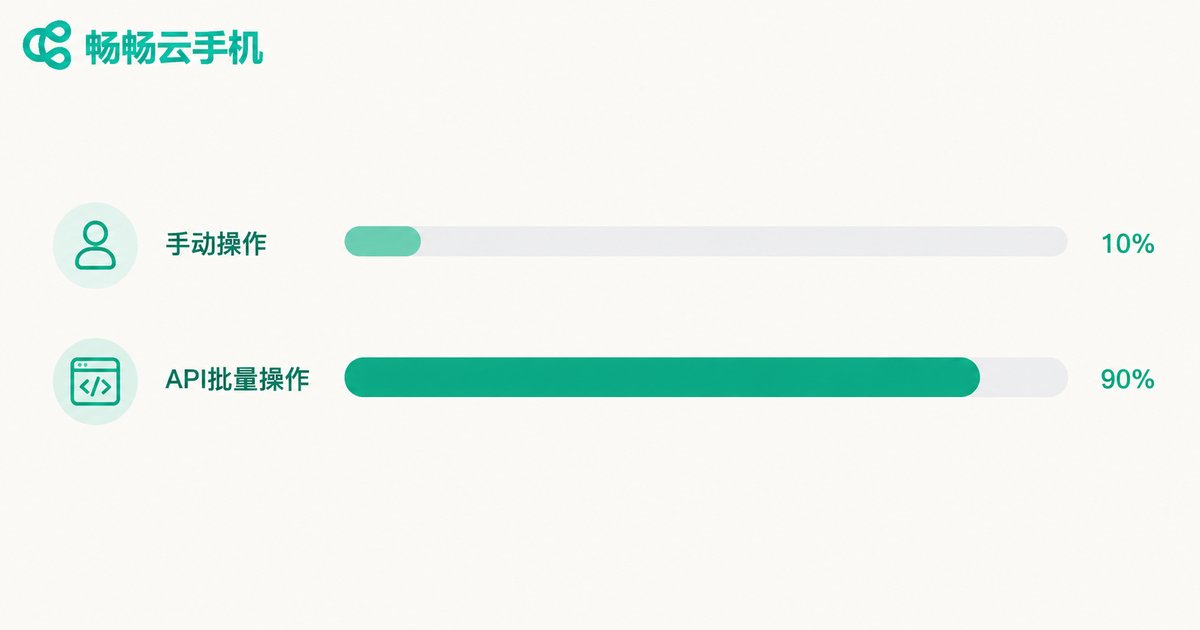
Manual vs API Batch Operations
| Item | Manual, one by one | API batch |
|---|---|---|
| Distributing a file to 100 instances | Hundreds of repeated uploads, hours of work | One call, done in minutes |
| Installing a new APK version | Tapping confirm on every device, easy to miss one | Silent install, fully unattended |
| Troubleshooting failures | Hard to trace which device failed | Query by task ID, failed list at a glance |
| Repeated releases | Start over every time | Reusable script, one command per release |
Stability Tips for Batch Operations
Batch in chunks: with very large fleets, call in batches of 50 to 100 instances to limit the cost of retrying a failed run.
Retry only failures: when a task reports failure, retry only the failed instances, not the whole group.
Version management: name each APK by version number in a fixed cloud directory and log every release in your script for easy rollback.
Off-peak scheduling: run large-scale distribution and installation outside business peak hours to avoid interfering with running tasks.
If you are looking for a cloud phone service with an open API, instance groups, and batch management, ChangChang Cloud Phone (ccloudphone) offers complete instance management and API capabilities. Combined with the distribution and silent install methods in this article, your entire app deployment pipeline can be fully automated. For exact endpoints and parameters, refer to the official ccloudphone website.
FAQ
Q: Does silent installation trigger a system confirmation dialog?
No. Silent installation is commanded directly from the cloud and the APK installs in the background with no dialogs and no manual confirmation — the key difference from a normal install.
Q: How many instances can one distribution call cover? Is there a limit?
The endpoint accepts multiple instance IDs in one call; check the official documentation for the exact cap. In practice, batches of 50 to 100 instances are more stable and cheaper to retry.
Q: How do I troubleshoot a failed installation?
Query the task details with the returned task ID; the API returns the failed instance list and reasons. Common causes include signature conflicts on the same package name, rejected downgrades, and insufficient instance storage.
Q: Can I use batch features without coding?
Calling the API requires basic HTTP knowledge, but the sample scripts work with minor edits. For occasional batch operations, use group actions in the console; for frequent, scheduled operations, automate with the API and scripts.
Q: Can file distribution and silent installation be merged into one step?
If what you are distributing is the APK itself, call the silent install endpoint directly — no need to distribute first. File distribution is better suited for configs, scripts, and media assets.


