
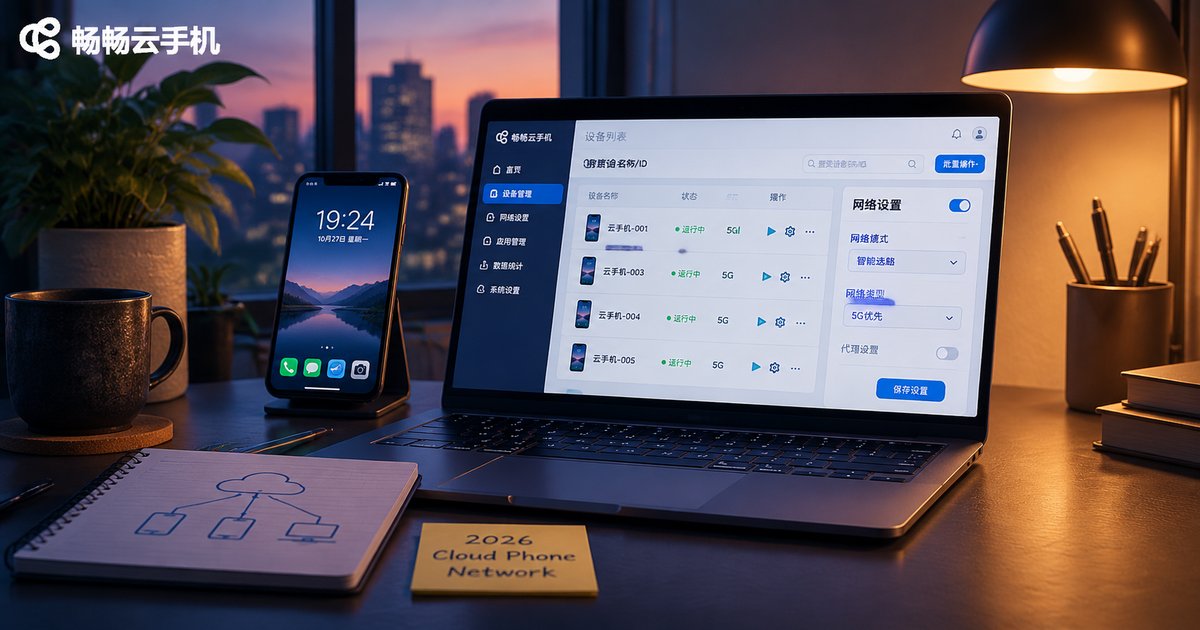
2026 Cloud Phone Network Configuration Basics: Proxies, Nodes, and Connection Types
Separate the three terms first: proxy, node, connection
Newcomers to cloud phones often use the words proxy, node and connection interchangeably, and that is usually where configuration goes wrong. In fact, they answer three completely different questions:
A proxy answers: which exit does the cloud phone use to reach the internet? A node answers: which data center is this cloud phone actually running in? A connection type answers: how does the laptop or phone in your hand deliver screen frames and input to that cloud phone?
These are three independent links. If any one of them fails, the symptom feels exactly the same: lag. Understanding them separately tells you where to start troubleshooting.
Proxy: the exit identity of the cloud phone
A proxy is essentially a forwarding server in the middle. Normally the cloud phone reaches a target service directly with its own public IP. Once a proxy is configured, the request goes to the proxy server first and is then forwarded on. To the outside world, the visible IP is the proxy server, not the cloud phone itself.
Inside a cloud phone there are usually three levels at which a proxy can be applied. Where you configure it makes a huge difference to what actually changes, and choosing the wrong level creates the illusion that nothing happened.
| Level | Where to configure | Scope | Best for |
|---|---|---|---|
| In-app proxy | Network settings of a single app | Only that one app uses the proxy | Changing the exit for one specific app |
| System-level proxy | System network / Wi-Fi settings | Most apps follow it, but not guaranteed | Keeping one unified exit |
| Cloud or client-side proxy | Cloud phone console or desktop client | Forwarded by the platform side | Avoiding extra tools inside the device |
One detail people often miss: some apps ignore system-level proxy settings. They use their own network stack and never read the system configuration. So after configuring, verify the exit IP app by app instead of trusting a green toggle on the settings page.
Node: the physical location of the cloud phone
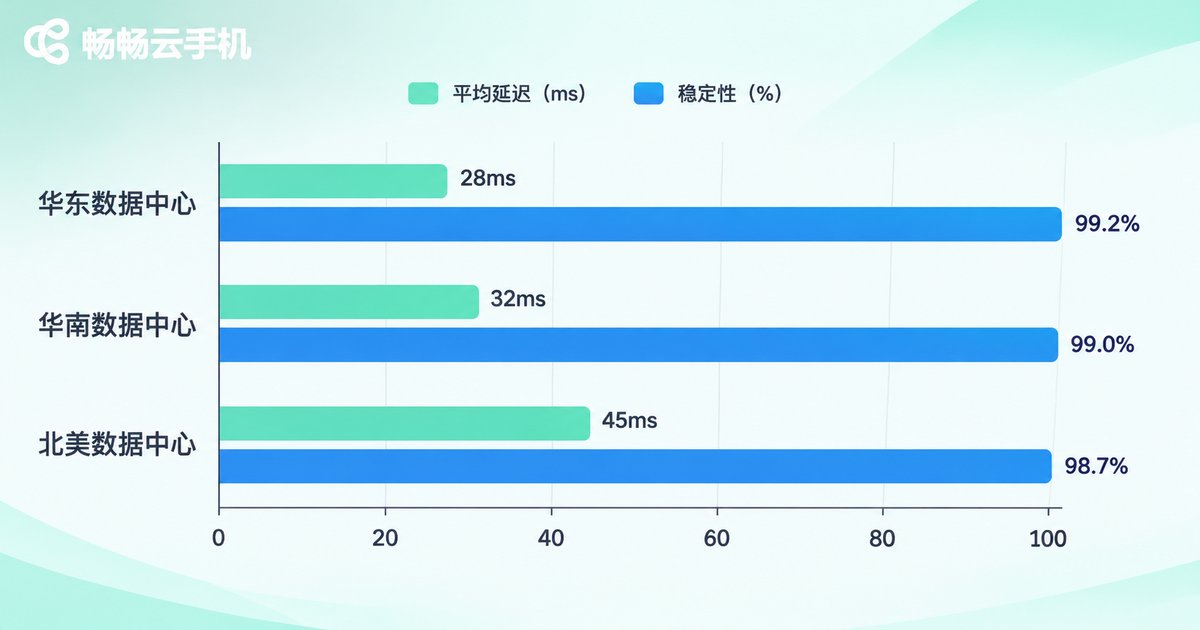
A node is the city and network line where the cloud phone lives. It determines three things at once: the physical distance to your target servers, whether the line congests during peak hours, and the region an IP belongs to. All three affect latency, packet loss and how stable your account environment feels.
| Dimension | What it means | How to verify |
|---|---|---|
| Region | Data center city, which sets IP location and distance | Check the official node list or console notes |
| Latency | Round-trip time in milliseconds | Measure inside the cloud phone against your target |
| Bandwidth | Up and down throughput, affects multi-instance and video use | Read the documented network capability |
| Line quality | Standard public line versus optimized line | Test during peak hours and compare across time windows |
There is no universally best node, only the most suitable one. Close to your target service and still stable during your busiest hours is the definition of a good node. Do not judge by idle-hour numbers; how it behaves at 8 or 9 pm is the real score.
Connection type: the road between you and the cloud phone
Connection type describes the transport channel between your local device and the cloud phone. Three varieties are common:
Direct connection: your client connects straight to the data center hosting the cloud phone. Shortest path, usually lowest latency, ideal for daily operation and debugging.
Relayed acceleration: traffic passes through an intermediate hop before reaching the data center. This can help across regions or across carriers, at the cost of one extra hop.
Debug channel: access through a remote debugging protocol such as ADB. Mostly used for batch deployment, automated testing and troubleshooting, not for everyday screen interaction.
The rule is simple: use a direct connection when you and the data center are in the same region, consider a relay across regions, and add a debug channel only when you need batch operations. Do not stack acceleration onto every scenario just to look sophisticated; every extra hop is another failure point.
A complete configuration flow you can follow
Step 1, define the requirement. Ask three questions: where are the services you need to reach? Do you need stability or the lowest possible latency? Is this one long-running device or a batch of instances? The answers decide everything that follows.
Step 2, choose a node. Prefer a data center node that is close to your target services and stays stable during your peak hours.
Step 3, configure the proxy. Start with an in-app proxy as a single-point test. Confirm it works before extending to system level.
Step 4, verify the exit. Never trust the settings page. Query the real exit IP from inside the cloud phone to confirm the proxy is active:
# Check the current exit IP (compare before and after)
curl -s https://ipinfo.io/ip

# Measure round-trip latency to your target
ping -c 5 your-target-domain

# Inspect the route
 traceroute your-target-domain
Step 5, observe over time. Run it for one to two days and look back for dropped sessions, reconnects or creeping latency. A short success is not the same as stability.
Five common configuration mistakes
Mistake 1: Treating node and proxy as the same thing. A node is a physical location; a proxy is a forwarding method for the exit. They combine freely, and changing one does not change the other.
Mistake 2: Assuming a system-level proxy covers everything. Some apps bypass system settings, so test each one.
Mistake 3: Chasing a large node count. More nodes does not mean a better experience. Line quality and stability matter far more than quantity.
Mistake 4: Judging by idle-hour latency. Peak hours are the real exam, so always compare during your busiest window.
Mistake 5: Stacking relays everywhere. Longer chains mean more failure points. Prefer a direct connection when you are in the same region as the data center.
Why many teams end up on ccloudphone
Once these concepts are clear, you realize the real question is whether the platform turns node selection and connection stability into product capabilities instead of homework for the user.
ccloudphone takes a fairly clear approach here: node information is visible in the console, so you can judge whether a data center location fits your business before you commit; connections are primarily direct, which reduces unnecessary intermediate hops and keeps interaction closer to what you feel on a local device; and it offers multi-instance and group control management for teams that need to run many apps at once. For people who want to focus on the work rather than on network troubleshooting, a design with fewer knobs and predictable behavior is often more practical than a screen full of parameters.
Specific node locations, available regions and network capabilities are updated over time, so check the current documentation on the ccloudphone website and combine it with your own target service locations before choosing.
FAQ
Q1: Should I configure the proxy or choose the node first?
Choose the node first, then the proxy. The node sets the physical location and is the foundation; the proxy decides the exit identity on top of it. Reversing the order wastes time.
Q2: How do I confirm the proxy is actually working?
Query the exit IP from inside the cloud phone and compare it with the result before configuration. If the IP has not changed, the proxy is not active, most likely because the wrong level was used or the app bypasses system settings.
Q3: Is a lower latency node always better?
No. Low latency is a plus, but stability during peak hours and controlled packet loss matter more. A node with great idle numbers that jitters every evening feels worse in practice.
Q4: Does connection type affect apps inside the cloud phone?
Connection type mainly affects how smooth the screen feels and how quickly input responds while you operate the device. It does not change the cloud phone's internet exit; that is controlled by the proxy and the node.
Q5: What should I watch for with multiple instances?
Bandwidth and concurrent connections are shared across instances. Prioritize line stability, avoid concentrating many instances on a single exit, and verify instance by instance rather than pushing a batch configuration all at once.


