

Cloud Phone Multi-User Management in 2026: Permission Assignment and Operation Log Best Practices
Why Multi-User Cloud Phone Management Needs Structure in 2026
Cloud phones are no longer a single-person tool. By 2026, a growing number of studios, agency teams, e-commerce support groups, and gaming communities run dozens or even hundreds of accounts on a shared pool of cloud phones. More people, more devices, more accounts — without clear rules, three problems show up fast: permission chaos (anyone can touch any device), unclear accountability (nobody can tell who did what), and painful handovers (device and account details scattered when staff change).
The core of multi-user cloud phone management is replacing 'use it by feel' with 'use it by process': assign permissions first, keep records second. The recommendations below work as a ready-to-use template for your team.
First, Identify Your Multi-User Scenario
Different scenarios demand different management focus. Find yours in the table:
| Scenario | Typical team size | Management focus |
|---|---|---|
| Agency / matrix account operations | 3-20 people | Group devices by project; operators only see their own devices |
| E-commerce customer service | 5-50 people | Shift handover logs; approval for sensitive actions |
| Gaming studios / communities | 2-10 people | Clear task split; avoid duplicate operations on one device |
| QA and development teams | 2-15 people | Environment isolation; logs used to reproduce issues |
Scenarios differ, but the underlying principles are universal. Read on.
Four Basic Principles of Permission Assignment
1. Least privilege: everyone gets only the access needed for their job. A support agent does not need to uninstall apps; an operator does not need to manage members. Grant as little as possible.
2. Separation of roles: keep 'people managers' and 'device operators' apart. Device allocation and member management stay with a small group of admins.
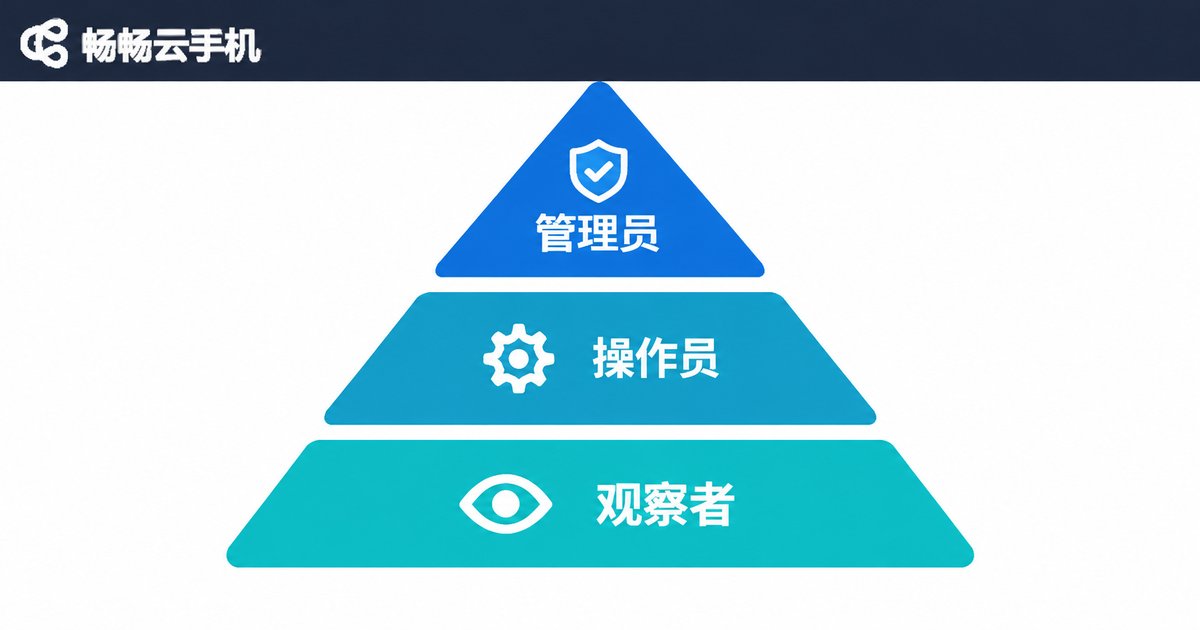
3. Tiered authorization: design around an 'admin - operator - observer' hierarchy instead of one shared permission pool.
4. Regular review: audit the permission list monthly or quarterly, and revoke access on the day someone leaves or changes roles — the step teams most often forget.
A Recommended Three-Tier Permission Model
| Role | Suggested permissions | Restrictions |
|---|---|---|
| Admin | Device allocation, member management, permission changes, full log access | Avoid daily business operations to prevent role confusion |
| Operator | Operate assigned devices: sign in accounts, run apps, execute routine tasks | Cannot transfer devices or view other people's devices |
| Observer | Read-only view of device status and results | No write operations of any kind |
If your cloud phone platform supports device grouping and sub-accounts, implement the table directly; if not, start with a shared-access register plus a manual log as a transition.
Operation Records: Make Every Action Traceable
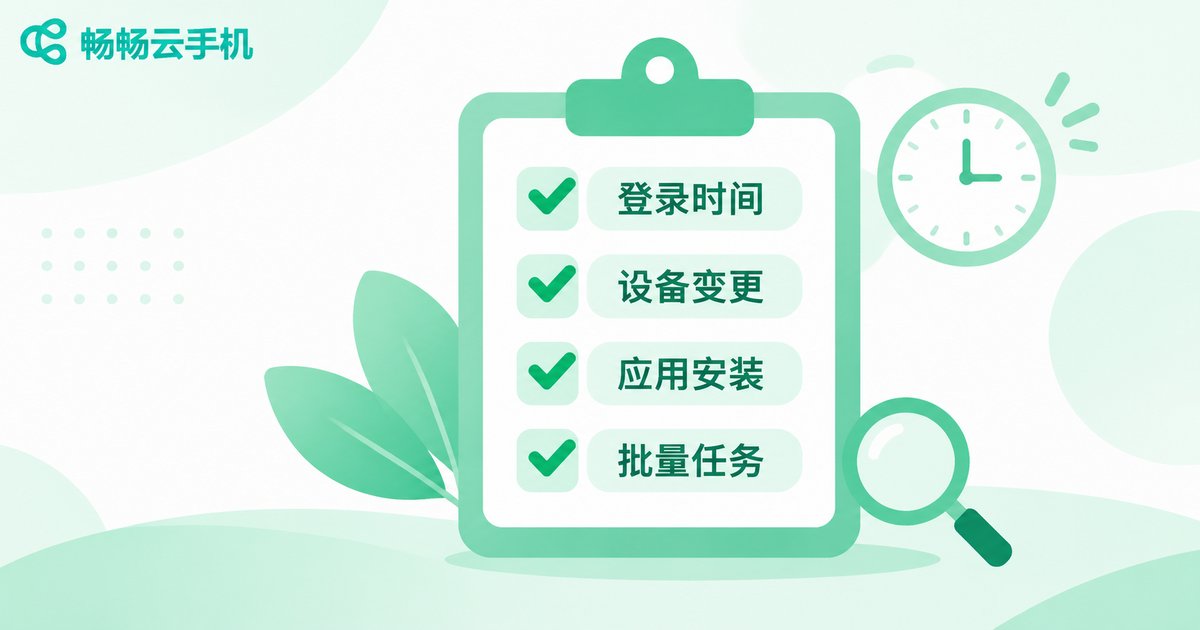
Permissions answer 'who may act'; records answer 'what was done'. A solid operation log should cover:
What to record: sign-in and sign-out times, device allocation changes, app installs and removals, account logins and switches, batch task executions, and unusual actions (such as rapid account switching).
How to record it:
1. Keep a single operation ledger (an online spreadsheet works) with fields for date, operator, device ID, action, and result;
2. Screenshot before and after batch tasks, named by date + device + item;
3. Have an admin export and reconcile the log weekly;
4. Retain records for at least 3 months, or six months or more when account assets are involved.
Never underestimate this ledger — it is the only reliable evidence when disputes, reviews, or handovers arise.
A Five-Step Workflow You Can Implement Today
Step 1: Register every device. Number each cloud phone and log its purpose, owner, and group.
Step 2: Build role profiles. List all members, assign roles per the three-tier model, and produce a permission list.
Step 3: Group and grant. Group devices by project or business line; operators only access devices in their own group.
Step 4: Leave a trail. Activate the operation ledger and define which actions must be logged.
Step 5: Review regularly. Reconcile the permission list with the staff roster monthly; review log anomalies quarterly.
Pick a Platform Built for Team Collaboration
Rules need tools to carry them. When evaluating a cloud phone service, prioritize three things: centralized multi-device management, device grouping and batch operations, and a clean admin console. Platforms such as ChangChang Cloud Phone (ccloudphone), which centralize a fleet of cloud phones in one console, pair naturally with the permission and logging system above. For current features and plans, always refer to the official ccloudphone website.
One final reminder: no tool replaces discipline. Stick to clear permissions, complete records, and regular reviews, and multi-user cloud phone operations will stay fast and stable.
FAQ
Q: With only two or three people, do we still need permission management?
Yes, keep it lightweight: clarify who owns which devices and log shared-account actions in a simple ledger. Habits formed early pay off when the team grows.
Q: Is a manual operation ledger too much work?
Start by logging only key actions (account sign-ins, app installs, batch tasks). Add platform-side logs later as the team scales.
Q: What should a departing employee's handover list include?
At minimum: device IDs under their name, accounts they manage, ongoing task notes, and their recent operation records. Revoke all access on the handover day.
Q: What if an admin makes a mistake?
Log it like anyone else's action, marked as 'admin operation'. Rules applied equally are what give records credibility.


