

Cloud Phone Account Sharing Risks: Permissions and Responsibility Boundaries for Teams
Why Do Teams End Up Sharing One Cloud Phone Account?
When teams first adopt cloud phones, convenience usually wins: the login details of one account get sent to everyone—operations needs it, support needs it, testing needs it. It feels efficient at first: no individual onboarding, no device coordination. But the longer it goes on, the clearer the problems become: nobody knows who changed a setting, nobody can trace who deleted an app, passwords circulate in group chats, and no one remembers to revoke access when a member leaves.
The root problem with account sharing is that it mixes usage rights with management rights. Once a team grows beyond two or three people, this mixing becomes a liability for both efficiency and security.
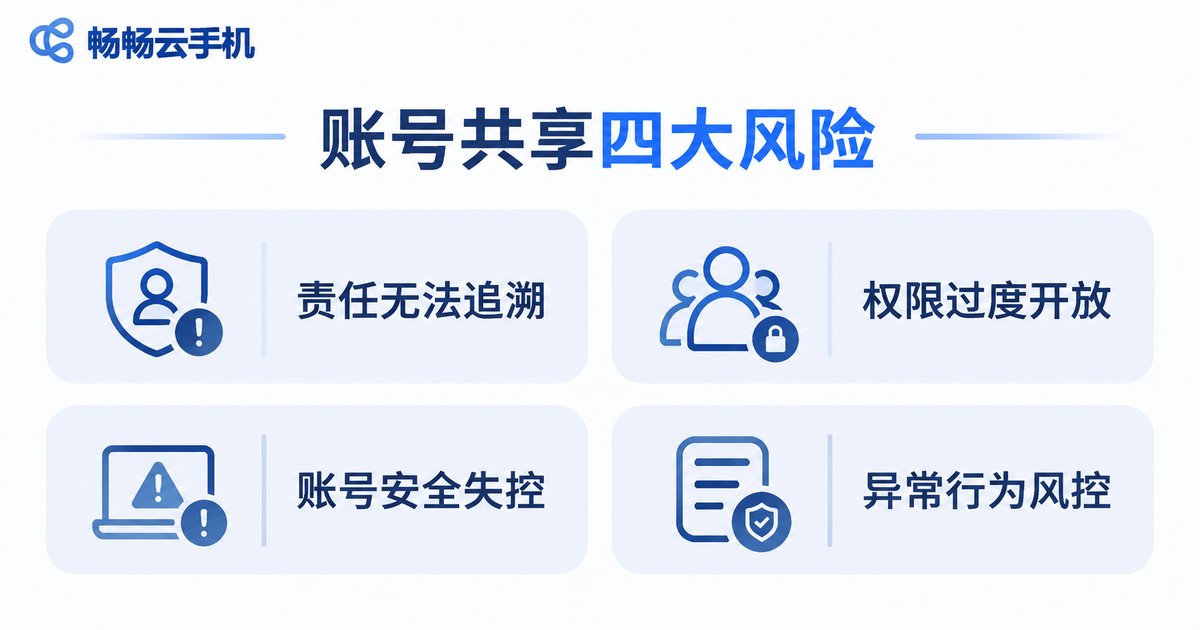
Four Typical Risks of Account Sharing
Based on how teams actually use cloud phones, the risks of account sharing cluster into four areas:
| Risk | Typical Sign | Potential Consequence |
|---|---|---|
| No accountability | Everyone logs in through the same entry, actions leave no name | Blame-shifting when things go wrong |
| Over-open permissions | Every member can operate every device | Frequent mistakes and unauthorized actions |
| Lost account control | Passwords shared in plain text, logins from many locations | Account theft and data leakage |
| Risk-control triggers | One account used by multiple people in different places at once | Business disruption, restricted devices in serious cases |
The most overlooked risk is traceability: invisible in daily work, it only reveals itself when a mistake or dispute occurs—and by then there is no evidence chain to rely on.
Permission and Responsibility Boundaries: Three Principles
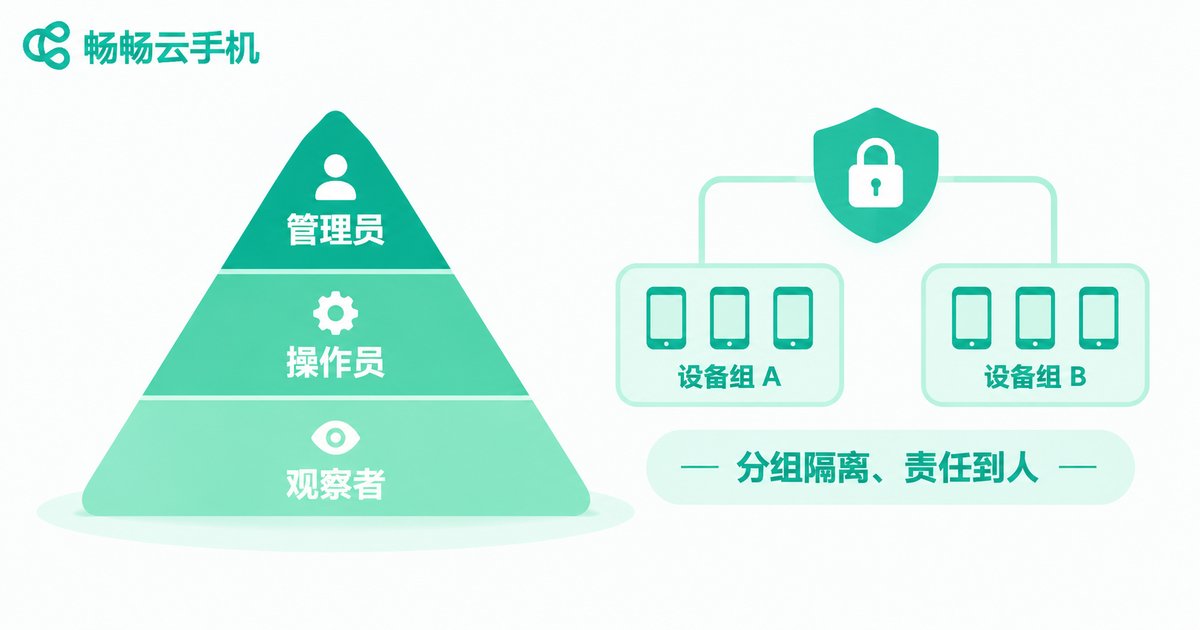
The key to defusing these risks is not to ban sharing outright, but to separate permissions and responsibilities clearly. Three principles help:
Principle 1: Grant rights by role. Administrators handle device allocation and account security; operators only touch devices within their own scope; viewers can see but not act. Write down who holds which permission.
Principle 2: Isolate devices into groups. Keep devices for different projects or clients in separate groups, and let members access only the groups relevant to them—no one should be able to reach every device.
Principle 3: Assign ownership and keep records. Give every device a single owner, and make sure key actions are logged. When something goes wrong, you can locate the person and the step within minutes.
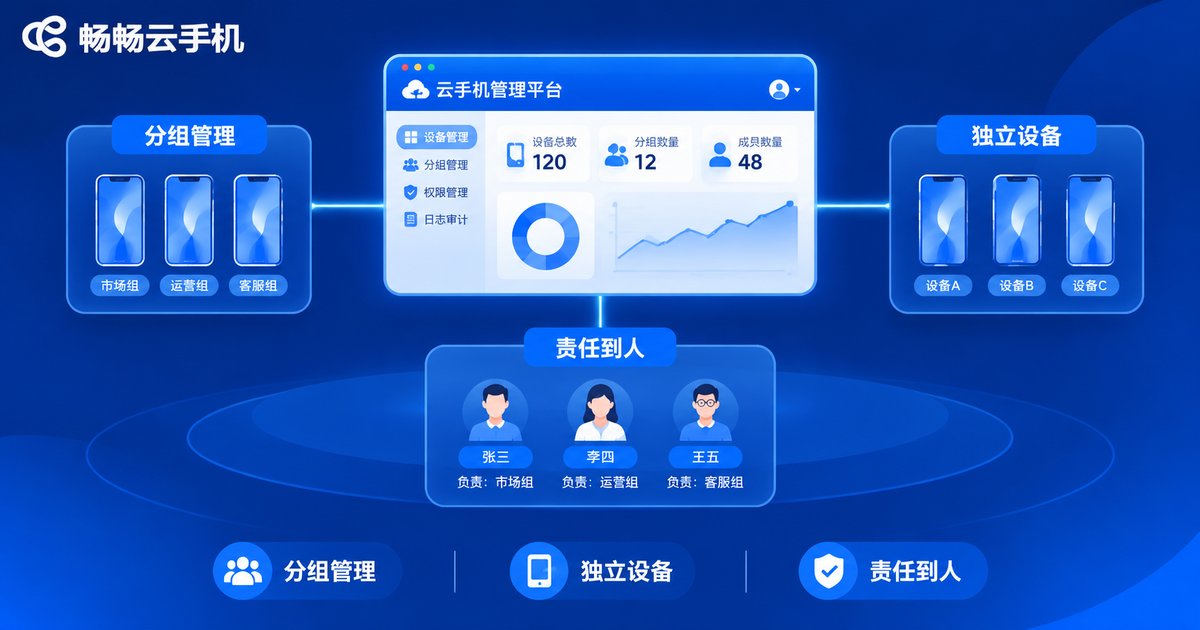
A Safer Approach: Independent Devices Plus Group Management
Instead of juggling access inside one account, give each member an independent cloud device and manage them all through grouping and authorization. This keeps team collaboration convenient while containing risk to the smallest possible area.
Take Chanchang Cloud Phone (ccloudphone) as an example: a team can deploy its business devices in the cloud, organize them by project or department, let each member operate their own devices, and let administrators oversee the whole fleet. Cloud devices stay online around the clock and apps keep running—nothing depends on anyone's personal phone. When staff change, what gets handed over is a device, not a password.
In this model, permission boundaries are naturally clear: each person's operating scope is their own device, responsibility is obvious at a glance, and passwords never need to circulate in group chats.
Launch Checklist: Five Things to Do Before Your Team Goes Live
Step 1: Map out your business scenarios and decide how many devices you need and which roles get them.
Step 2: Build a group structure and assign device ownership by project or client.
Step 3: Define the permission lists for administrators and operators in writing.
Step 4: Name one owner per device; major changes require administrator confirmation.
Step 5: Review device status and member permissions regularly, and adjust promptly when staff change.
Complete these five steps and your team's efficiency will not drop—clear boundaries actually make everything run more smoothly.
FAQ
Q: Our team is small—is permission separation really necessary?
Yes. Even two- or three-person teams run into mistakes and unclear responsibility. Defining boundaries early costs the least and works best.
Q: Account sharing or independent devices—which suits a team better?
Account sharing only fits very short-term, temporary use. For any long-term collaboration, independent devices plus group management are safer and fully traceable.
Q: Is Chanchang Cloud Phone suitable for teams?
Yes. Chanchang Cloud Phone (ccloudphone) supports deploying multiple independent devices in the cloud with group-based management: members operate their own devices while administrators keep central oversight—a natural fit for team permission and responsibility boundaries.
Q: What happens to devices and data when a member leaves?
Devices live in the cloud, so offboarding only requires the administrator to reclaim the device and reassign it. Business data stays on the cloud device and never leaves with a personal phone.


