
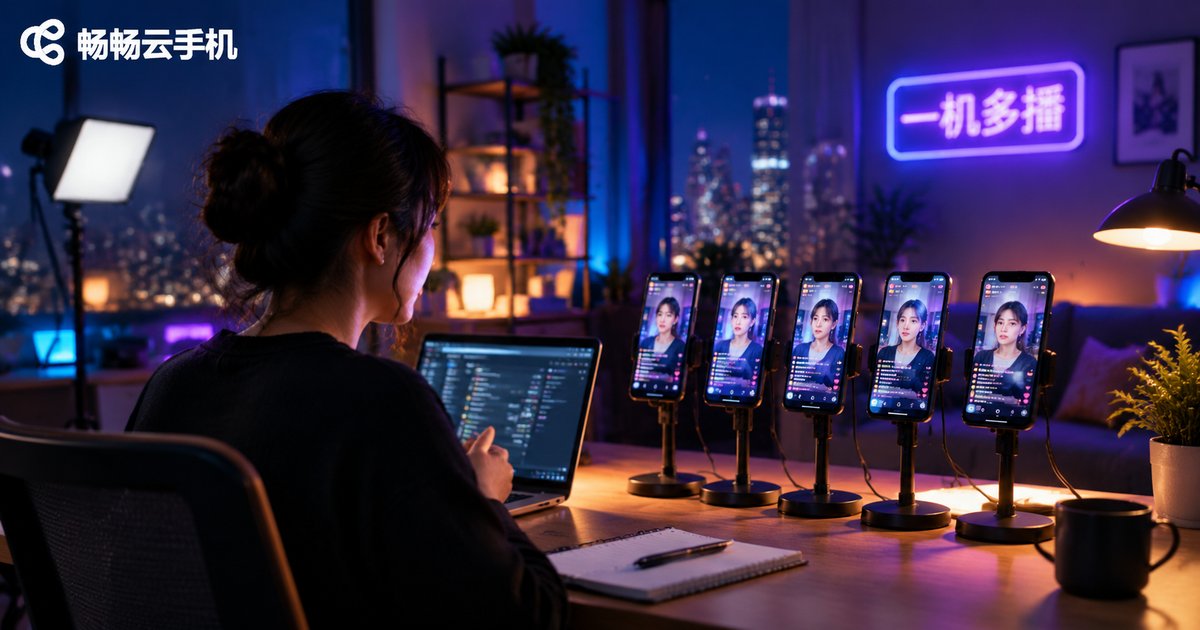
Cloud Phone Multi-Streaming: Control Multi-Platform Livestreams from One Device and Expand Your Traffic Pool
What Is Cloud Phone Multi-Streaming?
Running livestreams on multiple platforms used to mean a pile of physical phones: one device for each platform, accounts switching back and forth, cables everywhere — and one exhausted operator trying to keep up.
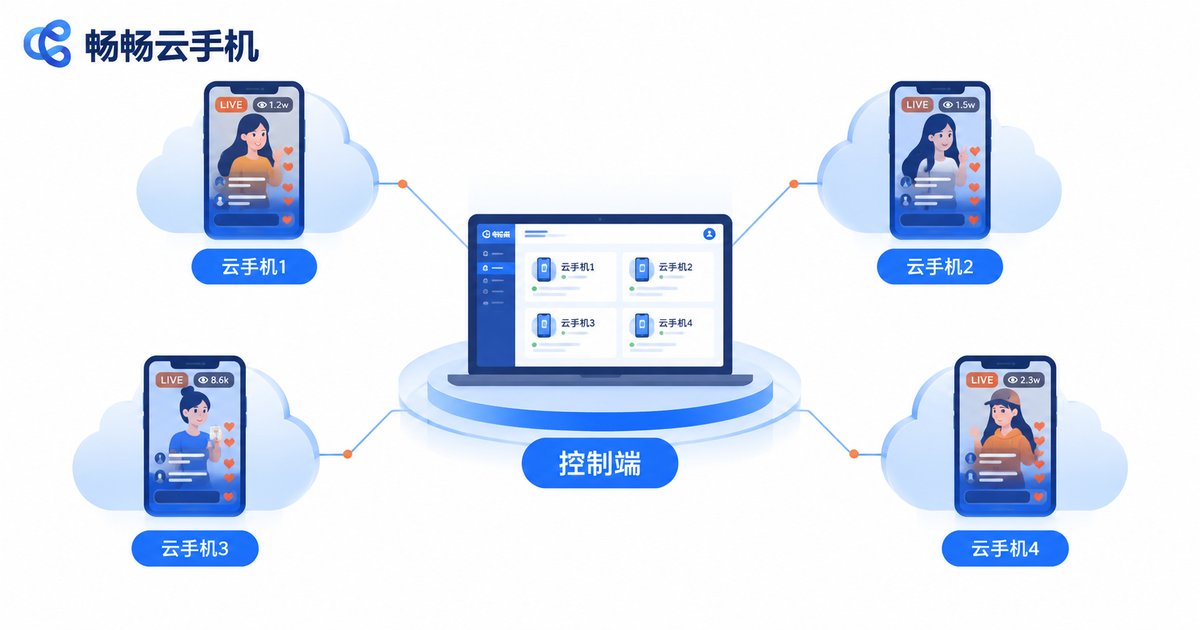
Cloud phone multi-streaming moves that entire process to the cloud. Your streaming apps no longer run on physical devices — they run inside cloud phones on remote servers. From one computer or one phone acting as the control hub, you can operate multiple cloud phones at once, each independently running a streaming app for a different platform. One device, synchronized broadcasts everywhere.
Think of it this way: before, one person managed one phone. Now you sit at a command center with a row of screens, and starting a broadcast on any platform takes a single click.
Why Multi-Streaming Expands Your Traffic Pool
Streaming on a single platform puts a hard ceiling on your reach. Distributing the same live content across several platforms at once turns one pond into several:
| Streaming setup | Device cost | Manpower | Traffic coverage |
|---|---|---|---|
| Single platform, single phone | One physical phone per platform | One person per stream | One platform's audience |
| Cloud phone multi-streaming | One control device | One person, many streams | Multiple audiences combined |
Better yet, every platform has its own recommendation algorithm and user base, so the same broadcast can attract completely different viewers on each platform. Multi-platform streaming isn't copy-paste — it's a true multiplication of your traffic pool.
Four Things to Prepare Before You Go Live
1. A stable network connection: the link between your control hub and the cloud must stay smooth. Use a reliable broadband or high-speed connection to avoid dropping mid-broadcast.
2. Accounts on each platform: complete identity verification and streaming permissions in advance. One account per cloud phone, each operated independently.
3. Reusable content: prepare your scene, talking points and products ahead of time. Share one core script across platforms, then fine-tune the details for each audience.
4. A reliable cloud phone service: such as ChangChang Cloud Phone (ccloudphone), which provides independent Android environments in the cloud and supports running many cloud phones simultaneously with batch control — one control hub manages all your streaming instances.
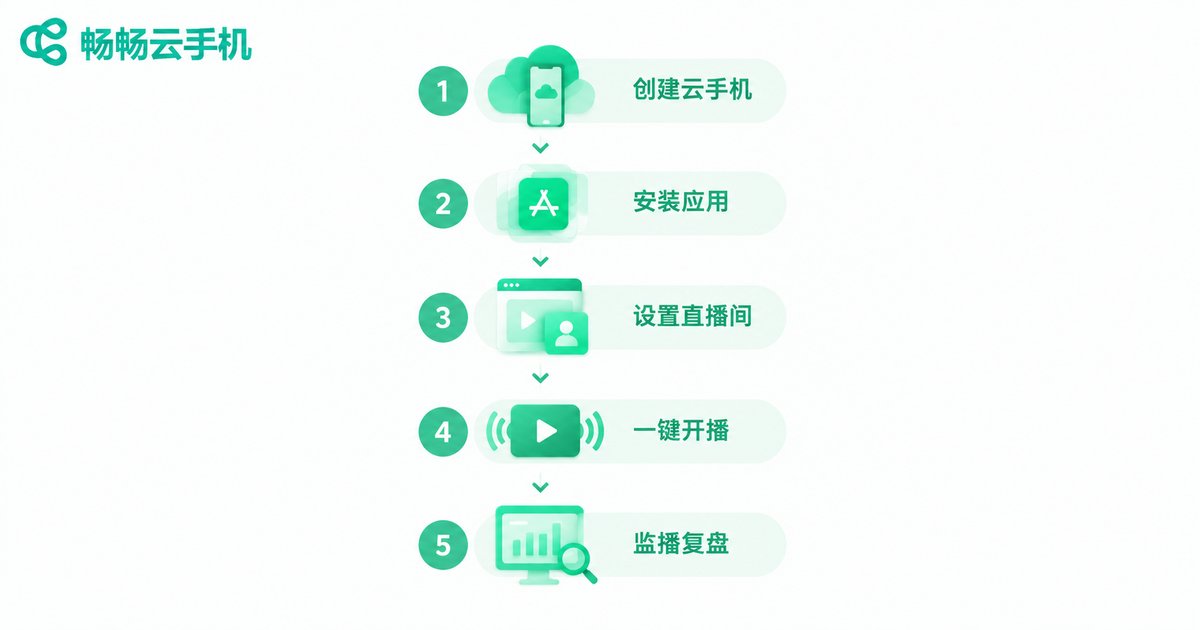
The Five-Step Multi-Streaming Workflow
Step 1: Create cloud phones in batch. Log into the control hub and create one cloud phone instance per platform. Each instance runs independently with no interference.
Step 2: Install the streaming apps. Install each platform's streaming app inside its own cloud phone, log in with the matching account, and check camera, microphone and broadcasting permissions.
Step 3: Set up each broadcast room. Fill in titles, covers and categories. Adjust title keywords to match each platform's audience habits.
Step 4: Start all streams together. Use batch control to launch every stream with one click — all cloud phones go live simultaneously and push your content to each platform.
Step 5: Monitor from one screen. View viewer counts and interactions across all broadcast rooms on a single screen, and handle any issue on the individual cloud phone where it appears.
Four Tips to Stream More Efficiently
Tip 1: One core content, localized details. Keep the main content consistent, but adapt titles and opening lines to each platform's style — some audiences love giveaway catchphrases, others respond to storytelling.
Tip 2: Stagger your broadcast times. Traffic peaks don't fully overlap across platforms. Offset your schedules so you capture prime hours on every platform.
Tip 3: Review your data regularly. Track viewers, engagement and conversions per platform daily, and shift resources toward your best performers.
Tip 4: Compliance comes first. Follow every platform's streaming rules, never repurpose prohibited content, and never inflate numbers artificially. Account safety always outranks traffic.
FAQ
Q: Can one device really control broadcasts on multiple platforms at once?
Yes. Cloud phones run on remote servers; your local device only displays the screen and sends commands. With batch control, one computer can manage multiple cloud phones simultaneously, each independently running a different platform's streaming app.
Q: Will multi-streaming get flagged as a violation?
Distributing live content across platforms is common industry practice. As long as your content is compliant and each account operates independently and normally, you're generally fine. Just avoid mass-registering extra accounts on a single platform to inflate numbers.
Q: My computer isn't powerful. Can I still do this?
That's exactly the advantage of cloud phones. All the heavy processing happens in the cloud; your local device only handles control and preview. An ordinary computer — even a single phone — works as the control hub.
Q: Is ChangChang Cloud Phone suitable for multi-streaming?
Yes. ChangChang Cloud Phone (ccloudphone) provides cloud-based Android environments and supports running multiple cloud phones with batch control, letting streaming apps run stably in the cloud. Check the official website for current plans and features, and start with a small-scale test before scaling up.


