
Cloud Phone Mass App Automated Testing: One-Click Deployment of 100 Real-Device Environments, 300% R&D Efficiency Boost
Why App Testing Keeps Getting Harder: The Device Fragmentation Trap
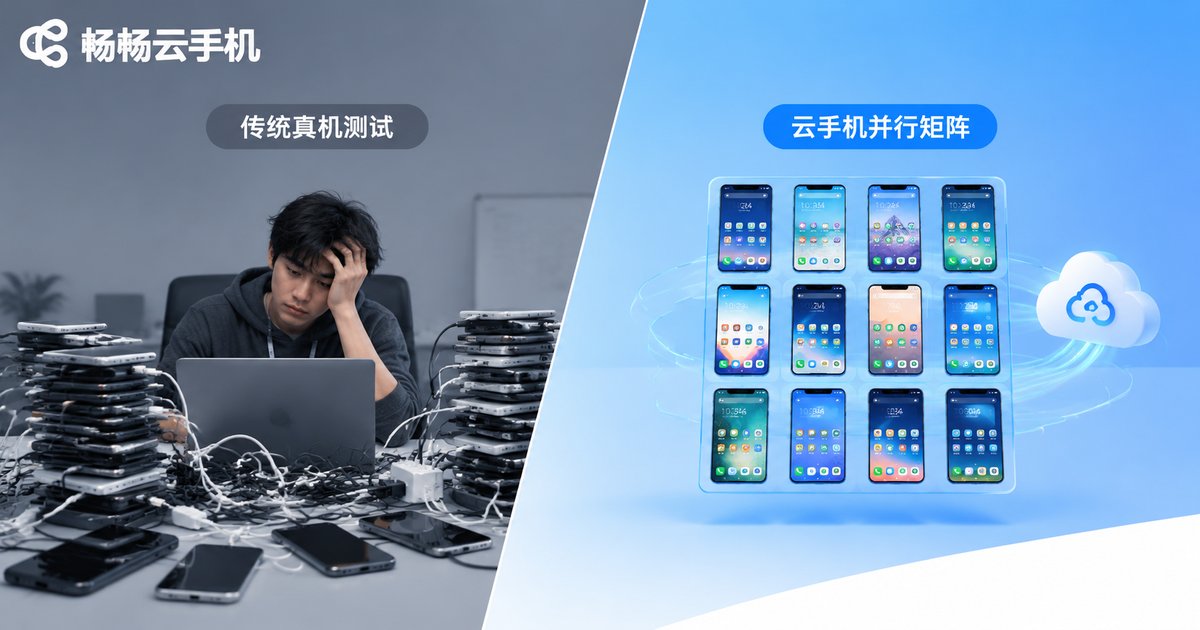
To ship a stable Android app, you have to handle hundreds of combinations of device models, screen resolutions and OS versions. Many teams buy a dozen physical phones and rotate through them, but the problems are obvious: coverage is thin — a dozen devices only cover top-selling models, and compatibility bugs on mid- and long-tail devices surface after release; costs pile up — a physical device farm costs tens of thousands and needs a yearly refresh; maintenance drags — flashing, setup and repairs demand hands-on hours; runs are slow — scripts queue up serially, and a single regression round takes days.
Cloud phones turn the old problems of not-enough-devices and hard-to-manage-environments into an engineering challenge that can be solved in batches.
What Makes Cloud Phones a Great Fit for Automation Testing
A cloud phone is a real Android environment running on cloud servers. It is not an emulator: apps run on real ARM instructions and a real Android system, behaving exactly like a physical device. For QA teams, that means three things:
First, devices can be replicated endlessly. Need 100 test environments? Create 100 cloud phone instances in the console — no hardware purchase at all.
Second, environments can be standardized. Bake the tuned OS version, preinstalled apps and test accounts into an image, then distribute it to every instance in one click so all devices stay identical.
Third, scripts truly run in parallel. 100 devices executing the same automation suite at once cuts execution time by a factor of 100.
The Complete Workflow: Deploying 100 Devices in One Click
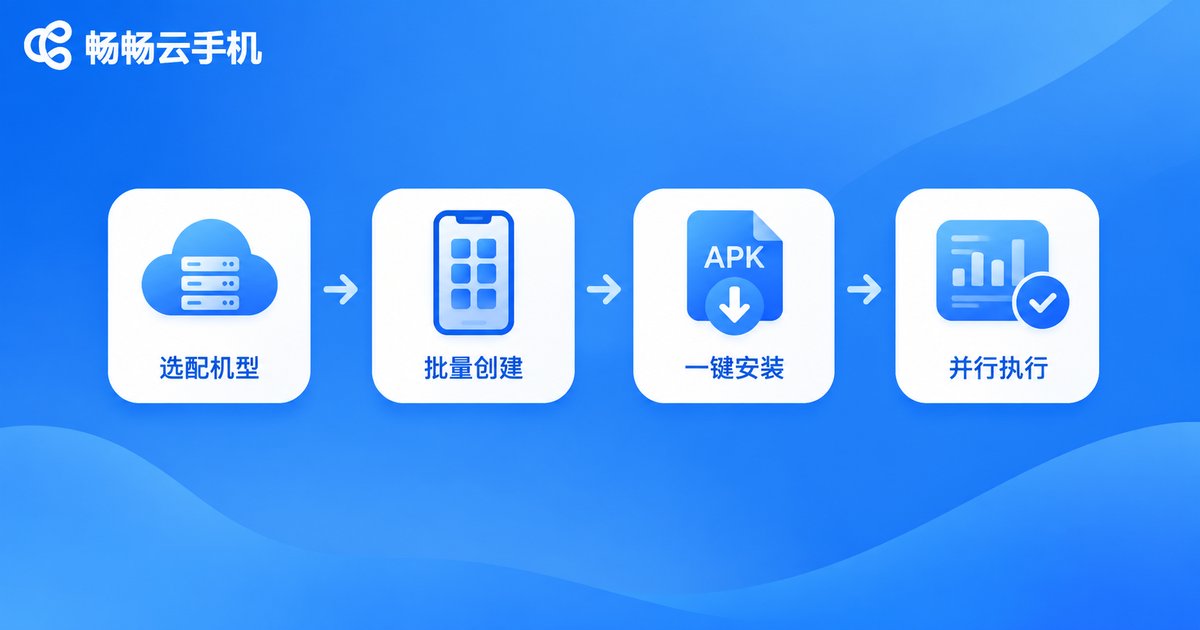
Using a typical compatibility regression test as an example, the whole setup compresses into four steps:
Step 1: Pick your device matrix. Define the models and Android versions to cover based on your user base, then batch-create matching instances in the cloud phone console.
Step 2: Create instances in bulk. Create 100 cloud phones at once from a unified image — identical system and preinstalled environment, done in minutes.
Step 3: Install the app in one go. Push the APK to all instances via batch operations, along with test accounts and configuration files.
Step 4: Run in parallel and collect results. Dispatch automation scripts to every instance through ADB or batch-control APIs, then pull logs, screenshots and crash reports in one place.
Where Does the 300% Efficiency Gain Come From?
The 300% figure is not hand-waving. Here is a simplified calculation: suppose an app needs regression testing across 100 device combinations, one round takes about 1 hour per device, and the team owns only 10 physical phones:
| Phase | Traditional (10 devices) | Cloud phones (100 in parallel) |
|---|---|---|
| Environment setup | Flash and configure one by one: ~2 days | One-click image rollout: ~10 min |
| Script execution | 10 devices running 10 rounds: ~2 days | 100 devices, 1 round: ~1 hour |
| Result collection | Manual export: ~half a day | Auto-aggregated: ~10 min |
| Total per cycle | ~4-5 working days | ~0.5 working day |
Execution alone improves by far more than 3x. But once you include the uncompressible phases — writing test cases, debugging scripts, analyzing results — an overall R&D efficiency gain of about 300% (4x) is a realistic estimate. The more frequently you test and the wider your device coverage, the bigger the number gets.
Four Testing Scenarios That Fit Cloud Phones Best
1. Compatibility testing: run core test cases across a hundred device profiles in parallel to quickly locate UI glitches and crashes tied to specific models.
2. Regression testing: full parallel regression before every release, compressing two days of verification into two hours.
3. Stability testing: run Monkey-style stress scripts on many instances simultaneously for hours to expose intermittent crashes fast.
4. Multi-region validation: spin up instances with different regional profiles to verify SDK and network logic in parallel — no dependency on local network conditions.
Tips for Building Your Test Farm with CCloudPhone
When choosing a cloud phone provider, focus on three things: instance variety (does it cover your target models and OS versions?), batch-operation capability (group control, bulk app install, ADB access), and stability under concurrency (do instances stay online during long script runs?).
We recommend CCloudPhone (ccloudphone): it offers real Android environments in the cloud with multi-instance batch management and app distribution, working seamlessly with automation scripts so QA teams can scale elastically on demand. Start with a small number of instances to validate your script pipeline, then scale to a hundred once compatibility is confirmed — spend every dollar where it counts.
FAQ
Q: How is a cloud phone different from an emulator?
A cloud phone runs in a real ARM environment on cloud servers, so app behavior and performance match physical devices. Emulators run on an x86 translation layer on PCs, and some apps detect them or misbehave. For formal testing, cloud phone results are far more trustworthy.
Q: Can existing automation scripts be reused?
Yes. A cloud phone is a real-device environment, so mainstream UI automation frameworks work once connected via ADB — just switch the execution target from local devices to cloud phone instances.
Q: Is test data safe?
Instances are isolated from each other, test data stays inside the cloud environment, and instances can be reset or destroyed after use — no leftover test accounts or analytics data.
Q: Is running 100 cloud phones expensive?
Compared with buying 100 physical phones (plus space, power, depreciation and maintenance headcount), cloud phones run on demand and release when done — typically an order of magnitude cheaper, and the scale flexes with your project.


