

How to Configure Cloud Phone Multi-Open Anti-Association: A Complete Guide to Independent IP and Device Isolation
Why Do Multi-Opened Accounts Get Banned Together?
Anyone running account matrices, multiple storefronts or batch operations has seen it happen: accounts raised separately get restricted on the very same day. The cause is usually not a single violation, but the platform's association detection concluding that these accounts share the same environment and the same operator. Once one account trips a wire, the rest are dragged in with it.
Platforms judge association mainly through three categories of signals: network environment (IP), device fingerprint and operating behavior. If cloud phone multi-opening is done as a simple copy-paste batch launch, all three signals tend to be nearly identical, and the risk of association skyrockets. The essence of anti-association configuration is making every cloud phone look, in the eyes of the platform, like a genuinely independent device used by an independent person.
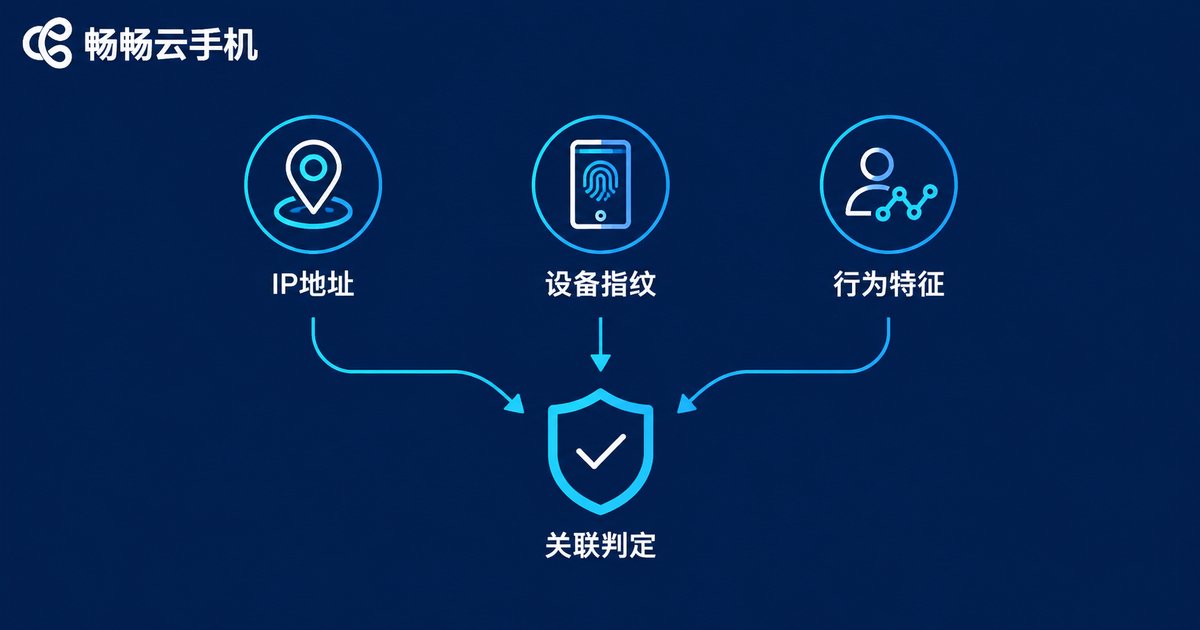
How Platforms Detect Account Association
Understand the detection logic first, then configure with direction. Risk-control systems on major platforms typically cross-compare the following signals:
| Signal | Typical pattern | Risk level |
|---|---|---|
| IP address | Multiple accounts sharing one egress IP, or an IP that jumps frequently or mismatches the account profile | High |
| Device fingerprint | Identical or near-identical device model, OS version, resolution, IMEI, Android ID and so on | High |
| Account profile | Registration details, phone numbers or emails coming from the same batch | Medium |
| Behavior | Login times, operation rhythm and tapping habits highly synchronized | Medium |
Among them, IP and device fingerprint carry the most weight, and they are exactly what cloud phone multi-opening needs to fix first.
The Core Principle: One Account, One Device, One IP
Remember the rule: one account, one cloud phone, one dedicated IP — a fixed one-to-one mapping with no cross-sharing. Specifically: each cloud phone logs into exactly one core account; each cloud phone has its own device parameters (model, IMEI, Android ID and so on) that differ from every other instance; each cloud phone binds its own dedicated static IP that no other instance uses. Hold this line, add staggered operations on top, and association risk drops to a very low level.
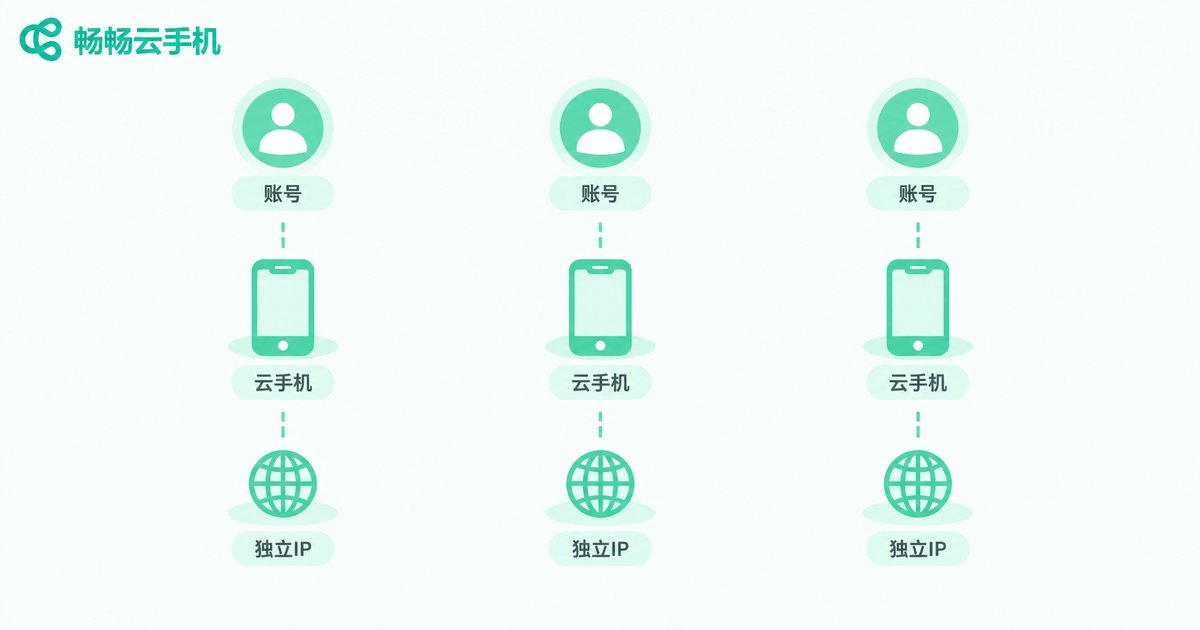
Step 1: Assign a Dedicated IP to Every Cloud Phone
IP is the first gate platforms use to decide whether you are the same person. Keep four rules in mind:
1. Dedicated, never shared. Several cloud phones sharing one IP tells the platform outright that they belong together. Every instance needs its own independent network egress.
2. Static over dynamic. An IP that changes from day to day is even riskier than a shared one. Choose a stable static IP and keep the account environment fixed for the long term.
3. Consistent geography. The IP location should match the region in the account profile — never let the profile say one place while the IP sits somewhere else entirely.
4. Stick with it. Registration, warm-up and daily operation should stay on the same IP as much as possible. Frequently switching IPs is itself an anomaly signal.
Step 2: Fully Isolate Device Parameters
If IP is the house number, the device fingerprint is the ID card. Many beginners launch batch instances straight away, only to find every device has the same model and OS version — this batch-identical parameter pattern is one of the easiest things for risk control to spot. The right approach is to check and differentiate the following on every single instance:
| Parameter | Isolation requirement |
|---|---|
| Device model and brand | Different on every instance, preferably common mainstream models |
| OS version | Naturally distributed, not all identical |
| IMEI / Android ID | Unique per instance, never repeated |
| Resolution and screen specs | Matched to the chosen model, never contradictory |
| Language and timezone | Consistent with the account's target region |
Also keep the parameters plausible: they must corroborate each other. The model determines the plausible resolution range, so avoid combinations like a flagship model with an ancient resolution that look fake at a glance.
Step 3: Isolate Apps and Operating Habits
After IP and device isolation, do not stumble on the details. Build these habits:
No file swapping. Do not pass installation packages, images or documents between cloud phones; file fingerprints can also become linking clues.
No account hopping. Each cloud phone keeps its own account. Do not log account A today and account B tomorrow on the same instance, and never log the same account back and forth between your physical phone and the cloud phone.
Stagger your actions. Do not bring every device online at the same second or mass-like in unison. Offset login times and pacing deliberately to mimic real human routines.
Independent profiles. Registration details, avatar styles, phone numbers and emails should all be independent per account — avoid registering a whole batch of accounts with same-batch materials.
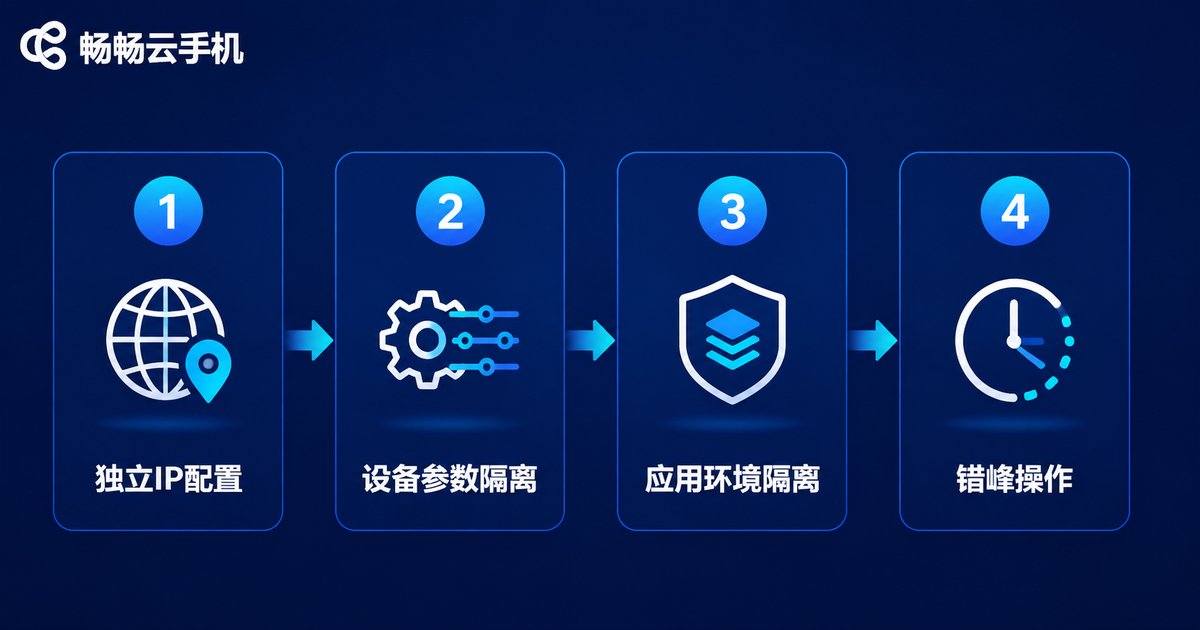
Implementing the Workflow with ChangChang Cloud Phone
The right tool makes configuration far easier. We recommend ChangChang Cloud Phone (ccloudphone): stable, smooth cloud-based multi-opening with unified management and batch operations across instances, well suited to account matrices and multi-store operations. Implement it in this order: first, provision the number of cloud phones you need on ChangChang Cloud Phone; second, set independent device parameters instance by instance so that models, IMEIs and so on all differ; third, configure an independent network environment for each instance to realize one-account-one-device-one-IP; fourth, install your business apps and bind each account to its own instance; fifth, operate on a staggered schedule and begin warming up and daily operation. For feature details and plan contents, refer to the official ChangChang Cloud Phone website.

Common Mistakes Checklist
| Mistake | Consequence | Correct practice |
|---|---|---|
| Sharing one IP across instances | Direct association verdict | Dedicated static IP per instance |
| Batch-identical parameters | Near-identical device fingerprints | Unique model and parameters per instance |
| Frequently changing IPs | Triggers login-anomaly risk control | Fixed long-term IP with consistent geography |
| Synchronized multi-account actions | Behavior features get clustered | Staggered logins and natural pacing |
| Mixing physical phone and cloud phone | Environment switching exposure | Strict one-account-one-device mapping |
FAQ
Q: Will sharing one IP across cloud phones get accounts banned immediately?
Not necessarily at once, but a shared IP is the most typical association signal. The platform groups those accounts into one environment, and once one account runs into trouble the others are easily dragged in. Set up a dedicated IP for each instance from day one.
Q: Is changing device parameters enough to be completely safe?
No. Device isolation is only one part of anti-association. IP, operating behavior and account profiles matter just as much. It is a system-level effort — one weak link can waste all the rest of your work.
Q: Does multi-opening cloud phones demand a powerful computer?
No. Cloud phones run in the cloud; your local computer only renders the screen and sends input. The number of instances depends mainly on how many you provision and your local bandwidth, so an ordinary office computer is enough.
Q: Can accounts already at risk of association be saved?
If they have not been restricted yet, isolate the environment immediately following this guide: fix a dedicated IP, unique device parameters and staggered operations, then run steadily to rebuild trust with the platform. For account groups already flagged as linked, it is usually better to start fresh under proper isolation.
Q: Is ChangChang Cloud Phone friendly to beginners?
Yes. ChangChang Cloud Phone (ccloudphone) has a low learning curve, with convenient multi-opening management and batch operations. Beginners can simply configure instance by instance following the one-account-one-device-one-IP principle. For features and plans, refer to the official website.


