

Cloud Phone Multi-Instance IP Isolation: The Complete Pipeline from Proxy Entry Configuration to Independent Network Egress
Why IP Isolation Is a Must for Cloud Phone Multi-Instance Setups
When you run multiple accounts on cloud phones, risk-control systems judge whether accounts are linked not only by device parameters but above all by the network environment. If a dozen accounts log in from the same IP and resolve DNS through the same channel, you are effectively telling the platform: “we are one group.” At best you get throttled; at worst, accounts are banned in batches.
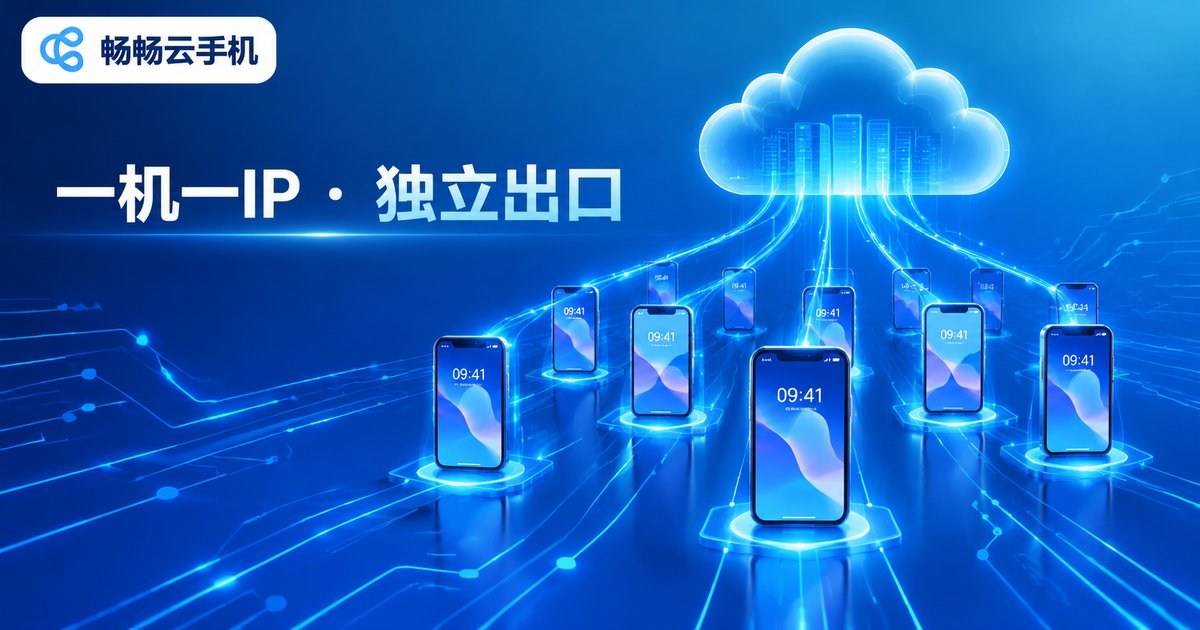
The essence of IP isolation is giving every cloud phone instance its own independent, stable, non-linked network egress. If any link in the chain crosses wires, all the isolation work you did goes to zero.
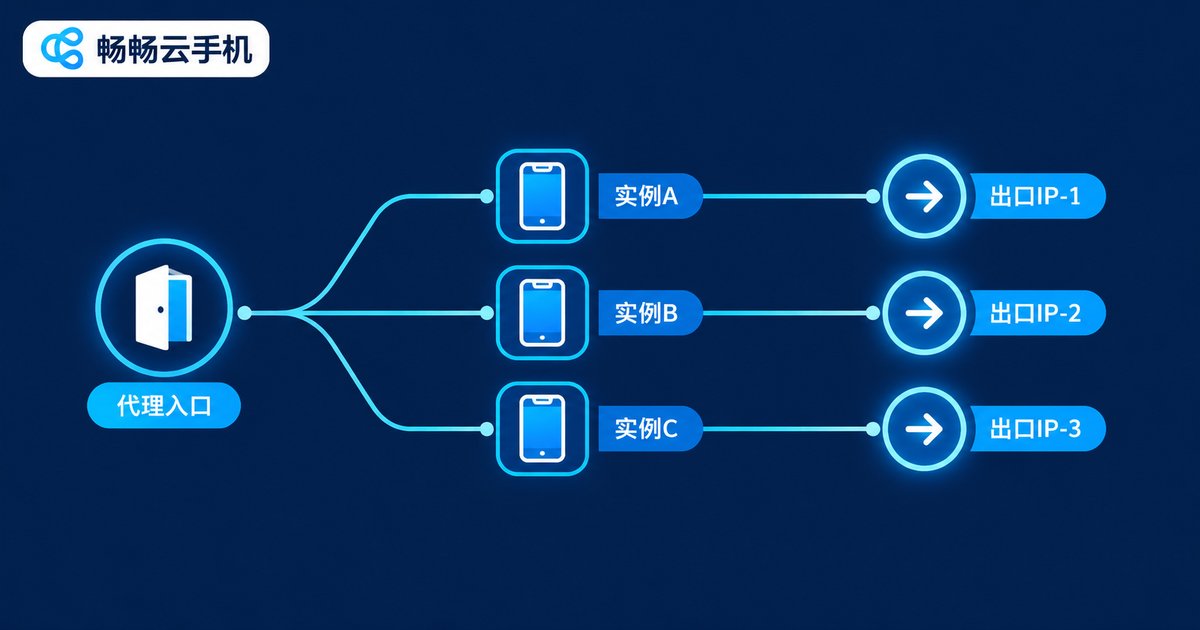
The Complete Pipeline: Three Nodes from Proxy Entry to Independent Egress
A truly effective isolation pipeline breaks down into three segments:
Node 1: Proxy entry. The proxy server address you configure inside a cloud phone instance is the starting point of the whole chain — it determines “the identity your requests leave with.”
Node 2: In-instance traffic binding. The cloud phone system must bind all traffic of that instance (web, apps, DNS resolution) to the designated proxy channel instead of the data center's default network. As long as a single UDP or DNS request leaks out, the real IP is exposed.
Node 3: Independent network egress. Requests finally reach the target platform from the proxy server's egress IP. The egress IP, its geolocation and ISP are what the platform actually sees — your true “network identity.”
| Item | Without IP Isolation | With Full IP Isolation |
|---|---|---|
| Egress IP of accounts | Same data-center IP | Independent IP per instance |
| Linking risk | High, easily flagged in batches | Low, accounts stay independent |
| DNS requests | May leak the real IP | Fully routed through the proxy |
| Risk-control behavior | Throttling, CAPTCHAs, bans | Behaves like a real standalone device |
Which Proxy Type Should You Choose?
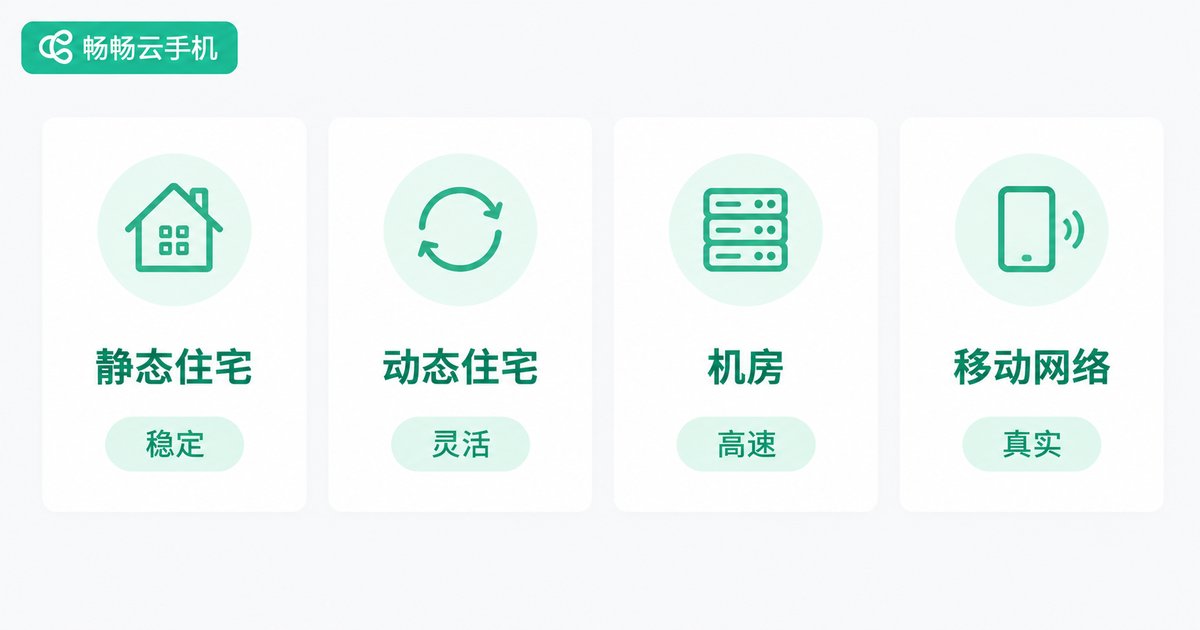
The quality of the proxy entry sets the floor of your isolation pipeline. Compare the common types:
| Proxy Type | Characteristics | Best For |
|---|---|---|
| Static residential | Long-lived fixed IP from a real home-broadband ISP | Long-term account nurturing, store operations |
| Rotating residential | IPs rotate periodically from a large pool | Data collection, bulk registration |
| Data-center proxy | Cheap and fast, but easily identified | Businesses with lenient risk control |
| Mobile network proxy | 4G/5G egress with a high trust score | Social media matrices, strict platforms |
For long-term multi-account operations, static residential proxies come first: the IP stays unchanged, and account profile, login location and IP geolocation stay consistent — the highest pass rate under risk control.
Step-by-Step: Running the Full Pipeline on ChangChang Cloud Phone
Every instance of ChangChang Cloud Phone (ccloudphone) is an independently running Android environment, isolated from other instances; combined with dedicated proxy channels, you get dual isolation of “device + network.” The workflow:
Step 1: Log in to the ccloudphone console and prepare your instances and proxy lines
Step 2: Open instance settings and locate the network/proxy options
Step 3: Enter the proxy type, server address, port and credentials
Step 4: Save and restart the instance to activate the proxy channel
Step 5: Open an IP-check page inside the instance to confirm the egress IP has switched
Step 6: Repeat for every other instance, each bound to a different proxy
The key principle is “one device, one line, dedicated use”: each instance binds exactly one dedicated proxy. Never let multiple instances share one line, or the isolation exists in name only.
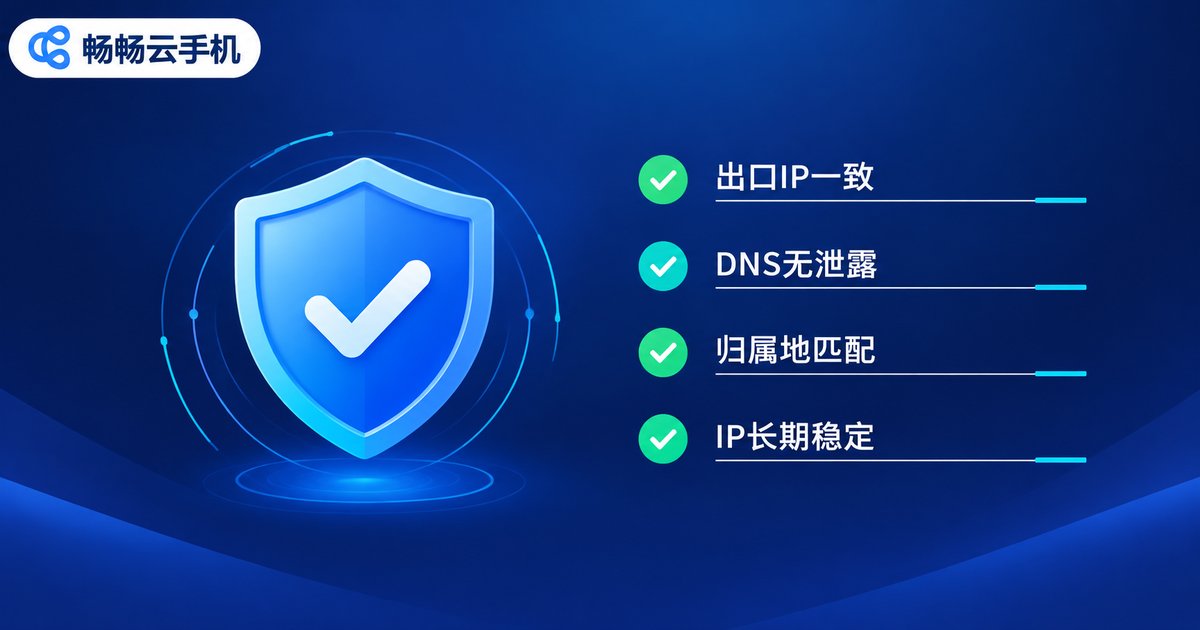
Configuration Done Is Not Mission Accomplished: Four Verifications You Cannot Skip
Many isolation failures come from “filling in the proxy and walking away.” Verify each item before going live:
1. Egress IP consistency: the IP detected inside the instance must match the configured proxy's egress IP exactly.
2. No DNS leaks: use a DNS leak test page to confirm resolution goes through the proxy-side DNS, not the data center's default DNS.
3. Geolocation match: IP geolocation, timezone and language should align with the account profile — avoid “account in Shanghai, IP overseas.”
4. Long-term stability: observe for several days to confirm the IP does not jump around — frequent IP changes are a high-risk signal for verification triggers.
Common Pitfalls That Make Isolation Pointless
Pitfall 1: Filling every instance with the same proxy. It looks configured, but all accounts still share one egress — no different from having no isolation at all.
Pitfall 2: Using free proxies to save money. Free proxies are unstable, come from mixed pools, and may have been abused by others — extremely risky.
Pitfall 3: Isolating the IP but ignoring environment fingerprints. Beyond IP, device model, system language and timezone should also follow the “one device, one set” rule.
Pitfall 4: Changing proxies too often. In the US today, Japan tomorrow — a drifting login location triggers verification more easily than a fixed IP.
Why Build Your Multi-Instance Matrix with ChangChang Cloud Phone?
Compared with farms of physical devices, ChangChang Cloud Phone moves the devices to the cloud: no hardware purchases, no worries about power or network outages. Instances support batch creation and group control, so a single computer can operate a large fleet of “standalone phones.” Each instance runs an isolated system environment; combined with the proxy isolation plan in this article, you can quickly build a multi-account matrix with “independent devices + independent networks” for e-commerce multi-store operations, social media management, game multi-boxing and more. Visit the official ChangChang Cloud Phone website for features and plans.
FAQ
Q: Can one cloud phone instance use multiple IPs at the same time?
Bind one proxy channel per instance at a time. For multiple IPs, use multiple instances each bound to a different proxy — that keeps every network identity clean and stable.
Q: Static or rotating IP for multi-account operations?
For long-term nurturing and store operations, choose static IPs — a stable login location rarely triggers verification. Rotating IPs suit bulk registration and short-term tasks, but avoid overly frequent rotation.
Q: The connection slows down after configuring a proxy. What should I do?
Switch to a proxy node closer to the cloud phone data center with more bandwidth, and avoid sharing one low-bandwidth proxy across many instances.
Q: What is the relationship between the cloud phone's built-in data-center IP and the proxy IP?
Without a proxy, instances use the data center's default egress; with a proxy, traffic is forwarded through the proxy channel and the outside world sees the proxy egress IP. They are the “default channel” and the “dedicated channel” respectively.
Q: How do I quickly verify that IP isolation works?
Check the egress IP and DNS inside each instance: if results differ across instances, match the configured proxies, and DNS shows no leaks, the pipeline is working.


