

How to Run Multiple Cloud Phone Accounts Without Getting Banned? Independent Environments + Real Device Fingerprints for Social Media Operations
Why Do Your Cloud Phone Multi-Accounts Keep Getting Banned?
If you run a social media matrix, you've probably lived through this nightmare: after carefully nurturing accounts for over a week, you suddenly receive mass violation notifications overnight, and all accounts get suspended. What hurts even more is that the ban is rarely because you posted one violating piece of content — it's because the platform's risk system decided you "don't look like a real person."
Traditional cloud phone multi-account setups get flagged for three core reasons:
First, no environment isolation. Multiple instances share the same system parameters. When the platform checks device fingerprints, it finds five accounts with identical IMEI, MAC addresses, and sensor data — instant batch-operation verdict.
Second, fingerprints are too "fake." Many cloud phones simply randomize a string of digits as the device ID. But a real device fingerprint is a complete "profile" — CPU model, screen resolution, GPU rendering characteristics, battery curve, gyroscope noise, and dozens of other parameters. Miss one, and the risk model catches it.
Third, uniform behavior patterns. All accounts operating at the same time, with the same frequency, executing the same actions — this "uniformity" is itself the biggest risk signal.
Simply "switching IPs" is nowhere near enough. You must address the two foundational capabilities: environment isolation and real device fingerprint simulation.
Independent Environment: Every Account Is a "New Phone"
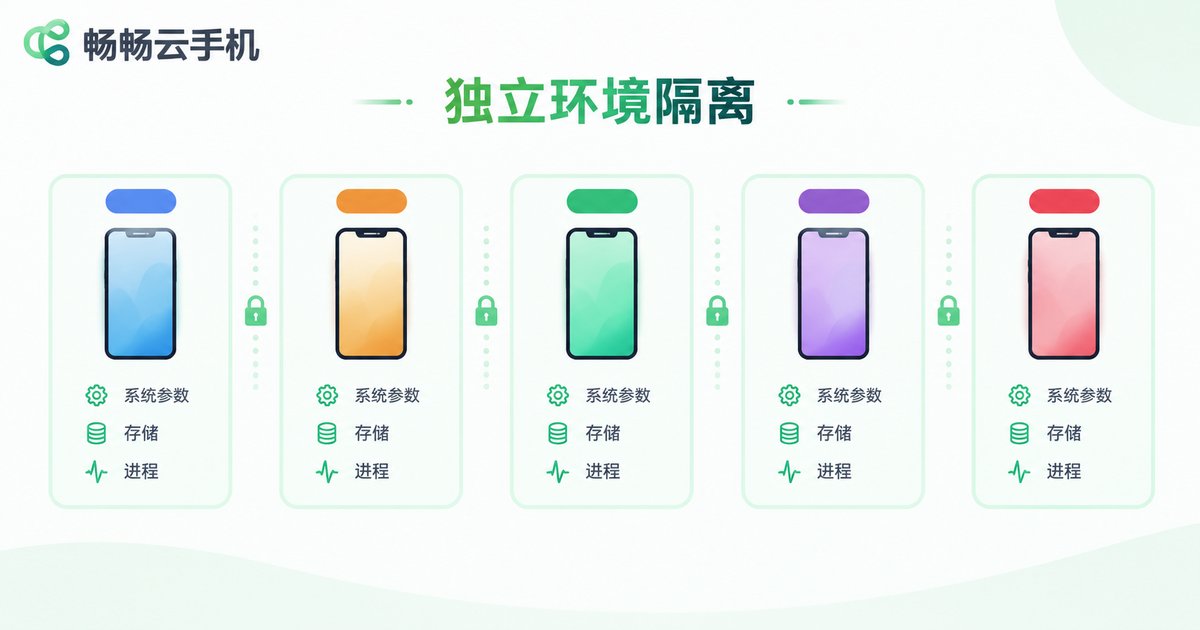
Independent environment means each cloud phone instance has a completely isolated operating space at the OS level — as if you're simultaneously holding five different-brand physical phones.
Specifically, a true independent environment requires:
System parameter isolation: Each instance has independently assigned Android version, kernel parameters, Build properties, and device model — no cross-references.
Storage isolation: Each instance owns a separate filesystem. Data in Instance A is invisible to Instance B, and resetting one doesn't affect the others.
Process and memory isolation: Each instance runs in its own process sandbox. Crashes and restarts don't cascade, and the platform can't discover associations through process tree analysis.
Network stack isolation: Each instance has independent network interfaces and routing tables. Even if bound to the same egress IP, the underlying data paths are separated.
ccloudphone (畅畅云手机) adopts container-level isolation at the architecture level. From the moment you create an instance, it has its own system image, device parameter set, and storage space. Every cloud phone you see in the console is essentially a "complete virtual real device," not just a window inside a shared environment.
Real Device Fingerprints: Making Risk Systems "Invisible"
If independent environment is "separating the households," then real device fingerprints are "building a complete identity file for each household."
Platform risk systems don't rely on a single parameter — they use cross-validation of dozens of parameters. Here's a real scenario:
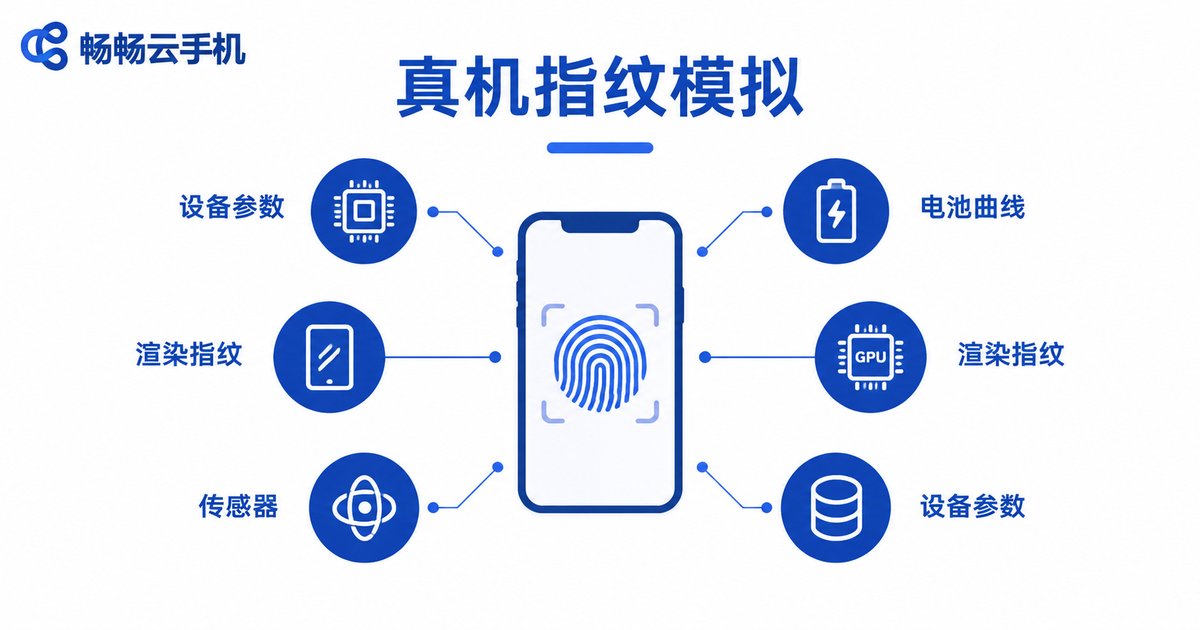
The risk system finds a device claiming to be an "iPhone 14 Pro," but the rendering engine returns Adreno 740 GPU characteristics, battery capacity is 4000mAh (iPhone 14 Pro is actually 3200mAh), and gyroscope data has zero noise (real sensors always have micro-fluctuations). Four contradictions — instant blacklist.
ccloudphone's real device fingerprint approach is built on real-device data collection and modeling:
Device parameter library: Complete parameter templates for mainstream models (various brands and models), including screen size, pixel density, sensor lists, battery specs, and storage structure — ensuring "what it claims to be is exactly what it is."
Rendering fingerprints: Each instance's GPU rendering pipeline parameters are independently configured. Canvas fingerprints, WebGL fingerprints, and font rendering characteristics are all unique and highly consistent with data captured from real devices.
Sensor simulation: Gyroscope, accelerometer, and magnetometer data are not static values but continuous time series with realistic noise, simulating the micro-movements of a human hand holding the device.
Battery and charge curves: Battery drains naturally over usage time, with a trickle-charge phase during charging. No "forever 100%" or "instant full charge" anomalies.
This means even the strictest device fingerprint verification will pass, because each cloud phone instance's data characteristics are statistically indistinguishable from a real device.
IP and Behavior Strategy: The Final Line of Defense
Even with environment and fingerprints handled, if your operation habits still smell "robotic," you'll still get flagged. Two key strategies:
IP binding strategy: Each cloud phone instance is bound to an independent, stable egress IP, and the IP's geographic location must match the account's "persona." For example, a TikTok account targeting the US market should use a US residential IP, not a datacenter IP. ccloudphone supports per-instance network egress configuration, ensuring IP and device fingerprint geographic information are consistent.
Behavior randomization: Real users don't open the App at exactly 10:00 AM, browse for exactly 3 minutes, post one piece of content, and close. Operations teams should set differentiated time windows, browsing duration distributions, and click intervals for each account. ccloudphone supports randomizing operation rhythms via API or scripts, making each account's behavior curve look like a different "personality."
The table below summarizes the three-layer defense for multi-account safety:
| Defense Layer | Core Capability | ccloudphone Solution |
|---|---|---|
| Environment Isolation | Independent system params, storage, processes | Container-level isolation, per-instance independent image |
| Fingerprint Simulation | Complete device params + sensors + rendering | Real device parameter library + noise simulation + rendering fingerprint |
| Behavior Management | Independent IP + operation randomization | Independent network egress + API behavior configuration |
Practical Tips for Social Media Operations
Here are some actionable tips to put these principles into daily operations:
1. Launch accounts in batches. Don't create 10 accounts on the same day. Add 1-2 new accounts per day, give new accounts a 3-5 day "warming period" with only browsing and liking — no posting.
2. Differentiate content. Even in the same niche, each account should have different copywriting style, posting times, and interaction targets. Copy-paste is the fastest way to get banned.
3. Periodically check environment consistency. Every 1-2 weeks, use a third-party device fingerprint scanner to check your cloud phone instances and confirm no parameter "cross-contamination." ccloudphone provides device info viewing in the console for item-by-item verification.
4. Isolate abnormal accounts immediately. If an account receives a warning, stop all operations on that instance immediately. Don't try to "whitewash" it — just change the IP and fingerprint configuration and re-warm the account.
5. Leverage ccloudphone's batch management. When account numbers exceed 20, manual management becomes impractical. ccloudphone supports batch instance creation, batch IP assignment, and batch script deployment, boosting matrix management efficiency by several times.
Frequently Asked Questions
Q: Is cloud phone multi-account safer or less safe compared to physical phone multi-account?
Physical multi-account has extremely high hardware costs, but the fingerprint differences between real phones are natural, so safety is indeed higher. However, cloud phones win in manageability and elasticity — you can create, destroy, and migrate instances on demand, which physical phones can't do. ccloudphone's real device fingerprint simulation brings safety very close to physical phone levels while retaining cloud-side flexible management advantages.
Q: How many apps can one cloud phone instance run?
It depends on instance configuration (CPU/memory/storage). For typical social media operations, one instance running 3-5 mainstream social apps simultaneously is no problem. If you need to run multiple apps for a matrix, it's better to increase the number of instances rather than stack apps in a single one — this gives more thorough environment isolation.
Q: Will changing IPs solve the ban problem?
No. IP is just one dimension of risk assessment. If device fingerprints expose batch characteristics, switching 100 IPs will still result in correlated identification. The correct approach is environment isolation + real device fingerprints + independent IPs — all three must be in place simultaneously.
Q: Which platforms does ccloudphone support?
ccloudphone (畅畅云手机) supports mainstream social and e-commerce apps in the Android ecosystem, including TikTok, Instagram, Facebook, YouTube, WhatsApp, Shopee, Lazada, and more. The full support list is available on the ccloudphone official website. All instances run in independent environments with independently configurable fingerprint parameters.
Q: Is there a limit on the number of multi-accounts?
ccloudphone supports elastic scaling of instance numbers based on business needs, with no hard per-user limit. However, it's recommended to control scale based on actual operational capacity. The more accounts you have, the higher the requirement for behavior differentiation — pairing with automation scripts is strongly advised.


