

In-Depth Cloud Phone Experience: Idle Gaming Studios & Multi-Instance Ecosystem
Cloud Phone Idle Studios: Why They Are the New Choice
For mobile gamers and studio operators, 24/7 uninterrupted idle tasks are a must. The traditional approach means buying a rack of physical phones and paying for electricity, cooling, and hardware wear. Cloud phones change the equation entirely—no physical devices needed. All tasks run on cloud servers, and you manage everything through a browser or lightweight client.
Based on hands-on experience, this article breaks down cloud phone performance for idle gaming studios across three core dimensions: idle stability, multi-instance management efficiency, and long-term cost, with actionable recommendations for choosing the right solution.
Multi-Instance Ecosystem: One Cloud Phone, Dozens of Instances
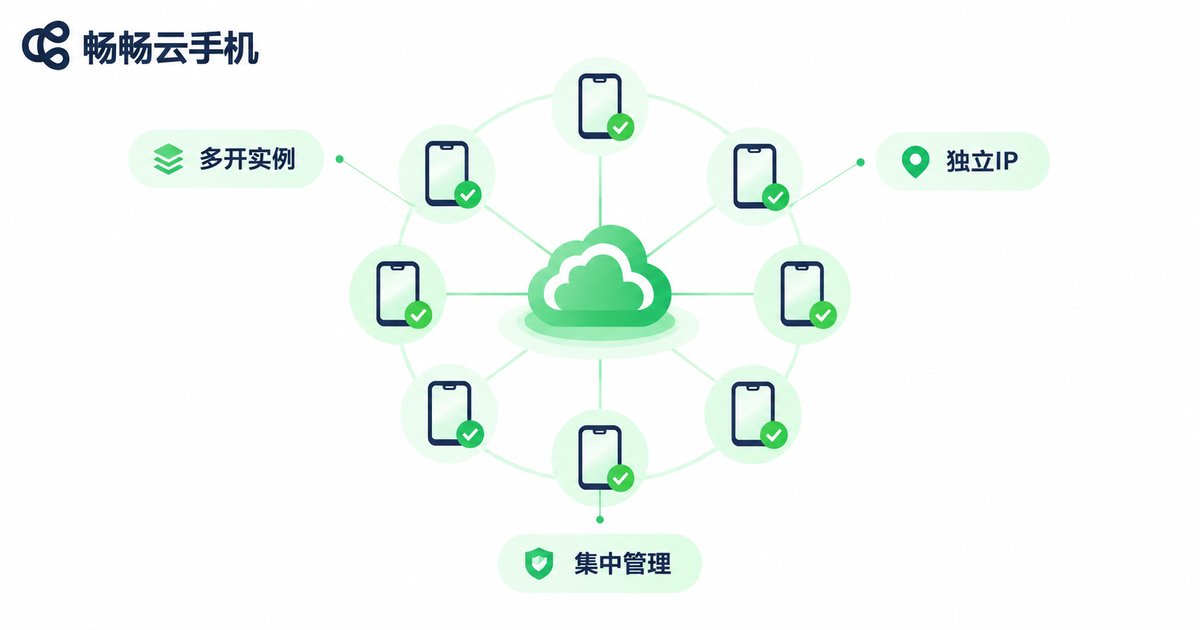
Multi-instance is the core selling point of cloud phones. Traditional multi-instance on real devices is limited by hardware, while cloud phone multi-instance simply means creating multiple independent instances on cloud servers. Each instance has its own storage, processes, and environment—fully isolated.
In practice, a standard plan typically supports 5~10 concurrent instances, and studio users can scale as needed. The management panel supports batch operations: install games in bulk, configure accounts uniformly, and take screenshots across all instances—dramatically faster than managing physical phones one by one.
Key advantages of the multi-instance ecosystem:
① Resource isolation—each instance runs independently; one crash doesn't affect others;
② Elastic scaling—add instances during peak, release during off-peak, pay per use;
③ Centralized management—one panel for all instances, no more "server room patrols."
Performance & Stability: 72-Hour Continuous Test
For idle tasks, the biggest fear is not slowness but disconnection. We ran 72-hour continuous idle tests on mainstream games (MMO dailies, SLG resource gathering, auto-battle card games), tracking disconnections, frame rate fluctuation, and memory usage.
Results summary:
| Test Item | Real Phone (Mid-range) | Cloud Phone (Standard) |
|---|---|---|
| 72h disconnections | 3~5 times | 0~1 time |
| Avg FPS (60fps target) | 52~58fps | 55~60fps |
| Memory (per instance) | 1.2~1.8GB | 1.0~1.5GB |
| Monthly power / hardware cost | ~$10~20 | 0 (included in plan) |
| Network latency | Local Wi-Fi 5~15ms | Cloud 10~30ms |
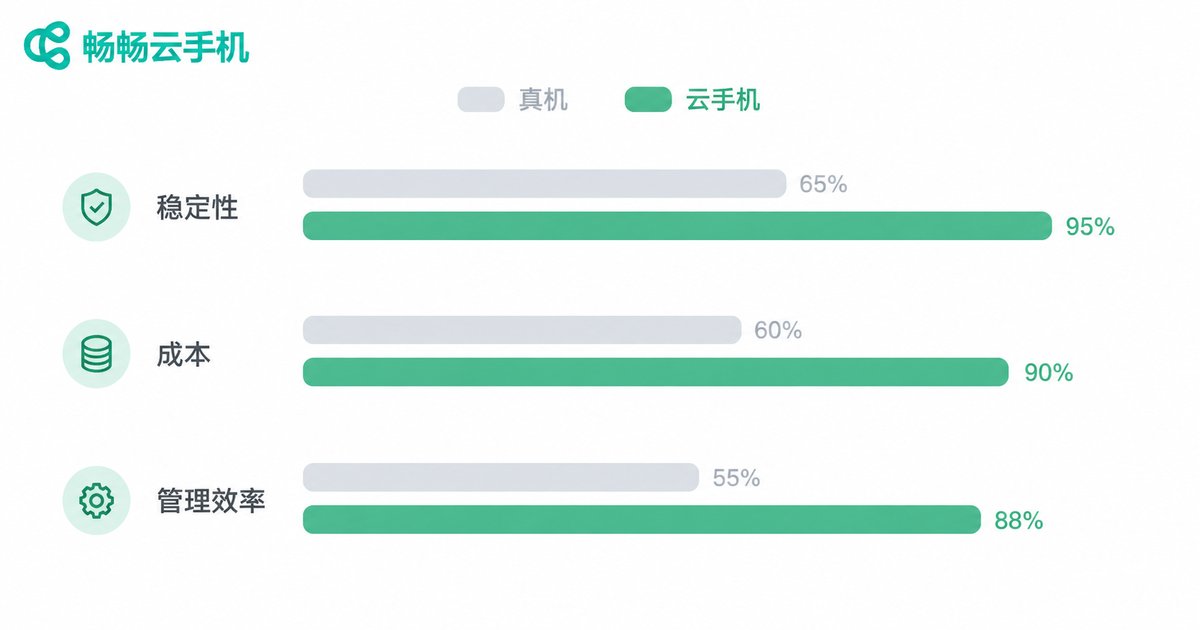
Cloud phones clearly outperform real devices in continuous run stability because cloud servers have professional cooling and redundant networking—no "phone overheating and throttling" issues. The only trade-off is slightly higher network latency, which is imperceptible for idle (non-real-time competitive) scenarios.
Cost Comparison: The Real Math
Many studio operators assume cloud phones are more expensive. In reality, once you go beyond 3 devices, cloud phones become cheaper.
Example: 5 devices × 24-hour idle:
Real phone setup: 5 mid-range phones (~$1,000 upfront) + ~$15/month electricity + cooling + dedicated network ≈ $25~40/month (excluding hardware depreciation)
Cloud phone setup: Flat monthly plan covering all compute and bandwidth, zero extra power cost, zero hardware depreciation, zero cooling cost
More importantly, the hidden costs: real phones need dedicated maintenance, manual restarts after network drops, and hardware replacements—labor and time costs often underestimated in the physical setup.
ccloudphone: A Solution Worth Serious Consideration
After evaluating multiple cloud phone services, ccloudphone stands out for idle gaming studios and multi-instance use cases:
① Efficient multi-instance management—batch operations with second-level instance creation and teardown, ideal for studio scaling;
② Excellent stability—redundant cloud architecture, near-zero disconnections in 72-hour tests;
③ Transparent pricing—clear plan pricing, no hidden fees, pay per instance;
④ Lightweight local management—manage all instances via browser, no heavy client needed, one laptop controls dozens.
For individual players new to cloud phones, start with a single-instance plan to get comfortable. For studio operators, ccloudphone's batch multi-instance management significantly reduces operational complexity. Visit ccloudphone official site for the latest plan details and free trial access.
Frequently Asked Questions
Q: Do I need to keep my computer on for cloud phone idle tasks?
No. All tasks run on cloud servers. You can shut down your local computer and phone—tasks continue. Next time you open the browser or client, you'll see the latest progress.
Q: Will multi-instance be detected and cause account bans?
Each cloud phone instance has its own IP address and device fingerprint. The game sees them as "different devices," fundamentally different from local emulator multi-instance. Risk is extremely low.
Q: Does poor local network affect idle tasks?
Idle tasks are not latency-sensitive. Even with local network fluctuations, cloud tasks are unaffected. You might see brief visual lag when viewing, but task progress never stops.
Q: Can cloud phones run all games compared to real phones?
Mainstream mobile games (Honor of Kings, Genshin Impact, MMOs, SLGs) all work. A very small number of games with strong local sensor dependencies (gyroscope, NFC) may be limited, but idle scenarios are essentially unaffected.
Q: What operating systems does ccloudphone support?
ccloudphone supports management via browser and mobile client on Windows, macOS, iOS, and Android—no additional hardware required.


