
Cloud Phone + AI Brain: How Future 'Digital Employees' Automate Your Workflows
When a Phone Is No Longer Just a Phone: The Cloud Phone × AI Reaction
Have you ever calculated how many hours you spend on repetitive operations each day? Scrolling through messages, responding to notifications, filling out forms, scraping data… None of these tasks are complex, but their sheer tedium is crushing. What if you had a phone that was always online, never got tired, and could actually 'understand' your instructions to finish the work automatically?
That is exactly the picture cloud phones + AI large models are painting. The cloud phone provides a 24/7 mobile execution environment; the AI large model gives it the brain to 'understand intent, plan steps, and execute actions.' Together, a true digital employee is born.
This is not science fiction. Today, with the cloud computing power of ccloudphone and the reasoning capability of mainstream AI models, individual developers and small teams can build their own automated workflows in just a few hours.
What Can a Digital Employee Actually Do? Three Core Scenarios
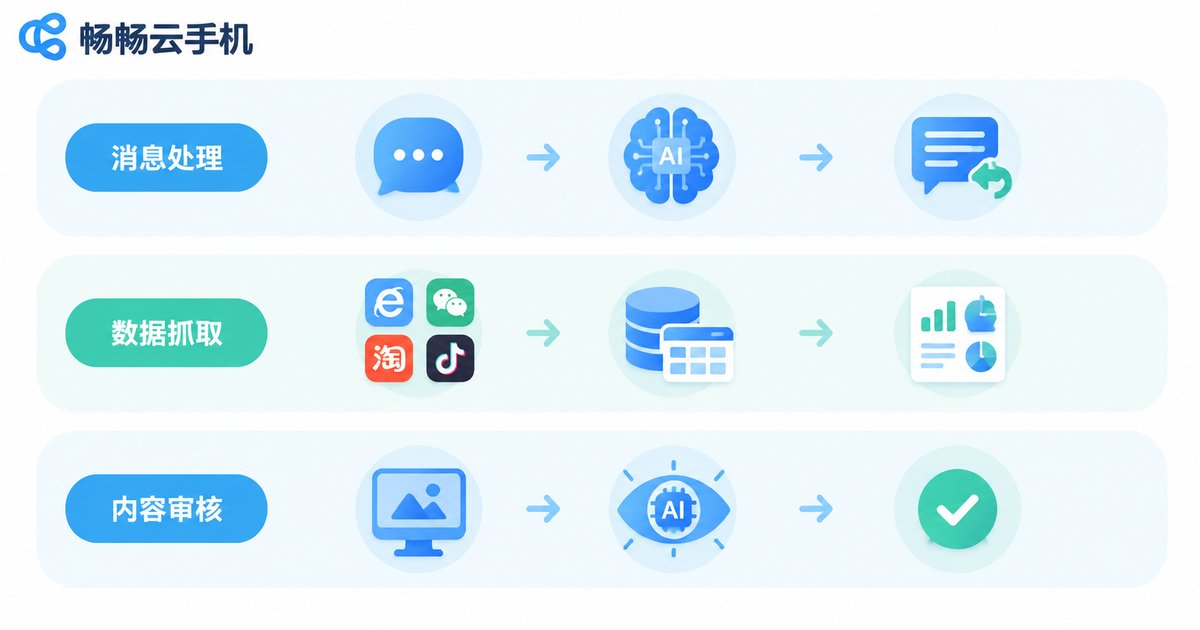
When most people hear 'digital employee,' their first thought is: what can it actually do? Let's break down the three highest-frequency scenarios in plain language:
Scenario 1: Automated Message Handling & Replies
E-commerce customer support, community management, overseas operations… hundreds of messages flood in daily, and manual replies simply can't keep up. A cloud-phone-based AI digital employee can: read messages → understand intent → match knowledge base → generate reply → send, all without human intervention. Complex issues get escalated to a human, doubling efficiency instantly.
Scenario 2: Data Scraping & Report Generation
Need to periodically pull data from multiple apps and compile it into spreadsheets? The digital employee can open target apps on schedule, perform specified actions, capture screenshots or extract text, structure the data, and push the results to you. You just review the output — no manual work required.
Scenario 3: Content Moderation & Compliance Monitoring
UGC platforms, live-stream monitoring, multi-account matrix management… all require 24/7 screen-watching for violations. An AI vision model paired with a cloud phone can automatically detect sensitive content, flag anomalies, and generate audit reports, completely freeing human staff from 'staring at screens.'
ccloudphone: Giving Your AI Digital Employee a 'Workstation'
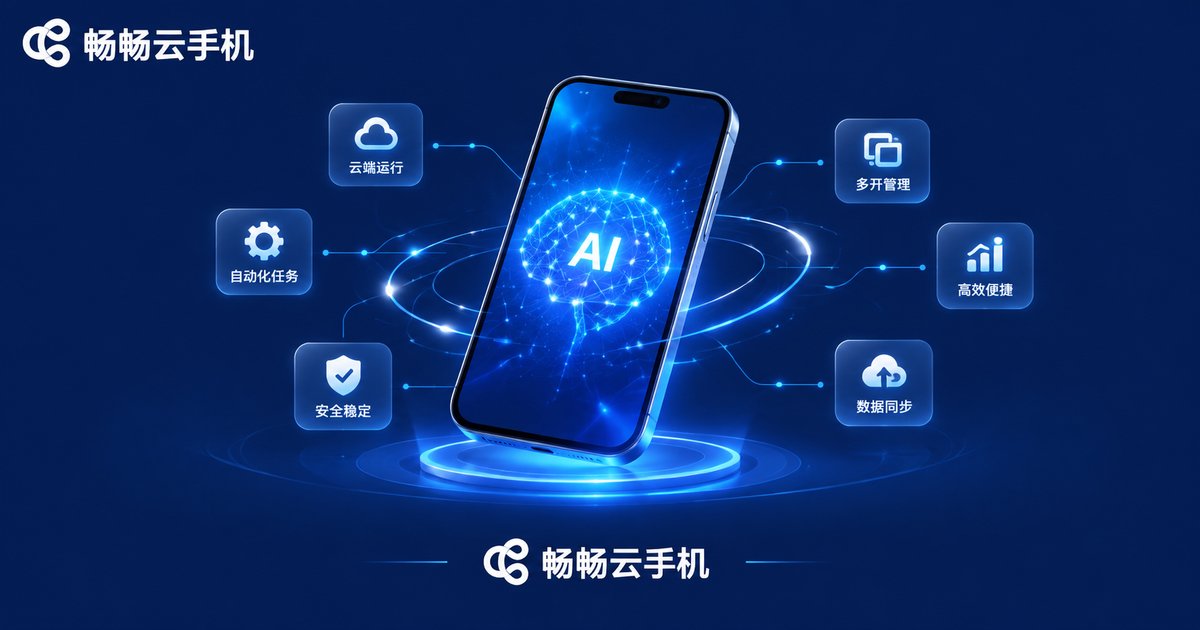
AI is the brain; the cloud phone is the hands and feet. Without a stable execution environment, even the smartest AI can't get to work. ccloudphone solves several critical problems in this layer:
| Pain Point | ccloudphone's Solution |
|---|---|
| Local phone off / network down = everything stops | Cloud-based 24/7 uptime, independent of local devices |
| Multiple accounts/tasks require multiple devices | One cloud phone instance can run multiple apps in parallel |
| Complex deployment, environment setup hassle | Web/client access — instant use, no installation needed |
| Data security risks | Cloud-isolated execution with auditable operation logs |
More importantly, ccloudphone provides a standardized operation interface, allowing AI models to control screen swipes, taps, and text input via commands. This means you don't need to write low-level drivers — the AI's 'decisions' can be directly translated into the phone's 'actions.'
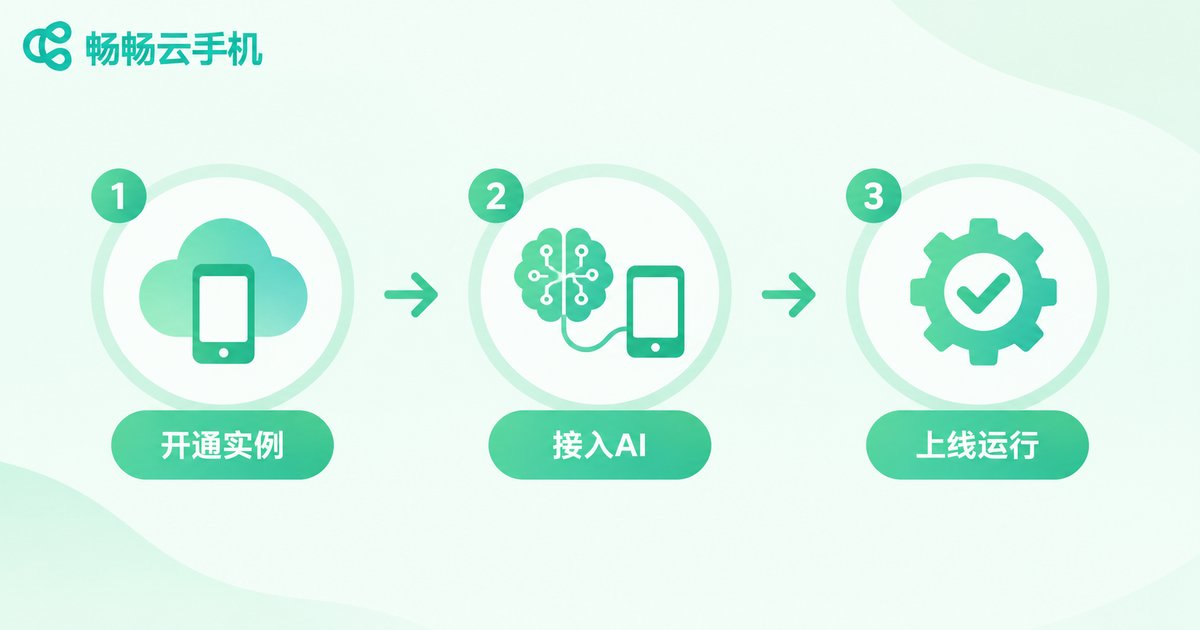
Build Your First AI Digital Employee in Three Steps
Don't be intimidated by the 'AI + cloud phone' combo. The actual setup is far simpler than you'd think:
Step 1: Launch a Cloud Phone Instance
Create a cloud phone instance on the ccloudphone platform and choose a configuration that fits your use case. Once it's up, it behaves like a real device always on standby — you can operate it remotely or hand it over to the AI.
Step 2: Connect the AI Brain
Feed the cloud phone's screen feed (screenshots/video stream) into your chosen AI model (e.g., a vision-language model), and map the AI's output action commands (tap coordinates, text input, swipe direction) back to the cloud phone's operation interface. This is the 'nervous system' connecting brain to hands.
Step 3: Define the Workflow & Go Live
Tell the AI 'what your task is' in natural language or a simple process description. For example: 'Check the order app every 15 minutes. If there's a new order, take a screenshot, save it, and send a notification.' The AI will plan steps, execute actions, and handle exceptions per your preset rules.
Throughout the entire process, you don't write a single line of low-level code and don't maintain any hardware. Your 'digital employee' starts working the moment the instance is provisioned.
Frequently Asked Questions
Q: How is a cloud-phone AI digital employee different from desktop RPA?
A: RPA primarily targets PC desktop applications, while a cloud-phone + AI digital employee covers mobile app scenarios. A huge amount of business (e-commerce, social media, gaming, overseas apps) exists only on mobile. The cloud phone is the only carrier that can run these apps stably 24/7. Additionally, AI's generalization ability far exceeds traditional RPA's 'hardcoded steps,' adapting to UI changes dynamically.
Q: Do I need to train my own AI model?
A: No. Current mainstream LLMs and vision-language models already have sufficient general capability. You just need to describe the task in a prompt, and the AI can understand and execute. ccloudphone provides the stable execution environment and operation interface; for the AI side, you can plug in any mainstream model.
Q: Will the target app detect that it's running on a cloud phone?
A: ccloudphone implements comprehensive device fingerprinting and environment emulation at the low level, making it indistinguishable from a real phone. We also recommend controlling operation frequency and simulating human-like pacing to keep accounts safe.
Q: How many cloud phone digital employees can one person manage simultaneously?
A: Theoretically, there's no hard limit since all instances run in the cloud and you monitor them via a web dashboard. In practice, 5–20 instances is a comfortable scale for individuals and small teams. Beyond that, we recommend grouping and automated alerting.
Q: Which OS versions does ccloudphone support?
A: It supports mainstream Android versions, covering the vast majority of mobile applications. For the latest available versions and configurations, please visit the ccloudphone official website.


