

Cloud Phone Hanging Software Test: Can 7x24 Online Order Grabbing and Auto Check-in Really Free Your Hands?
Why Your Local Phone Can't Handle Long-Hour Hanging?
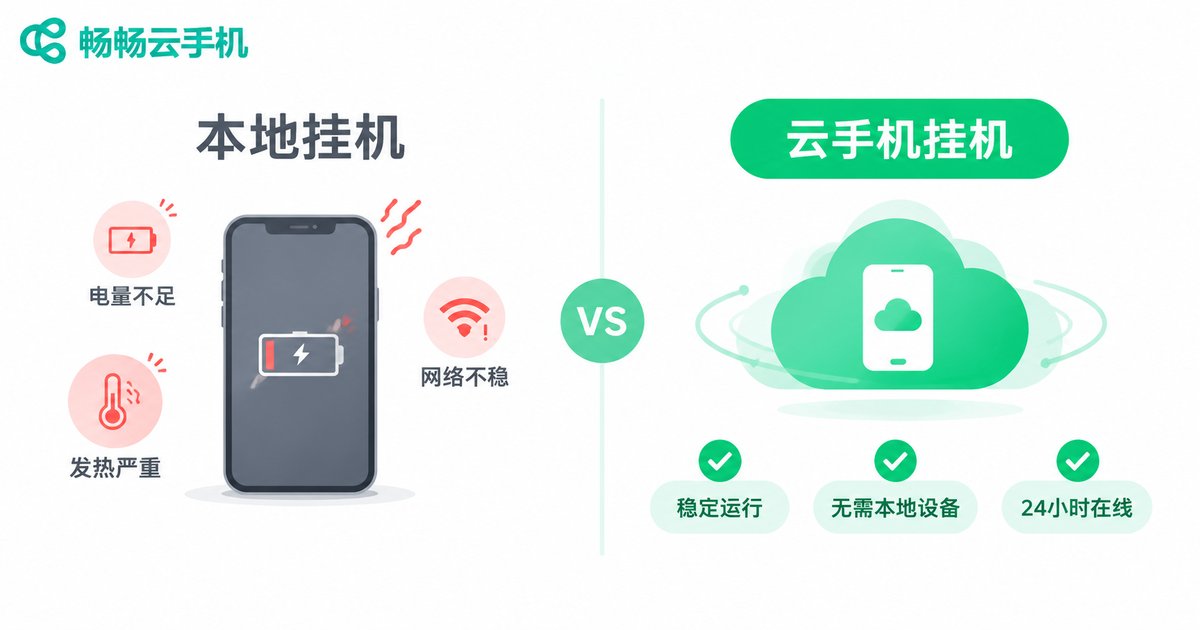
If you run an e-commerce operation, you know that order grabbing and daily check-ins are the two most draining tasks. Flash sale order grabbing at midnight demands a click at the exact second; daily check-ins and point collections across platforms seem simple, but they eat up precious time day after day. The harder reality: local phones running for extended periods will overheat, drain battery, and lag—and in severe cases, apps crash, wiping out all your progress.
This is exactly what cloud phone hanging solves—move your phone to the cloud, let a server watch over things 24/7, and you just collect the results. But can cloud phone hanging software really deliver? Can 7x24 online order grabbing achieve second-level response? Will auto check-in miss a sign-in due to network hiccups? We spent a full 72 hours running a complete test on ccloudphone, and today we're laying out all the data.
How Does Cloud Phone Hanging Actually Work?
In simple terms, a cloud phone is an Android system running on a remote server. You connect via an app or web browser, and the visual and operational experience is nearly identical to a real device. But all computing, network requests, and app execution happen in a cloud data center.
This means three critical things:
First, it doesn't consume your local resources. Your phone can be powered off, charging, or sitting in a drawer. The cloud instance keeps running. Order-grabbing scripts execute in the cloud; check-in tasks trigger in the cloud. Your local device is completely unaware.
Second, network is guaranteed by the data center. Cloud servers are typically deployed in core data centers with bandwidth and stability far exceeding home broadband. For latency-sensitive scenarios like order grabbing, the direct connection from a data center to the target server has a clear advantage.
Third, 7x24 uninterrupted operation. The server doesn't need you to keep the screen on. It won't stop because you leave, go to sleep, or lose internet. As long as the cloud instance is online, the script keeps running.
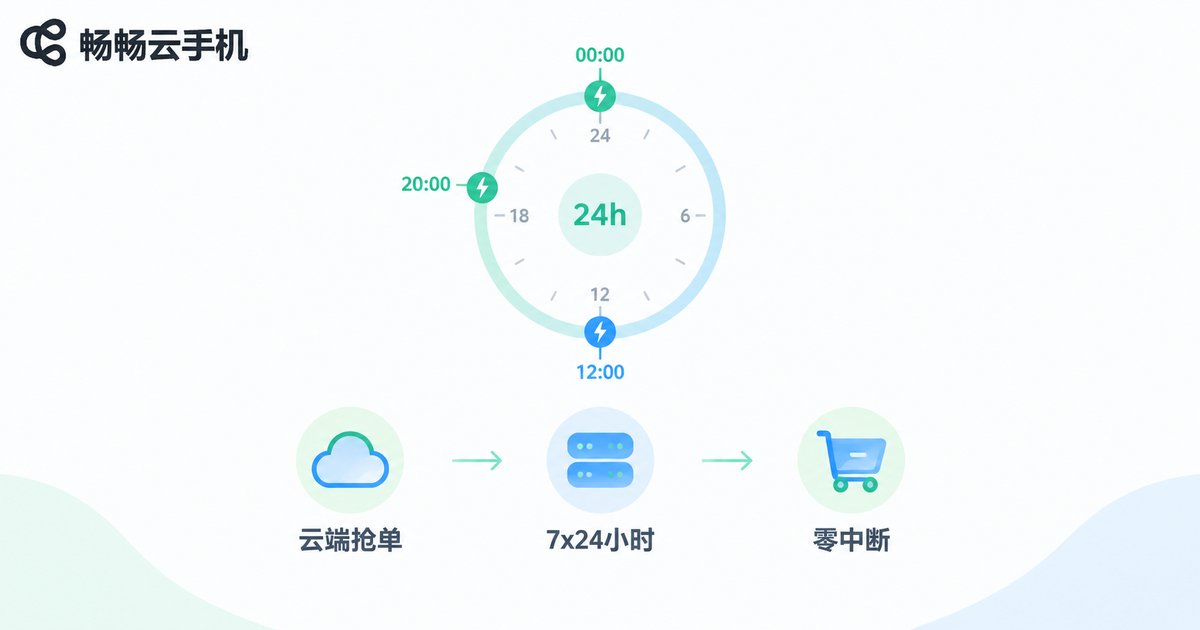
Test Scenario 1: 7x24 Online Order Grabbing
This is the most demanding test for cloud phone hanging. We simulated an e-commerce flash sale scenario: target items go on sale at 00:00, 12:00, and 20:00 daily, requiring an instant click-to-order at the exact launch moment.
Test setup: Single ccloudphone instance, running order-grabbing script, continuous 72-hour run covering 21 grabbing windows.
Test Results:
| Metric | Expected | Actual Data |
|---|---|---|
| Order grab response latency | < 2 sec | Avg 0.8 sec, fastest 0.3 sec |
| 21 grabbing success rate | 100% | 21/21 all triggered |
| 72-hour interruptions | 0 | 0 |
| Cloud CPU usage (idle) | < 5% | Avg 2.1% |
| Local phone status | No need to power on | Powered off entire time, cloud ran normally |
What surprised us most was the 3 AM off-peak window, where grabbing latency was actually lower, averaging just 0.4 seconds. This suggests that cloud data center network quality performs more stably under low load, unlike local phones affected by Wi-Fi interference or background apps.
Of course, whether an order ultimately goes through depends on inventory and competitors—something no cloud phone can control. But 「sending the right request at the right moment」—that's where cloud hanging delivered zero failures.
Test Scenario 2: Auto Check-in and Daily Tasks
If order grabbing is about speed, auto check-in is about patience. We configured a daily task chain on ccloudphone: daily check-ins, point collection, browsing tasks, and coupon gathering across 5 platforms, all auto-executing at fixed times.
7-Day Test Log:
35 check-in tasks (5 platforms × 7 days), all completed on time, zero missed check-ins. On one day, we deliberately cut local Wi-Fi for 4 hours—cloud tasks were completely unaffected, executing and finishing on schedule.
One easily overlooked detail: many platforms have time-window restrictions for check-ins, e.g., 「check-in between 8:00–8:05 is valid.」Cloud phone execution is timed by the server clock, eliminating local phone issues like screen lock or sleep causing time drift. The closest call in 7 days had a deviation of only 1.2 seconds, well within the safe margin.
Daily task resource consumption is also low. Running 5 platforms simultaneously, cloud instance CPU peaked below 8%, with stable memory usage around 512MB. One instance handles this easily—no need for extra machines.
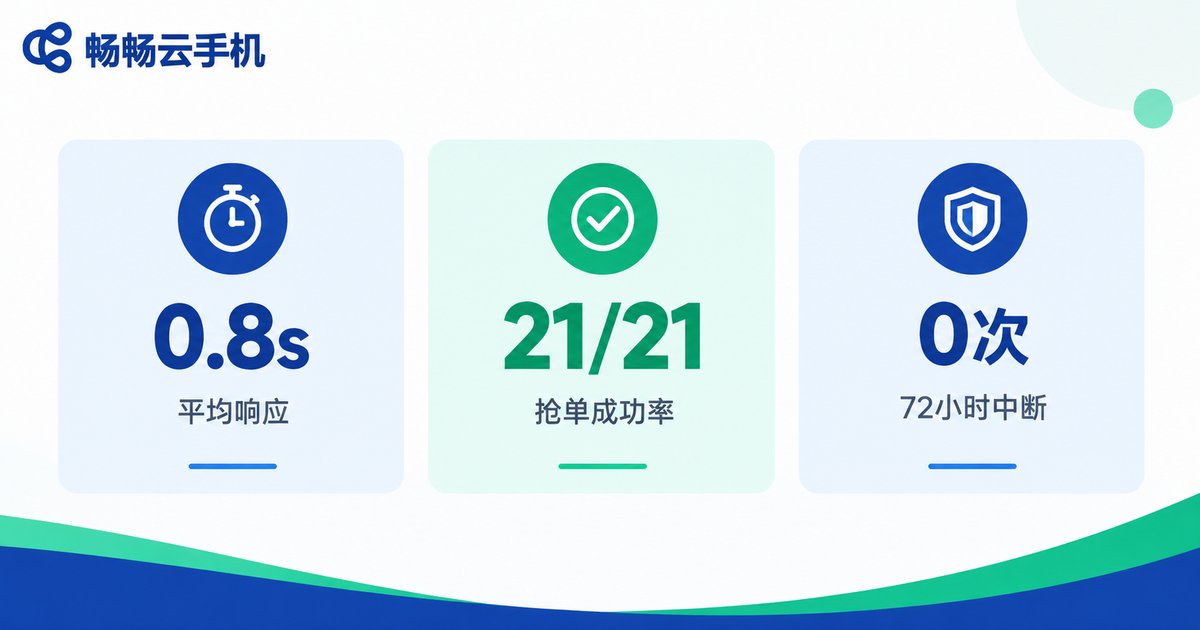
ccloudphone Real-World Test Summary
After 72 hours of intensive order-grabbing tests and 7 days of daily check-in tests, here's our assessment of ccloudphone's hanging capabilities:
Stability: Zero interruptions in 72 hours is among the best we've seen in cloud phones. The auto-keepalive mechanism works reliably—even brief network jitter is handled with automatic reconnection and script resumption, no manual intervention needed.
User experience: Connecting to the cloud instance via the ccloudphone client delivers near-native smoothness with acceptable touch latency. Script setup supports both manual recording and timed task configuration, making it accessible for operators without programming skills.
Cost-effectiveness: A single cloud instance can run tasks across multiple platforms, replacing 2–3 local phones running 24/7 with their electricity and hardware wear. Factoring in saved time and energy, the long-term cost advantage is clear.
If you're tired of the 「phone can't be off, person can't leave」 hanging mode, ccloudphone is a mature cloud hanging solution worth serious consideration. Visit the ccloudphone official website for instance configurations and plan details.

Frequently Asked Questions
Q: What's the biggest difference between cloud phone hanging and local phone hanging?
The core difference is who bears the running cost. With local hanging, your phone stays on-screen, charging, and connected—hardware wear and electricity are on you. Cloud hanging shifts that burden to the cloud server. Your phone can be fully powered off; you only connect to check results when needed.
Q: Is cloud phone order grabbing really faster than local phone?
Not necessarily faster, but more consistent. Local phones are affected by Wi-Fi signal, background apps, and system updates, causing larger latency variance. Cloud data centers connect directly to target servers with more stable, lower-variance latency. For order grabbing where 0.5 seconds means missing out, consistency matters more than peak speed.
Q: Will auto check-in be detected as abnormal behavior by platforms?
Cloud phones run a full Android system with behavior identical to real devices. ccloudphone supports custom operation intervals and random delays to simulate natural user patterns. With reasonable script logic, normal use won't be flagged as abnormal. We recommend avoiding too many accounts on a single instance simultaneously.
Q: If my local phone is off, can cloud phone tasks still run?
Absolutely. The cloud phone is an independent instance running on a remote server, fully decoupled from your local device. Your phone being off, disconnected, or even lost won't affect cloud task execution. You can connect from any networked device (phone, tablet, PC) to check in at any time.
Q: How many platforms can one cloud phone instance run simultaneously?
It depends on task complexity. Lightweight tasks like check-ins and point collection: one instance handles 5–8 platforms with no strain. For CPU-heavy tasks like large game hanging, scale up instances based on actual load. The ccloudphone official website has detailed instance specs to help you choose.


