

Cloud Phone Matrix Management: Account Grouping, Task Scheduling and Exception Logging
Why You Need Matrix Thinking for Cloud Phone Management
Running one or two cloud phones from memory and ad-hoc clicks is fine. But once the fleet grows to dozens or hundreds of devices, the problems pile up fast: who is using which device, which task stalled halfway, which accounts dropped offline yesterday. If that information only lives in someone's head, operational efficiency collapses quickly.
The core of matrix management is turning devices, accounts, tasks and exceptions into structured data that can be queried, replicated and reviewed. Here is how to break it down into three stages.
1. Account Grouping: Give Every Cloud Phone a Profile
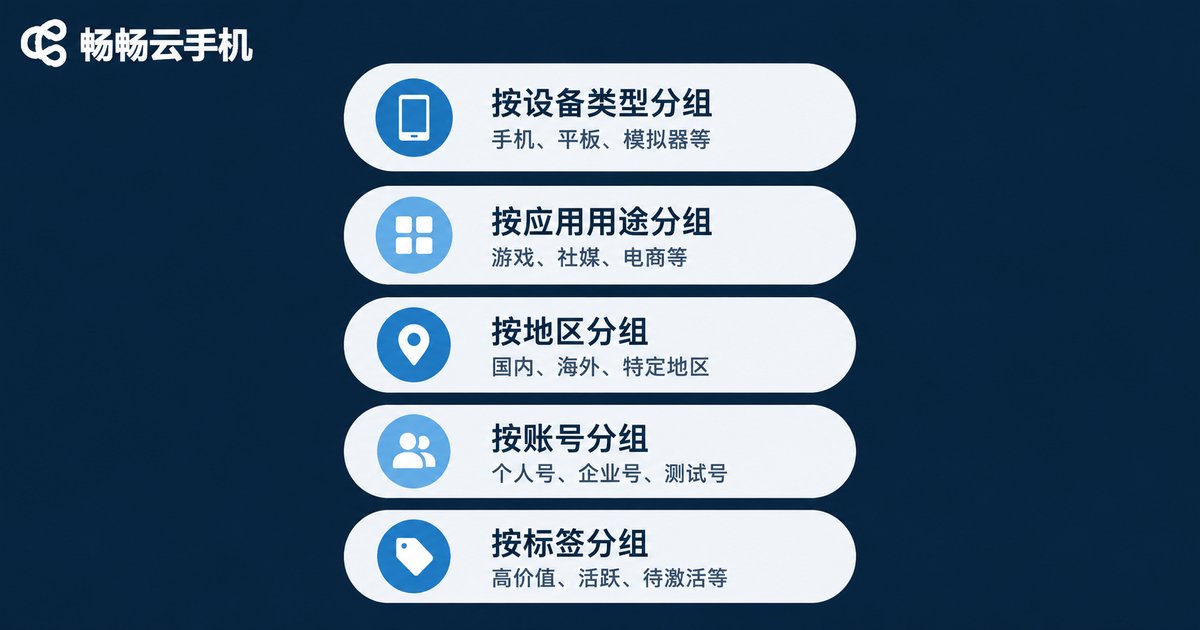
Grouping is not just giving devices a nickname; it is defining a unique identity for each cloud phone. Tag from five dimensions:
- Business line: e-commerce, content, customer service, testing — kept apart
- Platform: accounts for different app platforms stored separately to prevent mix-ups
- Network environment: grouped by region or data center for easy bulk adjustment
- Account stage: new, warming up, stable, pending retirement
- Owner: who operates it, who gets called when something breaks
Adopt one naming rule such as line-platform-number, for example EC-TT-017. You can then locate a device at a glance in the list instead of clicking through to guess. Once grouping exists, bulk operations and bulk scheduling have a clear target.
2. Task Scheduling: Turn Repetition into a Dispatchable List
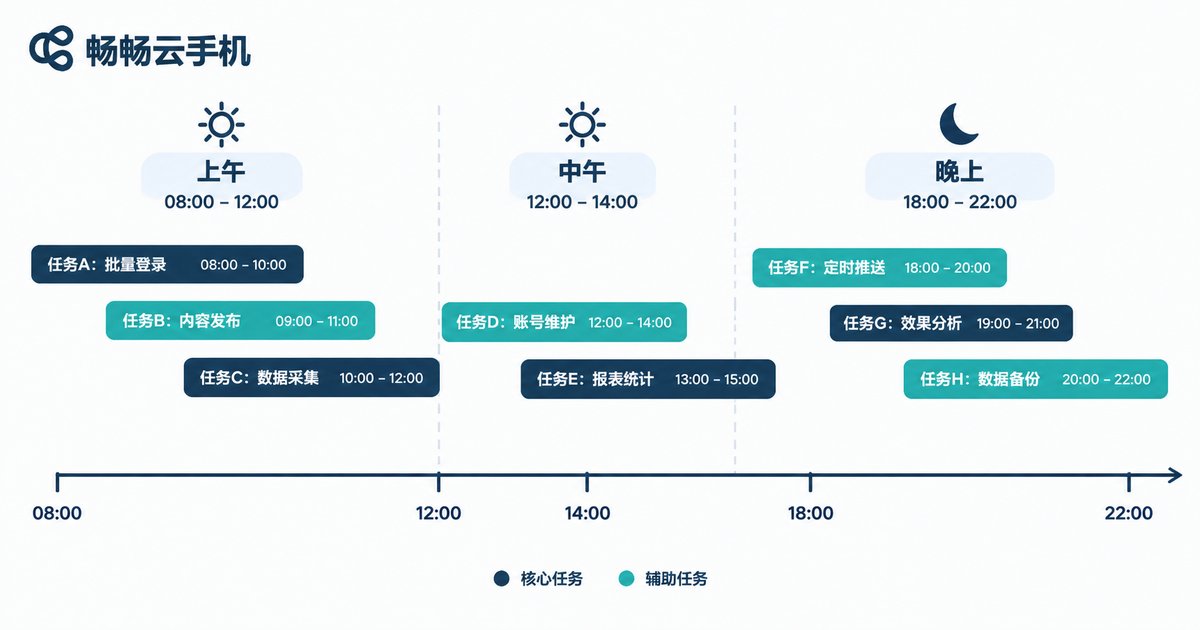
The goal of task scheduling is to stop daily routines from depending on human memory. Split it into three layers:
(1) Template the tasks. Package a fixed set of actions into a template, for example a morning inspection = power check + login status confirmation + message sync + result logging. Write it once, reuse it forever, and new team members can follow it.
(2) Stagger the schedule. Spread tasks across time windows so all devices do not hit the same endpoint in the same minute. Staggered execution clearly reduces failure rates and makes exceptions easier to attribute.
(3) Set concurrency and retries. Define a sensible concurrency cap, retry failed tasks once or twice automatically, then move them into an exception queue instead of looping endlessly and consuming resources.
A practical rule of thumb: if an action can be written into a template, it should not be clicked manually.
3. Exception Logging: Make Every Failure Traceable
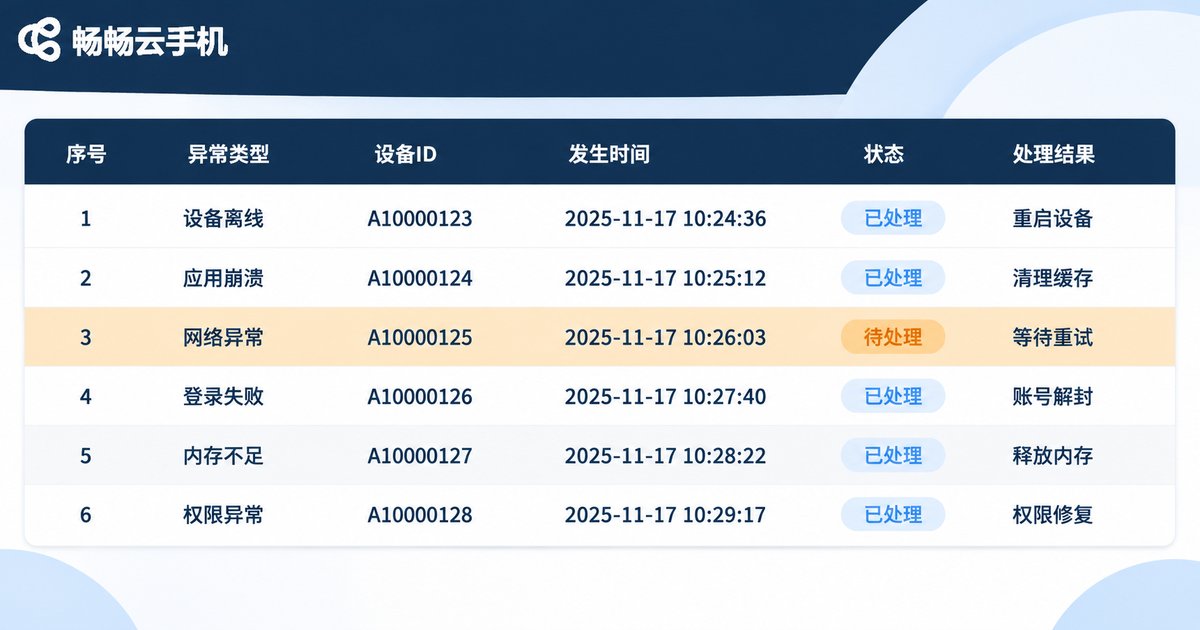
An exception is not the phrase something went wrong; it is a traceable record. Every entry should contain at least these fields:
| Field | Description |
|---|---|
| Timestamp | Accurate to the minute, easy to cross-check with platform notices |
| Device ID | Matches the grouping name, pinpoints the exact device |
| Task name | Which task chain failed |
| Exception type | Login failure, disconnect, timeout, environment error |
| Action taken | Restart, swap device, manual intervention |
| Conclusion | Root cause and how to avoid it next time |
The value appears later, after a week or a month of entries: exceptions tend to cluster on a few devices or a few time points, and most failures come from a small set of recurring causes. Eliminate them one by one and overall stability takes a clear step up.
4. Three Management Approaches Compared
| Approach | Grouping clarity | Task automation | Exception traceability | Fit for scale |
|---|---|---|---|---|
| Memory only | Low | Almost none | Essentially none | 1–3 devices |
| Spreadsheet + manual execution | Medium | Low, needs watching | Backfilled by hand, easily missed | 3–20 devices |
| Cloud phone platform + grouped tasks | High, structured tags | High, reusable templates | Field-based records, reviewable | 20+ devices |
5. Putting Matrix Management into Practice with CCloudPhone
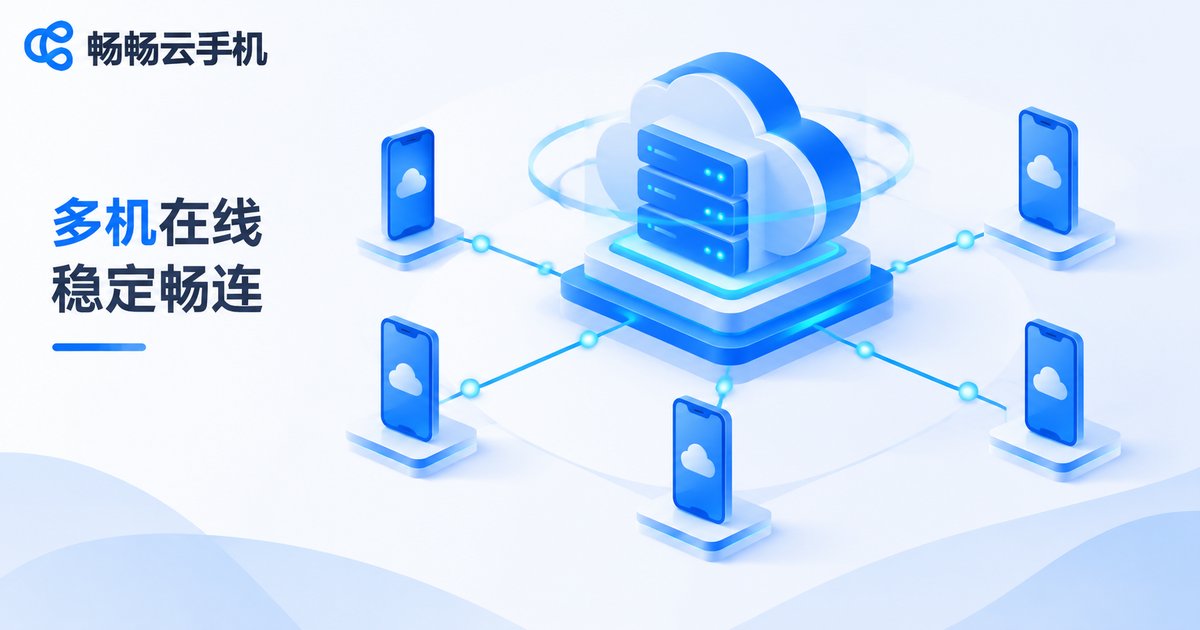
CCloudPhone (ccloudphone) provides Android cloud phone instances running in the cloud. Devices stay online around the clock and do not consume local phone resources. In a matrix management scenario, the value shows up in three places:
Grouping and bulk operations: organize multiple cloud phones into groups within the interface, install and launch apps in batches, and cut repetitive clicking. Always-on in the cloud: tasks do not stop because a local computer shuts down or loses its connection. A single entry point: dozens of devices converge into one view where grouping, tasks and status live together, which makes handovers far easier.
A recommended rollout order: finish grouping by business line first, then build three to five high-frequency task templates, then start running the exception log. After those three steps, your matrix stops being a pile of devices and becomes an operable system.
FAQ
Q: How many cloud phones before matrix management is worth it?
Start once you pass five devices. The cost is minimal at that size; if you wait until you have dozens, historical data is already broken and reviews become painful.
Q: Must grouping follow business lines?
No. Business line, platform or network environment can all be the primary dimension. What matters is that the whole team uses one rule set instead of mixing several naming schemes.
Q: When is the best time to schedule tasks?
Avoid platform peak hours and spread tasks across multiple time windows. Leave enough gap between consecutive tasks so they do not compete for resources.
Q: How detailed should exception records be?
Detailed enough to answer when, which device, which task, what error, what action was taken and what the conclusion was. Too many fields and nobody fills them in.
Q: Does keeping cloud devices online long-term hurt stability?
Run periodic device inspections and account status checks, and flag devices that are idle or repeatedly failing so they can be handled in one pass. Keeping groups tidy keeps the whole fleet stable.


