
How to Build a Cloud Phone Live Streaming Matrix: Complete Guide to Batch Control and Multi-Camera Simultaneous Broadcasting
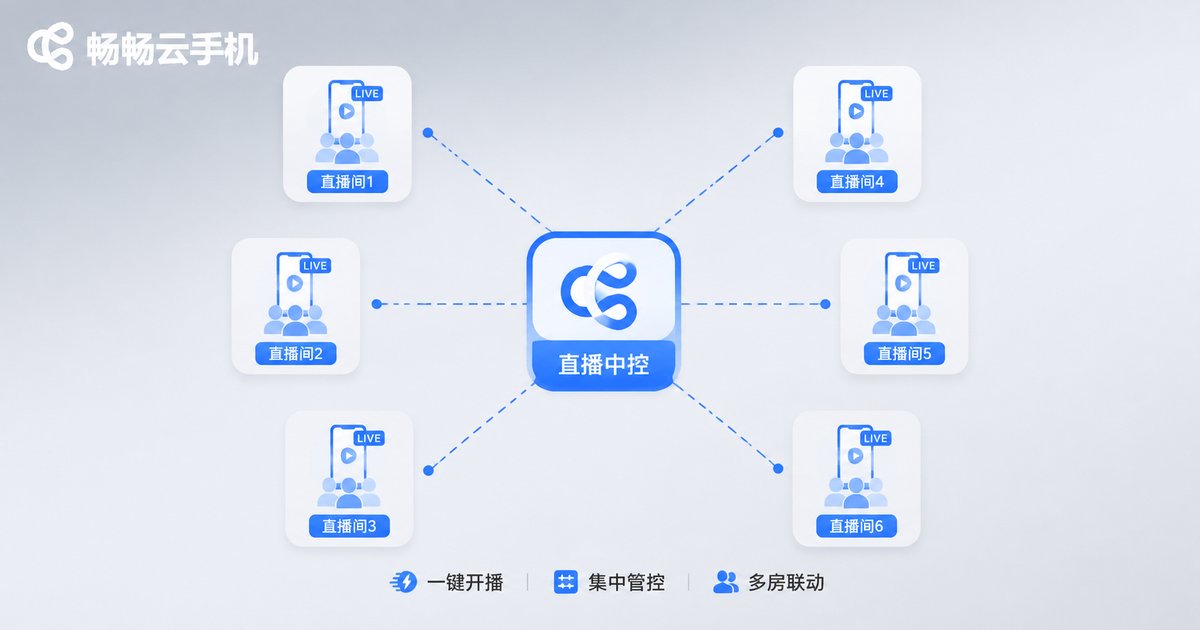
What Is a Live Streaming Traffic Matrix?
A live streaming traffic matrix simply means running multiple streaming accounts and live rooms at the same time, with each account covering a different traffic entrance and ultimately funneling scattered viewers into your main account or private community. If you sell clothing, for example, you could run three live rooms simultaneously: one for women's fashion, one for men's, and one for clearance sales. Each room attracts a different audience, yet all of them drive traffic to your brand.
The core logic of a matrix is wide coverage through multiple entrances. A single live room has an obvious traffic ceiling, but ten rooms broadcasting at once means ten times the exposure—which is exactly why more and more teams are building live streaming matrices.
Three Pain Points of Building a Matrix with Physical Phones
The idea sounds great, but building a matrix with physical devices leads to three unavoidable problems:
1. High hardware costs. A phone capable of smooth streaming costs hundreds of dollars at minimum. A 10-account matrix means thousands in devices alone, not counting stands and lighting.
2. Difficult management. Ten phones scattered across a room—powering them on, logging in, switching rooms—one person simply cannot handle it all.
3. Location constraints. Physical phones need a fixed location and a stable network. Moving offices or managing remotely is nearly impossible.
Cloud Phones: The Best Carrier for a Streaming Matrix
A cloud phone runs a complete phone system on remote servers, and you operate it through an interface on your computer or phone. For streaming matrices, the advantages are clear:
| Factor | Physical Phone Matrix | Cloud Phone Matrix |
|---|---|---|
| Device cost | Hundreds per phone | Pay as you go, no purchase |
| Management | One by one, manually | Centralized in one dashboard |
| Uptime | Limited by battery and location | 24/7 online in the cloud |
| Scaling speed | Procurement and setup, slow | New instances in minutes |
Simply put, cloud phones let you solve hardware problems with software, dramatically cutting both cost and management effort.
Batch Group Control: One Person Managing Dozens of Live Rooms
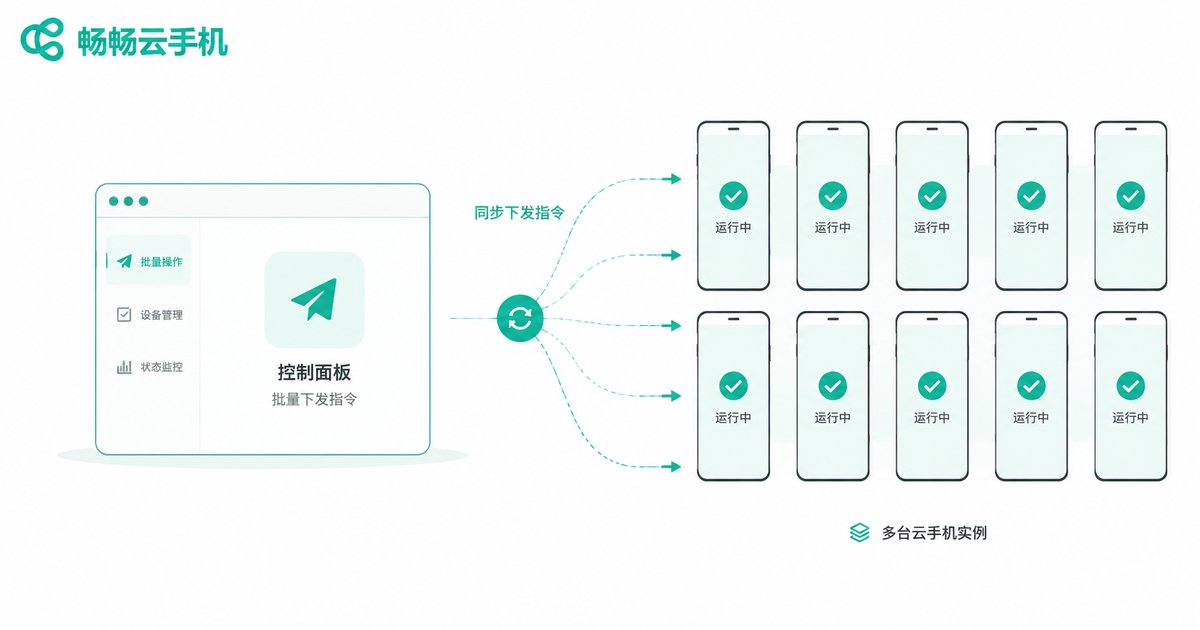
Group control is the core capability of cloud phones for matrix operations. Batch group control means organizing multiple cloud phone instances into a group and executing operations in sync with a single action. What can it do?
Bulk app launching: Open the streaming app on all instances with one click, no tapping one by one.
Bulk account wake-up: Log in to the corresponding account on each cloud phone in advance, then launch broadcasts from the group control panel all at once.
Synchronized screen operations: Perform an action once on the master screen, and every instance in the group executes it simultaneously—ideal for setting stream parameters or updating profiles in bulk.
Group management: Organize accounts by positioning, such as a women's fashion group, a men's group, and a clearance group, each running its own strategy without interference.
A reminder: group control exists to improve management efficiency. Each platform has its own rules for streaming behavior, so your broadcast content and interaction methods must comply with platform policies for the matrix to run stably over the long term.
Key Configuration Points for Multi-Camera Simultaneous Broadcasting
Multi-camera in a matrix context means multiple accounts and live rooms broadcasting at the same time. Four key points make it run smoothly:
1. Account differentiation. Each account needs a distinct name, avatar, and bio, and the streaming content should differ to avoid being flagged as duplicate content.
2. Staggered scheduling. With limited hosts, stagger broadcast times—Account A at 7 PM, Account B at 9 PM—to cover different traffic windows.
3. Independent visuals and audio. Prepare separate materials, backgrounds, and scripts for each live room. Cloud phones let you configure each instance independently without interference.
4. Separate data monitoring. Track viewer counts, engagement, and conversion for each room separately to identify which accounts and time slots perform best, then adjust accordingly.
Complete Setup Steps: From Zero to Live
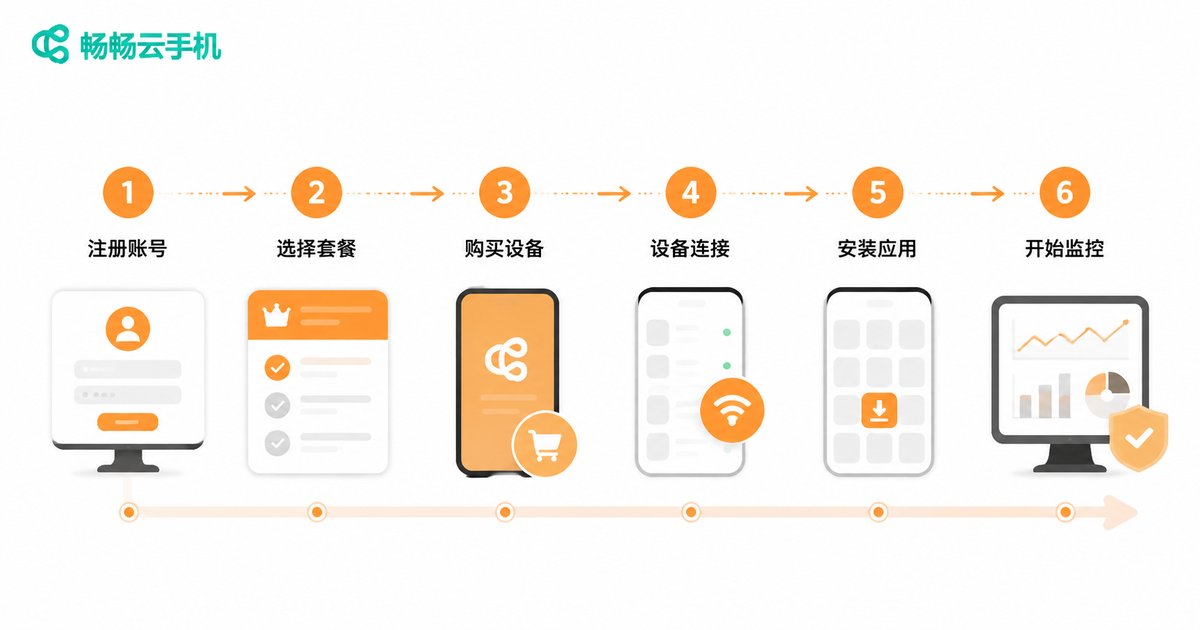
Here is the full setup process using CC Cloud Phone as an example:
Step 1: Activate cloud phone instances. Register a CC Cloud Phone account and activate the number of instances matching your matrix size—start with 3-5 to test the workflow before scaling.
Step 2: Install streaming apps. Install your streaming platform apps on each cloud phone and complete account login and identity verification.
Step 3: Position accounts and create groups. Define the content positioning for each account, then create groups in the group control panel by positioning for easy batch operations.
Step 4: Configure broadcast parameters. Set titles, covers, and category tags for each live room, and verify that display and audio output work correctly.
Step 5: Batch launch and monitor. At broadcast time, start streams in bulk via the group control panel, then check each room's status and watch real-time data.
Step 6: Review and iterate. After each session, compile data across accounts, keep what works, adjust or retire what doesn't, and gradually scale the matrix.
Why We Recommend CC Cloud Phone
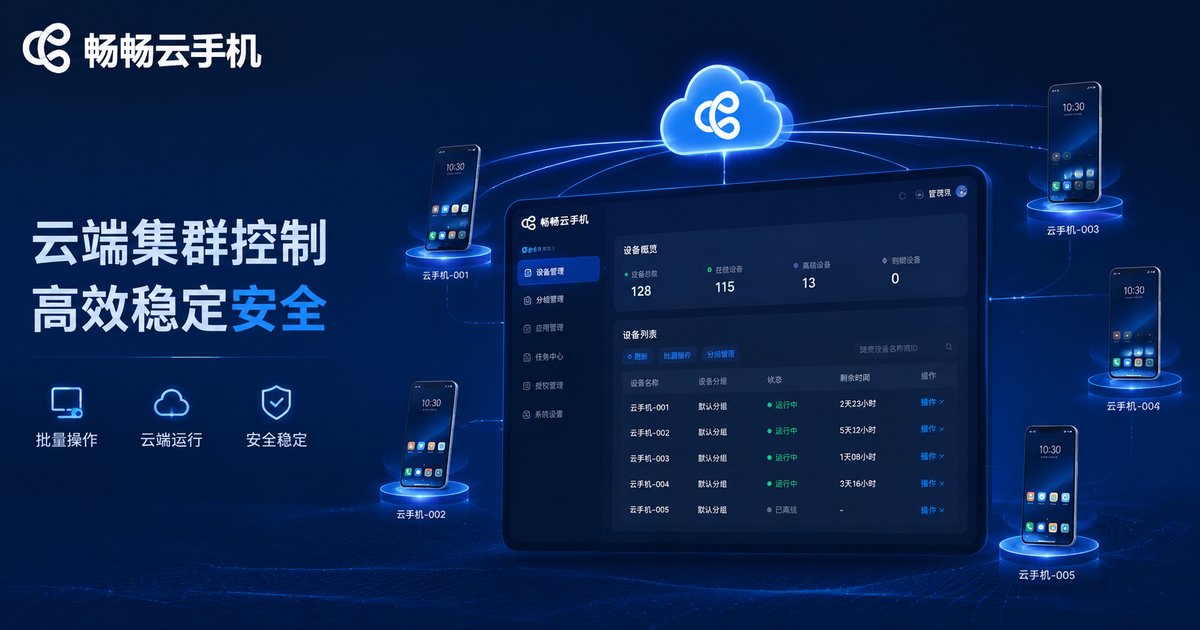
There are many cloud phone products on the market, but for streaming matrices we recommend CC Cloud Phone for three reasons:
1. Reliable stability. Nothing kills a stream like a sudden disconnect. CC Cloud Phone runs on cloud servers where instances stay online long-term, reducing the risk of interrupted broadcasts.
2. Complete group control features. Multi-instance group management and synchronized batch operations cover everything from app installation to broadcast setup—managing dozens of accounts is effortless.
3. Low barrier to entry. The interface is intuitive, and beginners can follow the guided onboarding without any technical background.
Visit the official CC Cloud Phone website for more feature details. Start small, validate the workflow, then scale your matrix.
FAQ
Q: Will cloud phone streaming be restricted by platforms?
Platforms restrict violations, not devices. As long as your account credentials are normal, content is compliant, and interactions are genuine, a cloud phone is no different from a physical phone in the platform's eyes. The key is following each platform's streaming rules.
Q: How many streaming accounts can one cloud phone instance hold?
We recommend one account per instance. This keeps account environments independent and data isolated, and makes management clearer. Your matrix size equals your instance count—activate as needed.
Q: Can one person run a streaming matrix without a team?
Yes—that is exactly the value of cloud phone group control. Batch operations compress repetitive work into minutes, making 5-10 accounts manageable for one person. Expand your team once traffic grows.
Q: How is the streaming quality and smoothness on cloud phones?
Cloud phones run on cloud servers, and performance depends on the instance specifications you choose. With a properly configured instance, stream quality and smoothness can meet the demands of daily commerce and chat streaming.
Q: Do matrix accounts affect each other?
Each cloud phone instance is an independent environment with isolated data. However, content differentiation matters—multiple accounts broadcasting identical content may be flagged as marketing accounts, hurting recommendation traffic.


