
Cloud Phone Common Limitations: Feature Boundaries, Usage Rules and Risk Reminders
First, What Exactly Is a Cloud Phone?
A cloud phone is not an app installed on your handset. It is a virtual Android phone running in a data center. Your screen, keyboard and network connection are simply the remote control: the server compresses the picture and streams it to you in real time, and your taps and swipes travel back to the server to be executed.
Because the computing power comes from a shared server room and the picture travels over the network, a cloud phone is not a one-to-one match for a physical phone. Understanding these boundaries up front saves you from the frustration of discovering a task simply cannot be done after you have already paid.
Boundary 1: Performance Is Good Enough, Not Top Tier
CPU, GPU and memory are allocated centrally in the cloud. Chat apps, short video, web browsing, office work, light gaming and multi-instance idling all run comfortably. But heavy 3D games at maximum graphics and high frame rates, or long full-load rendering, will feel one step behind a flagship physical handset.
A practical approach: run the apps you use most on a small instance first, confirm they are good enough, then decide whether to upgrade. Do not start at the most expensive option by default.
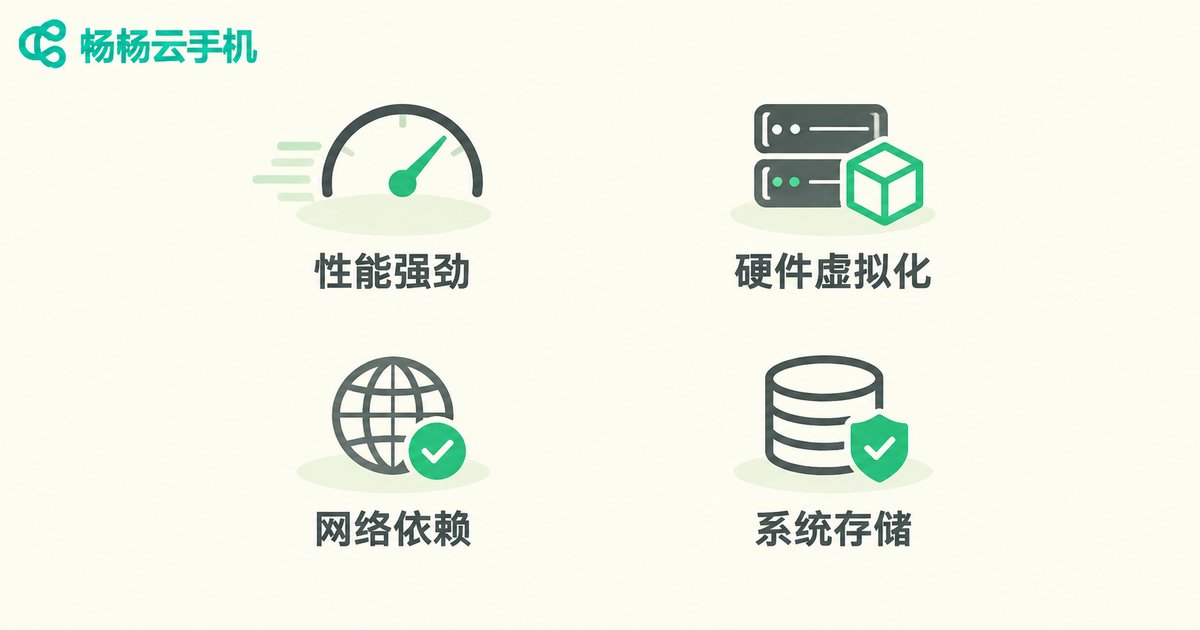
Boundary 2: Hardware-Dependent Features Get Virtualized
Cameras, gyroscopes, NFC, fingerprint sensors and SIM cards have no physical counterpart in the cloud. Most cloud phones provide virtual cameras, simulated sensors and virtual location to fill the gap, and that covers everyday use of most apps. But steps that strongly depend on real hardware, such as certificate-based fingerprint verification, NFC tap-to-pay, or checks tied to a hardware unique ID, may simply not work.
If your business relies on one specific hardware capability, validate it on a small scale before planning a large migration.
Boundary 3: Everything Depends on the Network
The network is the lifeline of a cloud phone. High latency makes controls feel sluggish, low bandwidth automatically lowers picture quality, and a dropped connection cuts the session immediately. Running a device on mobile data for hours also burns a lot of traffic. Use stable Wi-Fi or broadband and keep the device where the signal is strong; if you need 24/7 uptime, prefer a wired connection or a fixed router setup.
Boundary 4: System Version and Storage Are Not Unlimited
The Android version and available storage of a cloud instance are set by the provider. You cannot flash ROMs, install system modules or modify the kernel the way you might on a physical phone. Scenarios that need root, a specific system version or deep system customization should be confirmed with the provider in advance.
Storage is also typically a fixed capacity, so screenshots, caches and downloads need periodic cleanup or the instance may start to misbehave when space fills up.
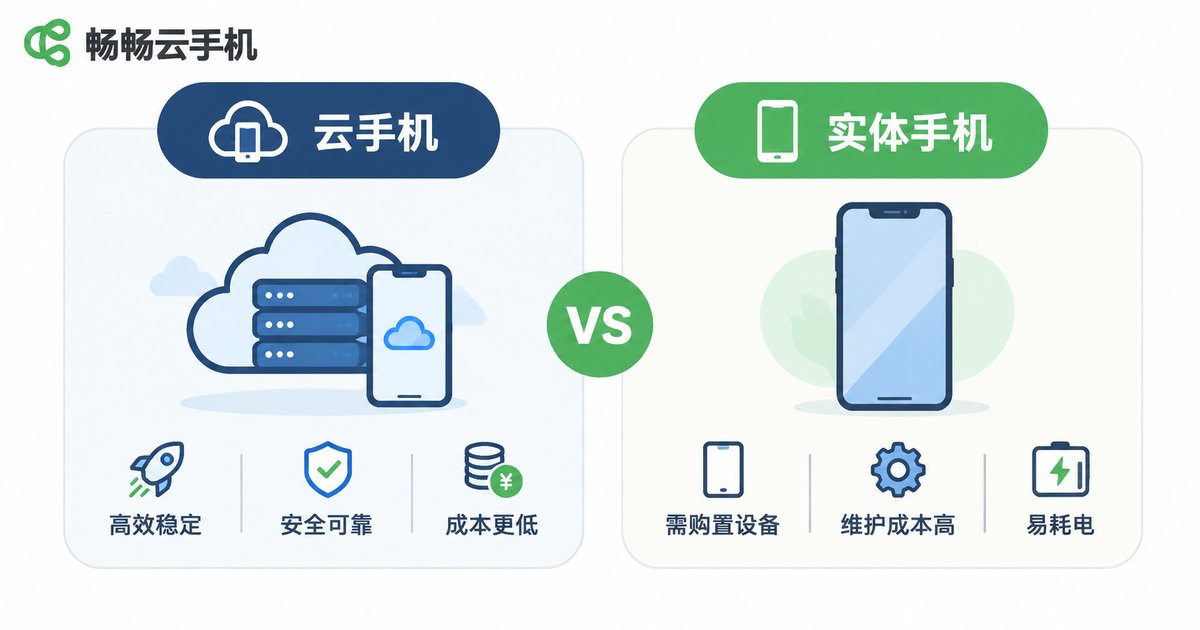
One Table: Cloud Phone vs Physical Phone
| Item | Cloud Phone | Physical Phone |
|---|---|---|
| Computing source | Shared allocation in a data center | Local chipset on the device |
| 24/7 online | Unaffected by power-off or device switching | Requires the device to stay on and charged |
| Multi-instance | Scales by instance count, no local resources used | Limited by local performance and storage |
| Camera / NFC / fingerprint | Mainly virtualized simulation, limited | Real hardware, full functionality |
| Network dependence | Critical, session ends when disconnected | Light, works offline |
| Data location | Stored in the cloud | Stored on the local device |
| Best for | Idling, multi-account management, automated testing, cloud office | Daily driver, heavy gaming, mobile payments |
Usage Rules: Things You Should Never Do
A cloud phone is a neutral tool, but there are clear red lines. The following behaviors break platform rules and usually the cloud provider service agreement as well:
- Bulk account registration, order farming, view farming, abusing platform subsidies — these are prime targets for risk control, and the accounts and the environment are usually handled together.
- Running plug-ins, automated gold farming or cracking scripts — this is a rule violation and often a legal one; a suspended account is usually the lightest outcome.
- Uploading, storing or distributing illegal content — providers have content review obligations and will shut down the service once found.
- Subletting or sharing accounts with strangers — if they violate the rules, the responsibility lands on your account.
- Using someone else identification for verification — this is an explicit violation.
Risk Reminders: Three Real Pitfalls
1. Platform risk control. Many apps detect whether the runtime environment is a virtual device. Even with environment simulation, a cloud phone is not guaranteed to pass every check. When registration, login or payment is blocked, stop and confirm the platform rules instead of retrying repeatedly, which can trigger stricter controls.
2. Data and account security. Passwords, verification codes and chat history all live in the cloud. Use strong passwords, enable two-factor authentication, and never store ID photos or bank card details inside an instance. The risk is clearly higher with cloud phone services of unknown origin.
3. Service continuity. Cloud services depend on data centers and networks, so maintenance, upgrades or network fluctuations can cause short outages. For time-critical business, always keep a backup plan.
ccloudphone: A Cloud Phone That States Its Boundaries Up Front
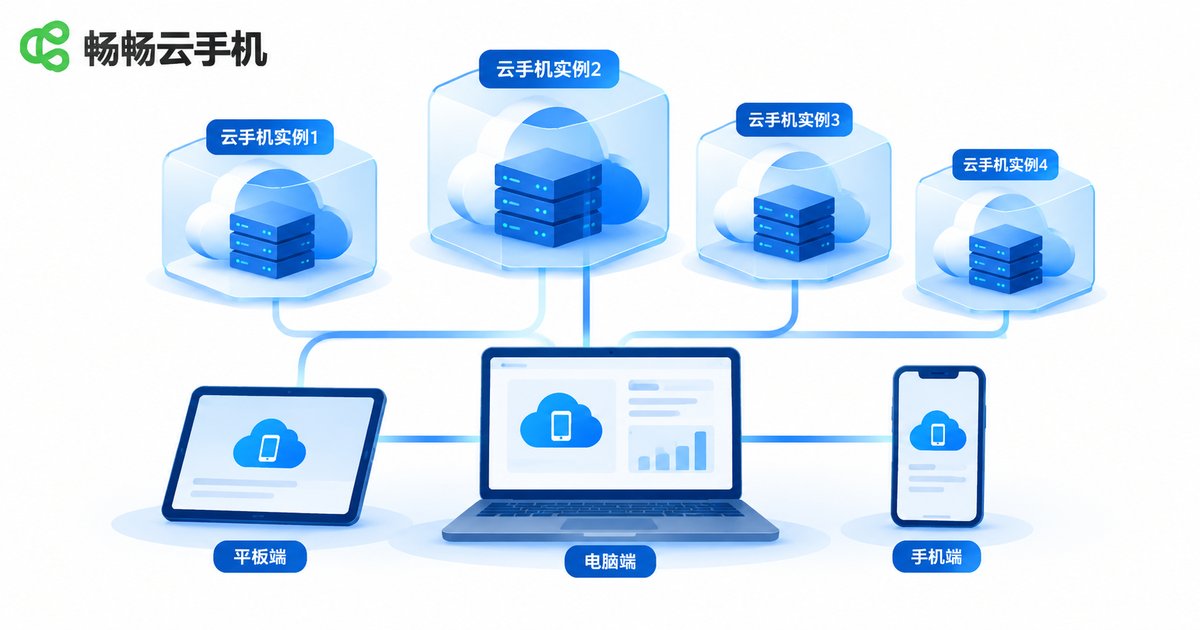
ccloudphone provides Android phone instances running in the cloud, accessible from a computer, a phone or a web browser. One account can manage and view multiple cloud instances at the same time, which suits scenarios that need long online hours and parallel environments.
It does not dodge the boundaries described above: performance depends on the spec you choose, experience depends on your network, and whether a given app runs depends on that app own rules. What ccloudphone focuses on is giving each instance an independent runtime environment, keeping the fundamentals of stable uptime and data isolation solid, and stating specs and suitable scenarios clearly so you can choose by need instead of buying first and troubleshooting later.
If you only want to verify whether a cloud phone can run your application, the safest path is to test on a small instance first, confirm the whole flow works, and then scale up gradually.
Five Tips to Run More Smoothly
- Start small: validate app compatibility and network conditions on a low-spec instance before scaling up.
- Dedicated network: give the cloud phone stable Wi-Fi or broadband and keep downloads and live streams off that link.
- Account isolation: use different accounts across instances so one problem does not drag everything down.
- Regular cleanup: clear unused caches and files so storage does not fill up and cause errors.
- Back up critical data: do not keep important material only inside a cloud instance.
Frequently Asked Questions
Q: Can a cloud phone fully replace a physical phone?
No. For daily calls, mobile payments, NFC taps and heavy high-frame-rate gaming, a physical phone is the better fit. The cloud phone strength is long online hours, parallel instances and centralized cloud management.
Q: Why does my app fail to open or report an abnormal environment on a cloud phone?
Most often the app itself checks the runtime environment. Try a different instance spec or system version. If the app does not support virtualized environments at all, there is no universal workaround.
Q: Is lag in a cloud phone game a spec issue or a network issue?
Check latency and packet loss first, then the spec. Blurry picture and sluggish controls usually point to the network; low frame rate and slow loading usually point to an underpowered spec.
Q: Does a cloud phone put my account at risk?
The risk mostly comes from usage habits: weak passwords, account sharing, and storing sensitive information inside the instance. With two-factor authentication, no account sharing and no ID photos in the cloud, the risk is manageable.
Q: Who is a cloud phone actually for?
Operations teams managing multiple accounts, users who need long-running idle sessions, developers who need a cloud test environment, and ordinary users who want a game or app to stay online in the cloud.
Q: Is using a cloud phone illegal?
The tool itself is legal. Using it for order farming, bulk registration, plug-ins or distributing illegal content is a rule violation or a crime, and the responsibility rests with the user.


