
2026 Cloud Phone Learning and Practice Roadmap: From Basic Setup to Efficiency Management
Why Learning Cloud Phones Is Worth Your Time in 2026
Cloud phones are not a new idea, but by 2026 they have moved from novelty to everyday tool. Put simply, a cloud phone is a virtual Android device running on a cloud server: you connect from your own computer or phone and see a complete Android device, and shutting down your local machine, losing your connection, or switching devices does not stop it from running in the cloud.
For individuals, learning to use a cloud phone is like having a spare device that rarely needs to be switched off. For people working in operations, testing, or content distribution, it is closer to a repeatable efficiency system. The roadmap below is broken down week by week, from basic setup all the way to efficiency management. Just follow it.
Stage One: Basic Setup (Week 1)
Do not rush into advanced features. Get the “I can actually use this” step right first, and everything afterwards becomes much easier.
1. Write down your purpose. Answer in one sentence: what will I use the cloud phone for? There are usually three answers: keeping apps running, managing multiple accounts, and remote testing. Different purposes lead to completely different configurations and practice plans.
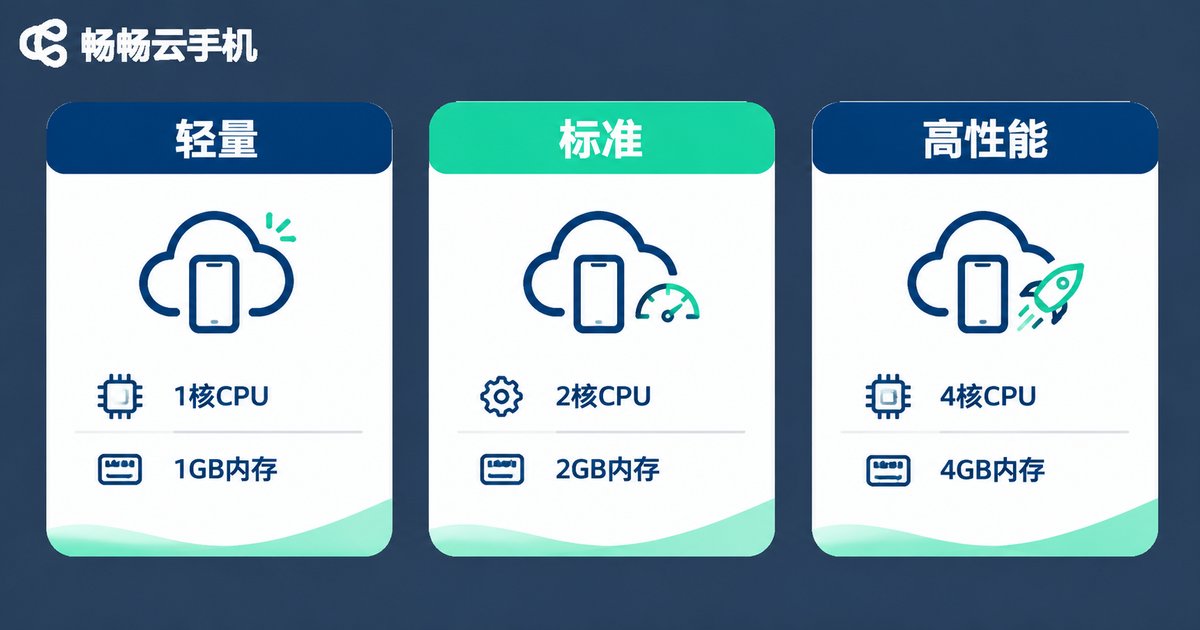
2. Choose the right configuration. Three things matter most: CPU cores, memory, and storage. Tasks that simply keep an app running do not need much; multi-instance work or graphics-heavy apps are where you scale up. Do not start at the top tier — run the whole flow on a basic configuration first.
3. Complete your first connection. Register an account, create an instance, download the client, and log in. The first time you see the cloud phone desktop, you have completed the loop. Take a screenshot of this step; you will want it later for review or for teaching others.
4. Install the essentials. Add your usual input method, file manager, and browser, then adjust resolution and language settings. Everything feels smoother afterwards.
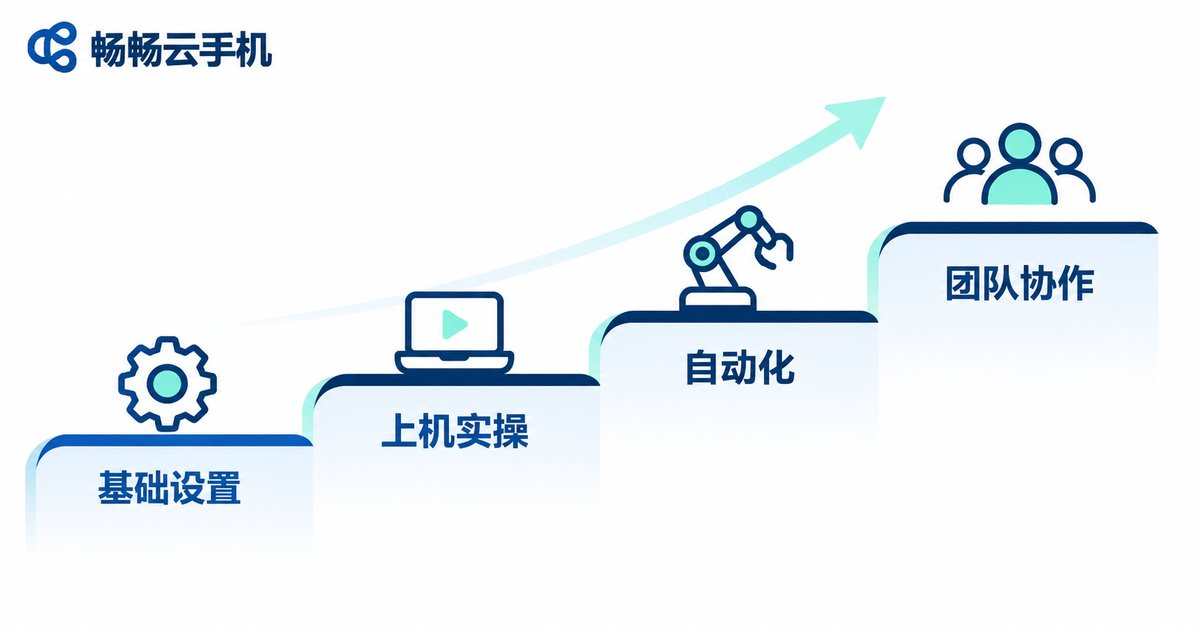
Stage Two: Hands-On Practice and Multi-Instance (Weeks 2–3)
Connecting is only the first step. From week two, you need to actually get something done.
Complete one full task. Pick a scenario you genuinely need: log in, execute, save the result, and do it end to end. Once you finish it once, you will know exactly where things get stuck.
Understand what an “instance” is. Each cloud phone is an independent instance with isolated data. Multi-instance does not mean logging the same account in many times; it means preparing separate environments for separate tasks. This is the single most common point of confusion for beginners.
Build naming and grouping habits. Once you have several instances, management falls apart. Name each one “purpose + number” from the very beginning and group them by project. It feels fussy, but it saves an enormous amount of time hunting for devices.
Watch stability. Pick one instance and let it run for a full day, noting any disconnections, lag, or unexpected exits. That data will tell you later whether you need more devices.
Stage Three: Automation and Efficiency Management (Weeks 4–6)
This is where real efficiency gains begin. The core idea is a single sentence: turn repeated actions into processes, and turn processes into checkable records.
Lock down repeated actions. What is the first thing you do after starting up, in what order do tasks run, where do results get saved — write it all down as fixed steps. Only fixed steps can later be handed to a tool or to another person.
Track status in a table. A simple one is enough: device ID, current task, start time, expected finish, and exception notes. It does not need to be fancy; it needs to be updated every day.
Create a checklist. Spend three minutes at the end of each day going through it: are all tasks finished, are there any abnormal instances, should idle devices be shut down? Three minutes prevents a chaotic morning.
Collect your data. Export results after a task finishes and run a quick summary. You will discover which tasks are not actually worth the device time — the highest-return step in efficiency management.
Stage Four: Team Collaboration and Cost Management
When a cloud phone goes from “something I use” to “something we use”, rules matter more than technique.
Define permissions before discussing collaboration. Who creates instances, who only uses them, and who is responsible for cleanup — settle this early so devices do not pile up with no owner.
Know your costs. The point of cost management is not saving money; it is making sure every device has a clear purpose. Do a regular inventory: which instances have had no task for a week? Which tasks do not really need that much configuration? Downgrade or shut down as needed.
Write down your process. Turn the pitfalls from the first three stages into a one-page guide. Whoever takes over next will skip most of the learning curve.
An Actionable Six-Week Learning Plan
| Week | Focus | Completion Marker |
|---|---|---|
| Week 1 | Clarify purpose, choose configuration, first connection, essential apps | Can create and log in to a cloud phone independently |
| Week 2 | Complete one real task end to end | The task runs from login to result with no manual intervention |
| Week 3 | Multi-instance management, naming, and grouping | Three or more instances clearly grouped and easy to locate |
| Week 4 | Fix processes and build a checklist | A daily operation checklist executed for five consecutive days |
| Week 5 | Data collection and review | One task result summary produced; low-value tasks removed |
| Week 6 | Permission split and cost inventory | One device inventory completed and idle instances shut down |
The value of this table is not the timeline but the fact that every week has a visible deliverable. The most common problem in learning cloud phones is ending up “kind of able to use it but unable to explain what I know”. Deliverables solve that.

Tool Choice: Why Start with ccloudphone
Even the best roadmap needs a stable home. ccloudphone runs Android in the cloud and is used through a client, and several of its characteristics fit the learning path above:
- Multi-device access: connect from a computer or a phone, so switching devices does not mean starting over.
- Always-on in the cloud: instances run in the cloud, so tasks continue even when your local device is switched off.
- Multi-instance management: multiple instances can be grouped, which suits multi-account operations and testing scenarios.
- Low barrier to entry: after registering you can create an instance, and the interface closely matches a real Android device, so beginners need no extra learning curve.
For specific configuration options, available regions, and version details, please refer to the official ccloudphone website.
Frequently Asked Questions
Q1: Can I learn cloud phones with zero technical background?
Yes. The interface is almost identical to a real Android phone. Once you get through registering, creating an instance, and logging in, the rest is practice. The real thinking is about what you want to use it for — the technical bar is low.
Q2: Do I need to buy an extra device to learn cloud phones?
No. Cloud phones run in the cloud, so you can connect from the computer or phone you already own. Your local device only handles display and input.
Q3: Can a cloud phone run continuously?
Instances run in the cloud, so shutting down your local device or losing your connection usually does not stop tasks. For specific duration policies, refer to the official documentation, and plan according to actual task needs rather than leaving devices idle indefinitely.
Q4: Do multiple instances interfere with each other?
Each cloud phone is an independent instance with isolated apps and data. The real risk is not devices interfering but people logging the same account into multiple devices, which is why naming and grouping habits matter from day one.
Q5: Should I buy the top configuration right away?
Not recommended. Run your workflow on a basic configuration first, observe actual resource usage for a week, and then decide whether to upgrade or add instances. Scaling on demand is more cost-effective than buying maximum capacity up front, and it fits the logic of efficiency management.


