
Cloud Phone KVM Explained: Virtualization Environment, Resource Allocation, and Operating Principles
Most people hear the term cloud phone and imagine a real handset sitting in a rack somewhere, controlled remotely. That is not what it is. A cloud phone is a virtual phone running on a server: it has its own system, its own storage and its own network identity, but no physical motherboard. One of the key technologies that keeps that virtual phone running smoothly for long periods is KVM. This article explains, in plain language, what KVM means inside a cloud phone, how the virtualization environment is built, how resources are allocated, and what actually happens after you tap the screen.
1. What KVM is, in one sentence
KVM stands for Kernel-based Virtual Machine. It is a module inside the Linux kernel, and its job is to turn one Linux server into a host machine that can spawn many small computers.
The key point is hardware-assisted virtualization. Modern server CPUs support Intel VT-x or AMD-V, and KVM calls on those instruction sets directly, giving every virtual machine its own CPU execution context and its own memory space instead of pretending to be a computer in software. The first approach is fast and well isolated; the second is slow and fragile. For a cloud phone, that difference decides whether it is usable at all.
For end users, this means each cloud phone instance is a genuinely isolated virtual environment: crashes, stalls or restarts on someone else's device do not spill over into yours.
2. The virtualization environment: from one physical server to one cloud phone
Broken down into layers, a cloud phone environment looks roughly like this:
- Physical layer: servers in a data center, with multi-core CPUs, large memory and fast SSD arrays.
- Host layer: a trimmed-down Linux system with the KVM module loaded.
- Virtual machine layer: each cloud phone instance is a KVM virtual machine with its own virtual CPU, virtual memory, virtual disk and virtual network card.
- System image layer: an Android system image runs inside the virtual machine. That is the phone you see.
- Access layer: you connect from a client, see the screen and send input; data syncs between client and virtual machine in real time.
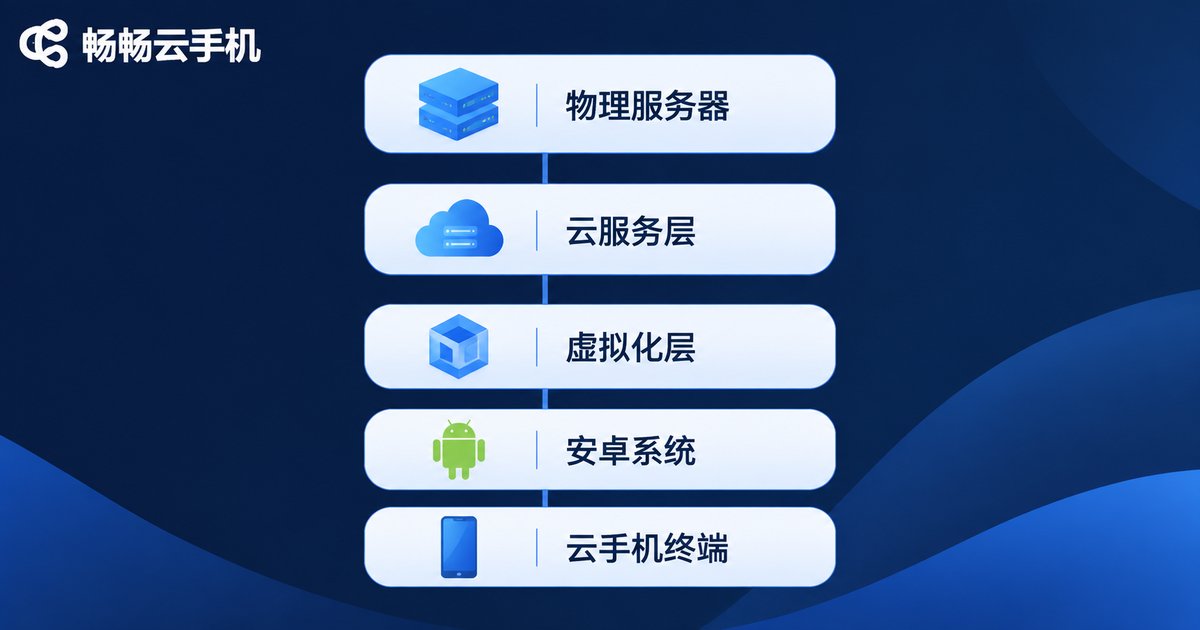
The advantage of this design is that isolation and orchestration coexist: instances never interfere with each other, yet the platform can treat hundreds of them as a single resource pool and schedule new instances onto whichever host still has room.
3. Resource allocation: where a cloud phone's cores and memory come from
A cloud phone plan looks like a few numbers: cores, gigabytes of memory, storage. But inside KVM each of those numbers has a concrete meaning.
| Resource | Form inside KVM | What it means in practice |
|---|---|---|
| CPU | vCPU, bound to physical cores or threads | Your share of processing power; more cores handle more parallel tasks |
| Memory | Virtual RAM mapped to host memory pages | How many apps can stay open and how much data can be cached |
| Storage | Virtual disk image files | Room for apps, screenshots and downloads |
| Graphics | Virtual GPU and hardware acceleration | Whether the screen stays smooth and games remain playable |
| Network | Virtual NIC with a separate network identity | An independent network environment for each device |
One caveat: overselling has a hard limit. A cloud phone is not a lightweight website request. In long-running, high-load workloads such as unattended app sessions, live streaming or cloud gaming, packing physical cores too tightly shows up immediately as lag. The sensible approach is an allocation policy matched to the workload type, not simply stacking up more instances.
4. Operating principle: what happens after you tap the screen
The whole process is a short chain:
- You tap the screen in the client; the client packages the touch coordinates and action type.
- The data travels over the network to the matching KVM virtual machine.
- The Android system inside the VM receives the event and hands it to the foreground app.
- The app renders a new frame, and the system encodes and compresses it.
- The frame is streamed back to your client in real time, decoded and displayed.
That chain sets the ceiling for the experience: network latency decides how responsive input feels, encoding efficiency decides image quality and bandwidth cost, and virtual machine performance decides how quickly apps themselves react. If any one link fails, users experience exactly one thing: lag.
Because this is an end-to-end system, services differ dramatically in whether they can tune KVM scheduling, optimize encoding and decoding, and deploy enough network nodes.
5. KVM versus containers: two routes with different strengths
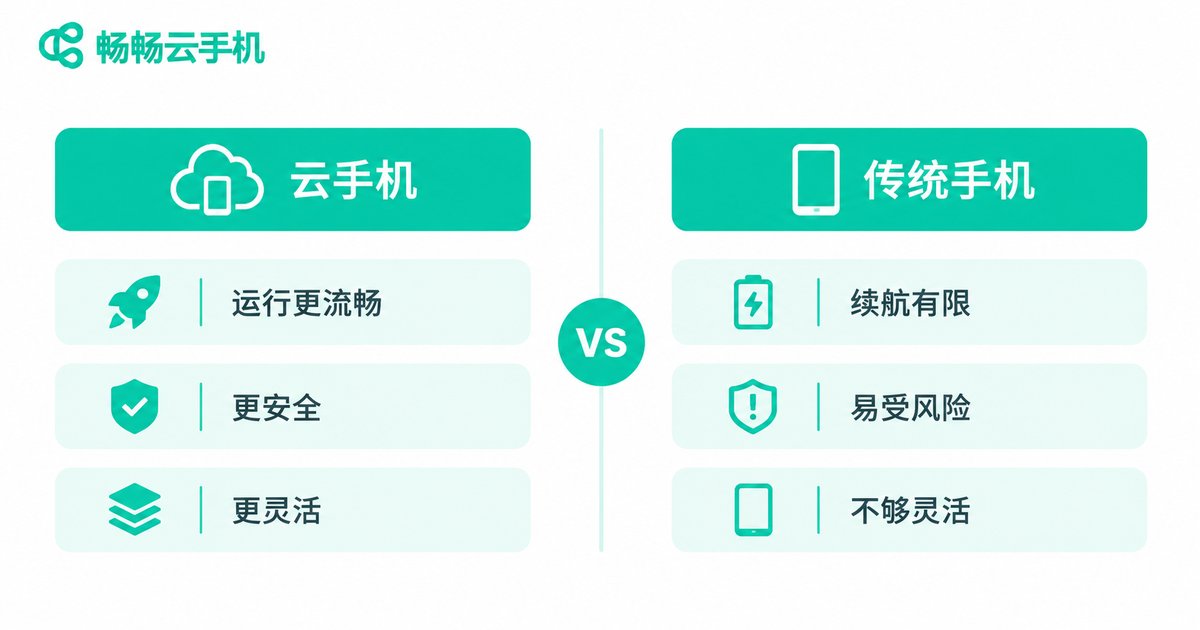
| Dimension | KVM virtual machine | Container |
|---|---|---|
| Isolation | Strong, with a separate kernel space | Weaker, shares the host kernel |
| Startup speed | Relatively slower | Fast |
| Resource overhead | Higher | Lower |
| System compatibility | Runs a full Android image with better compatibility | Limited by the host kernel version |
| Best fit | Long-running workloads with high isolation requirements | Light, short-lived or batch tasks |
In short: if you need a device that stays online the way a real phone does for months, the KVM route is the steadier option; if you just need to run a batch job briefly, containers cost less. That is why mature services usually offer both routes rather than picking one.
6. How these principles apply on ccloudphone
ccloudphone instances are built on virtualization technology and give users an independent cloud Android device: its own system environment, its own storage, and independent operation that consumes none of your local phone's battery or performance. You can treat it as an always-on spare device for everyday work such as app compatibility testing, multi-device management and content distribution support.
When choosing a cloud phone service, focus on three things:
- Stability: can the instance stay online for long stretches without dropping? That reflects virtualization scheduling and hardware redundancy.
- Responsiveness: input delay and image clarity depend on streaming efficiency and node coverage.
- Management efficiency: how easy it is to operate in bulk, deploy apps in batches and check device status in one place.
FAQ
Q: How is a KVM cloud phone different from an ordinary virtual machine?
A: An ordinary VM is usually built for general computing. A KVM cloud phone runs a full Android system inside the VM and adds optimizations specific to mobile use, such as graphics rendering, screen streaming and touch synchronization.
Q: How many cloud phones can one physical server host?
A: It depends on the server's CPU cores and memory, the resources each instance is assigned, and the headroom the operator keeps for peak hours. There is no fixed number.
Q: Will my cloud phone slow down because other users are busy?
A: KVM provides resource isolation, so under normal conditions instances do not affect one another. The real experience at peak times depends on the platform's scheduling policy and how much hardware redundancy it maintains.
Q: Do I need to keep my local device powered on?
A: No. The cloud phone runs in the data center, so your local device only needs to connect when you want to use it. For details on online status, refer to the service description.
Q: What kinds of work suit a KVM cloud phone?
A: Scenarios that need long uptime plus system isolation and compatibility, such as app compatibility testing, multi-device management and everyday tasks that require a stable running environment.


