

Cloud Phone Android Containers: App Execution, Resource Isolation, and Compatibility
What Exactly Is an Android Container on a Cloud Phone?
The phrase “cloud phone Android container” sounds heavy at first, but it breaks down simply: a cloud phone is a virtual Android device running on a server in a data center, and an Android container is the runtime environment that hosts it. The Android system is packaged into an isolated container so apps genuinely execute in the cloud, while your phone, laptop or tablet only displays the picture and sends your input back.
Compared with a traditional Android emulator, the container approach does not emulate a full set of hardware instructions. That means lower overhead, faster startups, and far more instances packed onto a single physical server. This is precisely why cloud phones can be used in bulk and stay online for long periods.
How an App Actually Runs Inside the Container
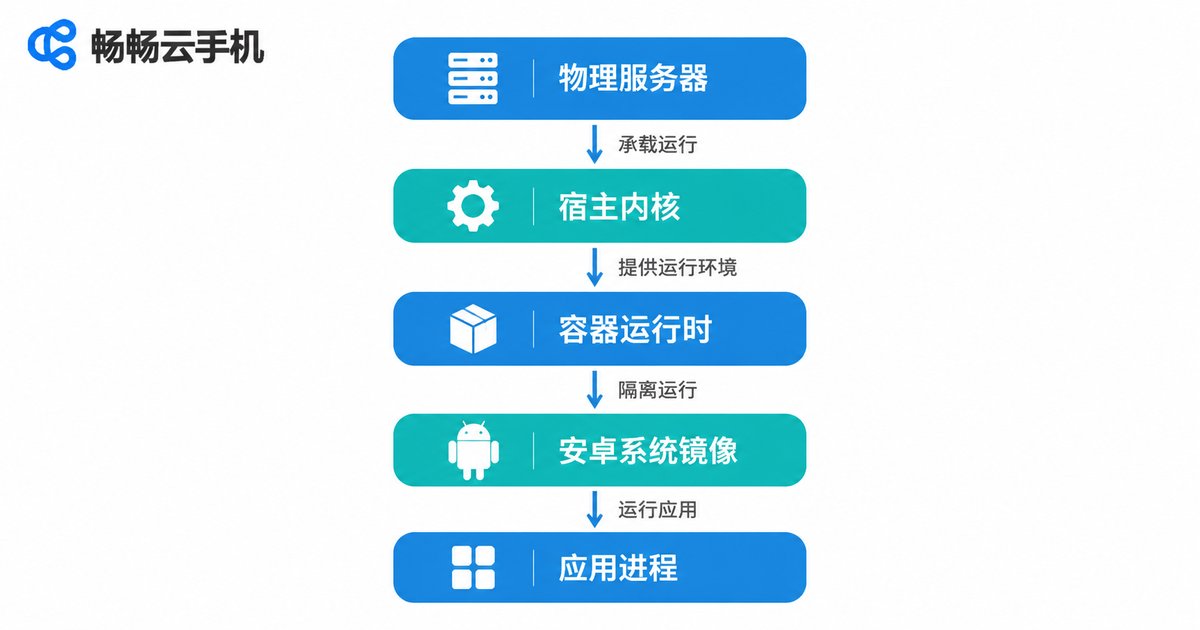
Think of the whole execution path as a five-layer assembly line:
| Layer | Role | What it means for you |
|---|---|---|
| Physical server | Provides CPU, memory, graphics and storage | Sets the ceiling on overall performance |
| Host kernel | Handles scheduling and isolation | Cloud phones do not interfere with each other |
| Container runtime | Creates the isolated Android environment | Fast provisioning and fast resets |
| Android system image | Provides system services and the runtime framework | Determines which apps can be installed |
| App process | Actually runs your app | Compute happens in the cloud, not locally |
When you tap an icon, the cloud-side system services first create the process and check permissions, then load the app's code and resources. The frames the app renders are encoded into a video stream and pushed to your device in real time, while your taps and swipes travel back as input commands. Throughout the whole loop, your local device only handles two jobs: display and input. Even an older, modestly specced phone can comfortably operate a high-performance cloud instance.
Resource Isolation: How One Server Hosts Dozens of Cloud Phones
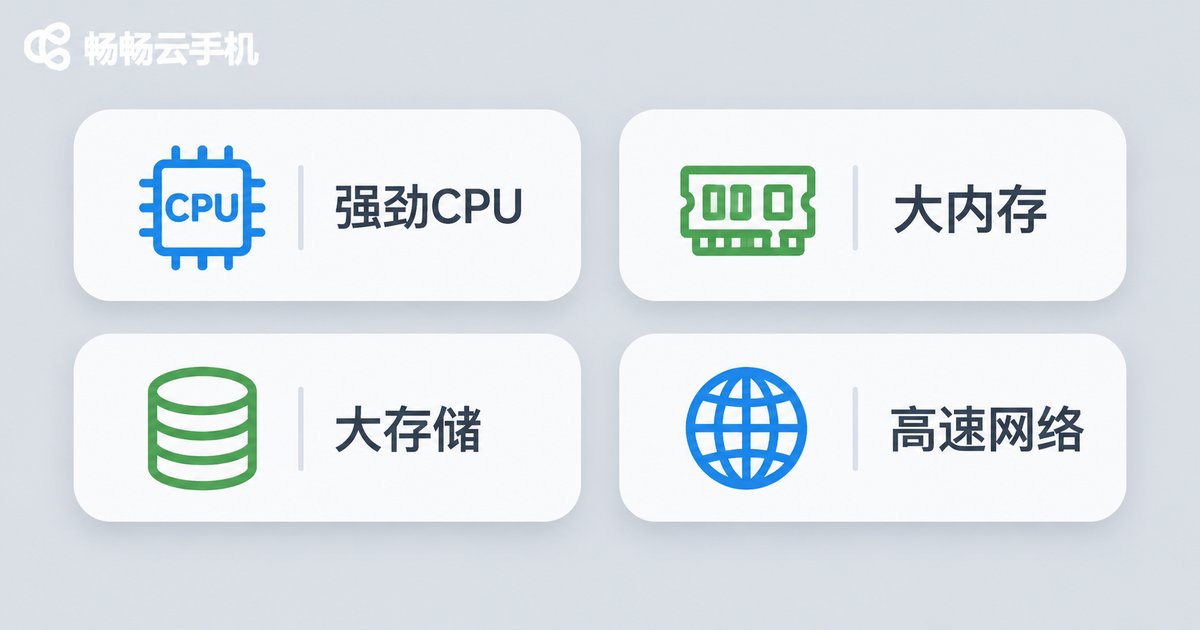
Isolation is what makes the whole model work. Without it, one crashing app inside one cloud phone could take down every other instance on the same machine. Cloud phone Android containers isolate along four dimensions:
- Compute isolation: quotas cap the processor cores and memory each instance may use, so no single app can monopolize resources.
- Storage isolation: every cloud phone gets its own data partition, so resetting one never touches another, and data never bleeds across instances.
- Network isolation: dedicated virtual network interfaces and network namespaces keep addresses and ports from colliding.
- Fault isolation: a crash stays inside its own container while other instances keep running normally.
In practice, the quality of isolation decides three things: whether a noisy neighbor slows you down, whether long unattended sessions stay stable, and whether batch operations end up dragging on each other.
Compatibility Notes: What Runs Smoothly and What Needs Care
Compatibility is what users ask about most. Overall, the vast majority of everyday apps, office tools, e-commerce apps and content apps run normally inside a cloud phone container. The following cases deserve attention beforehand:
1. Android version gaps. Apps differ in the system version they require. Newer apps may demand a higher Android version, while legacy apps can misbehave on one that is too high. Before choosing a cloud phone, confirm that the Android versions offered by the instances cover the apps you need.
2. Processor architecture differences. ARM-based instances offer the best native compatibility for Android apps. Some x86-based environments rely on a translation layer, and a minority of apps, especially those with heavy protection or many native libraries, may fail to load or crash.
3. Apps tied to specific hardware. Apps that require NFC, fingerprint scanning, infrared, precision sensors or particular camera capabilities will see those features limited in a cloud environment.
4. Apps that detect their runtime environment. A small number of apps check whether they are running inside a virtualized environment. Test these on a small scale first and only then decide whether to roll them out more widely.
5. Graphics-heavy 3D games. These are sensitive to both graphical performance and network latency, so pick instance specifications with enough graphics headroom and bandwidth.
A sound approach: run your core apps on a small number of instances first, confirm startup, login and key features all behave correctly, then scale up to batch usage.
What to Check When Choosing a Cloud Phone
| What to look at | Why it matters |
|---|---|
| Android version and architecture | Directly determines whether apps install and run |
| Isolation strength and stability | Affects reliability of long sessions and batch jobs |
| Network quality and latency | Decides input responsiveness and visual smoothness |
| Batch management capability | Saves enormous repetitive work in multi-instance setups |
| Data persistence | Whether apps and login states survive a restart |
If you want to get started quickly, consider ccloudphone. It provides Android instances running in the cloud, supports multiple instances and batch management, and streams the live screen to your local device, so even a modestly specced phone or laptop can operate it. For exact instance specifications, available Android versions and feature details, always refer to the official website, and start with a small trial before scaling up.
Frequently Asked Questions
Q1: How is a cloud phone Android container different from an Android emulator?
An emulator typically simulates a hardware environment on your local computer and consumes your own resources. A cloud phone container runs on a cloud server, so your local device only handles display and input, uses no local performance, and the instance can stay online around the clock.
Q2: Where is app data stored when it runs on a cloud phone?
App data lives in the dedicated data partition of the cloud instance. As long as the instance is not reset, the data is generally retained. Important data should still be backed up separately.
Q3: Why do some apps fail to install or open on a cloud phone?
The usual causes are an Android version mismatch, a processor architecture that needs translation, a dependency on specific hardware, or the app detecting a virtualized environment. Try an instance with a different Android version first.
Q4: Can one cloud phone affect another?
Normally, no. Containers are isolated in compute, storage and network, so a single instance crashing or consuming too many resources will not spill over to other instances on the same server.
Q5: Can I use a cloud phone if my local phone is low-end?
Yes. The cloud phone delivers its screen as a video stream, so your device mainly decodes the stream and sends input back. Hardware demands are low, and a stable network matters far more.


