

What Is IP-Based Simulation in Cloud Phone Proxy Settings? Geo, Timezone, Language and SIM Linkage Explained
IP-Based Simulation in One Sentence
In cloud phone proxy configuration, IP-based simulation means the system automatically aligns the device's location, timezone, system language and SIM carrier details with the geolocation of your proxy IP. In other words, the cloud phone does not just route traffic through New York — its clock, language and carrier identity all switch to a 'New York local' profile, so the entire environment stays consistent.
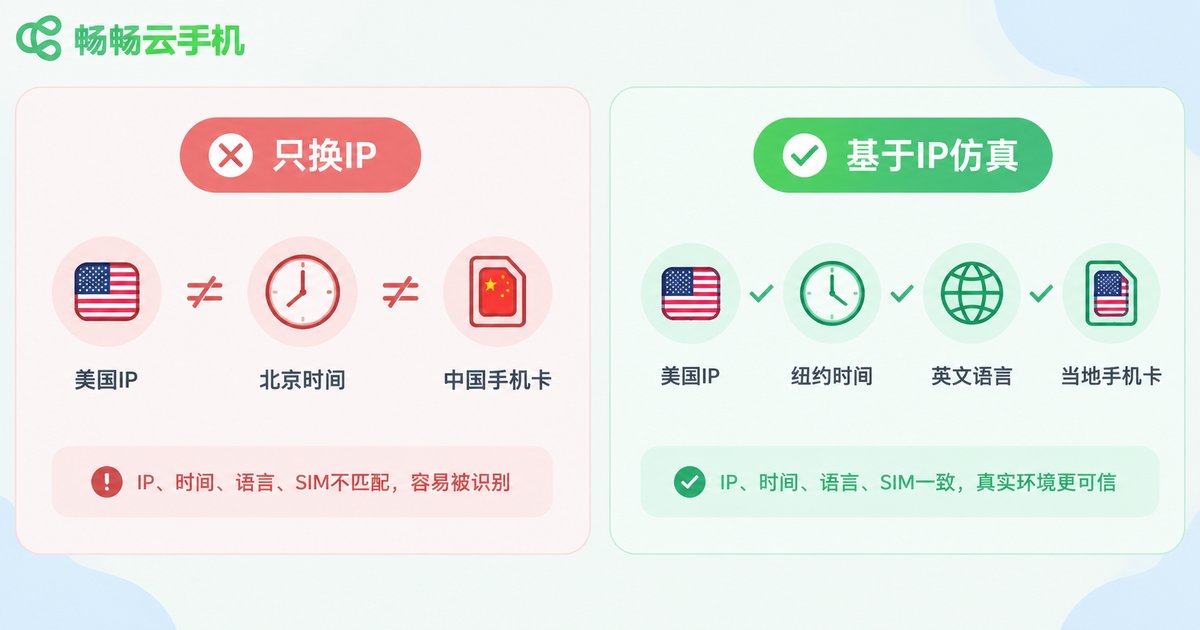
Many users assume a proxy is only about changing the exit IP. From a platform's risk-control perspective, however, the IP is just one part of the environment. Platforms cross-check a whole set of signals: IP geolocation, device timezone, language preference, SIM country code, GPS coordinates and more. If even one item does not match, the account can be flagged as running in an abnormal environment.
Proxy Only vs. IP-Based Simulation
The table below shows the difference. Suppose we assign a New York proxy IP to a cloud phone:
| Environment Parameter | Proxy Only | IP-Based Simulation |
|---|---|---|
| IP geolocation | New York, USA | New York, USA |
| Device timezone | UTC+8 Beijing | UTC-5 New York |
| System language | Chinese (Simplified) | English (US) |
| SIM / carrier | Chinese carrier | Local carrier (simulated) |
| Location data | Domestic city | New York (follows IP) |
The left column — an American IP running on a phone full of mismatched local traces — is a classic reason accounts get throttled or challenged with verifications. The right column is what a normal local user looks like to risk control.
How the Geo-Timezone-Language-SIM Linkage Works
Behind this mechanism lies a clear automated pipeline, which can be broken into four steps:
Step 1: IP geolocation lookup. The system queries an IP geolocation database for the country, city, coordinates and carrier behind the proxy IP. This becomes the anchor of the whole simulation.
Step 2: Parameter mapping. Based on the geolocation, the system derives the matching timezone (New York maps to UTC-5), system language (US maps to English), currency and dialing code defaults.
Step 3: SIM detail simulation. The cloud phone generates a SIM state at the system level that matches the geolocation, including carrier name and country code, so apps reading the 'inserted card' see data consistent with the IP.
Step 4: Unified rollout. All parameters are applied to the cloud phone system in one pass. From then on, any app on the device reads the same self-consistent 'local identity' no matter which angle it checks from.

Where This Mechanism Matters Most
Cross-border e-commerce: Store accounts on different regional sites need a stable local environment. Keeping environment parameters aligned with the IP over the long term is fundamental to safe account operation.
Overseas social media matrices: When running multiple accounts across regions, each device should have its own IP with matching timezone and language, so the matrix does not look artificially clustered.
App and game localization testing: Verifying whether language, timezone, pricing and push timing behave correctly per region is far easier in a simulated environment than shipping physical devices abroad.
Ad and content verification: Viewing ads, search results and content recommendations from the perspective of a target-region user to confirm campaigns land as intended.
Using It in ccloudphone
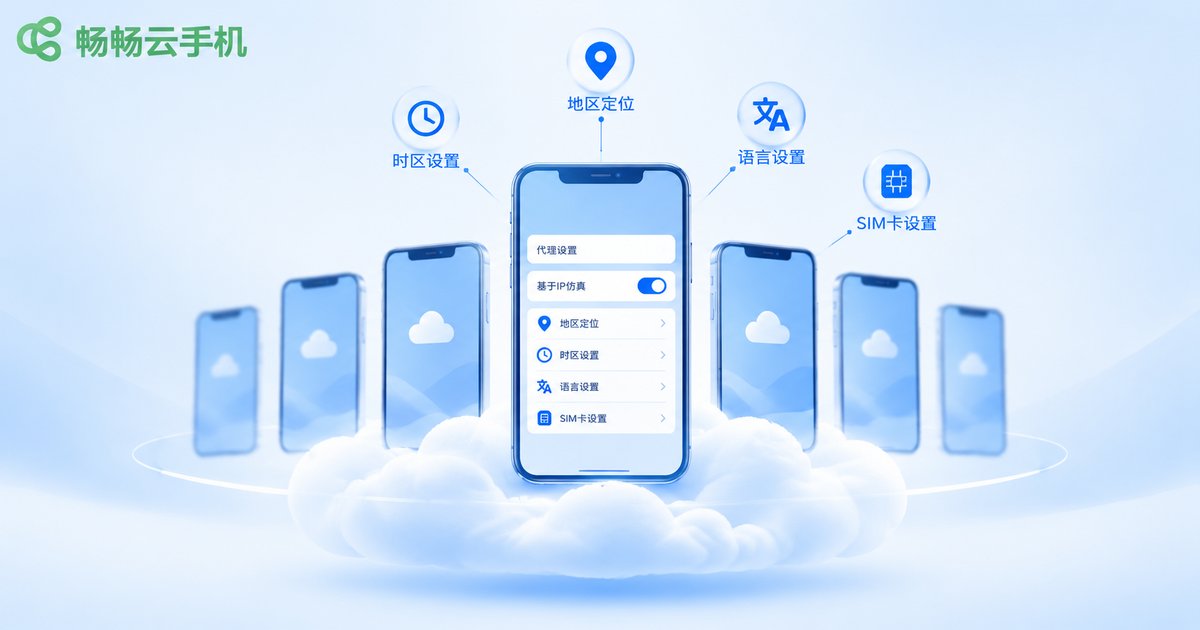
In ccloudphone, this capability is built into the proxy settings: open the device's proxy configuration, enter the proxy address, port and authentication details, toggle on IP-based simulation and save. The system then automatically completes the timezone, language, location and SIM linkage described above — no manual per-item edits required.
A few practical tips: keep a one-device-one-IP setup so each environment stays stable; prefer static IPs to reduce environment churn from frequent changes; after switching an IP, re-save the simulation settings so all parameters re-align with the new geolocation. If you manage devices at scale, validate the environment on a single device first, then roll the same configuration approach out in batch.
FAQ
Q: If IP-based simulation is on, will my manual timezone changes be overwritten?
Yes. While simulation is enabled, timezone, language and related parameters follow the proxy IP's geolocation automatically. To customize them, adjust the simulation settings or switch to a matching IP first, so the environment does not drift out of alignment.
Q: Can I use the simulation feature without a proxy?
IP-based simulation is anchored to the IP's geolocation, so without a proxy there is nothing to anchor to. Configure a proxy first, then enable simulation, so the whole environment stays consistent around the IP.
Q: Is the simulated SIM a real physical card?
No. It is a carrier name and country code generated at the system level by the cloud phone, designed so that apps read a 'local card' state consistent with the IP geolocation.
Q: What happens if I change the proxy IP later?
The geolocation may change with the new IP. Re-save the simulation settings so timezone, language, SIM and other parameters re-link to the new IP and the environment stays self-consistent.


