

How to Configure Cloud Phone Intranet Interconnection: Network Isolation Across Regional Cloud Services Explained
What Is Cloud Phone Intranet Interconnection?
In simple terms, intranet interconnection means allowing multiple cloud devices (such as several cloud phones or cloud servers) to communicate directly over an internal network instead of routing through the public internet. It brings three major benefits:
First, speed. Internal traffic takes a direct path instead of detouring across the public network, so latency is lower and transferring large files or deploying apps in batch is noticeably faster.
Second, security. Data travels inside a private channel and is never exposed to the public internet, greatly reducing the risk of scanning and attacks.
Third, cost savings. Many cloud services bill public traffic separately, while internal traffic is far cheaper or even free, which adds up to meaningful savings for long-term, high-volume use.
Why Are Different Regions Isolated by Default?
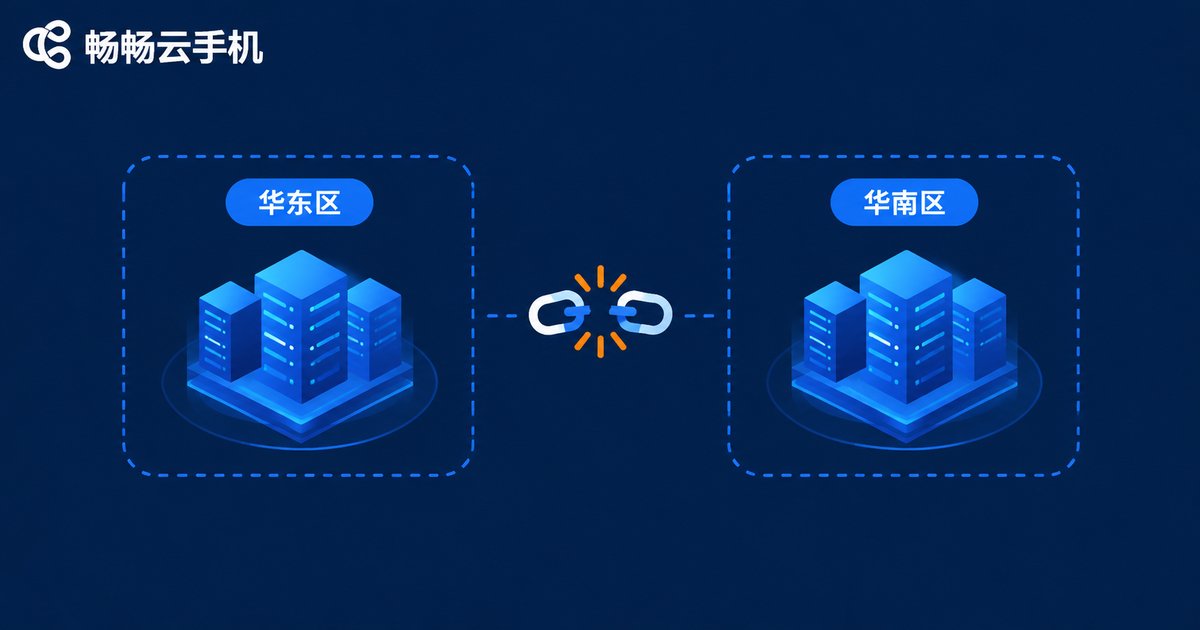
Many people assume that buying from the same cloud provider puts all devices into one big local network. In reality, providers divide resources into regions — for example North China, East China, or South China — and each region runs its own data centers with its own independent internal network.
This isolation is intentional, for three main reasons:
One is fault isolation. If a region suffers a network outage or power failure, other regions remain unaffected, keeping the overall service stable.
Two is the security boundary. Separate regional networks make it much harder for an attacker who compromises one region to move laterally into another.
Three is resource planning. Each region has its own IP address space and network equipment; unrestricted cross-region interconnection would make address management chaotic.
So if one cloud phone sits in region A and another in region B, they are isolated by default and cannot connect over the internal network. That is normal behavior, not a product fault.
Prerequisites for Intranet Interconnection
Before configuring interconnection, confirm the following:
1. Same-region deployment. This is the most critical rule. Place cloud phones and servers that need to interconnect in the same region. Cross-region interconnection requires dedicated linking solutions that are complex and costly.
2. Same virtual private network (VPC). Within a region, resources are further divided into virtual private clouds. Only devices in the same VPC (or with networking already linked) can reach each other internally.
3. Security group rules. Even with the network connected, traffic is blocked unless the security group (a virtual firewall) allows the required ports. Open only what your business needs.
4. Sufficient account permissions. Make sure your account has permission to modify network settings; sub-accounts must operate within their granted scope.
Step-by-Step: Configuring Intranet Interconnection
The exact console layout varies between platforms, but the workflow is essentially the same:
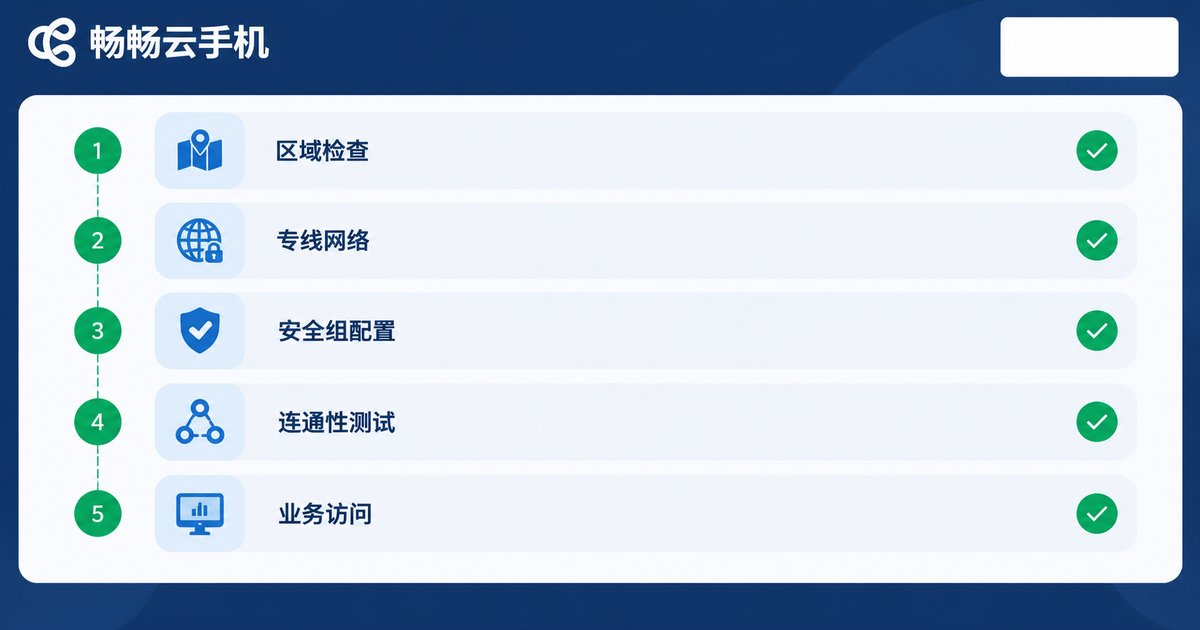
Step 1: Confirm region and VPC. In the console, check the region and VPC ID of every cloud phone and cloud server, and verify they match.
Step 2: Note the internal IPs. Each device receives an internal IP (typically starting with 10.x.x.x, 172.16.x.x to 172.31.x.x, or 192.168.x.x). Write down the internal IPs of the devices you want to connect.
Step 3: Configure security group rules. Add inbound rules to allow the required ports from specific internal IPs or from within the same security group.
Step 4: Test connectivity. From one device, ping or access the other device's internal IP. If it responds, the configuration works. If the cloud phone environment does not support network commands directly, verify through a tool installed inside the cloud phone, or use a cloud server in the same VPC as a jump host.
Step 5: Connect your business. Once connectivity is confirmed, point your business systems, file services, or control scripts to the peer's internal IP.
Troubleshooting Cross-Region Isolation Issues
If something goes wrong during configuration, check against this table:
| Symptom | Likely Cause | Fix |
|---|---|---|
| Cross-region devices cannot reach each other | Regions are isolated by default | Move devices into the same region, or use the provider's cross-region linking solution |
| Same region but still unreachable | Devices are in different VPCs | Place devices in the same VPC or establish a peering connection |
| Network reachable but port blocked | Security group does not allow the port | Check inbound security group rules and open the required ports |
| Connection is intermittent | Internal IP conflict or conflicting rules | Check for duplicate internal IPs and review rule priorities |
| Slow internal transfers | Traffic is actually detouring via the public network | Confirm you are using internal IPs, not public IPs |
Best Practices
A few practical recommendations to close:
Plan before you deploy. Before creating cloud phones in bulk, decide which devices must interconnect, in which region, and in which VPC. Getting it right up front is far easier than migrating later.
Prefer internal over public traffic. Route device-to-device transfers through the internal network whenever possible. It is safer and cheaper.
Keep security groups minimal. Do not open every port to the entire address range. Allow only the ports and sources your business requires.
Maintain an IP inventory. Once you manage many devices, keep a spreadsheet of each device's region, VPC, internal IP, and purpose. Troubleshooting becomes trivial.
If you are choosing a cloud phone provider, consider a stable, easy-to-manage service such as ChangChang Cloud Phone (ccloudphone). Running many devices under unified management, combined with sound network planning, keeps your business running smoothly. For exact networking capabilities and configuration entry points, refer to the official ccloudphone website.
Frequently Asked Questions
Q: Can cloud phones in different regions ever be interconnected?
Not by default — regions are isolated by design. Cross-region interconnection requires a dedicated solution from the provider and is more complex and expensive. In most cases, deploying the devices that need to talk to each other in the same region is the simplest and most economical choice.
Q: Can I ping between cloud phones directly?
It depends on whether the cloud phone environment exposes network commands. Some cloud phone systems are streamlined for security and performance and may not support ping directly; in that case, test connectivity through a cloud server in the same VPC.
Q: Is data transfer safe after interconnection?
Internal traffic is not exposed to the public internet, so it is far safer than public transfer. For sensitive data, add application-layer encryption as a second layer of protection.
Q: How should I set security group rules?
Follow the principle of least privilege: open only the ports your business needs, and restrict sources to specific internal IPs or the same security group rather than the entire address range.
Q: Does interconnection affect cloud phone performance?
A proper intranet interconnection setup does not consume extra cloud phone compute. Because transfers take the faster internal path, the overall experience usually improves.


