

Cloud Phone Group Control Pre-Check: Confirming Accounts, Instances, and Operation Scope
Why the Pre-Operation Check Is the Easiest Step to Skip — and the Most Worth Doing
The core value of cloud phone group control is "one operation, many devices affected." The flip side is that a single mistake gets amplified the same way. Many teams push a script to every instance as soon as testing passes, only to find that three devices were still rebooting, two accounts had gone offline, and the wrong group was selected. A ten-minute task turns into half a day of troubleshooting.
A pre-operation check is not paperwork. It is how you stop risk before it happens. It takes a few minutes and prevents cross-account mix-ups, messages sent to the wrong audience, and duplicated task execution — problems that are genuinely hard to roll back.
Step 1: Confirm the Account and Its Permissions
Confirm who is operating first, then confirm what they are allowed to operate. The account is where the whole chain begins. If the account layer is wrong, nothing downstream is reliable.
- Make sure the logged-in account is the owner of this task. Shared accounts make operation logs useless for tracing.
- Confirm the account has permission on the target group, so execution does not stall halfway through with permission errors.
- Assign sub-accounts on a least-privilege basis, exposing only the features the task actually needs.
- Verify the session is still valid. A long-idle login can expire in the middle of a batch.
Step 2: Confirm the State of Every Instance
Before any command is issued, every instance must be in a state that can receive and execute it. Check at least four things: online status, system and client version, group membership, and available resources.
| Check | What to confirm | Typical cost of skipping it |
|---|---|---|
| Online status | All instances online, none reconnecting | Some devices miss the run, results are incomplete |
| Version consistency | System and client versions match | The same script behaves differently across versions |
| Group membership | Instances belong to the intended group | Devices outside the plan get touched |
| Resources | Storage and runtime state are healthy | Interrupted runs and app crashes |
Version consistency is the most underrated item. A flow that passes in testing can fail outright on an older instance because of interface differences, and the error message often just says "unknown error" — which is expensive to debug.
Step 3: Confirm the Scope of the Operation
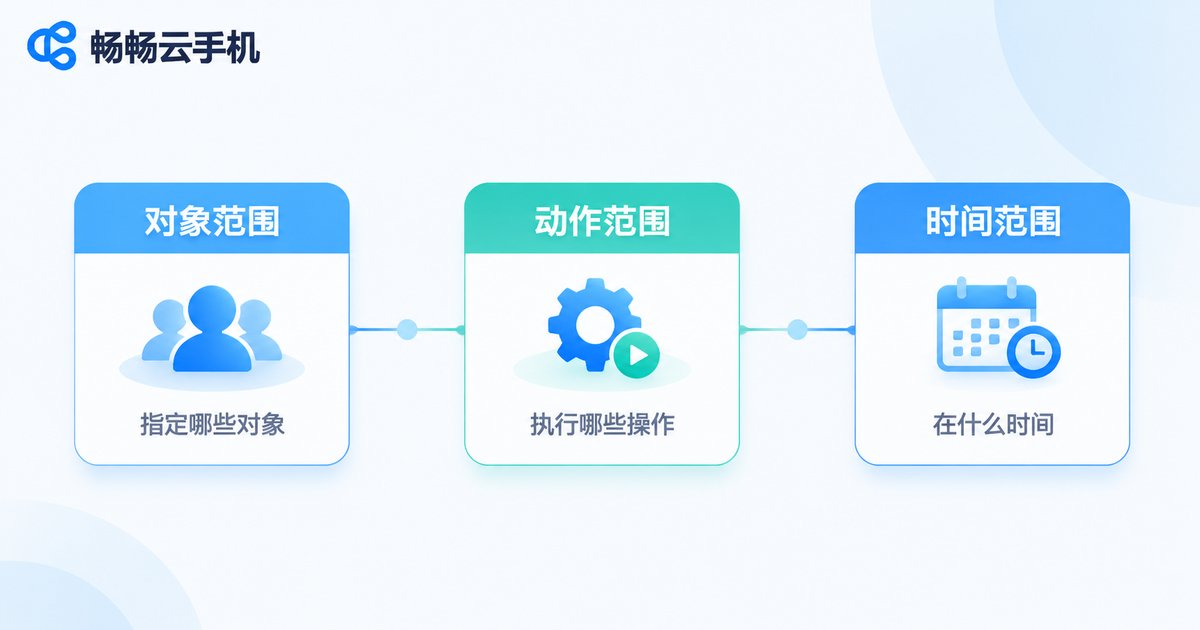
Scope has three layers: object scope (which instances), action scope (what is being done), and time scope (when it starts and how long it runs). Miss any one of them and risk slips through.
Object scope goes wrong most often, because a group may have been reshuffled by someone else since you last looked. Re-reading the instance list right before dispatch beats trusting your memory. Action scope should be narrow and explicit — launching an app across a batch and resetting environments across a batch are two very different risk levels. Time scope should avoid business peaks and leave room for a rollback window.
Turn the Check Into a Reusable Checklist
Relying on experience alone leads to missed items. Turn the three steps above into a checklist that gets ticked off before every run and lives in a shared team document, so new members can follow it too.
| Stage | Action | Pass criteria |
|---|---|---|
| Account | Confirm owner, permission scope, session validity | Permissions cover the target group, no shared login |
| Instances | Verify online rate, versions, groups, resources | All target instances available and version-matched |
| Scope | Confirm object list, action, execution time | Matches the task sheet and a rollback plan exists |
| After run | Spot-check results and operation logs | Success count equals target count, exceptions logged |

Make the Check a Habit With the Right Tooling
Manually verifying several dozen devices is still manageable. Past a hundred, you need tooling to catch what people miss. The ccloudphone (畅畅云手机) console provides an instance status overview and group management, so you can organise devices by task first and then dispatch operations to a whole group — cutting down on picking the wrong target. Sub-account permissions keep each member working only with the devices they own, and make operation logs far easier to read.
Let process handle the checking and let tooling handle the execution. That is how group control stops being a high-risk operation and becomes reusable productivity.
FAQ
Q: An instance shows as online but doesn't respond to commands. Why?
First check whether its runtime state and version match the target environment, and whether it is still starting up or reconnecting. If only one or two instances are affected, pull them out of the batch and investigate separately rather than blocking the whole run.
Q: I confirmed scope and then realised the wrong group was selected. Can I undo it?
Commands already dispatched usually cannot be recalled as a whole. That is why a small pilot group should always run first — confirm the results look right, then expand to the full set.
Q: How do we stop team members from overwriting each other's operations?
Separate devices and feature permissions with sub-accounts, and keep a simple task schedule that states who owns which group at any given time, so two people never dispatch to the same batch simultaneously.
Q: Do I need the full check before every single operation?
Grade the items. Account status and object scope should be checked every time; version consistency and storage can be checked on a regular cadence, with targeted re-checks whenever something looks off.


