
Cloud Phone Group Control System Setup Guide: A Complete Solution for Managing Hundreds of Devices from One Computer
What Is a Cloud Phone Group Control System?
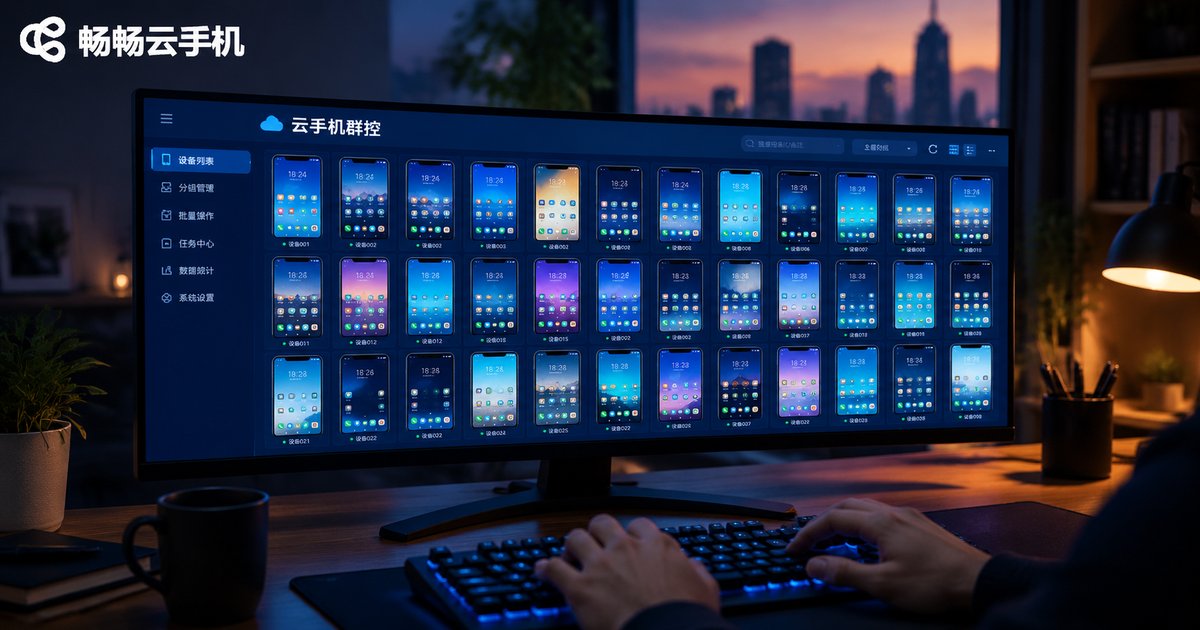
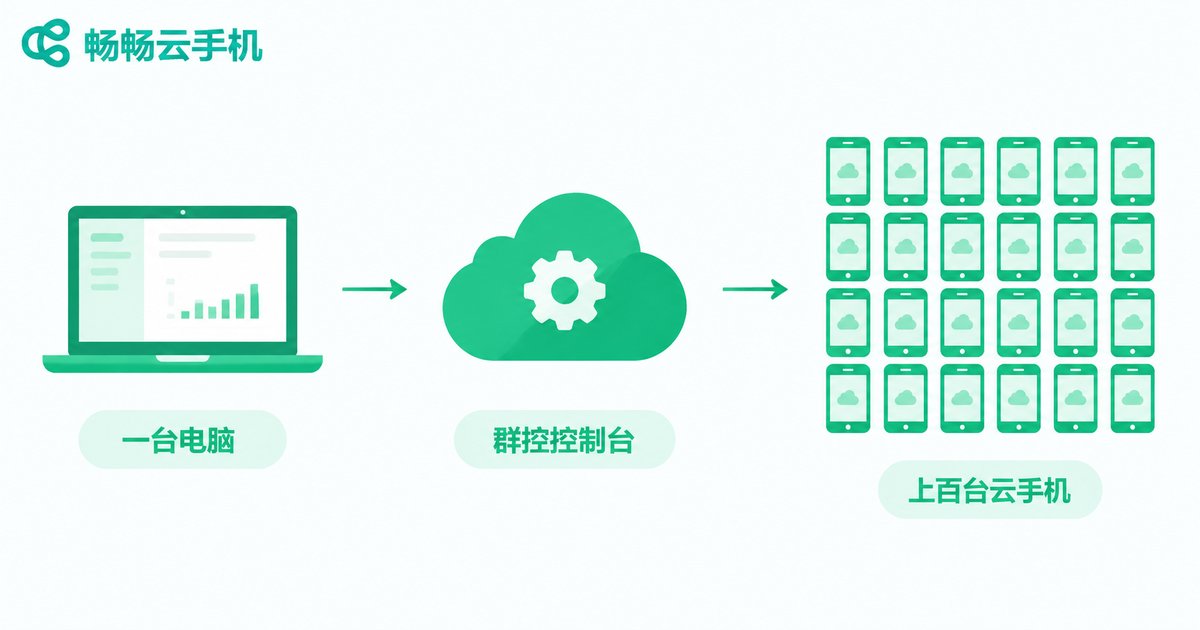
A cloud phone group control system is a complete setup that lets you manage dozens or even hundreds of cloud phones from a single computer. Cloud phones run on remote servers instead of consuming your local CPU and RAM, so an ordinary office PC can act as the master console, performing batch installs, batch operations, and real-time monitoring across an entire fleet of Android instances in the cloud.
Compared with traditional farms packed with physical phones, cloud phone group control moves the "devices" to the cloud, offering instant booting, 24/7 availability, and on-demand scaling. Hardware costs and maintenance workload drop dramatically, which is why it has become the mainstream choice for game studios, app testing teams, and multi-account operations teams.
Five Typical Use Cases for Group Control
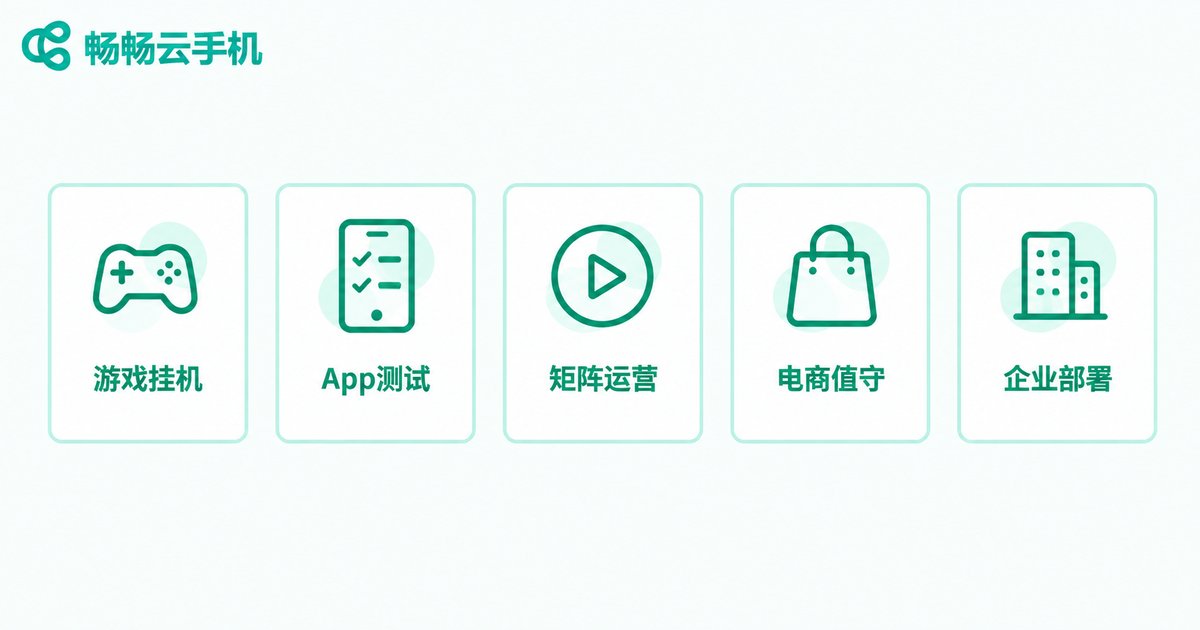
Group control is essentially an efficiency tool — its value depends on where you apply it. The five most common scenarios are:
1. Game studio multi-account farming: run batches of game characters to automatically complete daily quests, earn idle rewards, and produce resources;
2. Batch app testing: install and run a new release across many devices simultaneously to catch compatibility issues quickly;
3. Multi-account content operations: manage publishing and engagement across a matrix of short-video and social accounts from one place;
4. Multi-store e-commerce support: handle customer messages from several shops in a single console so no order slips through;
5. Enterprise deployment: push apps and configurations to employee or store devices in bulk and maintain them uniformly.
What to Prepare Before Building
Three things are worth clarifying before you start — they will save you a lot of trial and error:
First, define your scale. Decide how many devices you need, which apps they will run, and whether they must stay online around the clock. A 10-device setup and a 100-device setup differ noticeably in grouping strategy and bandwidth.
Second, check your local environment. In group control mode, your local computer only handles video streaming and command delivery, so a regular office PC is enough. A stable wired connection is recommended; budget roughly 0.5–1 Mbps of bandwidth per device.
Third, choose a reliable cloud phone platform. This is the foundation of the whole solution — it determines device stability and how complete the group control features are, as covered below.
Build the Full System in Four Steps
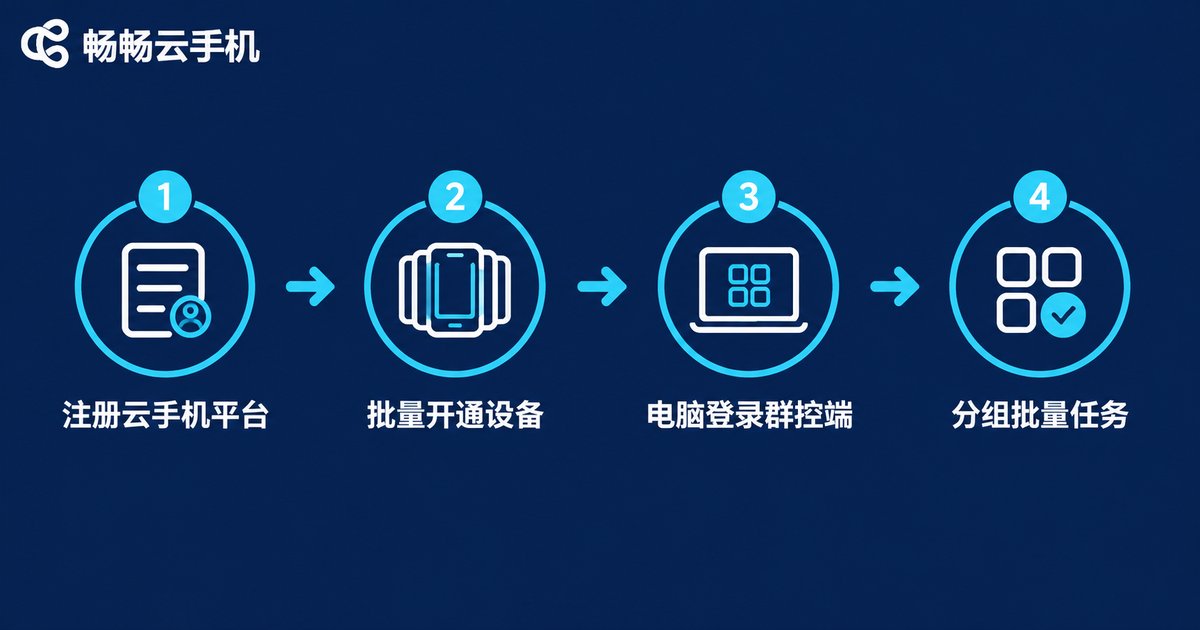
The entire setup can be summarized in four steps, with no coding required:
Step 1: Register on a cloud phone platform. Take ChangChang Cloud Phone (ccloudphone) as an example: sign up on the official website, complete verification, and enter the control center.
Step 2: Provision cloud phones in batch. Choose device specifications and quantity based on your needs. Once provisioned, the devices appear automatically in your device list — each one is an independent Android instance running in the cloud.
Step 3: Log in to the group control console from your computer. Open the console on your local PC and sign in with the same account. All cloud phones appear on screen together, and you can switch freely between multi-screen view, single-device control, and batch operations.
Step 4: Group devices and configure batch tasks. Organize devices into groups by business line, then batch-install apps, batch-configure environments, and dispatch automated tap-and-swipe tasks to an entire group with one click.
Can One Computer Really Handle Hundreds of Devices?
Many people worry that "a hundred devices will drag the computer down," but that concern comes from the era of physical phone farms. With cloud phones, all the computing happens in the cloud — your local machine only processes video streams and control commands, so the load is very light. That is the fundamental difference between the two approaches:
| Dimension | Physical Device Farm | Cloud Phone Group Control |
|---|---|---|
| Hardware investment | Hundreds of real phones, hubs, and racks required | One ordinary PC; devices live in the cloud |
| Scaling | Buy new hardware, long lead time | Purchase in the console, effective in minutes |
| Maintenance | Overheating, disconnects, frequent repairs | Maintained in the cloud, zero local wear |
| Uptime | Affected by local power and network outages | Online around the clock in the cloud |
| Cost per device | High | Low, pay as you go |
Daily Management Tips: Keeping Hundreds of Devices in Order
Building the system is only the first step — long-term stability depends on good management habits. Here are a few practical tips:
Group management: tag and group devices by business line or task type, so batch operations only affect the target group and never touch other businesses;
Scheduled tasks: set repetitive actions such as check-ins, idle farming, and cache cleaning to run on a schedule, keeping things going unattended overnight;
Routine checks: spot-check device screenshots at a fixed time each day and restart any frozen or disconnected device promptly to avoid interrupted tasks;
Environment isolation: run accounts for different businesses on different devices to keep environments separated and reduce association risks.
Why We Recommend ChangChang Cloud Phone
Among the available options, ChangChang Cloud Phone (ccloudphone) is a strong first choice for building a group control system. It provides cloud-based Android instances that stay online around the clock and supports batch management and group control operations — whether you run a handful of devices or hundreds, everything can be orchestrated from a single console. Scaling up is as simple as purchasing more devices in the dashboard, with no additional local hardware required.
For teams just getting started, provision a small number of devices first to validate your workflow, then expand gradually with controllable investment. For the latest plans and pricing, visit the official ChangChang Cloud Phone website at ccloudphone.
Frequently Asked Questions
Q: How many cloud phones can one computer control?
The practical limit depends mainly on bandwidth and console performance. Since all computing happens in the cloud and your local machine only streams screens, an ordinary office PC with a 100 Mbps+ connection can comfortably manage hundreds of devices.
Q: Do I need to write code to set this up?
No. Group control features on mainstream cloud phone platforms are fully graphical — batch installs, batch taps, and scheduled tasks are all configured directly in the console.
Q: Will batch operations feel laggy?
Lag usually comes from the local network, not the devices themselves. Cloud phones run in the data center, so with a stable connection multi-screen viewing stays smooth; you can also monitor only key devices while the rest run silently in the background.
Q: Who is cloud phone group control for?
Game studios, app QA teams, multi-account content operations, and multi-store e-commerce management — any team that needs to operate many Android devices at once. Always use it for legitimate business purposes and comply with the relevant platforms' terms of service and applicable laws.
Q: How do I scale up later?
Simply purchase additional devices in the ChangChang Cloud Phone console. New devices appear automatically in your list, join the appropriate group, and can join batch tasks immediately — no local changes required.


