
Cloud Phone Game Account Security: Login Environment and Anomaly Alerts
Why your login environment directly affects game account security
Many people assume an account was stolen simply because the password was too weak. In reality, when a game publisher's risk-control system decides whether it is really you playing, it looks far beyond the password. It evaluates where you are logging in from, what device you are using, whether your login times follow a pattern, and whether you switch networks frequently within a short window. Stack all of that together and you get what is called your login environment.
When you log in from an unfamiliar device, or from a city that has never appeared in your history, the risk system immediately becomes cautious. In mild cases you get an SMS verification prompt; in more serious ones, login is temporarily restricted. That is exactly why so many players suddenly receive a login anomaly alert after moving their game onto a cloud phone. It is not necessarily someone stealing the account. It is the environment profile no longer matching what the system remembers.
Three critical factors in a cloud phone login environment
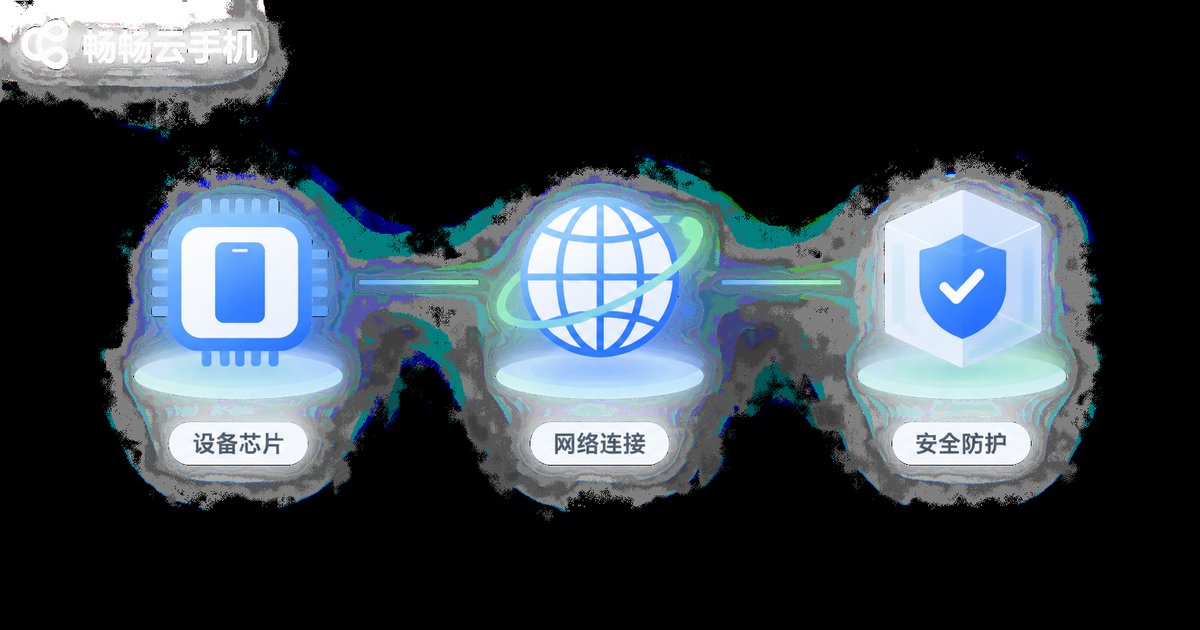
Running a game on a cloud phone essentially means placing the game client on a remote device that stays online for long periods. Since it is a different device, three things always come into play.
First, the device identifier must stay stable. Games record hardware characteristics to build a device profile. If a cloud phone presents a different set of device details on every login, risk control sees the same person buying a new phone every day, and naturally becomes suspicious. A stable cloud phone instance keeps consistent device characteristics over time, which is itself a signal of safety.
Second, the network egress must stay stable. IP address is one of the most sensitive signals in risk control. Logging in from city A today and city B half an hour later is physically impossible for a human but trivial for a script, so the system treats it as high risk. Keeping your cloud phone on a consistent network egress region is a simple way to avoid this.
Third, the runtime environment must stay clean. Clean here means no abnormal plugins, no interference between multiple instances, and no contamination from other risky activity in the same space. An isolated, independent instance greatly reduces the chance of being misjudged.
Common alert types and what they actually mean
Do not panic when an alert arrives. Different alert types have very different causes and require different responses.
| Alert type | Common trigger | Suggested response |
|---|---|---|
| Unusual location login | Login IP region differs significantly from history | Confirm it was you; if caused by a cloud phone migration, fix the egress region and observe |
| New device verification | Device characteristics do not match historical profile | Complete verification, then keep using the same cloud phone instance long term |
| Frequent account switching | Multiple accounts logging in and out of one environment quickly | Lower the switching frequency and give each account its own isolated space |
| Environment anomaly notice | Suspected automation tooling or abnormal plugins | Clean the environment and use only official clients plus a compliant cloud phone service |
| Login restricted or temporarily frozen | Multiple risk signals stacked together, triggering protection | Appeal through official channels and review recent environment changes |
The correct order of steps after receiving an alert
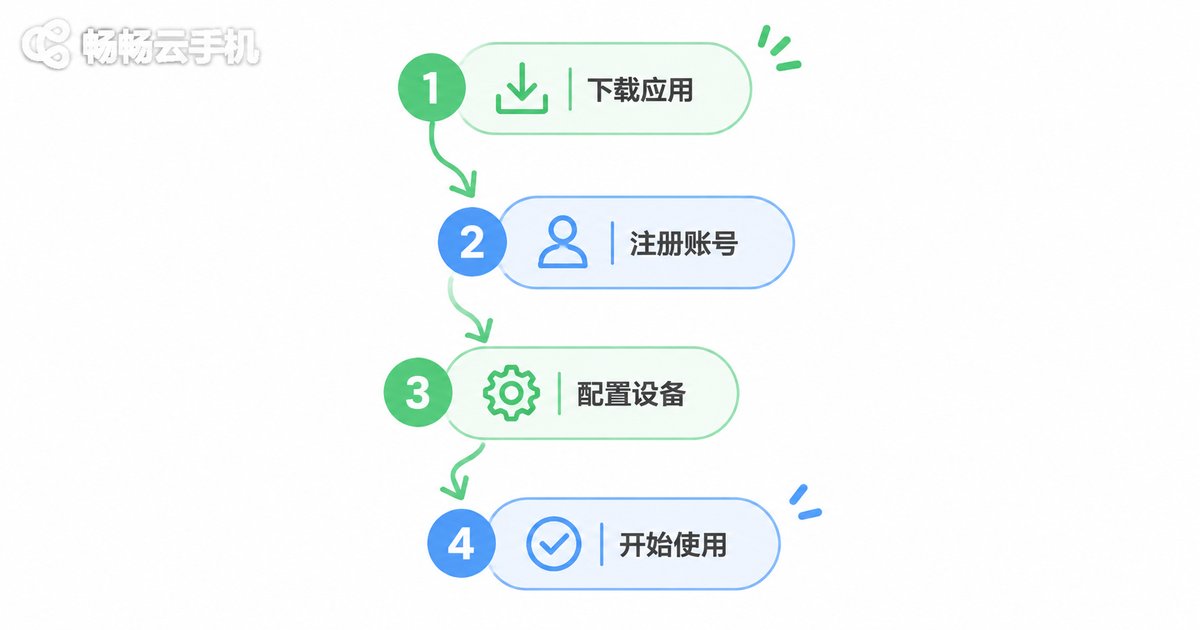
Most people instinctively try to log in again and again, which is the worst possible move, because repeated failures keep raising your risk score. A safer sequence looks like this:
Step one: confirm whether it was you. Think back on whether you changed devices, networks or cities recently, or logged the account in across multiple environments. Most alerts are explained at this step.
Step two: stop high-frequency operations. If an alert has already fired, stop repeatedly logging in or switching accounts in a short window, and let the risk status settle naturally.
Step three: complete official verification. Finish SMS, email or face verification through the game's official channels. Never enter your credentials on a third-party site.
Step four: stabilise the environment. If the change in your cloud phone setup caused it, keep subsequent logins on a consistent device and network egress so risk control can rebuild a stable profile.
Habits worth building when gaming on a cloud phone
Prevention beats repair. None of the following require any technical background, yet they help a lot.
Complete your account bindings. Binding a phone number and email and enabling two-factor verification is the highest-value security step available. Even if something goes wrong, recovery becomes far easier.
Never share login credentials. Do not hand your password to boosting services, friends or any third-party platform. Account sharing is the most common human cause of anomaly alerts.
Separate instances by purpose. Keep your main account and any test accounts on independent cloud phone instances so fluctuations in one environment do not drag down another.
Review login records regularly. In-game login history is the most direct clue. If you spot a device or location you do not recognise, change your password and re-verify immediately.
Only use cloud phone services from legitimate providers. Tools of unknown origin carry risk on their own, and saving a little money is never worth losing an account.
How ccloudphone approaches account security
The approach at ccloudphone can be summed up in one sentence: make every cloud phone instance behave like a real, stable, independent device. Instances run online long term and keep consistent device characteristics, avoiding the misjudgements caused by constant device changes. Each instance is also isolated from the others, so running several games or accounts at once does not create interference.
For players who need long idle sessions, a stable runtime environment and a stable network egress are themselves the best account protection available. You can review the available instance specifications and configuration options directly on the ccloudphone official website and pick a setup that fits your games and habits.
Frequently asked questions
Q: I received a login anomaly alert after switching to a cloud phone. Does that mean my account was stolen?
Not necessarily. In the vast majority of cases the login environment changed, for example the device characteristics or network egress region no longer matched your history. Check whether you recently changed devices or networks, then complete official verification.
Q: Can running a game on a cloud phone get my account banned?
The key is not whether you use a cloud phone but whether you use it compliantly. Using a legitimate cloud phone service, running only the official game client and avoiding prohibited tools keeps risk manageable. Using tools of unknown origin is what actually creates high risk.
Q: Can I log multiple game accounts into one cloud phone instance?
Technically yes, but from a security standpoint it is not recommended. Switching between several accounts in the same environment quickly can trigger frequency-based risk checks. If you need multiple accounts, give each one its own independent instance.
Q: Why is a fixed network egress region recommended?
Because IP region jumps are among the most sensitive signals in risk control. Logging in across cities or regions within a short window is impossible for a human but easy for a script, so the system defaults to high risk. A stable egress keeps your account risk score at a normal level.
Q: What should I do after an alert is resolved?
Update your password, confirm two-factor verification is enabled, and check recent login records for unfamiliar devices. After that, keep your device and network environment stable so risk control can rebuild a reliable profile.


