
Compliance Requirements for Cloud Phones in Financial App Testing: Sandbox Isolation and Sensitive Data Non-Landing
Why Financial App Testing Is Extra Sensitive to Compliance
The biggest difference between a financial app and an ordinary app is that it holds users' “wallets”: ID numbers, bank card numbers, transaction records, facial data — all highly sensitive. A leak during testing is far more damaging than a functional bug. The Personal Information Protection Law, the Data Security Law, and multiple financial industry security standards all send the same signal: development and test environments are within the scope of compliance, and any use of real personal information must be desensitized and isolated. For QA teams, compliance is no longer a pre-launch checkbox — it must be designed in from the very first test case.
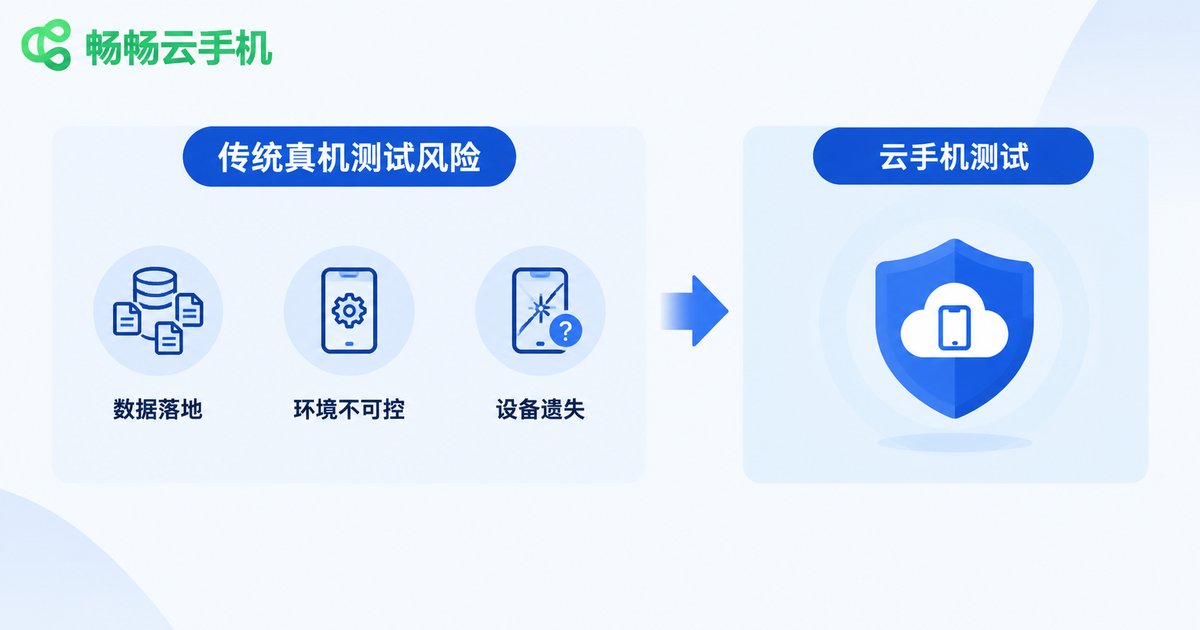
Three Compliance Risks of Traditional Real-Device Testing
Many teams simply install the test build on their own phones or a pool of shared devices. It looks convenient, but it hides three risks:
Data lands locally and is hard to clean. Caches, logs, and screenshots scatter across local storage. When a device is handed to the next colleague, last round's accounts and data may still be sitting there, and nobody can say for sure.
Uncontrolled device environments. Real devices may be rooted or carry apps from unknown sources, which interferes with the app's risk-control and security checks and distorts test results.
A lost device means lost control of data. Once a test phone goes missing or is lent out, the test accounts and business data on it become untraceable.
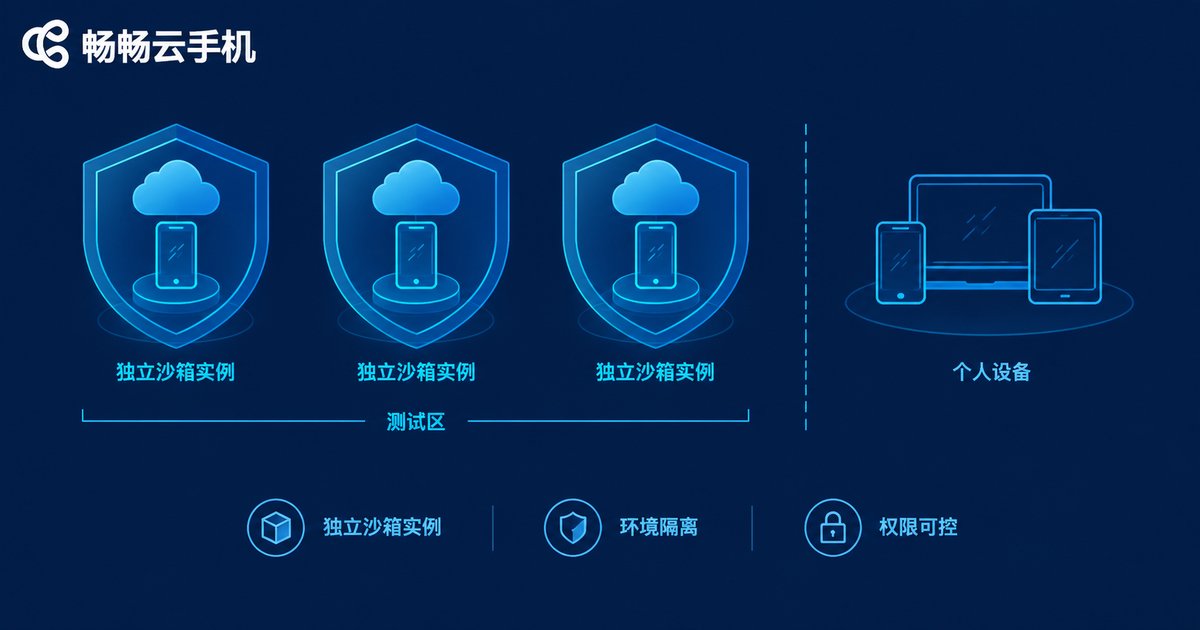
Sandbox Isolation: An Independent Shield for Every Test Task
A cloud phone is essentially a virtual smartphone running in a data center, and every instance is an independent sandbox: the test app is installed, runs, and generates data entirely inside it, naturally separated from testers' personal phones and office computers. For financial app testing, this delivers three immediate benefits:
Clean, reproducible environments. Every test round starts from a fresh cloud phone; which apps are installed and which permissions are granted is decided solely by the test process, free of legacy interference on real devices.
Minimal, controlled permissions. Permissions such as camera and storage are enabled only as test cases require and revoked when testing ends, so the app never holds sensitive permissions longer than necessary.
Auditable operation trails. Who did what on which instance is traceable in the cloud, so issues can be quickly located — exactly what compliance auditors want to see.
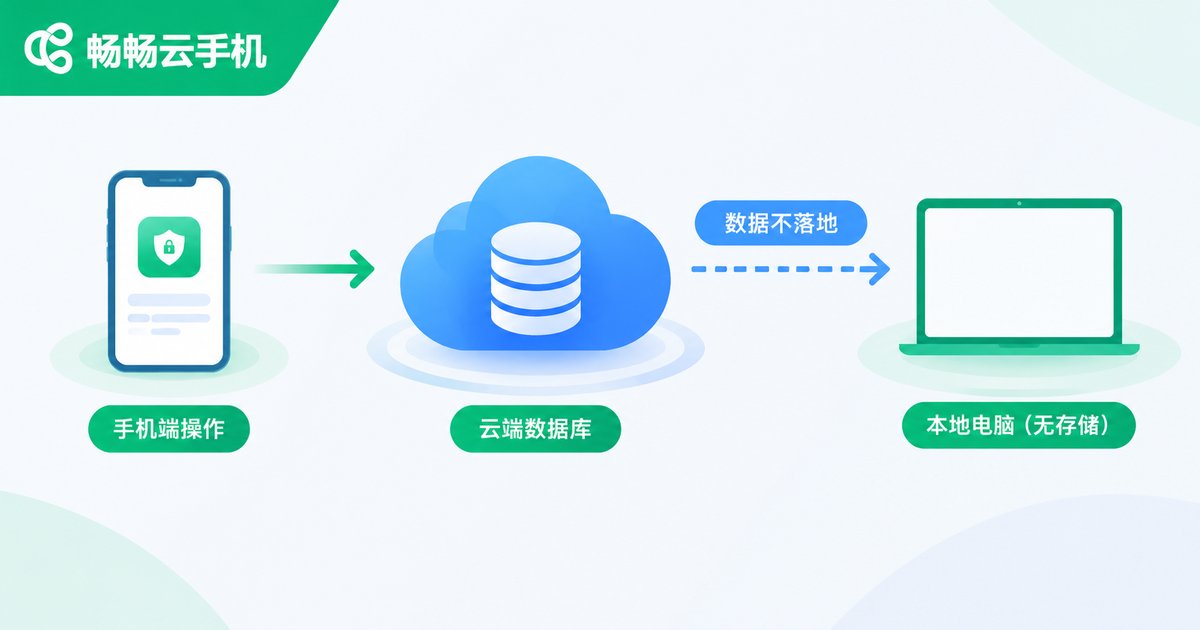
Sensitive Data Non-Landing: Keeping Data in the Cloud Only
“Data non-landing” is a requirement the financial industry keeps emphasizing, and its core idea is simple: sensitive data should not persist on endpoint devices. The cloud phone architecture fits this naturally —
Test data, account credentials, and runtime logs all live in the cloud instance; the local computer acts only as a “display plus remote control” and stores no business data. When a test round ends, the instance is reset or released and everything inside is wiped, leaving no residue. Compared with manually clearing caches, logging out, and factory-resetting every physical device, cloud-side cleanup is far more thorough — and much easier to codify into the team's testing SOP.
Compliance Requirements vs. Cloud Phone Capabilities
Placing regulatory concerns side by side with cloud phone capabilities makes the mapping obvious:
| Compliance Concern | Traditional Real-Device Testing | Cloud Phone Testing |
|---|---|---|
| Environment isolation | Shared with personal devices, blurry boundaries | Independent sandbox instance per task |
| Data storage | Scattered locally, hard to clean | Stored in the cloud, no local landing |
| Post-test cleanup | Manual deletion, residue likely | Reset or release instance for a full wipe |
| Operation audit | No unified records | Cloud-side traceability |
| Device management | High procurement and recycling costs | Provision on demand, build as needed |
Five Steps to a Compliant Cloud Testing Workflow
Step 1: Desensitize data first. Before anything enters the test environment, run personal information through desensitization tools or synthetic data generators to minimize the use of real sensitive data at the source.
Step 2: Dedicated instances. Reserve dedicated cloud phone instances for financial app testing; never mix them with everyday testing, keeping the environment boundary clear.
Step 3: Grant minimum permissions. Enable permissions only as test cases require; leave camera, contacts, and anything unused disabled to shrink the exposure surface.
Step 4: Keep traces in the cloud. Agree that test screenshots and logs are stored centrally in the cloud with no local copies, making both retrospectives and audits easy.
Step 5: Wipe after every round. Reset or release instances immediately after each test round, turning “data non-landing” into a default step of the workflow rather than an afterthought.

ChangChang Cloud Phone (ccloudphone): Making Compliance the Default
When evaluating a cloud phone service, focus on three questions: are instances fully isolated from each other, does data stay in the cloud only, and is post-test cleanup thorough enough? Take ChangChang Cloud Phone (ccloudphone) as an example: apps and data run and are stored in cloud instances, while the local device only handles display and input — a natural fit for the “data non-landing” principle. Every test round can start from a brand-new independent environment and be wiped as a whole afterwards, turning compliance actions into default steps of the process. For the latest features and usage details, refer to the official ChangChang Cloud Phone website.
FAQ
Q: Can we use real user data in the test environment?
Avoid it whenever possible. Compliance calls for desensitized or synthetic data first; if real data is truly necessary, it must be handled in an isolated environment and thoroughly cleaned up afterwards.
Q: Is test data safe on a cloud phone?
Data is centralized in the cloud provider's data center instead of being scattered across local devices. Combined with account permission management and full cleanup after testing, the exposure surface is far smaller than keeping a copy on every real device.
Q: Will financial apps' device security checks interfere with cloud phone testing?
Cloud phones run in real server environments with consistent, controllable system states. It is wise to verify the app's compatibility and detection policies on cloud phones in a small pilot first, and include cloud devices in your test matrix rather than discovering issues at the last minute.
Q: How do we ensure data is completely removed after testing?
Reset or release the cloud phone instance so the cloud environment returns to its initial state, and check local computers for leftover screenshots or installation packages, deleting them as well — clean on both ends.


