

Cloud Phone Batch Management API Authentication: How to Contain the Damage After an ApiKey Leak
The ApiKey: The Master Switch of Batch Management
When you need to control hundreds or thousands of cloud phones at once—installing apps in bulk, running scripts across devices, scheduling group control tasks—operating them one by one is simply not realistic. That is where the open API becomes the core of efficiency: a program holding a single ApiKey can perform every batch operation on your behalf. But the more concentrated the power, the greater the risk. Once an ApiKey leaks, you have effectively handed over control of your entire fleet of cloud phones: devices can be maliciously group-controlled, device groups can be altered in bulk, and you may even incur unexpected resource consumption. Understanding the authentication mechanism and mastering the post-leak response is essential homework for any team running batch operations.
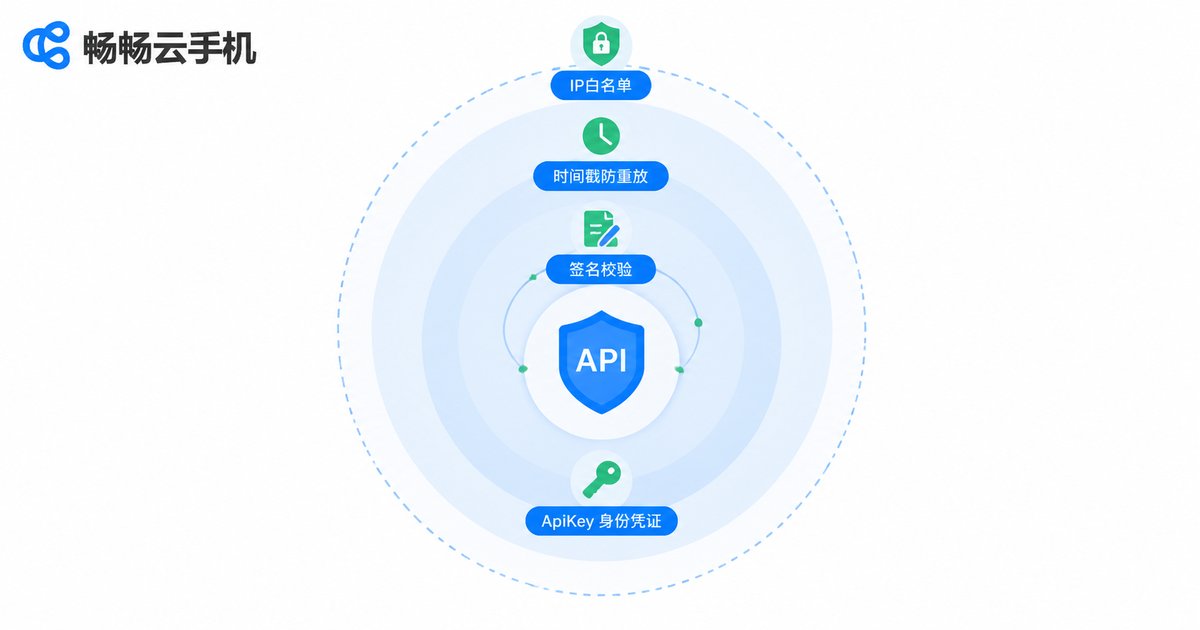
How Batch Management API Authentication Works: More Than One Line of Defense
Many people assume API authentication is just 'attach a key and go.' In reality, mainstream cloud phone open platforms use a combination of layered checks—if any single layer fails, the request is rejected:
| Layer | What It Does | Why It Matters for Damage Control |
|---|---|---|
| ApiKey | Identifies who is calling—the identity credential | A leak exposes your identity; it must be reset immediately |
| Signature | Computes an encrypted hash of the request parameters, preventing tampering | With only the ApiKey but no signing secret, forging valid requests is difficult |
| Timestamp | Confines each request to a valid time window; expired requests are rejected | Captured old requests quickly become useless, preventing replay attacks |
| IP Whitelist | Only allows calls from designated server IPs | Even with a leaked key, unknown IPs cannot get through |
These four layers wrap around each other like concentric circles: identity on the outside, behavioral constraints on the inside. Once you understand this, the core logic of damage control becomes clear—invalidate the identity fast, then tighten the behavioral boundaries.
How Do Keys Leak? Five High-Frequency Scenarios
1. Public code repositories. Hard-coding a key into code pushed to a public repo means crawlers can find it within hours.
2. Logs and screenshots. Pasting full requests (key included) into logs, group chats, or documents during debugging.
3. Client-side hard-coding. Embedding the key in an app or front-end page—anyone who decompiles it gets the key.
4. Casual handoff to third parties. Sending the master key to an 'outsourced operations' team and never revoking it afterward.
5. Unhandled staff turnover. Departing employees leave working keys behind in local configs and scripts.
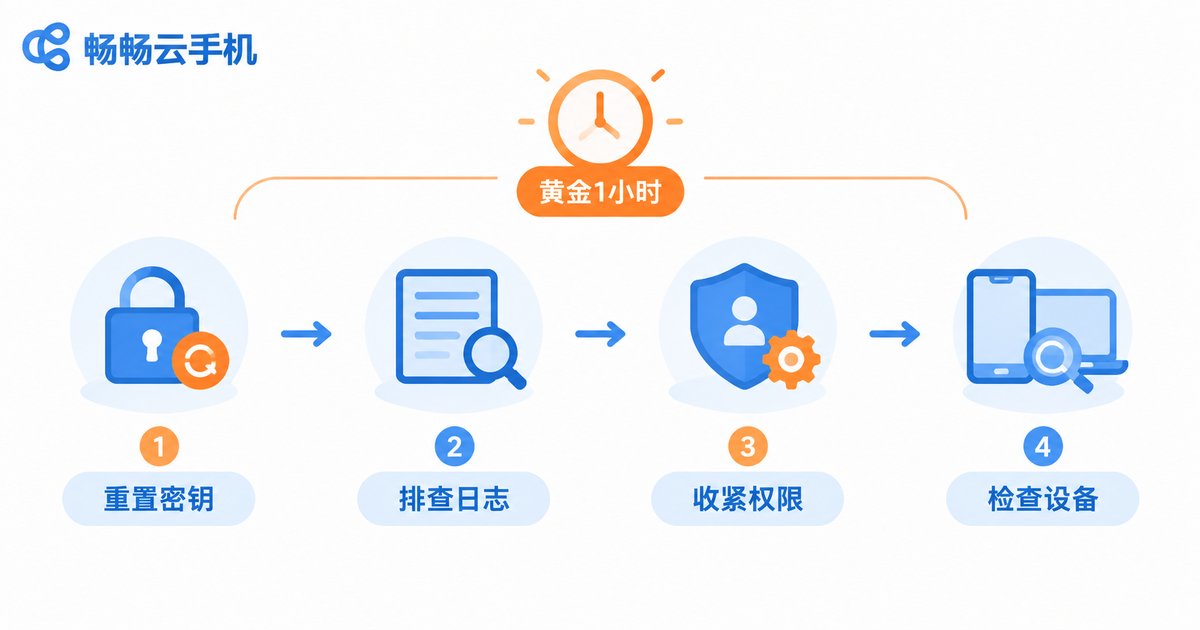
The Golden Hour: Four Steps to Contain the Damage
When you discover (or even suspect) a key leak, do not panic. Follow these four steps and most losses can be avoided:
Step 1: Reset the ApiKey immediately. Log into the open platform console, invalidate the old key, and generate a new one. Resets usually take effect instantly, rendering the old key useless—this is the single most critical step and always comes first.
Step 2: Audit the call logs. Review the API call records in the console, focusing on unknown IPs, abnormal frequencies, and unfamiliar endpoint calls within the leak window, to determine the scope: was the key merely exposed, or were actual operations performed?
Step 3: Tighten access policies. Bind an IP whitelist to the new key so only your own servers can call it. If the platform supports sub-keys or permission groups, grant the minimum access each business needs—never let one key control all devices.
Step 4: Inspect device status thoroughly. Run a batch inspection across your cloud phones: any unfamiliar installed apps, any group control tasks you did not create, any changes to login states or account data? Take affected devices offline immediately and update the related account passwords.
The order matters: cut access first (reset), then trace the trail (logs), then patch the gaps (policies), and finally clean up (devices). Skipping straight to log analysis while the leaked key remains valid means the risk keeps running while you investigate.
Day-to-Day Prevention: Stop Leaks Before They Happen
Keep keys out of code. Manage keys with environment variables or a configuration center; repositories should only contain placeholders, and local config files belong in .gitignore.
Least privilege. Use different keys for different business lines and keep test and production separate, so any incident has a contained blast radius.
Rotate regularly. Treat key rotation as routine maintenance—quarterly, for instance—instead of waiting for a leak to remind you.
Enable monitoring and alerts. Watch your call volume curves; a sudden late-night spike is often the first signal. Turn on IP whitelisting wherever possible.
Use dedicated credentials for external partners. Issue third-party teams their own revocable keys, and reset them as soon as the engagement ends.
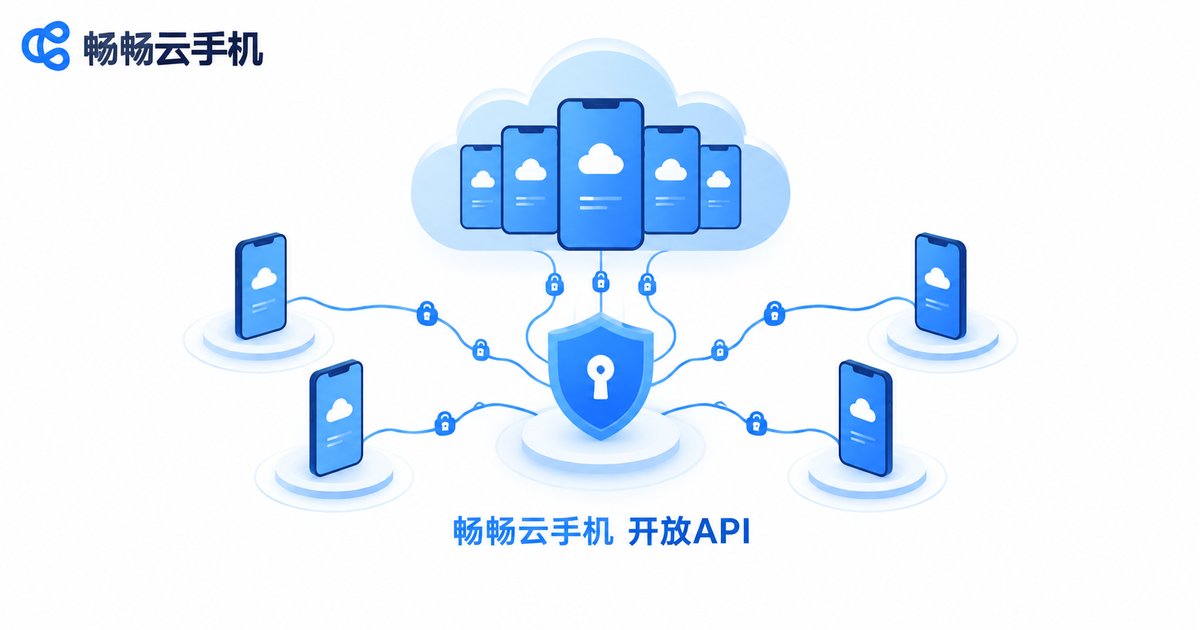
Choosing the Right Platform Is Half the Contingency Plan
Key security is never solely the user's responsibility—the platform's authentication design matters just as much. When evaluating cloud phone providers, focus on three things: whether authentication includes signature and time-window validation, whether the console lets you reset keys and review call logs at any time, and whether access controls such as IP whitelists are supported. Take ChangChang Cloud Phone (ccloudphone) as an example: it builds batch group control and multi-instance management into its core capabilities, paired with an open API for automated batch operations—so teams can enjoy the efficiency of batch management while using key management and access controls to keep leak risk to a minimum. Write 'what to do when a key leaks' into your team's contingency plan and rehearse the reset process regularly. When an incident actually happens, you will be able to contain the damage within the golden hour.
FAQ
Q: After an ApiKey leak, does changing my platform login password help?
Only marginally. The ApiKey and your login password are separate credentials; changing the password does not invalidate a leaked ApiKey. The right move is to reset the ApiKey directly in the console.
Q: Will resetting the key disrupt running batch tasks?
Yes. Once the old key is invalidated, scripts using it will receive authentication failures. Write the new key into your configuration in advance, switch over immediately after the reset, and schedule the change during off-peak hours.
Q: Is it safe to hand a key to a third-party operations team?
It is better than sharing your main account, but still be careful: generate a dedicated key for them, bind an IP whitelist, agree on the scope of use, reset the key when the engagement ends, and review call logs regularly.
Q: My server uses a dynamic IP—what if I cannot use an IP whitelist?
Whitelist a fixed egress server (such as a jump host), or choose a platform that supports CIDR range configuration. At minimum, make sure signature and timestamp validation are enabled to compensate for the exposure of a dynamic IP.
Q: How can I detect a key leak as early as possible?
Watch for three signals: abnormal call volume, unknown IPs in the logs, and operations on devices that you never initiated. With alerts enabled, detection time shrinks from 'days later' to 'within minutes.'


