
Cloud Phone Emulator Online: Play Heavy Mobile Games Without Installation
Struggling to Run Heavy Mobile Games? You Don't Need a New Phone — You Need the Cloud
Big mobile games can easily eat tens of gigabytes once installed and updated. Storage warnings, an overheating phone, frame drops in team fights — every mobile gamer knows the pain. The good news: you may not need a new device at all. Using a cloud phone emulator online is the minimalist answer.
What Is a Cloud Phone Emulator?
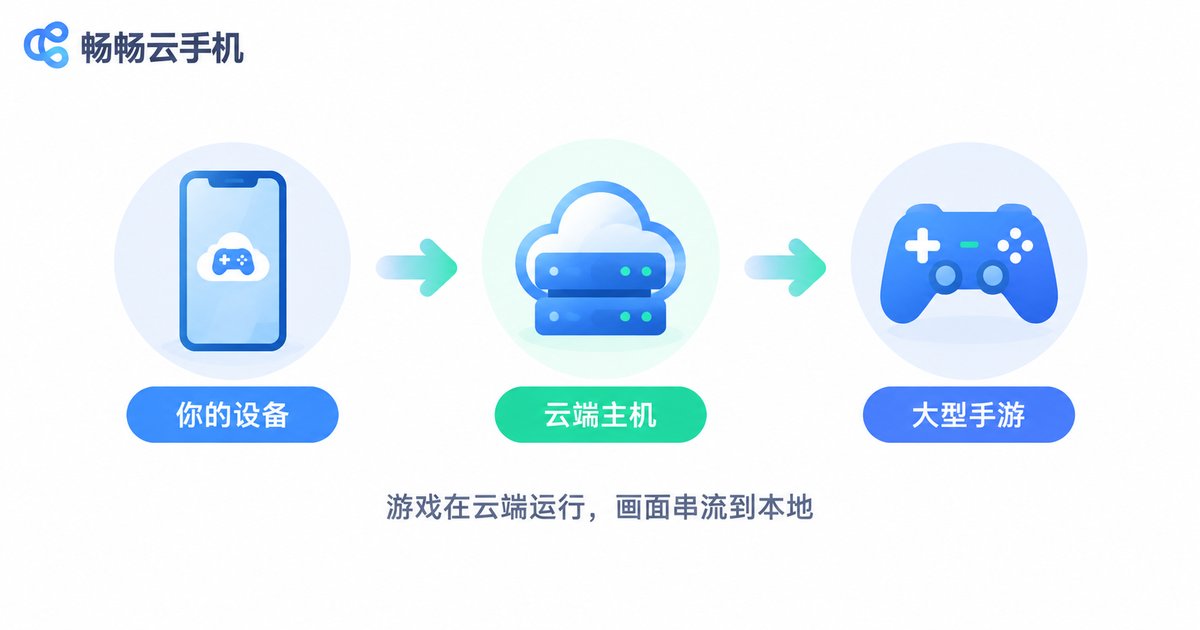
A cloud phone is, simply put, a virtual Android phone running in a cloud data center. Unlike a traditional PC emulator, which depends on your computer's hardware, everything on a cloud phone — the system, the games, the heavy computation — happens on remote servers. Your local device only does two things: stream the picture to you and send your taps back.
Because the game lives in the cloud instead of on your device, you get a truly installation-free experience: no multi-gigabyte downloads locally, no storage pressure, no heat, no battery drain — just tap and play.
Three Core Benefits of Using a Cloud Phone Online
1. No installation, zero local storage
Game clients, updates and cache all stay in the cloud. Your device only needs a lightweight entry point, saving you gigabytes of space.
2. High graphics on low-end devices
Game performance is powered by high-spec cloud servers, while your device acts as a screen and controller. Years-old phones, entry-level tablets, even office laptops can stream heavy games smoothly.
3. Always online, seamless across devices
Your cloud phone runs 24/7 in the cloud. Idle grinding, downloads and updates never touch your local device. Switch from phone to tablet or PC and pick up right where you left off.
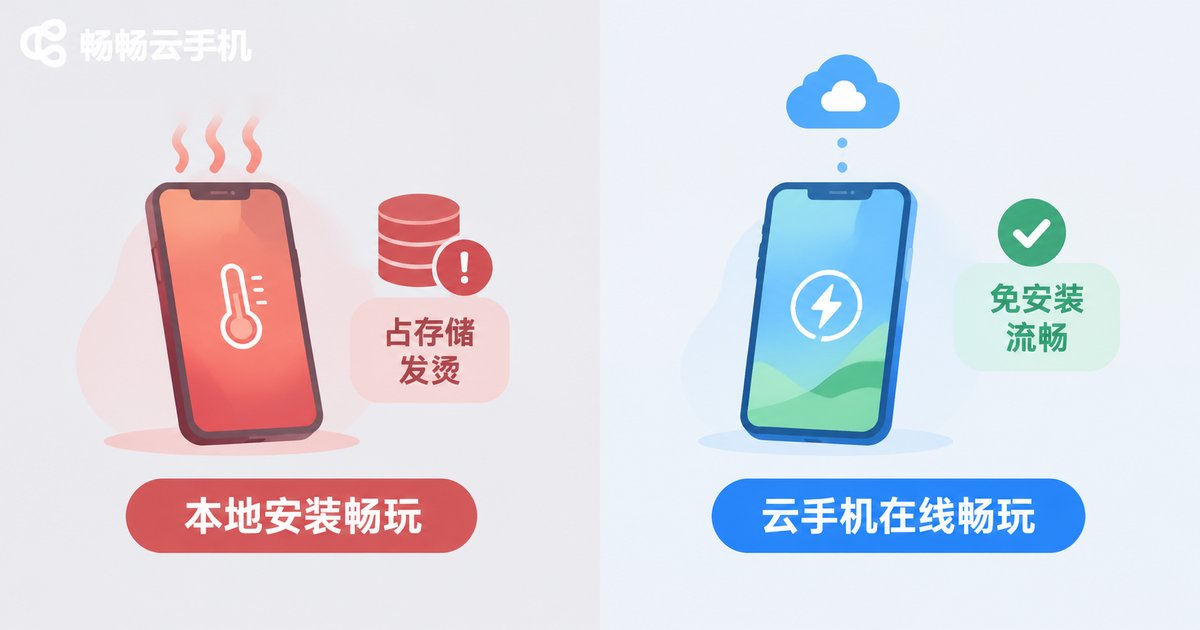
Local Play vs. Cloud Phone Play
| Aspect | Local Installation | Cloud Phone Online |
|---|---|---|
| Storage | Often 10GB+ per game | Nearly zero locally |
| Device requirements | Depends on phone performance | Old devices work fine |
| Heat & battery | Noticeable heating and drain | Computation offloaded, device stays cool |
| Idle & multi-account | Limited to one device | Cloud runs around the clock |
| Switching devices | Re-download and set up | Log in anywhere and continue |
Who Is This Installation-Free Cloud Play For?
Storage-struggled users: a 128GB phone fills up fast with apps, photos and one or two big titles — a cloud phone moves the heavy games off your device entirely.
Old-phone owners: if a three-year-old phone can't handle new blockbusters, high-performance cloud hardware takes over the graphics load.
Multi-account grinders: daily quests and stamina runs keep progressing in the cloud, even while you sleep.
Big-screen fans: stream your mobile games to a tablet or computer display anytime, with no compromise in experience.
Get Started with ccloudphone in Three Steps
Taking ccloudphone as an example, the whole process is minimal:
Step 1: Sign up. Visit the official ccloudphone website and register your account.
Step 2: Launch your cloud phone. Start your cloud device from the device list — it works just like a real Android phone.
Step 3: Install games in the cloud and play. Download your favorite heavy mobile games inside the cloud phone, log in to your game account, and play — with zero installation on your local device.
From then on, just open ccloudphone whenever you want to play. Your games, accounts and progress all live safely in the cloud, ready on any device.
FAQ
Q: Does playing heavy games on a cloud phone require a fast local network?
Streaming needs a reasonably stable connection. A typical home broadband or stable 4G/5G connection is enough for smooth play; the better the network, the sharper the image and the lower the latency.
Q: How is a cloud phone different from a PC emulator?
A PC emulator consumes your computer's own resources — weak PC, laggy game. A cloud phone does the computing on remote servers, so your local hardware barely matters, and nothing is installed locally.
Q: Are my game accounts and data safe on a cloud phone?
Each cloud phone is an isolated cloud environment. Accounts and data are stored in the cloud, safe from a lost or broken local phone, and can be restored on any device simply by logging in.
Q: Can very old phones or computers use it?
Yes. As long as the device can go online and play video smoothly, it can run a cloud phone — that's exactly the point of this installation-free minimalist solution.


