
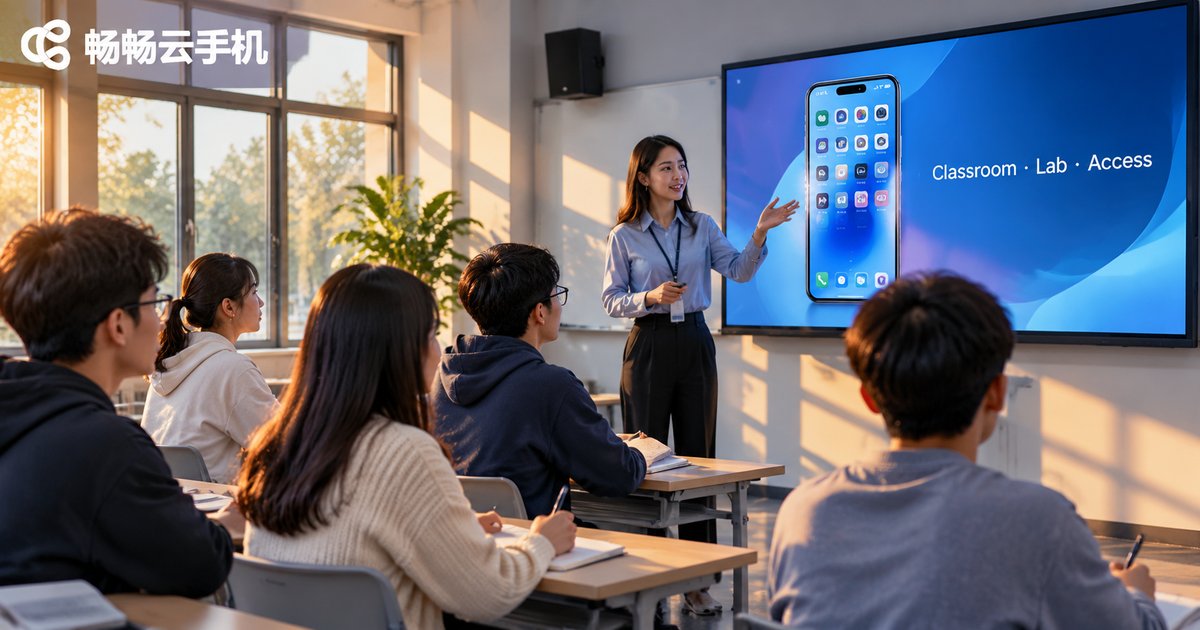
Cloud Phones in Education: Classroom Demos, Lab Grouping and Permission Management
Why cloud phones are showing up in classrooms
Mobile app training courses have an old problem: not enough devices, mismatched models, and a single environment setup that eats half a class. Students use their own phones, run wildly different OS versions, and only after installing the app discover that permissions are off or the version is wrong. School lab machines are no better — one handset gets hammered by several cohorts, and restoring it means reinstalling the system.
Cloud phones turn a handset into a resource that can be created and recycled on demand. The idea is not to put more devices in the room — it is to take the device off the desk and put it in the cloud.
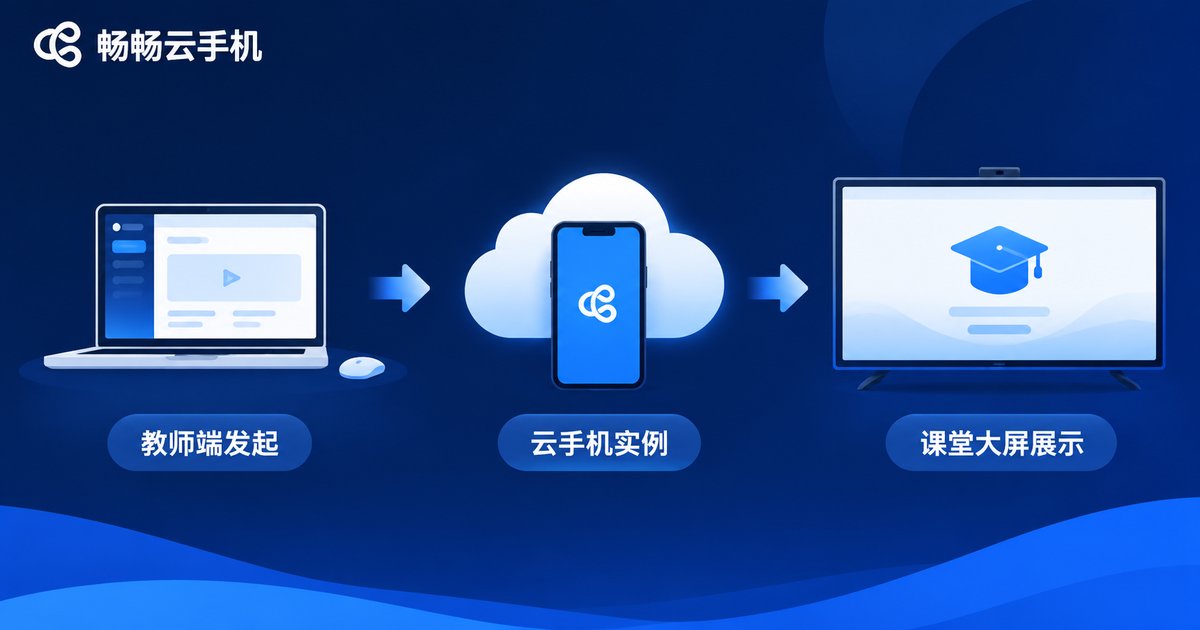
Classroom demos: one action, the whole class sees it
The worst part of teaching an app workflow is the gap between the small screen at the podium and the confused faces in the back rows. A teacher holding up a phone is invisible past row three; casting to a laptop adds a connection step that tends to drop when you switch apps.
With a cloud phone, the teacher opens one instance from the console and casts that virtual phone screen to the classroom display. Students see a complete, real handset interface — status bar, dialogs, page transitions, keyboard — and every teacher action appears on the big screen at the same moment.
Afterwards, the session recording becomes revision material. Anyone who missed a step can rewatch it instead of asking again.
Three practical tips for the demo stage
- Record before you teach: run the key flow once and record it beforehand, then play and narrate in class instead of improvising live.
- Keep one clean instance: leave the demo instance at its initial state and reset it right after class, so the next lesson starts without leftovers.
- Scale up the display: raise the display scaling inside the cloud phone so text and buttons stay readable on the projector.
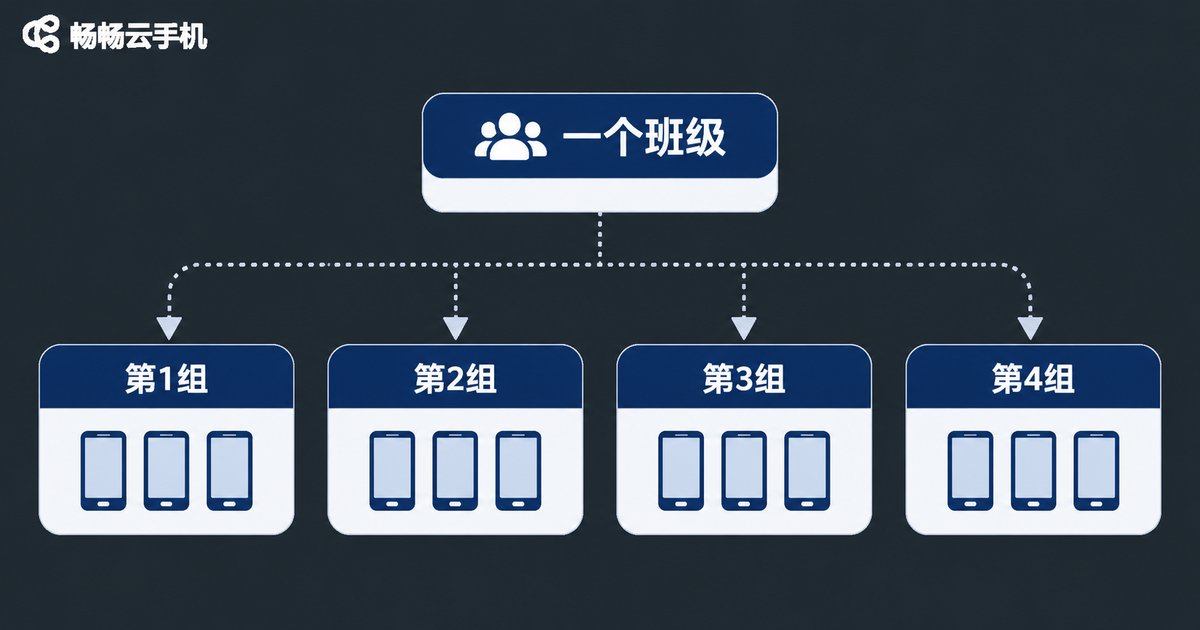
Lab grouping: one device per student, one environment per group
Grouping is the hardest thing to coordinate in a lab session. Forty students split into eight groups all need to run the same workflow without interfering with each other. In a traditional lab, changing seats means changing devices, logging in again and reconfiguring everything.
Cloud phones assign instances by group: members log into the same group and get the handsets that belong to that group. Changing seats does not matter, swapping members does not matter — devices follow the account, not the desk.
| Item | Traditional lab | Cloud phone groups |
|---|---|---|
| Environment setup | Install per device, half a day | Copy a template, done in minutes |
| Group changes | Swap seats and devices | Edit ownership in console, instant |
| Failure recovery | Reinstall on site | Reset the instance in seconds |
| State after class | Overwritten by the next class | Retained until the next lesson |
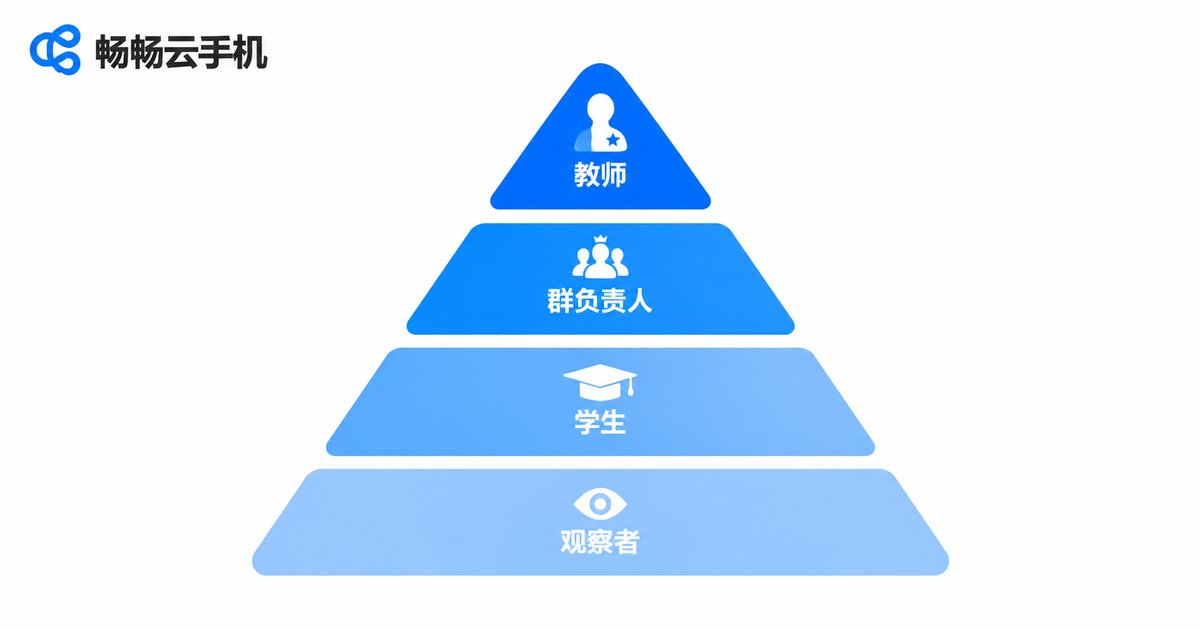
Permission management: teachers keep control, students keep freedom
Letting students experiment freely and letting teachers step in when needed usually pull in opposite directions. Cloud phone permissions split the two apart: control over the device stays with the teacher, freedom to operate stays with the student.
A workable tier structure looks like this:
- Teacher account: create and delete instances, install apps, push templates, review activity logs, take over the screen at any time.
- Group leader account: manage members of their own group, restart group instances, submit results — but cannot touch other groups.
- Student account: operate only the instances assigned to them, install the apps the course needs, but cannot delete instances or change system settings.
- Observer account: read-only, can watch the screen but not interact — useful for open classes and peer review.
Once the boundaries are clear, the teacher does not need to watch every screen, and a single misclick cannot wipe out a session's progress. Each instance keeps an activity log, so disputes have a paper trail.
Cost and operations: from buying hardware to using what you need
A traditional lab costs more than the hardware: depreciation, repairs, reimaging and admin hours all add up. And utilisation is often low — a class may only use the room two or three afternoons a week.
Create-on-demand and recycle-after-class turns a fixed capital cost into a cost that follows the timetable. Spin up instances when the course starts, release them when it ends, and nobody has to babysit the lab in between.

Putting this into practice with CCloudPhone
CCloudPhone (ccloudphone) provides Android phone instances that run in the cloud. Teachers use a web console to create instances, divide them by group, push apps and take over screens, while students join from a laptop or tablet without buying extra handsets.
Start with a small pilot: pick one class and one training module, run the full demo–grouping–permission loop, and watch how quickly students adapt. Then expand to other classes. The adjustment cost stays low, and you get real classroom feedback before committing further.
FAQ
Q1: What if the network is unstable during a live demo?
Open the instance ahead of time and leave it on the first screen so nobody waits. Keep the pre-recorded run as a backup and switch to video narration if the connection dips.
Q2: Do forty students need forty instances?
It depends on the design. Individual exercises usually work best one-to-one; collaborative group exercises can run two or three instances per group, with members taking turns and the rest observing and recording.
Q3: Will students install random apps and break the environment?
Permission tiers can block instance deletion and system-setting changes while still allowing course apps. Even if an environment gets messy, resetting the instance restores it before the next lesson.
Q4: How do homework submissions work?
Keep the instance alive until the deadline so students can log back in and continue, or ask for screen recordings and screenshots as process evidence.
Q5: Does this conflict with our existing computer room?
No. Cloud phones are accessed through a browser, so the machines already in the room become terminals — effectively layering a phone environment on top of the lab you already have.


