

Cloud Phones in E-commerce: Multi-Store Management, Account Isolation & Permission Allocation
Why E-commerce Teams Are Turning to Cloud Phones
Most e-commerce operators go through the same phase. At first there is only one store, and a single computer or phone is enough. Then the number of stores grows, the team starts to split responsibilities, and problems appear: not enough devices, accounts affecting each other, and messy handovers when employees leave.
The traditional approach is to keep buying phones and computers and give every store its own set of devices. This is expensive, hard to manage, and once staff changes, account handover and security become painful. Cloud phones offer another way: move the devices to the cloud and manage multiple stores and team members through one unified entry point.
Changchang Cloud Phone (ccloudphone) is this kind of service. It provides phone environments running in the cloud, operated remotely through a client, so users do not need to stack up large numbers of physical devices locally. For e-commerce operations, this maps directly to three very practical needs: multi-store management, account isolation, and permission allocation.
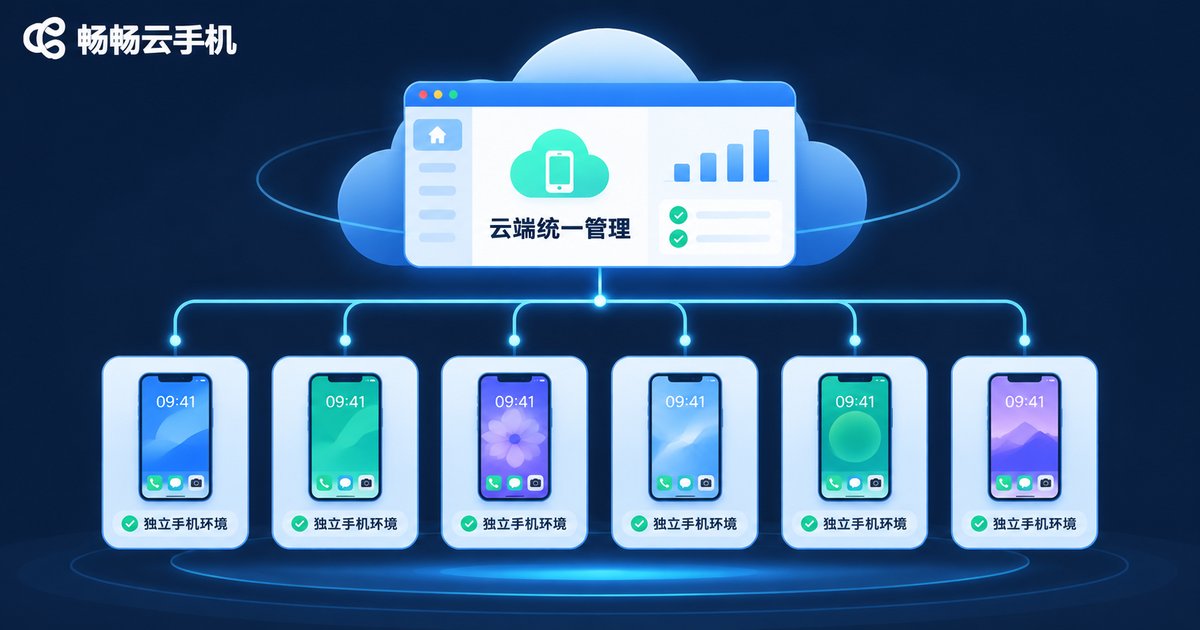
Multi-Store: Manage Multiple Operating Environments from One Entry Point
A common e-commerce setup is one operator handling three to five stores, or a small team each covering different platforms and categories. If every store requires switching devices and logging in again, efficiency is eaten up by repetitive operations.
With cloud phones, a team can see multiple cloud phone environments in one console, each corresponding to the operating scenario of one store. Operators simply switch between cloud phones in the client to enter different store backends, without preparing multiple physical devices locally.
The direct benefits of this centralized management include:
- Controllable device cost: open cloud phone environments as needed instead of buying large amounts of hardware up front.
- Tidy environments: each store maps to a fixed cloud phone, so it is clear who is responsible for which store.
- Easy handover: when staff changes, transfer the operation permission of the corresponding cloud phone instead of moving devices.
It is worth noting that cloud phones only provide the running environment. Store operations themselves must still follow each platform's rules. Teams should treat cloud phones as a tool for better management, not a way to bypass platform rules.
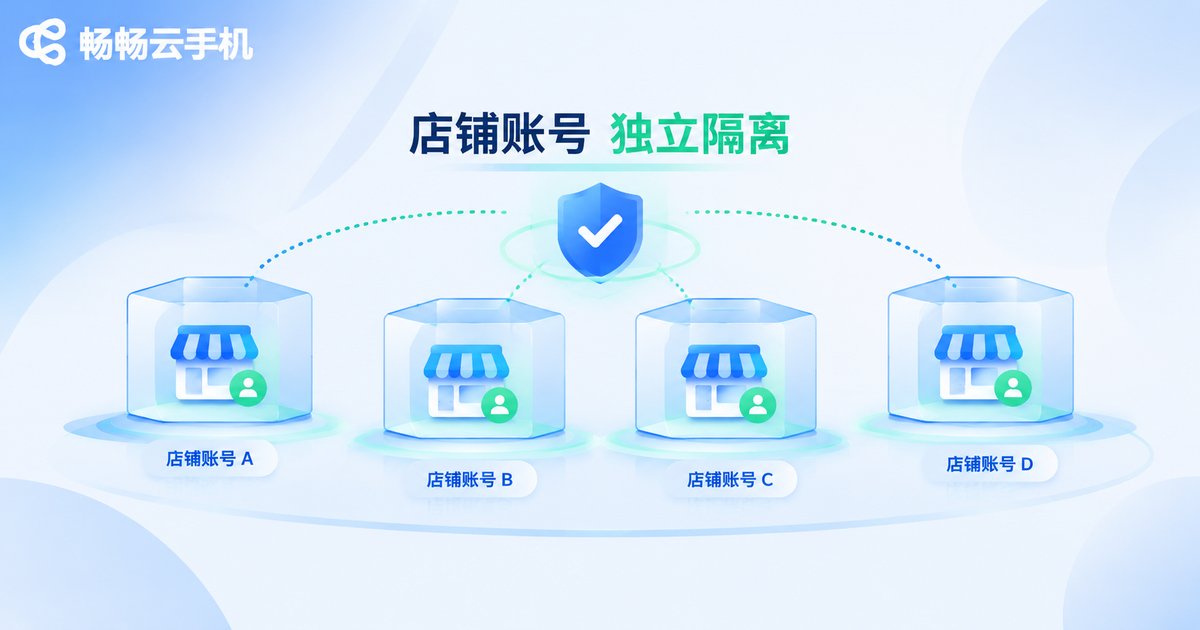
Account Isolation: Give Every Store an Independent Environment
In multi-store operations, one of the biggest headaches is accounts affecting each other. If multiple accounts frequently switch logins on the same device and the same network environment over a long period, association risks can arise and affect normal store operations.
One of the core values of cloud phones is providing a relatively independent running environment for each account. Each cloud phone has its own system environment, and accounts of different stores run in different cloud phones, reducing overlap at the device-environment level.
| Item | Traditional multi-device approach | Cloud phone approach |
|---|---|---|
| Device source | Buy physical phones/computers | Open environments in the cloud |
| Account environment | Separated by physical devices | Independent environment per cloud phone |
| Scaling speed | Longer procurement and setup cycle | Open on demand, ready faster |
| Central management | Scattered devices, high management cost | View and operate in one console |
Of course, account isolation is a systematic effort. Besides device environment, it also involves login habits and operating standards. Cloud phones solve the environment-level separation, but teams still need their own operating guidelines to make it work.
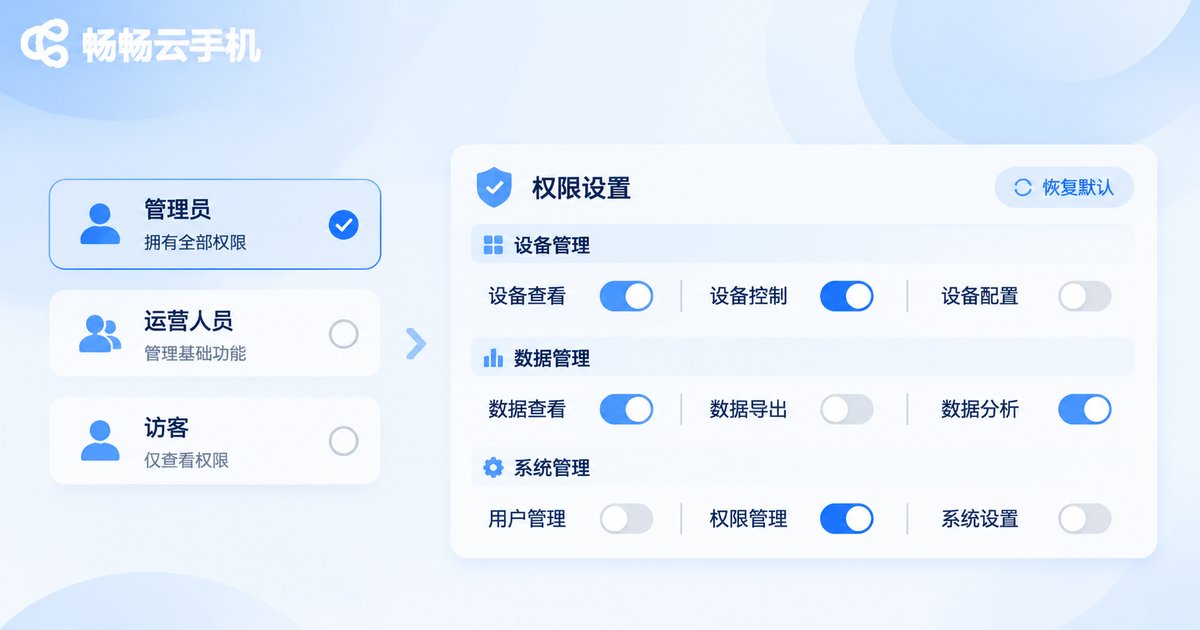
Permission Allocation: Let the Right People Do the Right Things
As the team grows and roles become more specific, permission management becomes unavoidable. Customer service only needs to handle inquiries, operators handle listings and campaigns, and supervisors need an overview. If everyone can operate every store, risk is hard to control.
Cloud phone management can be combined with team roles to divide permissions. Common approaches include:
- By store: give operation permission only for the cloud phones of the stores a person is responsible for.
- By role: customer service, operators and supervisors each have different operating scopes.
- By phase: add temporary staff during big promotions and revoke permissions afterwards.
The benefit is clear accountability: when a problem occurs, you can quickly locate the specific environment and the specific person, and permission revocation is cleaner when staff changes. The essence of permission allocation is making it clear who can touch what, rather than relying on verbal agreements.
Before enabling cloud phones, teams are advised to draft a simple permission table: list the stores, list the members, and mark which environments each person can operate. It does not need to be complex, but it saves a lot of trouble later.

Where Changchang Cloud Phone Fits in E-commerce
Changchang Cloud Phone (ccloudphone) provides cloud-based phone environments operated remotely through a client, suitable for teams that need to centrally manage multiple device environments. In e-commerce scenarios, it maps directly to the three points above: centralized multi-store management, account environment isolation, and member permission allocation.
Keep in mind that features, plans and activation methods differ between providers, so refer to the official Changchang Cloud Phone website for specifics. When choosing, teams should evaluate based on their own store count, team size and operating workflow, rather than blindly pursuing a large number of environments.
Also, compliance is the bottom line regardless of the tool. Cloud phones help teams straighten out environments and management, but the quality of store operations — product selection, service and content — remains the key to success.
FAQ
Q: Can cloud phones log in to multiple store accounts at the same time?
You can log in to different store accounts in different cloud phone environments, since each cloud phone is an independent running environment. For the number of supported environments and login methods, please refer to the official Changchang Cloud Phone website.
Q: Does account isolation eliminate association risks completely?
Cloud phones provide environment-level isolation that reduces device environment overlap. But account security also involves login habits and operating behavior, so teams still need standardized processes and must follow platform rules.
Q: Do small teams need permission allocation too?
It is recommended to start simple even with two or three people. Just clarifying who is responsible for which store reduces confusion during staff changes and prevents everyone from operating every environment.
Q: Are cloud phones too complicated for operators to use?
Cloud phones are used much like a real phone, operated through a client. For people doing daily store operations, it is mainly a matter of getting used to a new tool and usually does not require a strong technical background.
Q: How many cloud phones should an e-commerce team start with?
Base it on the actual number of stores and team division. Start with the core stores, then add more as the business grows, avoiding opening too many at once and leaving them idle.


