

Cloud Phones for Development & Testing: Environment Setup, Compatibility Validation, and Operations Strategy
Why Dev and Testing Teams Are Moving to Cloud Phones
For mobile development teams, testing has long been weighed down by three burdens: high real-device costs, incomplete device coverage, and cumbersome device management. A single flagship phone is expensive, while a modern app must handle hundreds of combinations of Android versions, screen resolutions, and customized ROMs. Maintaining a lab of dozens or hundreds of physical devices is a heavy load on both budget and staffing.
Cloud phones turn physical handsets into elastically schedulable Android instances in the cloud: spin up as many as you need and release them when done; when new devices or OS versions arrive, there is no hardware to buy — simply create the matching environment in the cloud. For development and testing, this means lower device costs, faster environment delivery, and much larger parallel test scale.
Environment Setup: Four Steps to a Working Cloud Test Lab
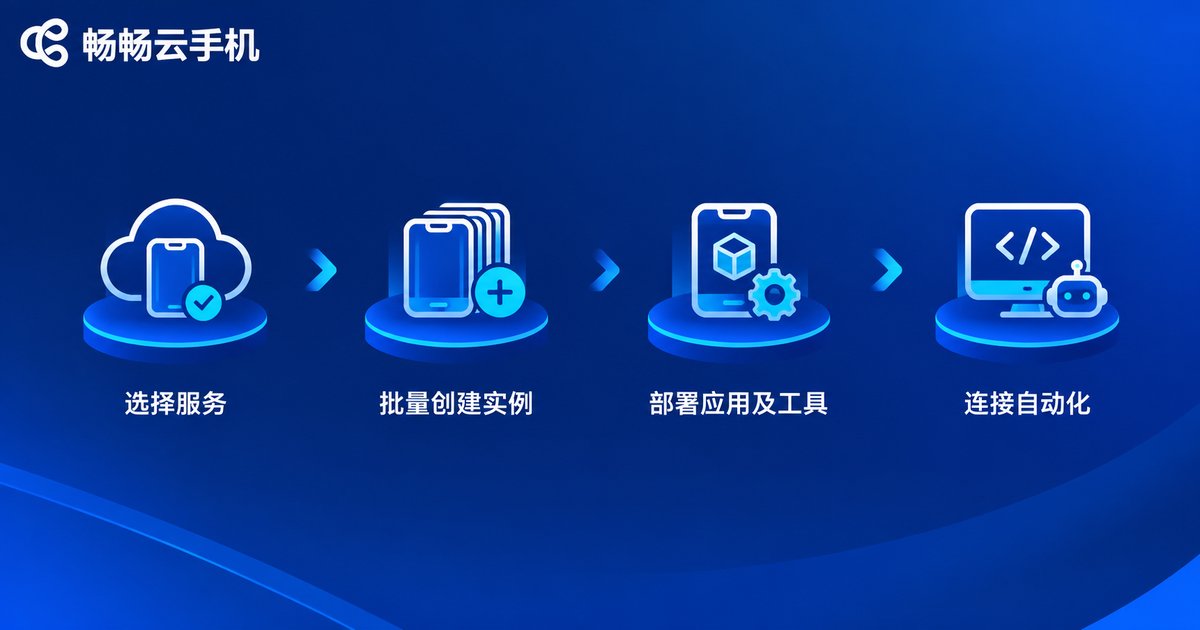
Step 1: Select and activate a service. Choose a cloud phone service that supports batch management and automation. Testing has different requirements from personal use — focus on three things: whether instance configurations resemble real devices, whether group-control or API-based batch operations are available, and how stable device uptime is. ChangChang Cloud Phone (ccloudphone), for example, provides cloud Android instances with batch management, so a QA team can complete activation and device grouping right from the console.
Step 2: Create instances based on your device mix. Based on your target user profile, draft a device distribution plan: what share of mainstream Android versions, how to balance high-resolution and standard screens, and which customized ROMs must be covered. Then batch-create instances in the cloud following that plan, so the cloud device pool mirrors the real market as closely as possible.
Step 3: Deploy the app under test and the toolchain. Distribute build packages, test accounts, and analytics SDKs to all instances in bulk, then install the tools required for automation. A cloud phone is a full Android environment, so standard Android debugging and automation approaches work as usual.
Step 4: Connect, debug, and run your first test case. Connect to instances through the group-control interface or debugging channel, manually verify installation, launch, and core flows, then record or write your first automation script. Once a single pipeline works, scale out to batch parallel execution.
Compatibility Validation: Replace Manual Checks with a Device Matrix
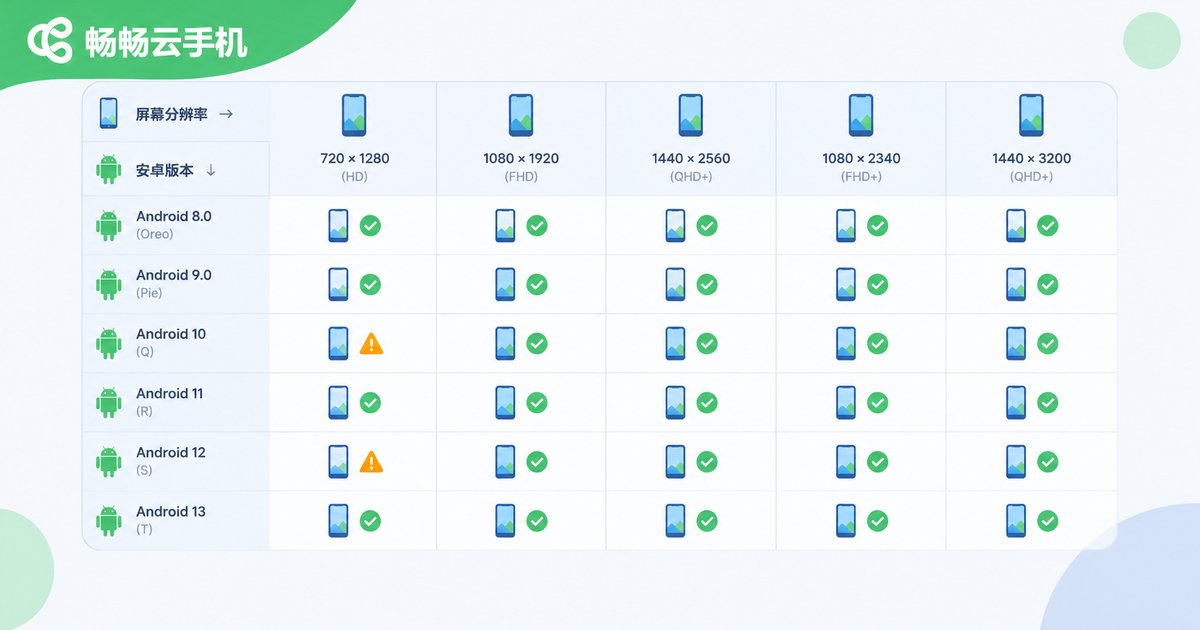
The point of compatibility testing is not to test everything, but to concentrate limited resources on the device combinations with the highest coverage. We recommend building a device matrix along three dimensions:
OS version: cover mainstream Android releases from the past three years, with special attention to backward compatibility on older versions; screen: cover mainstream resolutions and aspect ratios, validating adaptive layouts, notch screens, and foldables; ROM: run targeted checks on permission management and background policies across vendor-customized systems.
| Test dimension | Key checks | Cloud phone advantage |
|---|---|---|
| Install & launch | Install success rate, cold-start time | Parallel instances, results in minutes |
| UI adaptation | Layout and fonts across resolutions | Switch device types instantly for screenshot comparison |
| Stability | Crash rate and memory leaks over long runs | 24/7 soak testing without occupying real devices |
| OS policies | Background cleanup and permission dialogs per ROM | Create and reset multi-ROM environments on demand |
For execution, package test cases into repeatable scripts and run them in parallel across the device matrix: triggered automatically after each build, with failed cases capturing screenshots and logs automatically. Compared with manual device-by-device checks, both coverage and efficiency improve dramatically.
Operations Strategy: Keeping the Device Pool Healthy Long-Term
Setting up the environment is only the beginning — running a test device pool is an ongoing operational discipline built on four practices:
1. Device lifecycle management. Testing generates caches and dirty data. Reset or restore instances regularly so every round starts from a clean environment, eliminating flaky issues caused by environment drift.
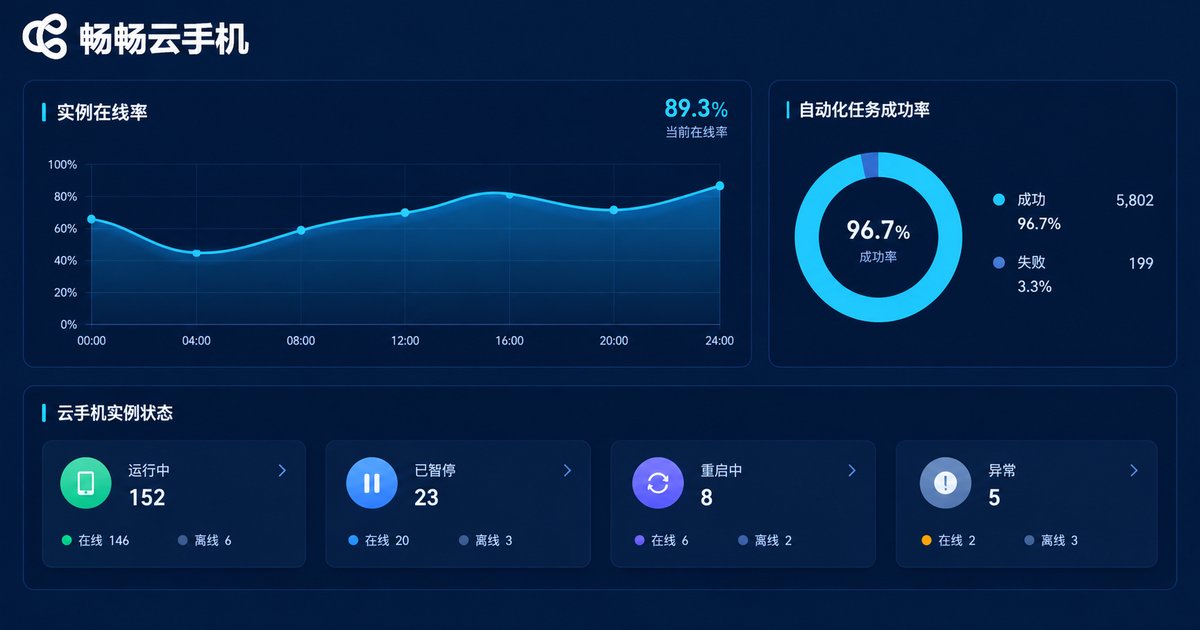
2. Monitoring and alerting. Track three core metrics: instance online rate, automation task success rate, and time per regression cycle. When any metric drifts, quickly determine whether the problem is a cloud device issue or the test case itself.
3. CI/CD integration. Embed cloud phone regression into your continuous integration pipeline: after code merge, build automatically, distribute to the cloud device pool, run smoke and core test cases, and push reports back to team collaboration tools so issues surface the same day.
4. Fine-grained cost control. Adjust pool size with project rhythm: scale up during regression peaks, release or downsize during quiet periods; choose long-duration plans for soak tests and on-demand booting for short verifications, so every dollar of device spend maps to test output.
ChangChang Cloud Phone: A Practical Choice for Testing
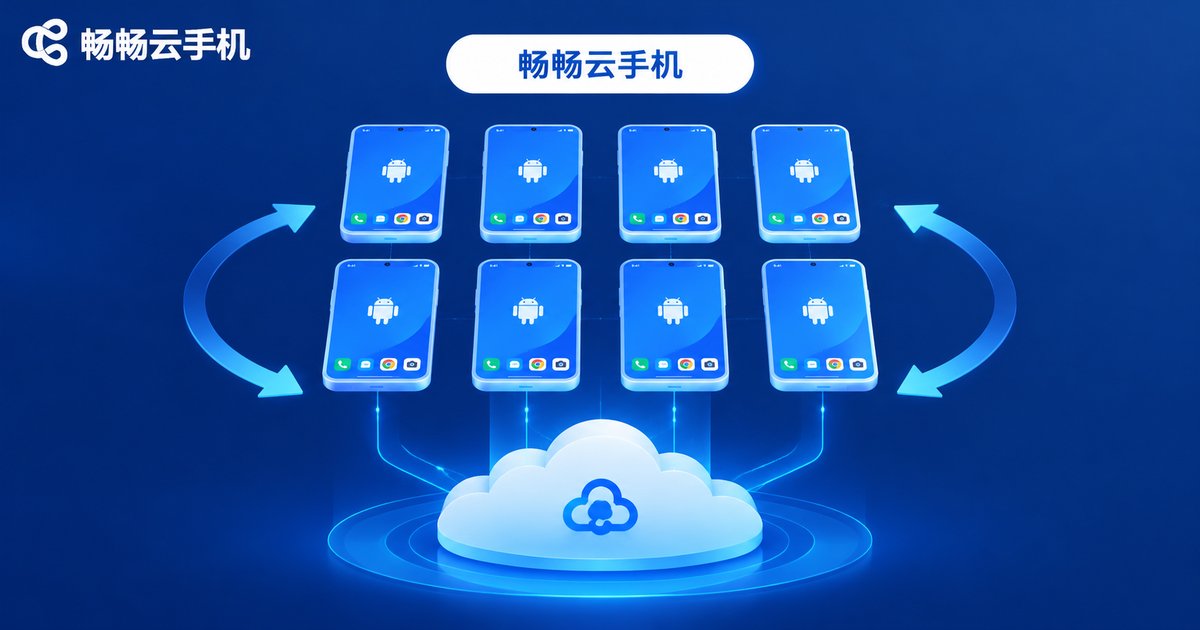
Among its many use cases, ChangChang Cloud Phone fits development and testing particularly well: cloud Android instances can be batch-created on demand, with group-control style batch install, launch, and uninstall; devices stay online and stable around the clock, suiting long-cycle workloads such as compatibility regression, automation soak runs, and staged rollout verification. QA teams can quickly obtain a controllable, resettable cloud device pool without building a physical device lab.
For small teams, cloud phones convert a one-time hardware investment into pay-as-you-go operating cost; for large teams, they remove the scheduling and maintenance burden of physical device labs. Either way, start with a small-scale pilot to validate the workflow, then expand device capacity as the business grows.
FAQ
Q: Do cloud phone test results reflect real devices?
A cloud phone runs a complete Android system environment, so the vast majority of functional and compatibility issues reproduce faithfully. Run high-frequency regression and large-scale compatibility validation on cloud phones, and supplement with a small number of real devices only for scenarios that strongly depend on hardware features like sensors or NFC.
Q: How do automation scripts run on cloud phones?
A cloud phone is a standard Android environment supporting common debugging and automation interfaces. Scripts can run on a schedule inside instances, or be pushed in bulk from outside via group-control APIs, enabling hundreds of devices to execute test cases simultaneously.
Q: Will test data pollute other tests?
Each cloud phone instance is an isolated, independent environment. Batch-reset before testing and clean up afterward to keep every round consistent — a clear advantage over shared physical device pools.
Q: Is a cloud phone worth it for a small team?
Absolutely. Small teams rarely afford a comprehensive real-device matrix, while cloud phones are activated on demand and released after use, delivering multi-device parallel testing at very low cost. Get compatibility regression automated first, then scale capacity as the business grows.


