
What Are the Default Resolution and Android Version of Cloud Phones? Factory Parameters Explained
What Are Cloud Phone Factory Parameters?
Many first-time users wonder what a cloud phone actually is. In short, a cloud phone is a real Android device running in a remote data center, and you control it remotely through screen streaming. Since it is a real Android device, it has its own hardware profile and system information. The specifications preset at delivery are what we call factory parameters.
Factory parameters typically include default resolution, Android version, CPU and memory allocation, and storage. The two most frequently asked about are the default resolution and the Android version, because they directly determine picture clarity and app compatibility.
Default Resolution: Why Is 720P the Norm?
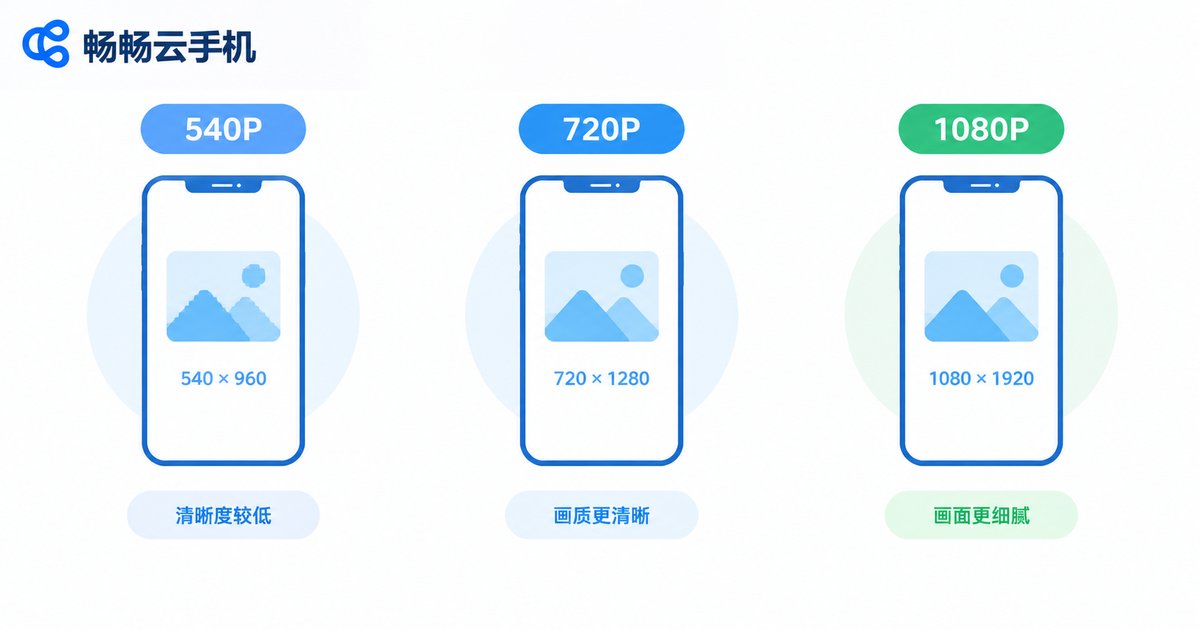
Most mainstream cloud phones default to 720x1280 (720P), while some models offer 540x960 or 1080x1920 options. Why do vendors choose 720P as the default? There are three main reasons:
First, a balance between clarity and smoothness. 720P is sharp enough on a phone screen while keeping cloud rendering load low, which means lower latency. Second, friendlier data usage. Higher resolutions require more bandwidth for video streaming, and 720P strikes a good balance between clarity and data consumption. Third, stability in multi-instance scenarios. Many users run several cloud phones at once for idle farming, and the fewer resources each instance consumes, the more stable everything runs.
| Resolution | Clarity | Data Usage | Best For |
|---|---|---|---|
| 540x960 | Average | Lowest | Idle farming, multi-instance |
| 720x1280 | Good | Moderate | Most games and apps |
| 1080x1920 | HD | Higher | Graphics-sensitive scenarios |
Android Version: What System Does a Cloud Phone Run?
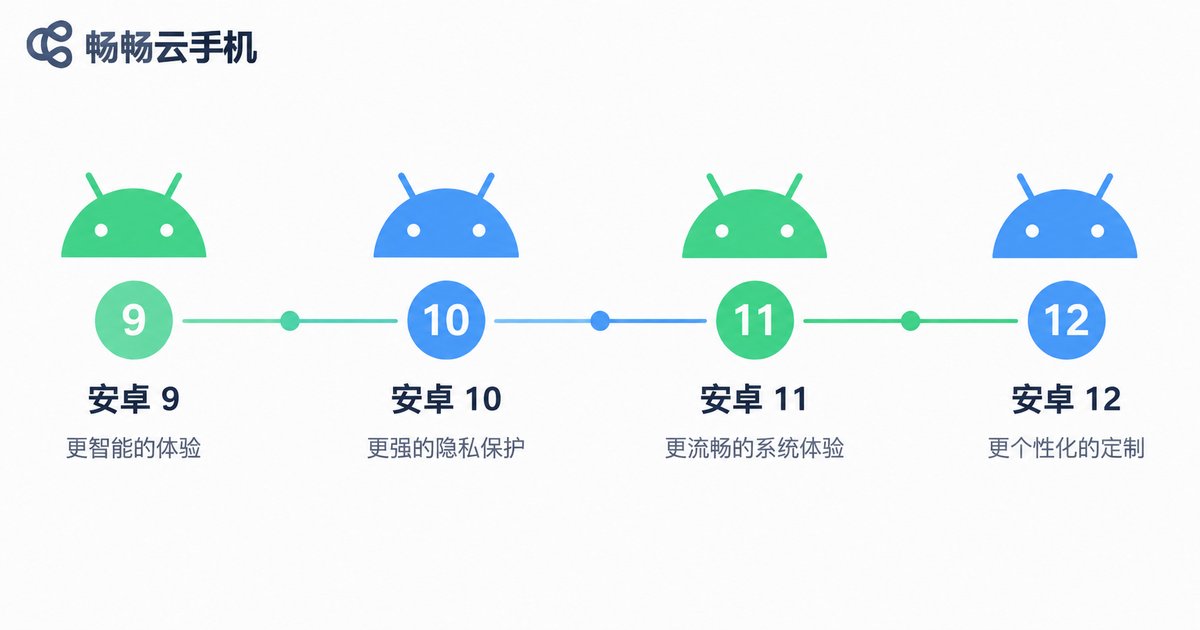
Cloud phones run deeply customized Android-based systems. Across the industry, common versions range from Android 9 to Android 12, and the version may vary by model. The Android version mainly affects two things:
App compatibility. A version that is too low may fail to install apps requiring newer systems, while a very high version can cause older games to crash or behave inconsistently. Feature set. Newer versions offer better permission management and privacy controls. Before purchasing, check the minimum Android version required by the apps you use most, then pick the matching model.
Can Factory Parameters Be Changed?
Resolution can usually be adjusted. Open the settings menu on your cloud phone and you will generally find a resolution option to switch between the default and other levels. Keep in mind that raising the resolution increases data usage and rendering load; for pure idle farming, the default is perfectly fine.
The Android version is usually tied to the model. The system version is fixed when the device profile is created and cannot be upgraded freely like a physical phone. If you have specific version requirements, confirm them before purchasing rather than trying to change it afterwards.
How Factory Parameters Affect Real Usage
Different scenarios care about different parameters:
Multi-instance gaming: per-instance resource use matters most, so the default 720P is actually ideal for running more instances smoothly. Everyday apps: 720P is perfectly adequate as long as the Android version meets app requirements. Graphics enthusiasts: if you want the best visuals, choose a model that supports 1080P and accept higher data consumption.
How to Check Your Cloud Phone Parameters
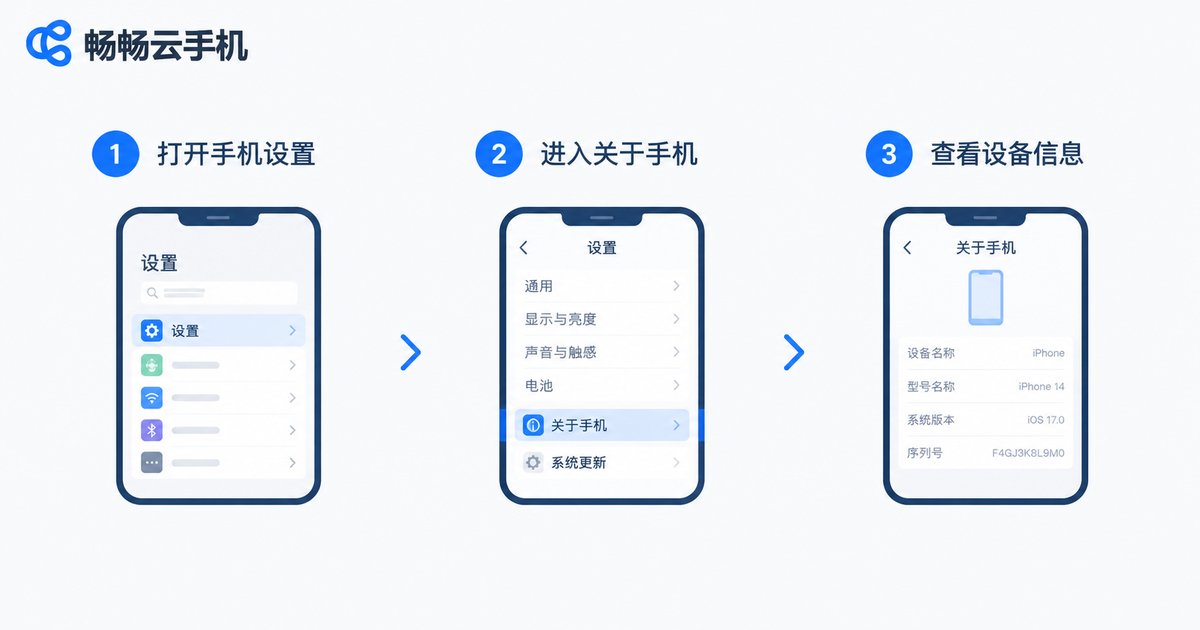
Checking is as simple as on a regular Android phone: open the cloud phone desktop, go to Settings, then tap About Phone to see the current Android version, model, and other information; resolution can be viewed or adjusted under the display-related settings.
Take ChangChang Cloud Phone (ccloudphone) as an example: after logging into the cloud phone desktop, open Settings to view the current system information, and detailed factory specifications for each model are available on the official website. If you are unsure which model suits you, first define your use case — idle multi-account farming or heavy mobile gaming — then match the parameters accordingly so you never pay for capacity you do not need.
FAQ
Q: What is the default resolution of a cloud phone?
Most mainstream cloud phones default to 720x1280, with some models offering 540x960 or 1080x1920, depending on the model you choose.
Q: Can the Android version of a cloud phone be upgraded?
Generally no. The Android version is tied to the device model and fixed at delivery, so confirm it clearly before purchasing.
Q: Does a lower resolution use less data?
Yes. Lower resolutions transmit less image data and consume less bandwidth, so the default resolution is the most economical choice for idle farming.
Q: What if an old game crashes on a newer Android version?
Choose a model with a lower Android version for better compatibility, and verify the system version before buying.
Q: Where can I check the parameters of ChangChang Cloud Phone?
Open Settings on the cloud phone desktop to view current system information, and check the official website for detailed factory specifications of each model.


