

Will Data Be Cleared After Cloud Phone Disconnection: A Guide to Cloud Storage Persistence
Will Data Be Cleared After Disconnection? The Short Answer
Many cloud phone users share the same worry: if the network drops mid-game, or they close the app, will the accounts, progress, and files on their cloud device be wiped? Here is the short answer: under normal circumstances, data is not cleared after a cloud phone disconnects. A cloud phone is a virtual device running on remote servers — your data lives on professional storage disks in a data center, not on your local device. Disconnecting only cuts the video stream; the cloud host keeps running or stands by according to your plan, with all data intact.
How Cloud Phone Storage Works: Data Lives in the Cloud
To understand why a disconnect does not erase anything, you first need to know how a cloud phone operates. Your physical phone or computer is simply an access point: it sends your commands to the cloud and streams the screen back. The actual system, apps, and game data are all stored on server disks inside a cloud data center.
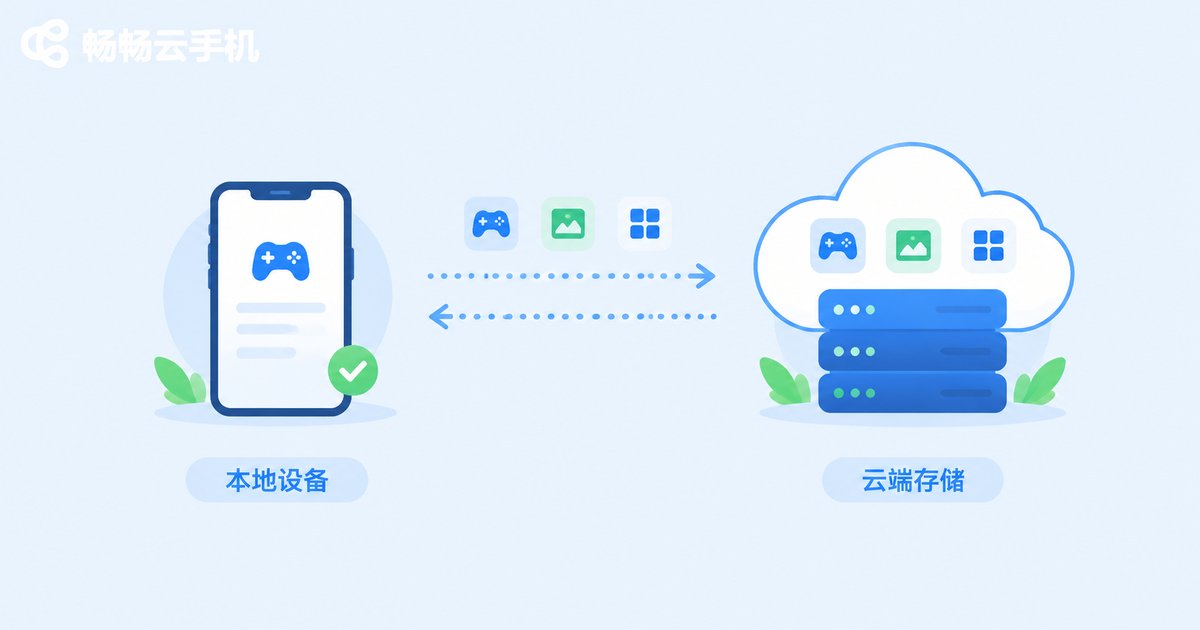
Here is an analogy: it is like using a computer at an internet cafe. The machine reboots when you leave, but the files you saved to your cloud drive remain untouched. Cloud phone data resides in dedicated cloud storage, which is independent of your connection status. Disconnecting, closing the app, or even switching to a new device leaves the data on your cloud host completely unaffected.
What Actually Happens After a Disconnect?
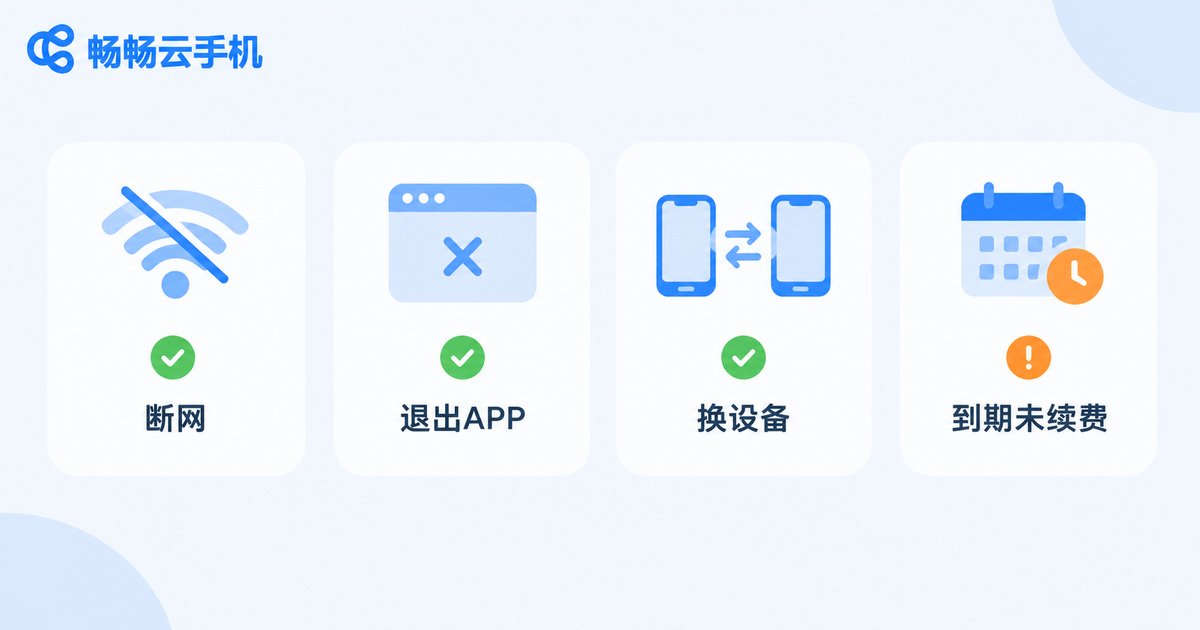
When your network flickers, you switch Wi-Fi, or you force-close the app, here is what happens on the cloud side:
| Your action | Cloud host status | Data retained? |
|---|---|---|
| Brief network drop | Keeps running tasks, waits for reconnection | Fully retained |
| Closing the app or page | Keeps running or stands by per your plan | Fully retained |
| Logging in from another device | Same host continues serving you | Fully retained |
| Plan expired, not renewed | Host released per platform policy | May be cleared |
As the table shows, disconnection itself never triggers data deletion. The only scenario that truly deserves attention is the last one: a plan that expires and stays unpaid for a long time.
When Could Data Actually Be Lost?
1. Plan expired and not renewed for a long time. A cloud host continuously occupies server resources. After expiration, platforms usually provide a grace period, but once it passes, the host may be recycled and the data cleared along with it.
2. Voluntary deletion or account cancellation. Deleting your cloud device or canceling your account means giving up the data yourself; it will be erased according to platform rules.
3. Rare failures or policy violations. Severe server failures could affect data safety, and accounts that violate platform rules may be penalized. Choosing a provider with strong infrastructure and a solid reputation keeps these risks to a minimum.
How to Keep Your Cloud Phone Data Safe
Renew on time: Keeping your plan active is the first prerequisite for data persistence. Set a reminder before expiration so your host is not recycled.
Back up important data: Bind games to official accounts and transfer files regularly, so the cloud and your local devices back each other up.
Choose a reliable provider: Data persistence depends heavily on the provider's storage architecture and operations. A stably run platform is far more trustworthy.
ccloudphone: Your Data Stays Safe in the Cloud
When it comes to data persistence, ccloudphone uses a centralized cloud storage architecture: user data is kept in professional data centers, so nothing is lost during disconnections, and switching devices picks up right where you left off. Whether you are gaming, running multiple apps, or just going about your day, the cloud host keeps working per your plan after you close the app, and everything is exactly as you left it when you reconnect. If you are looking for a cloud phone that is always ready and always remembers, visit the official ccloudphone website to learn more.
FAQ
Q: Will my tasks stop if the cloud phone loses connection?
No. Losing connection only means you cannot see the screen; the cloud host keeps running tasks according to your plan, and you can check the progress once you reconnect.
Q: If I log in from a different phone, will my data still be there?
Yes. Data is stored on cloud servers, independent of the device you use. Log in with the same account on any new device and continue where you left off.
Q: Is data deleted immediately when a cloud phone plan expires?
Usually not right away — platforms typically offer a grace period. Still, for safety, renew on time or back up important data before expiration.
Q: Can data be recovered after canceling a ccloudphone account?
Voluntary cancellation counts as giving up your data. Once cleared under platform rules, it generally cannot be restored, so back up everything important beforehand.


