

Do Cloud Phones Use a Lot of Data? Real-World Tests for Video and Gaming
The Short Answer: Yes, Cloud Phones Use Data — But How Much Depends on You
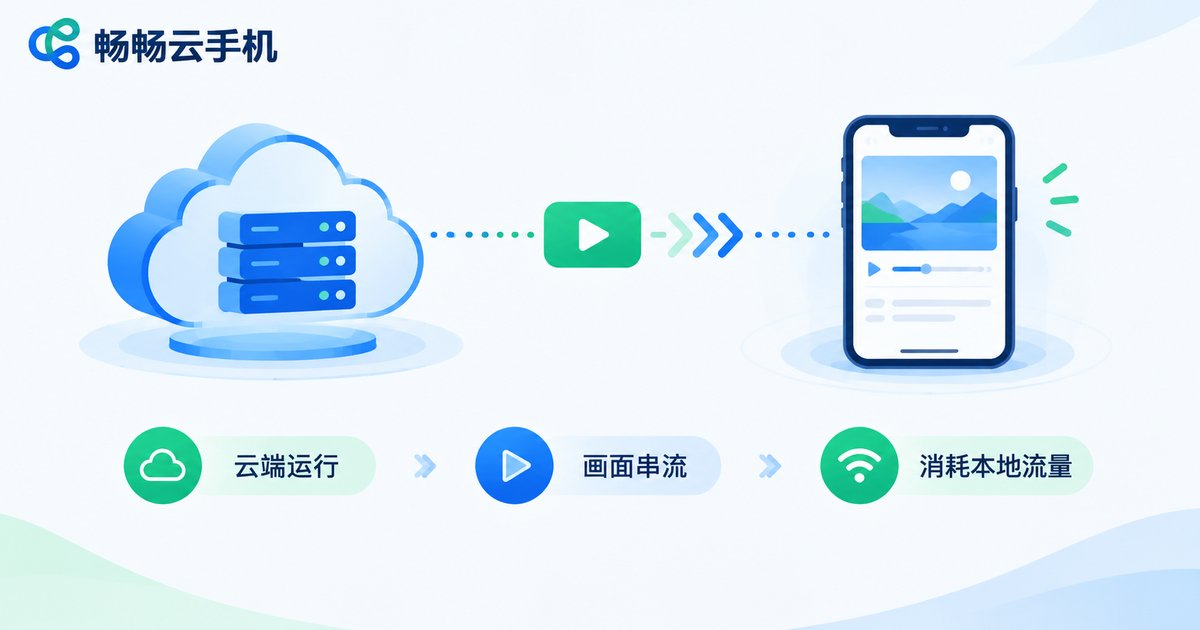
Many first-time users ask: do cloud phones use mobile data? The answer is yes — but how much depends entirely on how you use it. A cloud phone runs Android on a cloud server, and what you see on your screen is a live video stream sent back from the cloud. Whether you are chatting, watching videos, or gaming inside the cloud phone, what consumes data is that video stream.
Think of it as remotely controlling another phone: the sharper and smoother the picture, the faster your data drains. In other words, data consumption depends on stream quality and what you are doing, not on the cloud phone itself.
Real-World Test: Hourly Data Usage by Scenario
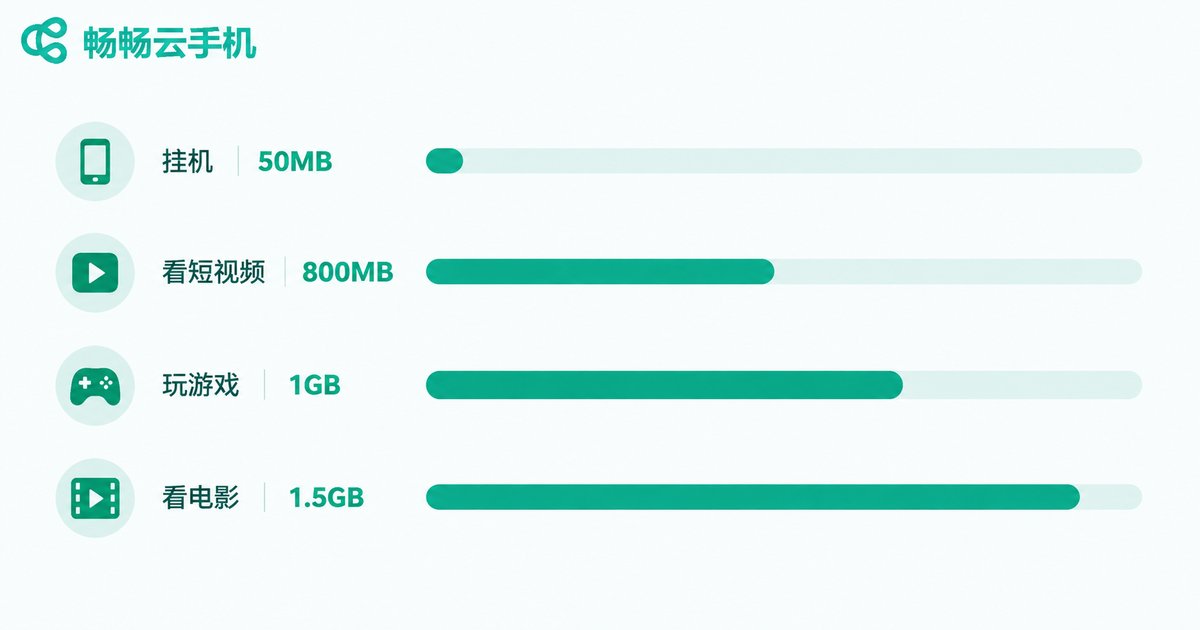
Using a phone's built-in data tracker, we measured the most common scenarios at mainstream 720P quality. Here are the results:
| Scenario | Data per hour | Data intensity |
|---|---|---|
| Background AFK (running games/apps) | About 30-60MB | Negligible |
| Social and text-based apps | About 100-250MB | Very low |
| Watching short videos | About 600-900MB | Moderate |
| Binge-watching shows or movies | About 1-1.5GB | High |
| MOBA and shooter mobile games | About 800MB-1.2GB | High |
| Large open-world games (high quality) | About 1.5-2.5GB | Highest |
Note: these are reference values at 720P. Switching to 1080P high frame rate can roughly double the consumption, while 480P smooth quality can cut it by more than half. Actual numbers vary with bitrate settings.
Video vs. Gaming: Which Drains More Data?
Many people assume gaming is the biggest data hog, but that is not always true. Cloud gaming pushes the bitrate up with fast-moving, high-frame-rate visuals; however, watching HD video is just as demanding, especially for long, continuous sessions like binge-watching a series or a movie.
In short: AFK tasks are the cheapest, chatting comes next, while video and gaming are the main data consumers. If you mainly keep tasks running in the background and check in occasionally, monthly usage stays very low. But if you watch hours of video inside your cloud phone every day, the consumption will be close to streaming that video locally.
Doing the Math: How Much Data Per Month?
Take a typical heavy user: 20 hours of AFK time plus 2 hours of gaming per day at 720P:
AFK data: 20 hours × 50MB ≈ 1GB
Gaming data: 2 hours × 1GB ≈ 2GB
Total: about 3GB per day, or roughly 90GB per month
Do not panic at that number — this is a genuinely heavy-use case. If you mostly stay on WiFi and only use cellular data occasionally, a few gigabytes a month is plenty. That is why we strongly recommend using your cloud phone over WiFi whenever possible.
Five Practical Tips to Save Data
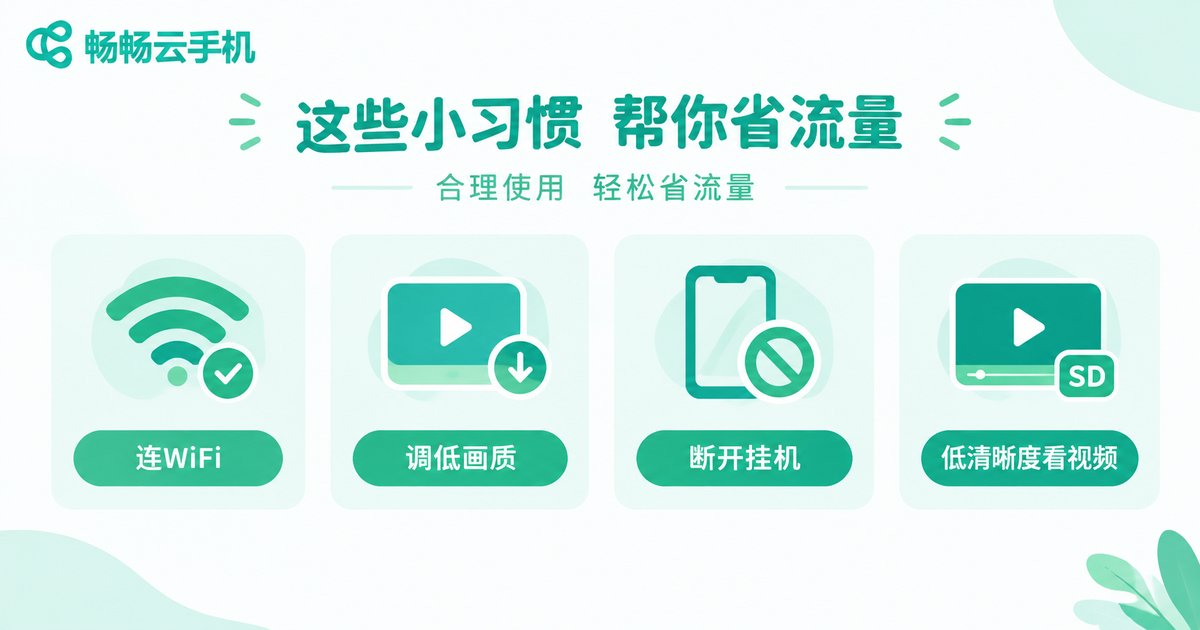
1. Use WiFi whenever you can. This is the most direct fix. Home, office, or dorm WiFi costs you nothing extra.
2. Lower the stream quality and frame rate. Dropping from 1080P to 720P or 480P cuts data use in half or more, which is plenty for AFK tasks and casual gaming.
3. Make use of disconnect-and-AFK modes. Cloud phones like ccloudphone keep your tasks running on the cloud even after you disconnect, so you do not need to keep the screen streaming. Reconnect only to collect your rewards — the shorter the connection, the less data you use.
4. Pick lower resolution for video. When watching videos inside the cloud phone, setting the app to 480P looks almost the same but saves a lot of data.
5. Keep an eye on data statistics. Your phone's built-in data monitor shows usage per app, so you always know where your data goes.
If you are still choosing a cloud phone, ccloudphone is worth a look. It supports cloud app hosting and game AFK play; visit the official ccloudphone website to check the latest plans and pick a configuration that matches your habits.
FAQ
Q: Does a cloud phone still use data after I disconnect?
Almost none. After disconnecting, your tasks keep running in the cloud, but no video stream is sent to your phone, so local data usage is nearly zero. Data is only consumed when you reconnect and interact.
Q: How much data does one hour of cloud gaming use?
At 720P, MOBA and shooter games cost roughly 800MB to 1.2GB per hour; 1080P high quality can exceed 2GB. Mobile users should lower the stream quality before playing.
Q: How much data does a month of AFK use?
Pure AFK with disconnect hosting barely uses any data. If you keep the connection live, at 30-60MB per hour that adds up to roughly 20-40GB a month — disconnect or stay on WiFi when AFK.
Q: Which uses more data: a cloud phone or playing locally?
Playing locally barely uses data (only updates and online sync), while a cloud phone continuously streams video, so it clearly uses more. That is the trade-off for not occupying local storage and playing demanding games on low-end devices.
Q: Any recommendation for a data-friendly cloud phone?
Try ccloudphone. Paired with WiFi, lower stream quality, and disconnect-AFK hosting, the data pressure becomes minimal. Check the official website for more features.


