
Does a Cloud Phone Use a Lot of Data? Cost Breakdown for Daily Use, AFK, and Live Streaming
How Cloud Phone Data Usage Works
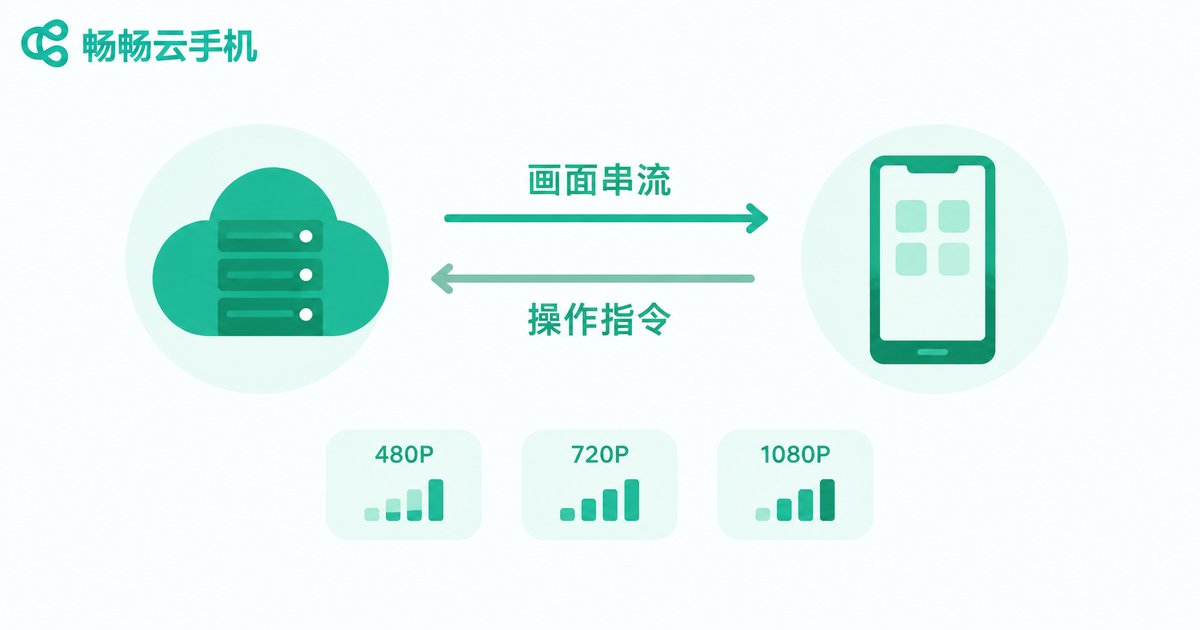
First-time cloud phone users often worry: if my apps run in the cloud, will my mobile data drain rapidly? In reality, a cloud phone consumes data mainly through screen streaming — the cloud server compresses the screen into a video stream sent to your device, while your taps and swipes travel back as tiny control signals. In other words, a cloud phone uses data much like watching a live video: the higher the resolution and the longer the session, the more data you consume.
Once you understand this, the huge differences between scenarios make sense: light daily use may cost only a few hundred MB per day, while long high-resolution sessions can reach several GB per day.
Daily Use: How Much Data Per Day?
Take 720P streaming as a reference. Browsing social media, messaging, and light gaming inside a cloud phone consumes roughly 400-800MB per hour; streaming graphics-heavy games or watching HD video can exceed 1.5GB per hour. The table below helps you estimate quickly:
| Scenario | Recommended quality | Data per hour | Monthly (2h/day) |
|---|---|---|---|
| Social apps and light tasks | 480P | About 300-500MB | About 18-30GB |
| Web browsing and video | 720P | About 700MB-1GB | About 42-60GB |
| Graphics-heavy mobile games | 1080P | About 1.5-2.5GB | About 90-150GB |
If you mainly use Wi-Fi, this data usage is nearly negligible. If you rely on mobile data, choose a large data plan or lower the streaming quality by one step, and the cost becomes easy to control.
AFK Mode: The Hidden Data-Saving Advantage
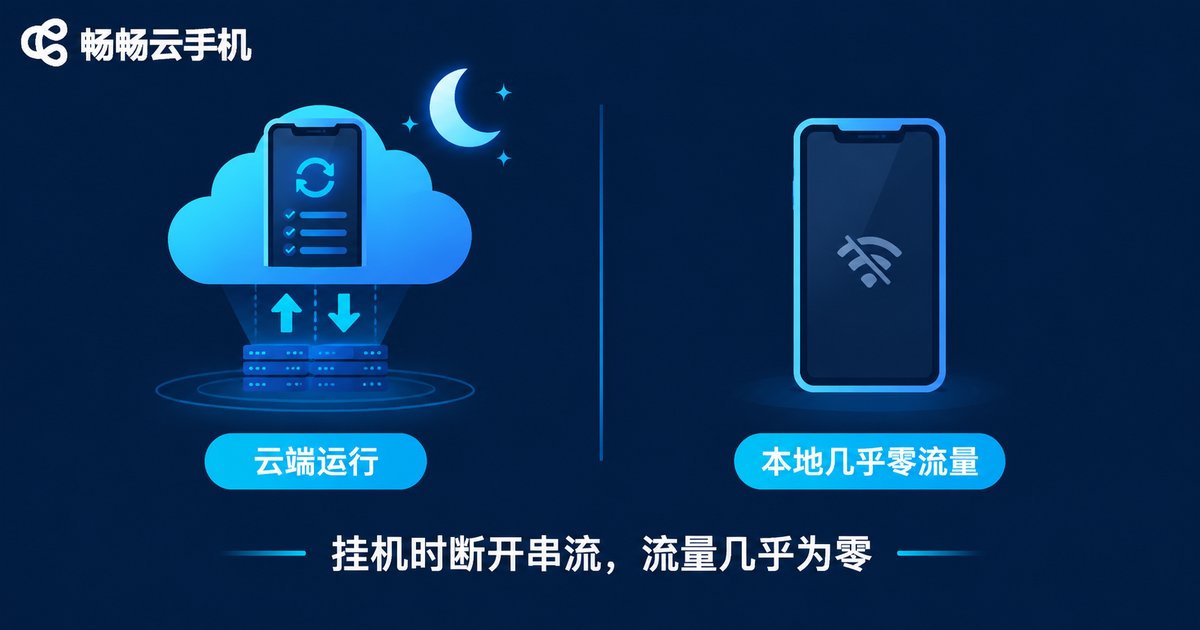
AFK is one of the most classic cloud phone use cases — idle gaming, keeping apps alive, and automated tasks. Many people assume that because the device runs in the cloud 24/7, data is being drained around the clock. The opposite is true: in AFK mode the cloud phone runs independently in the cloud and does not depend on your screen stream. As long as you disconnect the screen, local data usage drops to nearly zero while cloud tasks keep running.
In other words, over a whole night of AFK, the only data consumed comes from the few minutes you spend checking status or adjusting settings. This is a major advantage over AFK on a physical device: it saves battery, saves data, and does not occupy your local phone.
Live Streaming: Encoding Happens in the Cloud
Live streaming is a well-known data hog. Broadcasting from a physical phone can consume 1-2GB per hour just for the upstream stream. With a cloud phone, the outgoing stream is handled by the cloud server, so your local connection only carries the live preview — usually similar to watching a 720P stream, around 700MB to 1GB per hour.
If you are watching streams inside a cloud phone, consumption is basically the same as on a physical device: about 500MB per hour at 480P, about 1GB at 720P, and over 2GB at 1080P. For long viewing sessions, connect to Wi-Fi or lower the resolution.
Practical Tips to Keep Data Costs Under Control
- Prefer Wi-Fi: stream at high quality freely when connected to Wi-Fi;
- Switch quality as needed: use 480P to check status, switch back to high quality for gaming;
- Disconnect the stream when AFK: close the screen connection and let the cloud run tasks with nearly zero local data;
- Choose the right plan: a large data plan significantly reduces mobile data costs.
When choosing a cloud phone service, streaming stability and quality adjustment matter as much as data cost. ccloudphone delivers a smooth and stable cloud experience, whether for multi-app use, AFK gaming, or long sessions online. Combined with sensible quality settings and a Wi-Fi connection, you can easily keep data usage within a range you are comfortable with.
FAQ
Q: How much data does a cloud phone use overnight in AFK mode?
If the screen stream is disconnected, local data usage is nearly zero. If you keep the stream live at 720P, 8 hours costs roughly 6-8GB. Disconnect the stream and let the cloud run independently.
Q: Is it expensive to play cloud phone games on mobile data?
At 2 hours per day and 720P quality, monthly usage is about 40-60GB, which typically costs only a small amount on a large data plan. On Wi-Fi, the cost is nearly zero.
Q: Does live streaming through a cloud phone use more data than a physical phone?
Quite the opposite. The cloud handles the outgoing stream, so your local connection only carries the preview — usually less data than broadcasting from a physical phone, ideal for long sessions.
Q: Does lowering the quality hurt the experience?
480P is fine for checking status and light tasks, while 720P covers most gaming needs. Switch flexibly based on your network to balance data usage and experience.


